

'%3e%3cpath%20d='M8%200C12.4183%200%2016%203.58172%2016%208C16%2012.4183%2012.4183%2016%208%2016C3.58172%2016%200%2012.4183%200%208C0%203.58172%203.58172%200%208%200ZM11.6162%204.38379C11.2257%203.99337%2010.5927%203.99338%2010.2021%204.38379L8%206.58594L5.79785%204.38379C5.40732%203.99334%204.77429%203.99329%204.38379%204.38379C3.99331%204.77429%203.99335%205.40733%204.38379%205.79785L6.58594%208L4.38379%2010.2021C3.99348%2010.5927%203.99341%2011.2257%204.38379%2011.6162C4.77426%2012.0066%205.40734%2012.0065%205.79785%2011.6162L8%209.41406L10.2021%2011.6162C10.5927%2012.0066%2011.2257%2012.0067%2011.6162%2011.6162C12.0067%2011.2257%2012.0066%2010.5927%2011.6162%2010.2021L9.41406%208L11.6162%205.79785C12.0066%205.40735%2012.0066%204.77429%2011.6162%204.38379Z'%20fill='%23080E17'%20fill-opacity='0.46'/%3e%3c/g%3e%3cdefs%3e%3cclipPath%20id='clip0_3761_713'%3e%3crect%20width='16'%20height='16'%20fill='white'/%3e%3c/clipPath%3e%3c/defs%3e%3c/svg%3e)




'%3e%3cpath%20fill-rule='evenodd'%20clip-rule='evenodd'%20d='M21.4999%2010.9993C21.4999%205.20009%2016.7986%200.498901%2010.9993%200.498901C5.19994%200.498901%200.498657%205.20009%200.498657%2010.9993C0.498657%2016.2404%204.33858%2020.5844%209.35855%2021.3722V14.0346H6.69238V10.9993H9.35855V8.68594C9.35855%206.05427%2010.9262%204.60062%2013.3248%204.60062C14.4736%204.60062%2015.6753%204.80571%2015.6753%204.80571V7.38979H14.3512C13.0468%207.38979%2012.64%208.19921%2012.64%209.0296V10.9993H15.5523L15.0867%2014.0346H12.64V21.3722C17.66%2020.5844%2021.4999%2016.2404%2021.4999%2010.9993Z'%20fill='%231568EA'/%3e%3c/g%3e%3c/svg%3e)


'%3e%3cpath%20d='M2.42045%2022.1876H6.31818V12.7217L0.75%208.54553V20.5171C0.75%2021.4414%201.49892%2022.1876%202.42045%2022.1876Z'%20fill='%234285F4'/%3e%3cpath%20d='M19.682%2022.1876H23.5797C24.5041%2022.1876%2025.2502%2021.4387%2025.2502%2020.5171V8.54553L19.682%2012.7217'%20fill='%2334A853'/%3e%3cpath%20d='M19.682%205.48293V12.7216L25.2502%208.54543V6.31816C25.2502%204.25236%2022.8921%203.07469%2021.2411%204.31361'%20fill='%23FBBC04'/%3e%3cpath%20d='M6.31824%2012.7217V5.48303L13.0001%2010.4944L19.6819%205.48303V12.7217L13.0001%2017.733'%20fill='%23EA4335'/%3e%3cpath%20d='M0.75%206.31816V8.54543L6.31818%2012.7216V5.48293L4.75909%204.31361C3.10534%203.07469%200.75%204.25236%200.75%206.31816Z'%20fill='%23C5221F'/%3e%3c/g%3e%3cdefs%3e%3cclipPath%20id='clip0_2954_7305'%3e%3crect%20width='24.5'%20height='18.375'%20fill='white'%20transform='translate(0.75%203.8125)'/%3e%3c/clipPath%3e%3c/defs%3e%3c/svg%3e)


Staring at a blank page with an essay deadline approaching is one of the most common writing problems students and professionals face. An AI essay writer turns a topic into a structured first draft in minutes, so you can spend your energy on arguments and edits instead of the opening sentence. This guide explains what an AI essay writer is, walks through using one in WPS Writer step by step, shares prompting tips for better output, and covers how to use AI writing tools responsibly.
How to Use an AI Essay Writer
How to use an AI essay writer in WPS Writer
WPS Writer includes WPS AI, a built-in assistant that can draft, summarize, and rewrite text while you work on the document itself. You do not need to switch between a chat window and your essay — the draft appears where you will edit it. Here is the full workflow:
Open WPS Writer and create a blank document. Save it right away so your draft and edits stay in one file.
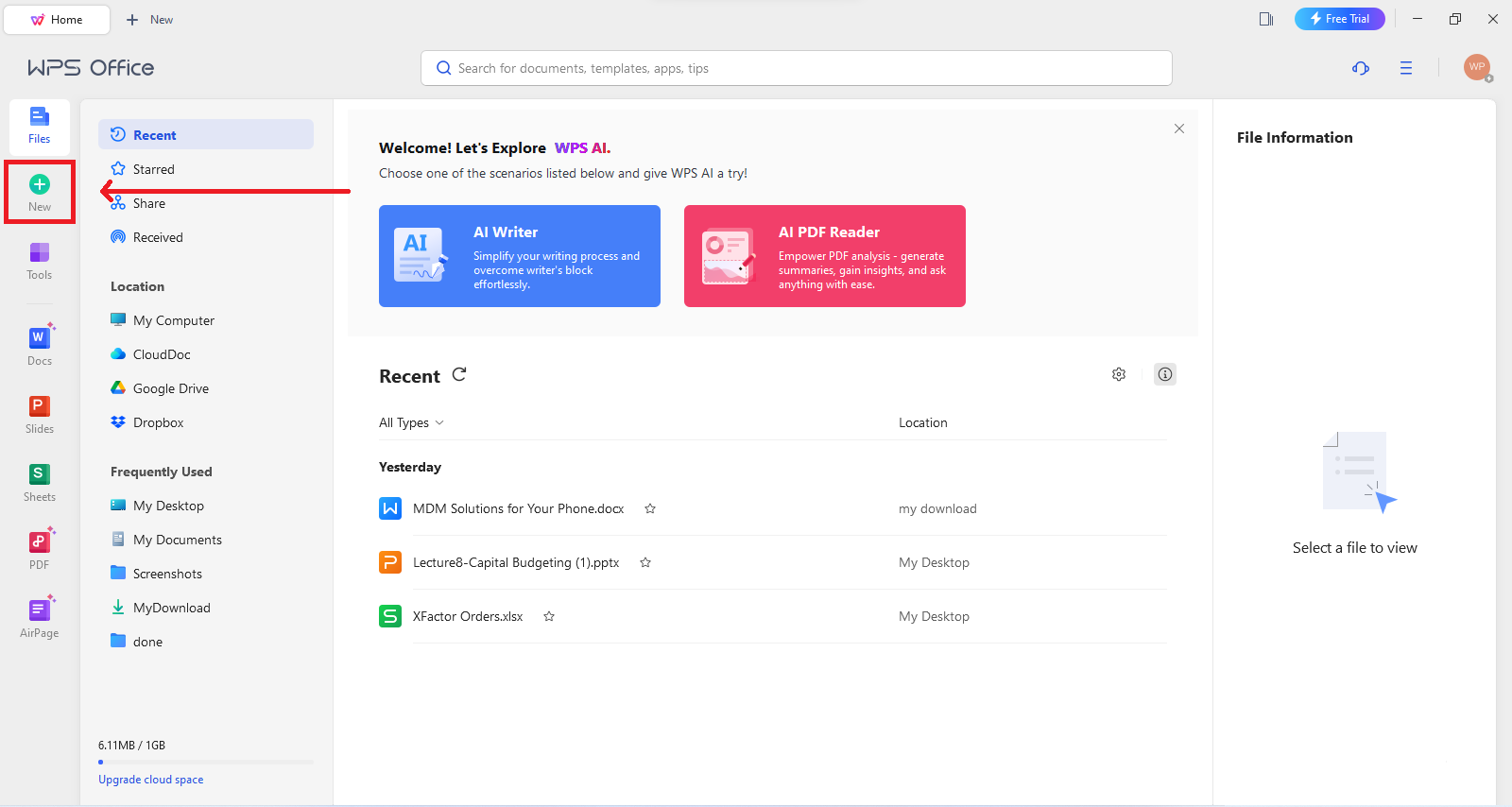
Open WPS Writer Open the WPS AI panel and type a specific prompt. Include the essay type, topic, length, and the points you want covered, for example: Write a 500-word persuasive essay about renewable energy, covering cost, jobs, and energy independence.
Click Generate and wait a few seconds for the draft. The AI writes an introduction, body paragraphs, and a conclusion into the document.
Read the whole draft critically. Check that the arguments match your assignment, that facts are correct, and that the tone fits your voice. Treat the output as a first draft, never a final submission.
Edit and refine. Rewrite weak sentences, add your own examples and evidence, and use the AI tools for targeted improvements such as polishing or expanding a specific paragraph.
The prompt box is where you control the direction of the essay, so spend a minute on it before generating:
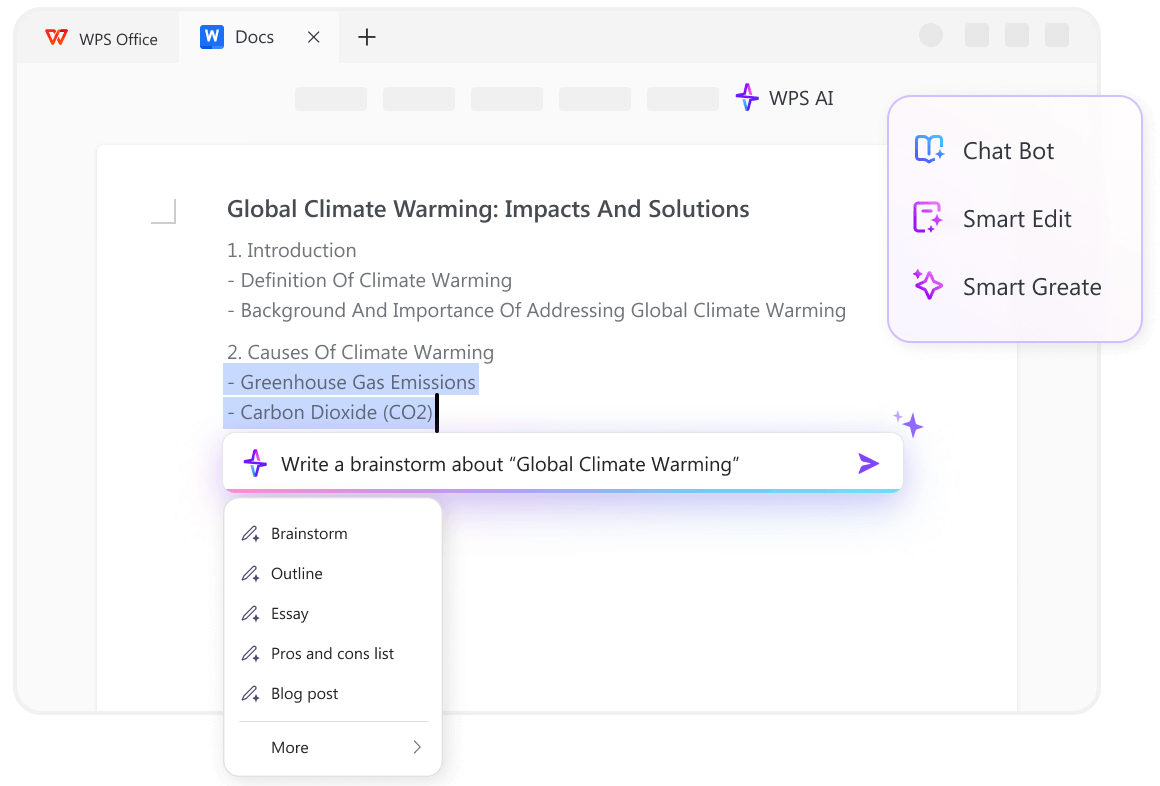
WPS AI essay prompt and generate button
How to get better results from an AI essay writer
The difference between a mediocre AI draft and a strong one is almost always the prompt. Apply these habits and the first draft will need far less repair:
Give context. State the audience, purpose, and essay type. A scholarship essay and a class discussion post need very different drafts from the same topic.
Ask for structure explicitly. Request an introduction with a thesis, a set number of body paragraphs, and a conclusion, so the model does not decide the shape for you.
Iterate in small steps. Instead of asking for a whole new essay, ask the AI to expand one paragraph, sharpen the thesis, or counter an objection. Small revisions keep you in control.
Edit in your own voice. Replace generic phrasing with your own examples, then read the essay aloud to catch anything that does not sound like you.
One rule of thumb: the AI is good at structure and fluency, but you are the source of the argument. Feed it your outline and evidence rather than asking it to invent everything.
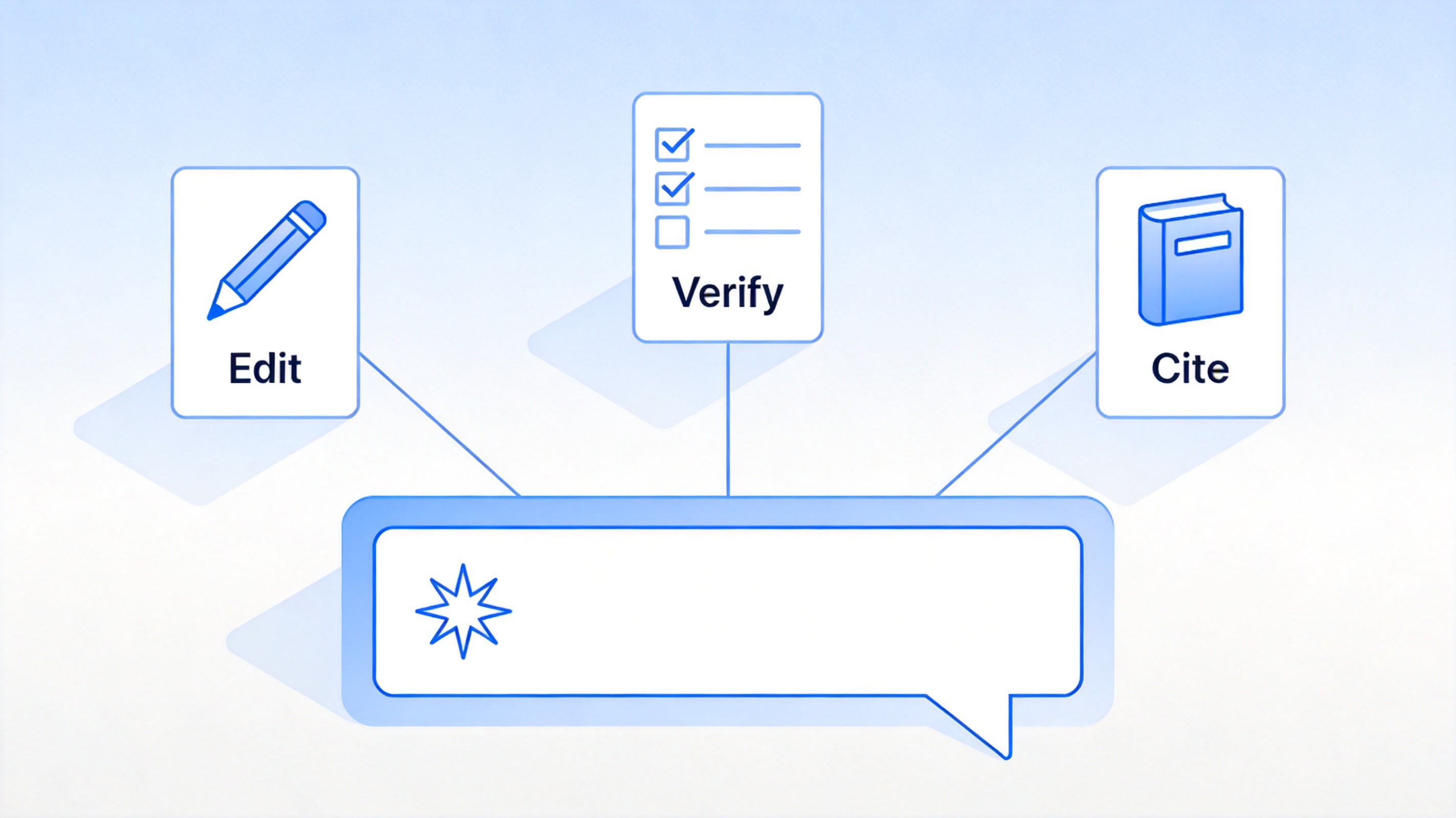
AI essay writing prompt and editing tips


How to use an AI essay writer responsibly
AI writing tools are powerful, but using them without judgment creates real risks — factual errors, invented citations, and academic integrity problems. A responsible workflow looks like this:
Check your institution's policy first. Schools and publishers set their own rules on AI assistance, and many require you to disclose it. Know the rules before you generate a single sentence.
Verify every fact and citation. Language models can produce confident but wrong statements and fake references. Confirm each claim against a real source before it goes into your essay.
Keep the thinking yours. Use the AI to beat the blank page, test structures, and polish wording — the thesis, evidence, and conclusions should come from you.
Disclose when required. If your instructor or editor asks how the text was produced, answer honestly. Undisclosed AI use is what turns a study aid into an integrity problem.
Used this way, the tool makes drafting faster without putting your grade or credibility at risk. For a different take on free AI writing tools, see this guide to a free AI essay writing tool with no sign up.
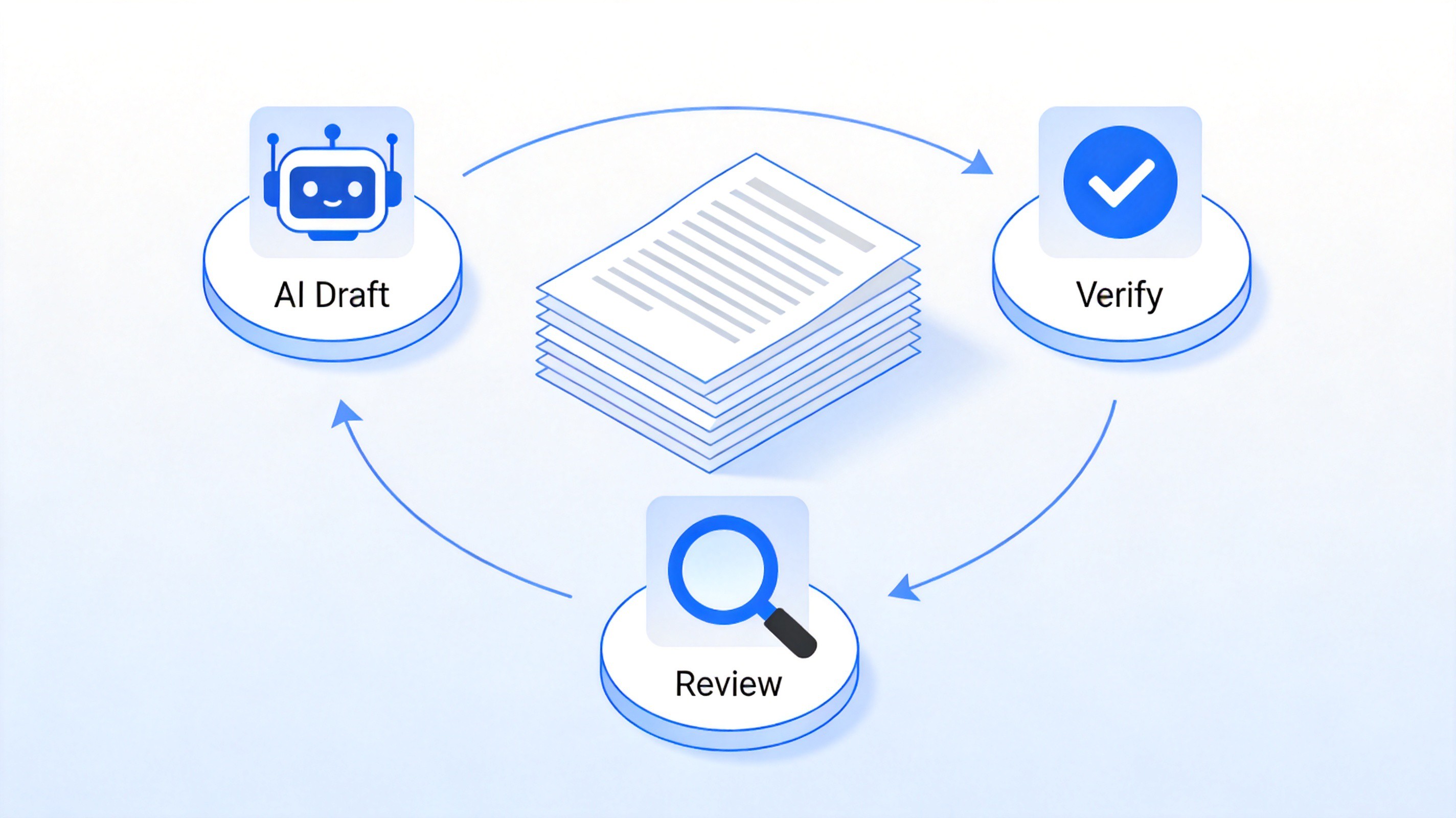
Responsible AI essay draft review workflow
The Best AI Essay Writer: WPS AI
When you compare AI essay writers, most of the tools you will find are standalone web apps: you paste your prompt into a browser tab, wait for a draft, copy it out, and then paste it into a separate word processor to format it. WPS AI takes a different approach. It is the AI assistant built into WPS Office, a free all-in-one office suite that bundles Writer, Spreadsheets, Presentation, and PDF tools in a single download for Windows, macOS, Linux, iOS, and Android. Your essay draft, your notes, your class schedule, and your bibliography all live in the same suite, so you never have to jump between five different apps to finish an assignment.
As an essay writer specifically, WPS AI covers the full writing cycle. It can brainstorm angles for your topic, generate an outline, draft the introduction, body paragraphs, and conclusion, then summarize long source texts, rewrite awkward sentences, and adjust the tone on request. Because the assistant works inside the document itself, every generated paragraph lands exactly where you will edit it — you can highlight a paragraph and ask the AI to expand, polish, or shorten it without leaving the page.
The all-in-one suite matters most after the draft is done. With WPS AI you can generate the draft in Writer, apply heading styles and citation formatting with one click, check the word count against your assignment requirements, drop in a chart from Spreadsheets if your essay needs data, and export to PDF for submission — all without copying text between apps or paying for separate subscriptions. For students and professionals who need both a capable AI essay writer and a complete office toolkit, this combination removes most of the friction of the draft-edit-submit cycle.
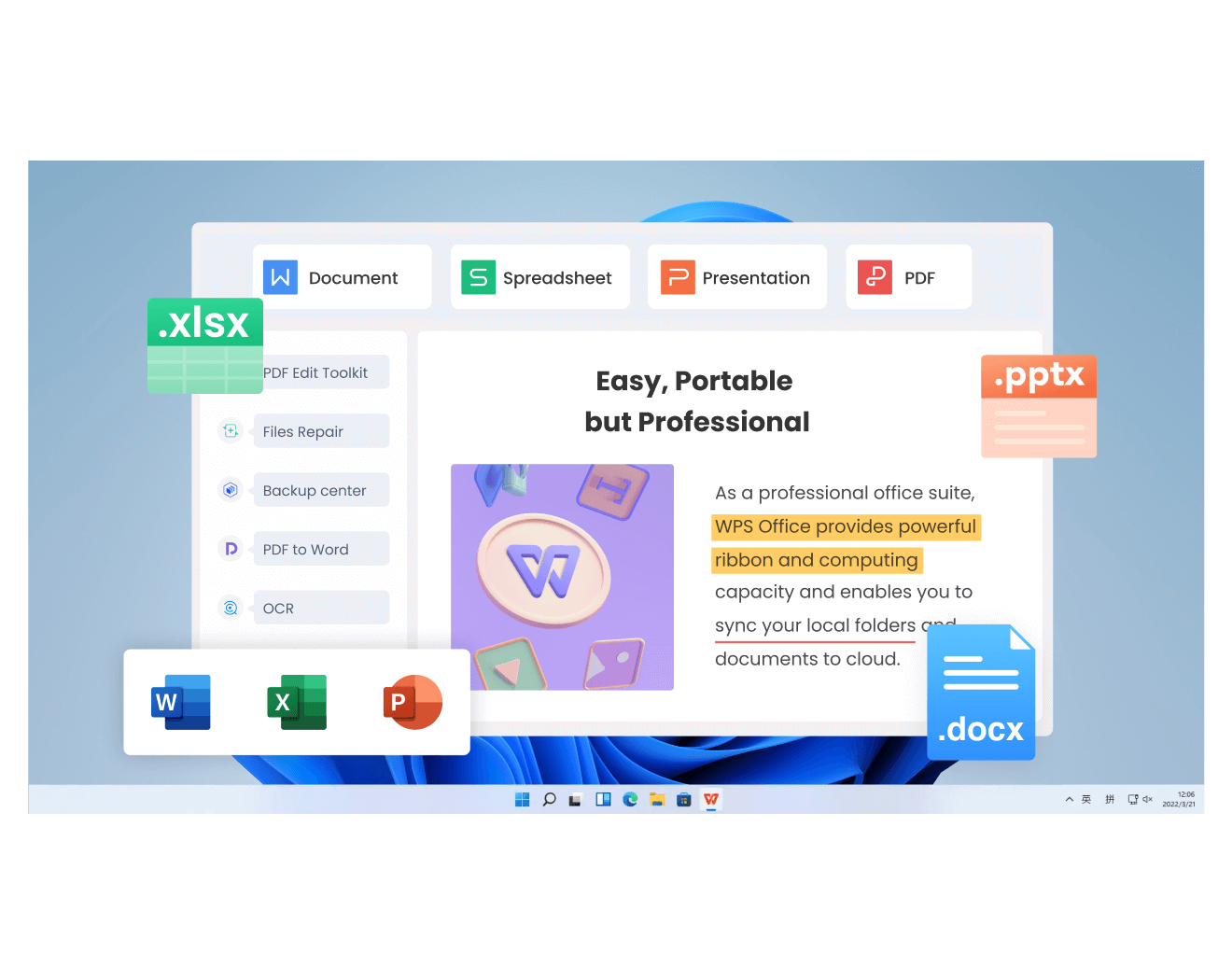
WPS all-in-one office suite
FAQs
Is it cheating to use an AI essay writer?
It depends on how you use it and what your school allows. Using AI to brainstorm, outline, and improve your own draft is widely acceptable; submitting AI-generated text as your own work without permission is not. Always check your institution's policy and disclose AI assistance when required.
Can AI essay writers produce accurate citations?
No — AI models frequently invent plausible-looking citations that do not exist. Treat every reference in an AI draft as unverified until you have found and read the actual source yourself.
Is WPS AI free to use for essay writing?
WPS AI is included in WPS Office, which is free to download and use. Some advanced AI features may be tied to premium plans, but drafting, summarizing, and rewriting assistance is available at no cost to start.
Will an AI essay writer pass AI detection tools?
AI detectors are unreliable in both directions, so do not count on evading or passing them. The safer strategy is to use the AI for a first draft and then rewrite it substantially in your own voice with your own evidence.
What makes a good prompt for an AI essay writer?
A good prompt names the essay type, topic, length, audience, and the specific points to cover. The more context you provide, the closer the first draft will be to what you need, and the less time you will spend fixing generic filler.

'%3e%3cpath%20d='M19.9911%204.11386V6.471H18.5894C18.0775%206.471%2017.7322%206.57814%2017.5536%206.79243C17.3751%207.00671%2017.2858%207.32814%2017.2858%207.75671V9.44421H19.9019L19.5536%2012.0871H17.2858V18.8639H14.5536V12.0871H12.2769V9.44421H14.5536V7.49779C14.5536%206.39064%2014.8632%205.53201%2015.4822%204.92189C16.1013%204.31177%2016.9257%204.00671%2017.9554%204.00671C18.8304%204.00671%2019.509%204.04243%2019.9911%204.11386Z'%20fill='%23333333'/%3e%3c/g%3e%3cdefs%3e%3cclipPath%20id='clip0_2938_8199'%3e%3crect%20width='16'%20height='16'%20fill='white'%20transform='translate(8%204.00671)'/%3e%3c/clipPath%3e%3c/defs%3e%3c/svg%3e)
'%3e%3cpath%20d='M17.5237%2010.7813L23.4811%204H22.0699L16.8949%209.88693L12.7648%204H8L14.2469%2012.9029L8%2020.0133H9.4112L14.8725%2013.7952L19.2352%2020.0133H24M9.92053%205.04213H12.0885L22.0688%2019.0224H19.9003'%20fill='%23333333'/%3e%3c/g%3e%3cdefs%3e%3cclipPath%20id='clip0_2938_8200'%3e%3crect%20width='16'%20height='16.0134'%20fill='white'%20transform='translate(8%204)'/%3e%3c/clipPath%3e%3c/defs%3e%3c/svg%3e)


