

Unsure Which Microsoft 365 Plan to Keep? Basic vs. Personal Explained
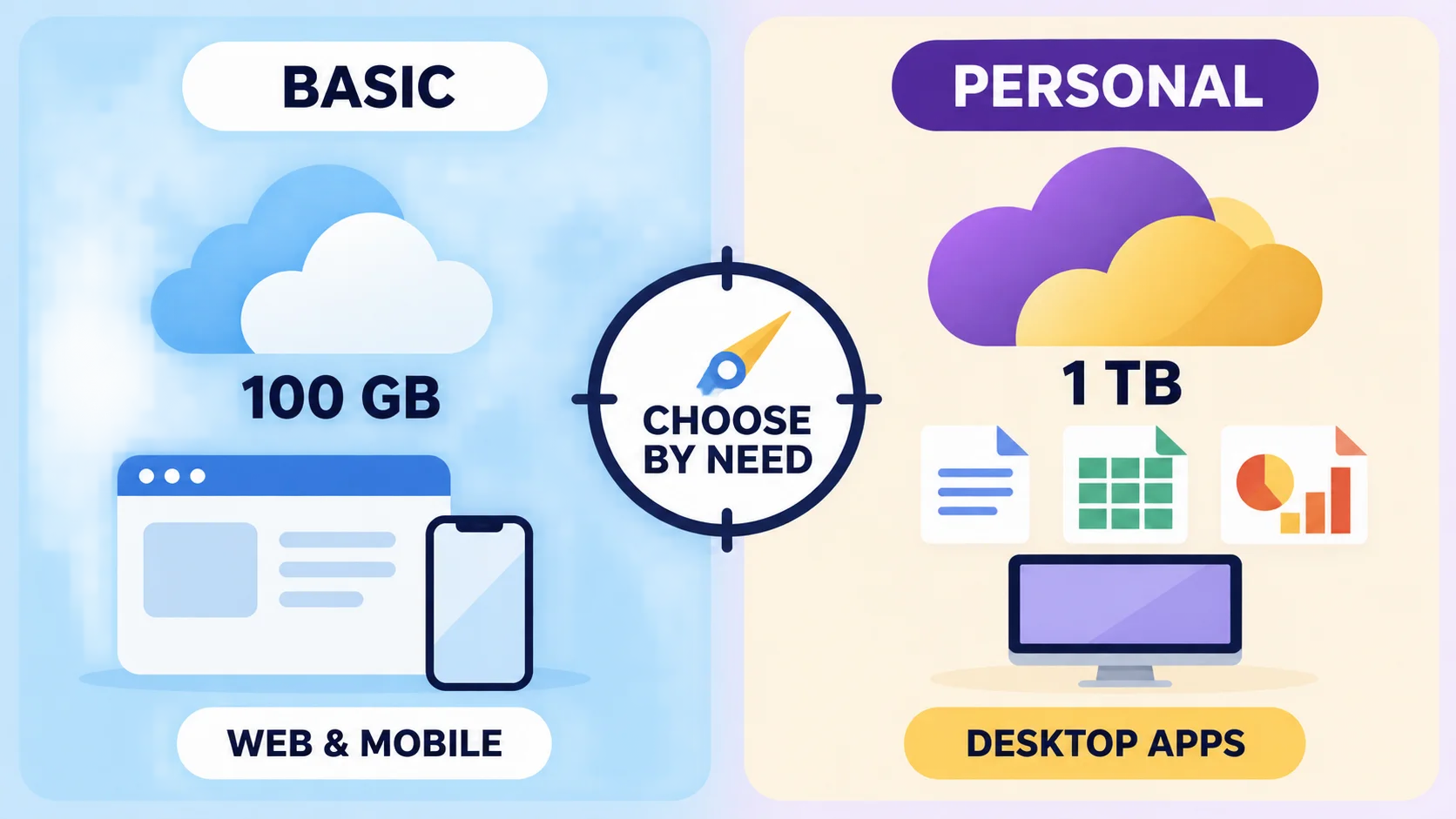
Microsoft 365 Basic is aimed at users who mainly need additional cloud storage and web or mobile access, while Personal adds 1 TB of storage and full desktop productivity apps for one person.
Problem Description: Confusing Microsoft 365 Subscription Tiers
Users can accidentally maintain both plans or choose a plan that does not match their need for storage, installed desktop apps, or current AI features. Plan details can change, so confirm the live comparison before buying or canceling.
Quick Answer for Deciding Between MS Basic and Personal
Choose Basic if 100 GB of OneDrive storage plus web and mobile access is sufficient. Choose Personal if one person needs 1 TB of storage and installed desktop apps on supported devices.
| Feature | Microsoft 365 Basic | Microsoft 365 Personal |
|---|---|---|
| Price in the US (yearly) | $19.99 per year | $99.99 per year, or $9.99 per month |
| People covered | 1 person | 1 person |
| Cloud storage | 100 GB shared by Outlook and OneDrive | 1 TB of OneDrive storage |
| Word, Excel, PowerPoint desktop apps | No — web, iOS, and Android only | Yes — plus Outlook and OneNote for PC and Mac |
| Devices signed in at once | Web and mobile access | Up to 5 devices at once |
| Platforms | Browser, iOS, Android | PC, Mac, phones, tablets |
| AI features | Limited, subscription owner only | Copilot in the desktop apps with higher usage limits |
| Email and security | Ad-free Outlook, OneDrive file restore and ransomware recovery | Ad-free Outlook, 1 TB storage, Microsoft Defender |
Choose Basic if these match how you work
You mainly need email and extra cloud storage rather than installed apps.
You edit the occasional document in a browser or on a phone.
You want the yearly cost to stay around $20.
Choose Personal if these match how you work
You use Word, Excel, or PowerPoint on a PC or Mac most days.
You need the desktop apps to keep working without a connection.
Your photos and documents no longer fit in 100 GB.
Feature, Price, and Device Differences Between Basic and Personal
How much do Microsoft 365 Basic and Personal cost?
In the US, Basic lists at $19.99 per year and Personal at $99.99 per year, or $9.99 per month. Both are subscriptions that renew automatically until you cancel, and both can be bought monthly or yearly. Taxes, regional pricing, and promotions differ by country, so check the local store page before you pay. The roughly $80 yearly gap is what buys the desktop apps and the extra storage on Personal.
What do you get in the desktop apps?
Personal includes the installed desktop versions of Word, Excel, PowerPoint, Outlook, and OneNote for PC and Mac, and those apps stay updated for as long as the subscription is active. Basic ships no desktop apps: editing happens in the browser or in the iOS and Android apps. If your daily work runs through installed Word, Excel, or PowerPoint, Personal is the only one of the two plans that covers it; for the odd document that needs light edits or comments, the web versions are enough.
How many devices can each plan cover?
Basic works in the browser and on iOS and Android, which covers a phone, a tablet, and any computer with a browser. Personal can be signed in on up to five devices at once across PC, Mac, phones, and tablets, with full offline access in the desktop apps. Signing out of an older device frees a slot, so a laptop, a desktop, a phone, and a tablet still leave one seat spare.
Do both plans include AI features?
Both plans now list AI features, but they are not the same. On Basic, AI features are limited to the subscription owner and come with usage restrictions. Personal includes Copilot inside Word, Excel, PowerPoint, Outlook, and OneNote with higher usage limits than the free apps, plus higher allowances for AI image creation and visual assistance. AI terms and credits change more often than storage limits, so confirm the current terms on the plan page before you decide.
Likely Causes Behind Accidental Double Subscriptions
Similar names: Basic, Personal, Family, and business plans are easy to confuse.
Different app rights: Browser access does not necessarily include full desktop installations.
Overlapping subscriptions: Upgrading may leave a second recurring plan active.
Changing benefits: AI allowances and service details evolve over time and region.
Recommended Solution: Choosing and Managing Your Office Plan
List your devices: Decide whether you need installed desktop apps or only web and mobile access.
Check storage: Review OneDrive usage; Basic generally provides 100 GB, while Personal provides 1 TB for one user.
Review app needs: Personal includes supported desktop productivity apps; Basic focuses on cloud storage and web or mobile services.
Check current AI benefits: Review Microsoft's live plan comparison because AI credits and included experiences can change.
Inspect existing plans: Sign in at account.microsoft.com/services and identify the account, renewal date, and billing source for each subscription.
Choose one primary plan: Keep Basic for lighter cloud needs or Personal for desktop apps and larger storage.
Cancel duplicates carefully: Select Manage beside the unwanted plan and follow the cancellation flow; app-store purchases must be managed through that store.
Verify: Confirm the remaining subscription, next billing date, storage allowance, and app activation.
Alternative Solutions for Cutting Down Software Costs
Use free web apps: Users with minimal storage needs can consider Microsoft's free browser apps.
Use a family plan: Compare Family when several people need separate storage and apps.
Check employer or school access: An organization may already provide desktop apps or cloud storage.
Use a free desktop alternative: A compatible office suite can cover local editing without a Microsoft 365 desktop subscription.
Working with WPS Office: A Free Desktop App Alternative
If you want to save money by dropping down to the cheaper Microsoft 365 Basic plan, you will lose access to Microsoft's desktop applications. However, you can use WPS Office as a free alternative. WPS Office is highly compatible with Microsoft formats (.docx, .xlsx, .pptx) and provides a fully featured desktop suite for Windows and Mac. By combining the cheap 100 GB cloud storage of MS Basic with the free desktop applications of WPS Office, you get the best of both worlds without the higher price tag of a Personal subscription.
Prevention Tips for Avoiding Unnecessary Billing
Use one Microsoft account consistently for purchases.
Review recurring billing and renewal emails before the charge date.
Check OneDrive usage before downgrading storage.
Reconfirm live benefits whenever AI or app access is a deciding factor.
FAQs
Does Microsoft 365 Basic include desktop Office apps?
Basic is primarily for cloud storage and web or mobile services; users who need full installed desktop apps should compare Personal.
How much OneDrive storage comes with each plan?
Microsoft's comparison lists 100 GB for Basic and 1 TB for Personal, subject to the current plan terms in your region.
Do I need both Basic and Personal?
Usually not for the same person and account. Review the live benefits and cancel any duplicate plan only after confirming storage and billing consequences.
What happens if I downgrade from Personal to Basic?
Desktop app entitlement and storage allowance can change. Reduce OneDrive usage if necessary and confirm how Office apps will behave after the current term ends.
Is Microsoft 365 Basic the free version?
No. Basic is a paid subscription at $19.99 per year in the US. The free tier gives 5 GB of OneDrive storage and web versions of Word, Excel, and PowerPoint, while Basic adds 100 GB of storage and an ad-free Outlook inbox but still no desktop apps.