

A CR3 file is what a modern Canon camera writes when you shoot RAW: the sensor data, plus a full-size JPEG preview, wrapped in one container. Windows, most browsers and most chat apps will not open it, so you need a CR3 to JPG converter before the shots can be shared, printed or dropped into a report.
The problem is that the tools are not equivalent. Some simply extract the JPEG Canon already embedded in the file, others re-develop the RAW data, and a few upload your photos to a server. This guide compares six converters by what they actually do to the image, and ends with the export settings that keep Canon colour intact.
In short: For Canon shooters the best CR3 to JPG converter is Digital Photo Professional (DPP), Canon's own free software, because it uses Canon's rendering and applies lens corrections automatically. Choose darktable or RawTherapee when you want free and cross-platform, Lightroom Classic when you already pay for it, and an online converter only for a handful of files.
What Separates a Good CR3 to JPG Converter
The single decision that matters is whether the tool extracts the embedded preview or develops the RAW data. Both produce a valid JPG; they differ in speed, file size and how much of Canon's colour science survives.
| Conversion path | What you get | When it makes sense |
|---|---|---|
| Extract the embedded JPEG | The full-size preview Canon already wrote into the CR3, opened in milliseconds. Colour is the camera's own JPEG look; no white balance or exposure changes. | Fast delivery, culling, social posts and client previews. |
| Develop the RAW data | A fresh demosaic of the sensor data, so white balance, exposure, highlights, noise reduction and lens correction can be applied before export. | Anything going to print, a portfolio or a client who edits further. |
| Convert on a server | Either path, run by a remote service after you upload the file. | A handful of images, when nothing can be installed on the machine. |
Three details separate the tools further: whether they read CR3 natively or through LibRaw, whether batch export keeps filenames and EXIF, and whether output is limited to 8-bit JPEG or can also write 16-bit TIFF for further editing. CRAW files, Canon's compressed RAW option, are also worth testing — some older converters read CR3 but choke on compressed variants.
Canon Digital Photo Professional: Free, Official, Best Colour
DPP 4 is Canon's own RAW processor, free to download for Canon camera owners, and it renders CR3 exactly as the camera intends. It applies Digital Lens Optimizer data, keeps a non-destructive recipe history, and batch-converts a folder to JPEG or TIFF in one pass.
Converting a CR3 folder in DPP, step by step
Import the shots. Open DPP, point the folder panel at your CR3 files and let the thumbnails render.
Adjust if needed. Set white balance, exposure and picture style in the tool palette; the recipe is stored per file, the CR3 is never overwritten.
Batch convert. Select the images, choose File > Batch process, set the JPEG quality slider and the output folder.
Check one file at full size. Confirm sharpening and noise reduction before converting the rest.
The trade-offs are real: DPP is slow on large catalogues, the interface feels dated, and it offers no cloud sync or mobile workflow. For pure CR3 to JPG quality per file, however, nothing else matches it.
darktable and RawTherapee: Free, Open Source, Cross-Platform
Both are free, run on Windows, macOS and Linux, and read CR3 through LibRaw. Both give you more control than DPP over tone mapping and colour, at the cost of a learning curve and colour that is close to, but not identical with, Canon's own rendering.
darktable works in a scene-referred pipeline with sidecar files, so edits stay non-destructive; the export module runs a folder in the background while you keep editing.
RawTherapee is built around a batch queue and detailed ICC colour management, which suits people who profile their own cameras and printers.
Either works offline forever with no account, no upload and no subscription — the practical reason studios keep one installed next to DPP.
Lightroom Classic and reaConverter: Paid Batch Power
When a shoot is 800 files and three people need the same JPEG preset, paid batch tools earn their price.
| Tool | Strength | Watch out for |
|---|---|---|
| Adobe Lightroom Classic | Catalog, presets and export presets that apply identical JPEG settings to a whole shoot; Camera Raw reads CR3 natively. | Subscription only, and the catalog has to be managed. |
| reaConverter | Dedicated batch converter with watch folders, no file-count limits and support for hundreds of formats in one queue. | One-off licence, and RAW development controls are basic. |
For most individuals the paid tier is unnecessary: DPP or darktable already covers batch export for free. The exception is a team that needs a shared, repeatable export preset.
Online CR3 to JPG Converters: CloudConvert and FreeConvert
Browser converters need no install, which makes them the fastest route on a locked-down laptop. They are also the weakest option for a full shoot, because RAW files are large, free tiers cap file size and daily jobs, and every upload sends your photos to someone else's server.
| Service | Free tier | Batch | Notes |
|---|---|---|---|
| CloudConvert | Daily conversion minutes, capped file size | Yes | Detailed output settings for quality and resolution; the most control of the three. |
| FreeConvert | Capped file size and daily conversions | Yes | Simplest interface; a good default for one-off jobs. |
| AnyConv / MiConv | Small upload limit | Limited | Fine for a single small file, not for a shoot. |
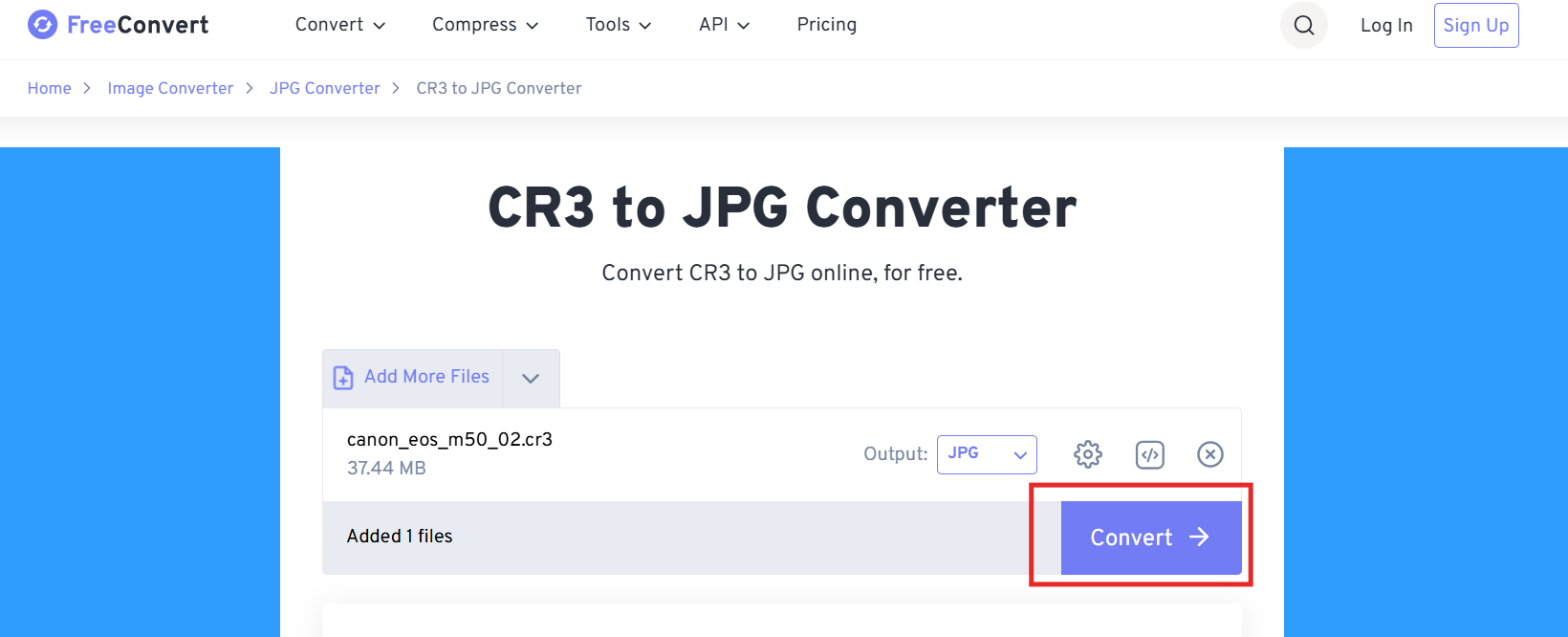
The upload-convert-download sequence is short enough to describe in four steps; the step-by-step CR3 to JPG tutorial walks through it screen by screen if you want the exact clicks. Treat any online job as a copy: keep the CR3 as the master and delete remote files when the download finishes.
Windows Built-In Options and Free Batch Utilities
Windows can open CR3 without a photography suite, as long as you add the right piece.
Raw Image Extension (free, Microsoft Store) adds thumbnail previews and lets the Photos app open CR3 files; Save a copy or Resize exports a JPEG.
XnConvert is a free batch converter that reads CR3 through LibRaw and handles resize, watermark and rename in the same action list.
ImageMagick suits scripts and servers:
magick shot.CR3 -quality 92 shot.jpgconverts a whole folder in a loop.
The built-in route is genuinely useful for quick shares, but Windows exports 8-bit sRGB JPEG only, so it is not the path for print work.
How to Package Converted CR3 JPEGs into a PDF in WPS Office
Once the JPGs exist, the usual next job is sending them as one file. WPS Office does that without a second subscription.
Open WPS Writer and set the page size and margins for the output, for example A4 portrait for a client proof sheet.
Use Insert > Pictures to drop in the converted JPEGs, then drag each corner to fit the text column.
For quick retouching first — brightness, background clean-up, object removal — run the files through the AI photo editor, then re-insert them.
Choose Export to PDF, tick the image quality option, and save. The result is one shareable file rather than forty attachments.
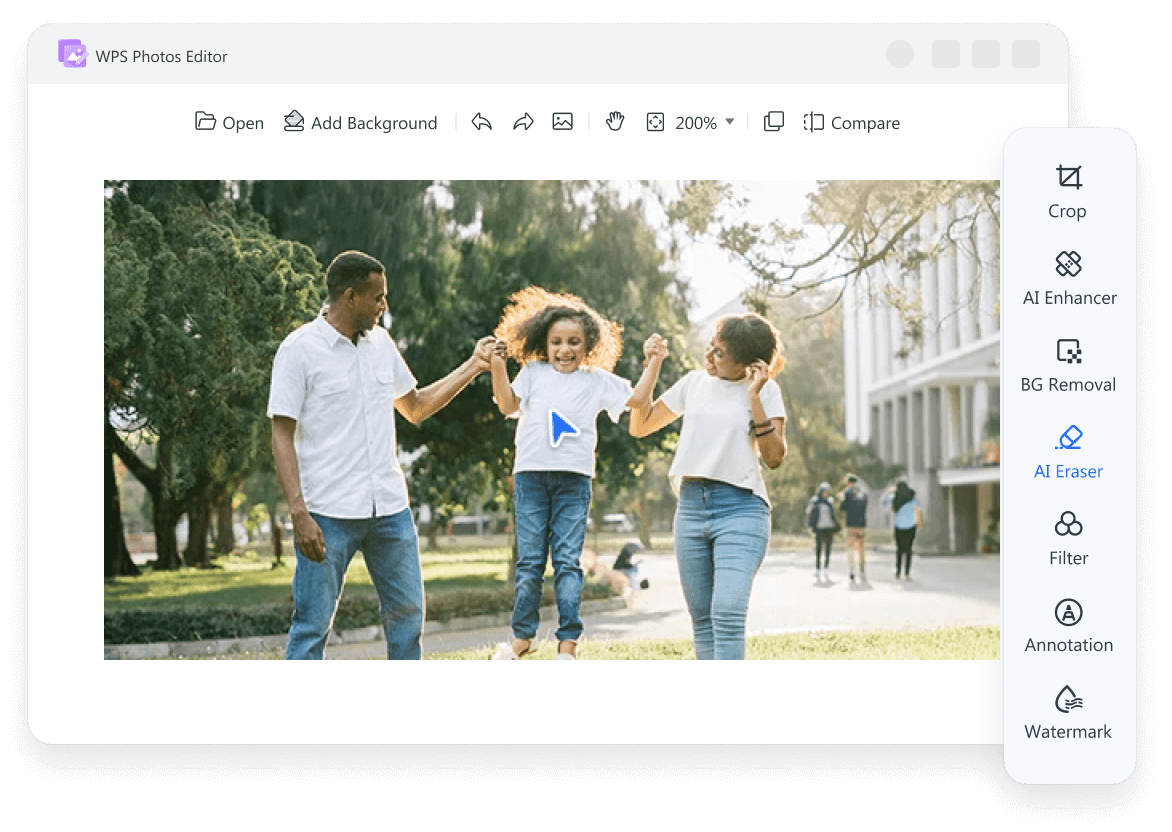
Two smaller WPS tools cover the rest of the workflow: the JPG to PDF converter merges a batch of JPGs in the browser when you do not want to open Writer, and the image resizer keeps attachments under an email limit. Canon RAW and Apple HEIC behave the same way in the end, so the HEIC to JPG converter is worth bookmarking for iPhone shots that arrive in the same folder.
FAQs
Does converting CR3 to JPG lose quality?
Yes. JPEG is an 8-bit lossy format, so highlight recovery headroom and some fine detail are gone. Keep the CR3 as the master and export JPEG at quality 90–95 for delivery.
Is Canon Digital Photo Professional free?
Yes. DPP is a free download from Canon for owners of Canon cameras, with no subscription and no file limit, which is why it is the default answer for CR3 conversion.
Can Windows open CR3 files without extra software?
Not by default. Install the free Raw Image Extension from the Microsoft Store and the Photos app will open CR3 files and export JPEG copies.
Can I batch convert CR3 to JPG for free?
Yes. DPP batch processing, a darktable export, a RawTherapee queue and XnConvert all convert folders for free; the paid tools mainly add presets and team workflow.
Why does my converted JPG look flatter than the camera preview?
The camera preview carries Canon's picture style and lens corrections. A generic converter skips those, so either convert in DPP or apply a matching look manually.
Summary
Start with download WPS Office if the JPGs are heading into a document, and keep the original CR3 files next to the exports — you will want the RAW data again the first time a client asks for a different crop.