


'%3e%3cpath%20fill-rule='evenodd'%20clip-rule='evenodd'%20d='M21.4999%2010.9993C21.4999%205.20009%2016.7986%200.498901%2010.9993%200.498901C5.19994%200.498901%200.498657%205.20009%200.498657%2010.9993C0.498657%2016.2404%204.33858%2020.5844%209.35855%2021.3722V14.0346H6.69238V10.9993H9.35855V8.68594C9.35855%206.05427%2010.9262%204.60062%2013.3248%204.60062C14.4736%204.60062%2015.6753%204.80571%2015.6753%204.80571V7.38979H14.3512C13.0468%207.38979%2012.64%208.19921%2012.64%209.0296V10.9993H15.5523L15.0867%2014.0346H12.64V21.3722C17.66%2020.5844%2021.4999%2016.2404%2021.4999%2010.9993Z'%20fill='%231568EA'/%3e%3c/g%3e%3c/svg%3e)


'%3e%3cpath%20d='M2.42045%2022.1876H6.31818V12.7217L0.75%208.54553V20.5171C0.75%2021.4414%201.49892%2022.1876%202.42045%2022.1876Z'%20fill='%234285F4'/%3e%3cpath%20d='M19.682%2022.1876H23.5797C24.5041%2022.1876%2025.2502%2021.4387%2025.2502%2020.5171V8.54553L19.682%2012.7217'%20fill='%2334A853'/%3e%3cpath%20d='M19.682%205.48293V12.7216L25.2502%208.54543V6.31816C25.2502%204.25236%2022.8921%203.07469%2021.2411%204.31361'%20fill='%23FBBC04'/%3e%3cpath%20d='M6.31824%2012.7217V5.48303L13.0001%2010.4944L19.6819%205.48303V12.7217L13.0001%2017.733'%20fill='%23EA4335'/%3e%3cpath%20d='M0.75%206.31816V8.54543L6.31818%2012.7216V5.48293L4.75909%204.31361C3.10534%203.07469%200.75%204.25236%200.75%206.31816Z'%20fill='%23C5221F'/%3e%3c/g%3e%3cdefs%3e%3cclipPath%20id='clip0_2954_7305'%3e%3crect%20width='24.5'%20height='18.375'%20fill='white'%20transform='translate(0.75%203.8125)'/%3e%3c/clipPath%3e%3c/defs%3e%3c/svg%3e)



Pincel AI stands out as a popular online image editor, offering quick enhancements and creative tools directly in the browser. However, many users eventually run into familiar challenges: strict free-tier limits, premium feature lock-ins, and a lack of integration with their document workflow.
Is Pincel AI truly the best option for AI-driven photo editing, or are there more complete platforms that offer better value? In this guide, I’ll take a closer look at Pincel AI’s capabilities while introducing WPS AI as a more integrated alternative.


Part 1. Overview of Pincel AI
Pincel AI is an online AI-powered image editing platform built to help users enhance, retouch, and recreate images directly from their browser. It offers a fast, accessible workflow designed for anyone who wants clean, professional results without installing complex software. Within the competitive AI editing landscape, Pincel AI positions itself as a lightweight, easy-to-use solution.

As a Pincel AI photo editor, the platform provides tools for one-click enhancement, object cleanup, and creative transformations. It also includes a Pincel AI image generator that allows users to produce new backgrounds and visual elements through simple prompts. Because everything runs online, many users rely on Pincel AI free online for quick, no-installation editing.
Core Features and Capabilities
Pincel AI focuses on practical, high-demand editing functions such as:
AI background removal and replacement
AI image enhancement and upscaling
Object removal for cleaning distractions
Prompt-based visual generation
Template-driven editing workflow
Fully browser-based operation, requiring no installation
Who Uses Pincel AI?
The tool attracts a wide range of users who need quick visual improvements, including:
Social media creators producing daily content
Small business owners preparing product photos
Bloggers and digital marketers are optimizing visuals
Casual users who want simple, fast image adjustments
Freemium Model and Limitations
Pincel AI operates on a freemium structure. The Pincel AI free tier provides basic functions, while premium features, higher-quality exports, and extended usage require a subscription. This model works well for occasional tasks but may feel restrictive for heavy users.
Many users search for offline or expanded options, such as Pincel AI image editor download or even modified variants like Pincel AI image editor mod apk, but the platform remains strictly web-based. Additional search trends, including Pincel AI clothes swap and Pincel AI image replicator, highlight how users explore creative transformations beyond traditional edits.
Overall, Pincel AI offers accessibility, simplicity, and reliable speed. Yet, its free-tier limits and lack of integration with broader office workflows often lead users to compare it with more comprehensive AI editing solutions.
Part 2. Spark Your Creativity: Pincel AI Use Cases and Examples
Now that we have a clear understanding of what Pincel AI offers, it’s helpful to look at real scenarios where its tools can simplify the editing process. These examples illustrate how different features work together to enhance images effectively.

1. Revive an Old, Damaged Family Photo
The Problem: You have a scanned photo of your grandparents that appears faded, scratched, or partially torn.
The Pincel AI Solution: Use the AI Enhance tool to restore overall clarity and correct faded colors. Then apply the AI Remove Object tool to paint over scratches and tears, allowing the AI to rebuild missing details.
The Result: A restored, vibrant memory ready to be shared or archived.
2. Create a Clean, Professional Background for a Product Photo
The Problem: A handmade product image looks cluttered due to a distracting background.
The Pincel AI Solution: Start with AI Background Remove to isolate the product. Then apply the AI Generate tool with prompts such as “minimalist soft-grey studio background” or “warm coffee shop shelf” to produce a refined setting.
The Result: A polished, commercial-ready product photo without the cost of studio photography.
3. Perfect Your Social Media Selfie
The Problem: A great selfie is spoiled by an unwanted person or object in the background.
The Pincel AI Solution: Use AI Remove Object to erase the distraction. The system automatically reconstructs the missing background elements for a natural-looking result.
The Result: A clean, focused selfie suitable for professional or personal use.
4. Prepare a Clean Image for Presentations or Documents
The Problem: A screenshot intended for a report includes unnecessary UI elements or sensitive information.
The Pincel AI Solution: Use AI Remove Object to clear away distracting icons, text labels, or sensitive details while keeping the needed content visible.
The Result: A clean and professional image that fits seamlessly into reports, slides, or documents.
These examples show where Pincel AI excels: quick fixes, cleanups, and fast preparation of visuals for daily tasks. In the next section, we’ll explore a more integrated alternative that extends these capabilities beyond basic photo editing.
Part 3. Best Alternative: Introduction of WPS AI
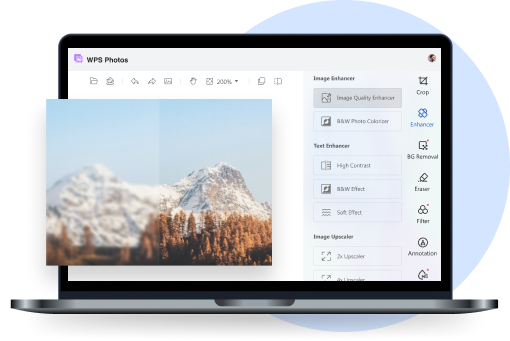
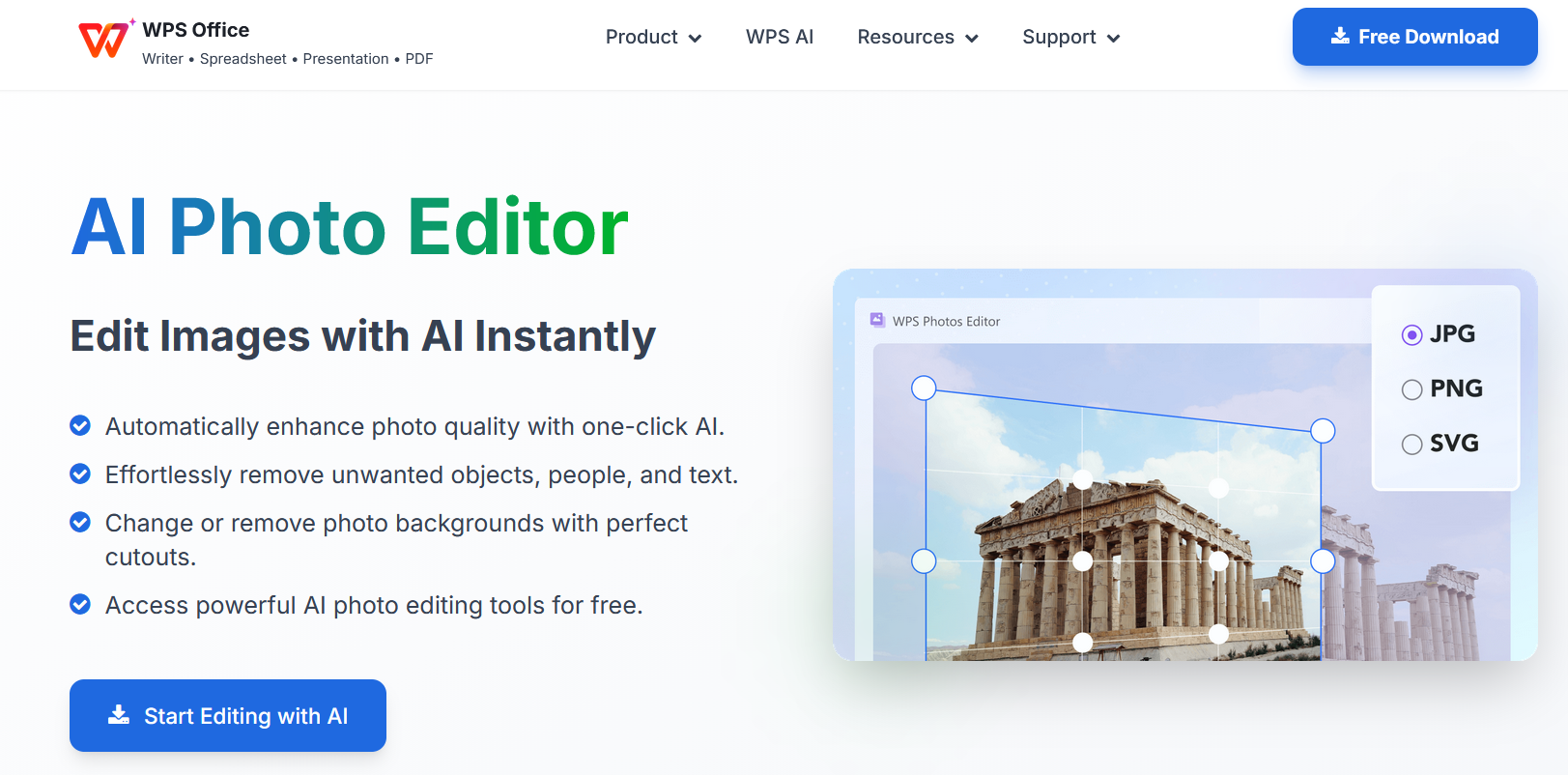
WPS AI offers a more complete and integrated approach to image editing by combining AI-powered photo tools with the full WPS Office suite. Instead of relying on a standalone online editor, users can access AI image enhancement, background removal, and object cleanup directly inside their documents, presentations, and spreadsheets. This makes WPS AI a practical alternative for anyone who needs both editing power and workflow efficiency.
Overview of WPS AI Photo Tools
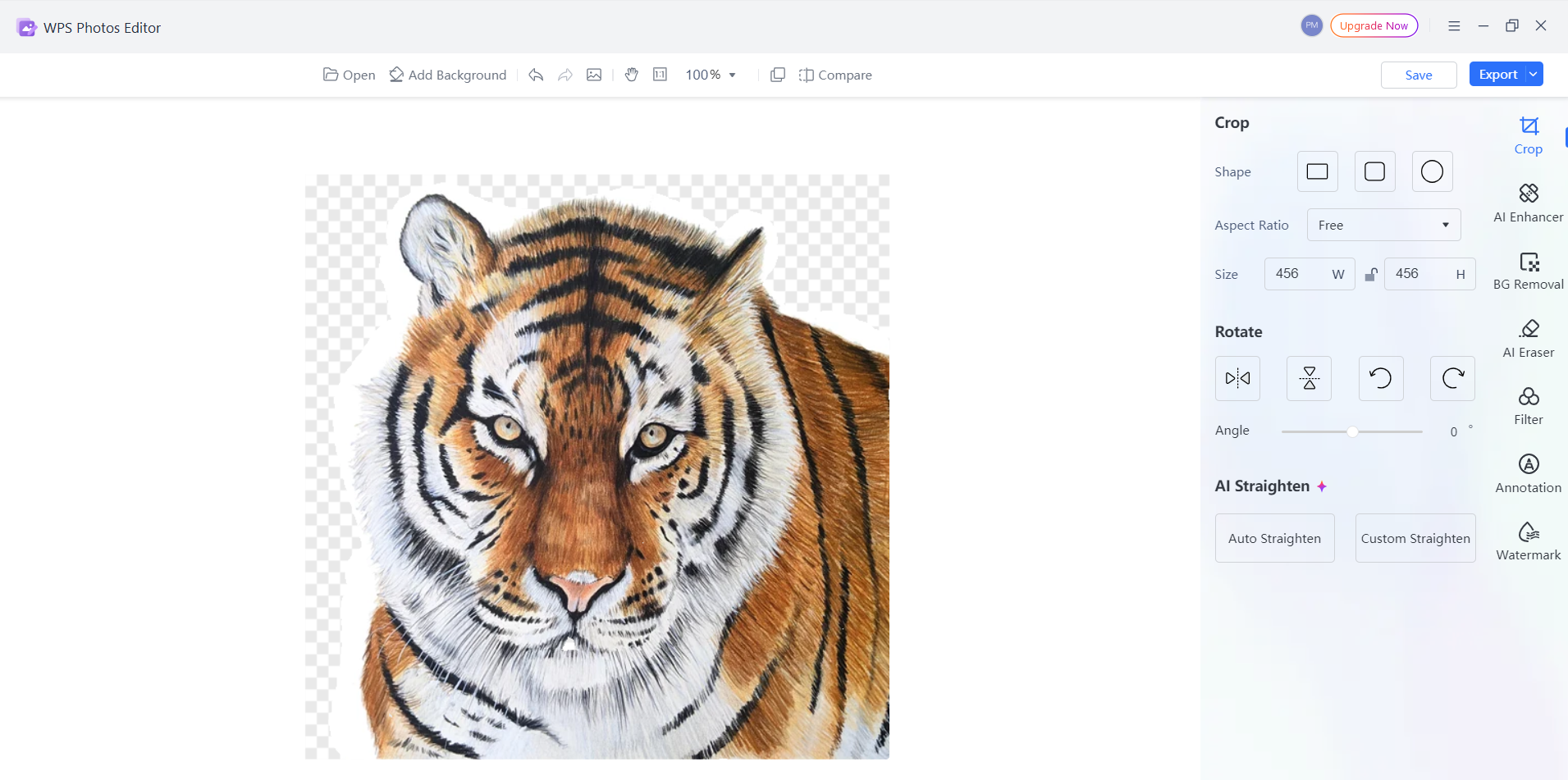
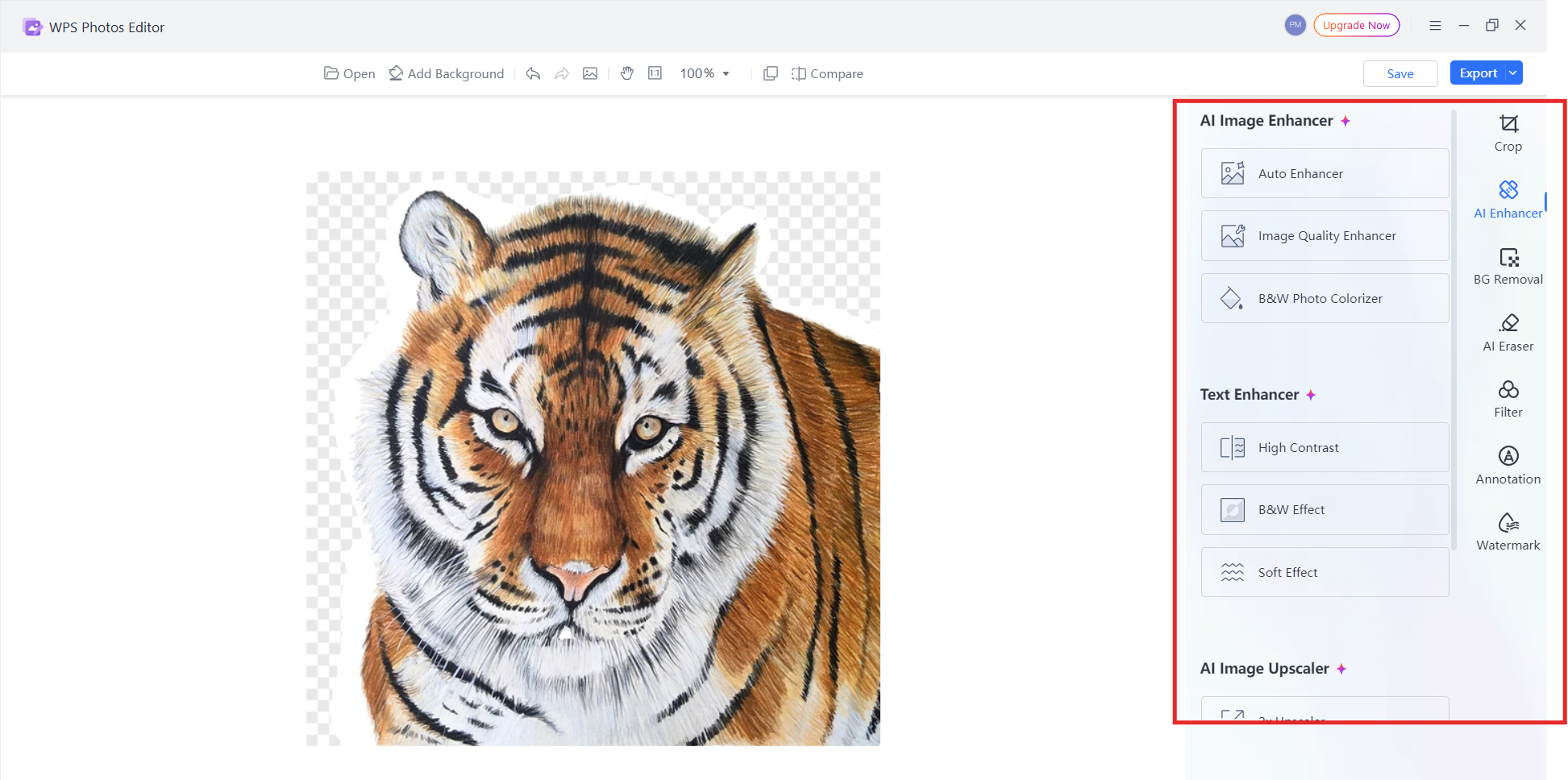
The WPS AI Photo interface is designed for fast, intuitive editing. It supports essential AI features while maintaining the consistency and productivity of a unified office environment.
Unique Advantages Over Pincel AI
Compared with single-purpose online editors, WPS AI delivers several meaningful benefits:
Complete Office Integration
Editing images inside documents removes the need to switch between separate apps. It keeps everything in one workflow, which is especially useful when preparing reports, slides, and marketing materials.
Generous Free Access
WPS AI offers more free features than many competitors. Functions such as background removal and enhancement are available without strict usage caps or forced subscriptions.
Offline Capability
The desktop version of WPS Office allows AI photo editing without an internet connection. This ensures privacy and uninterrupted work for sensitive images and enterprise environments.
No Watermark Limitation
Edited images remain clean and watermark-free, even on the free tier. This is a notable improvement over online tools that add watermarks to non-premium exports.
Efficient Workflow
Direct integration enables users to insert edited images instantly into documents, eliminating time-consuming file transfers.
Cross-Platform Consistency
The same AI photo tools are available on Windows, Mac, Linux, iOS, Android, and the web. This ensures a consistent user experience across all devices.
How to Use WPS AI for Image Editing
Step 1: Open Your Image
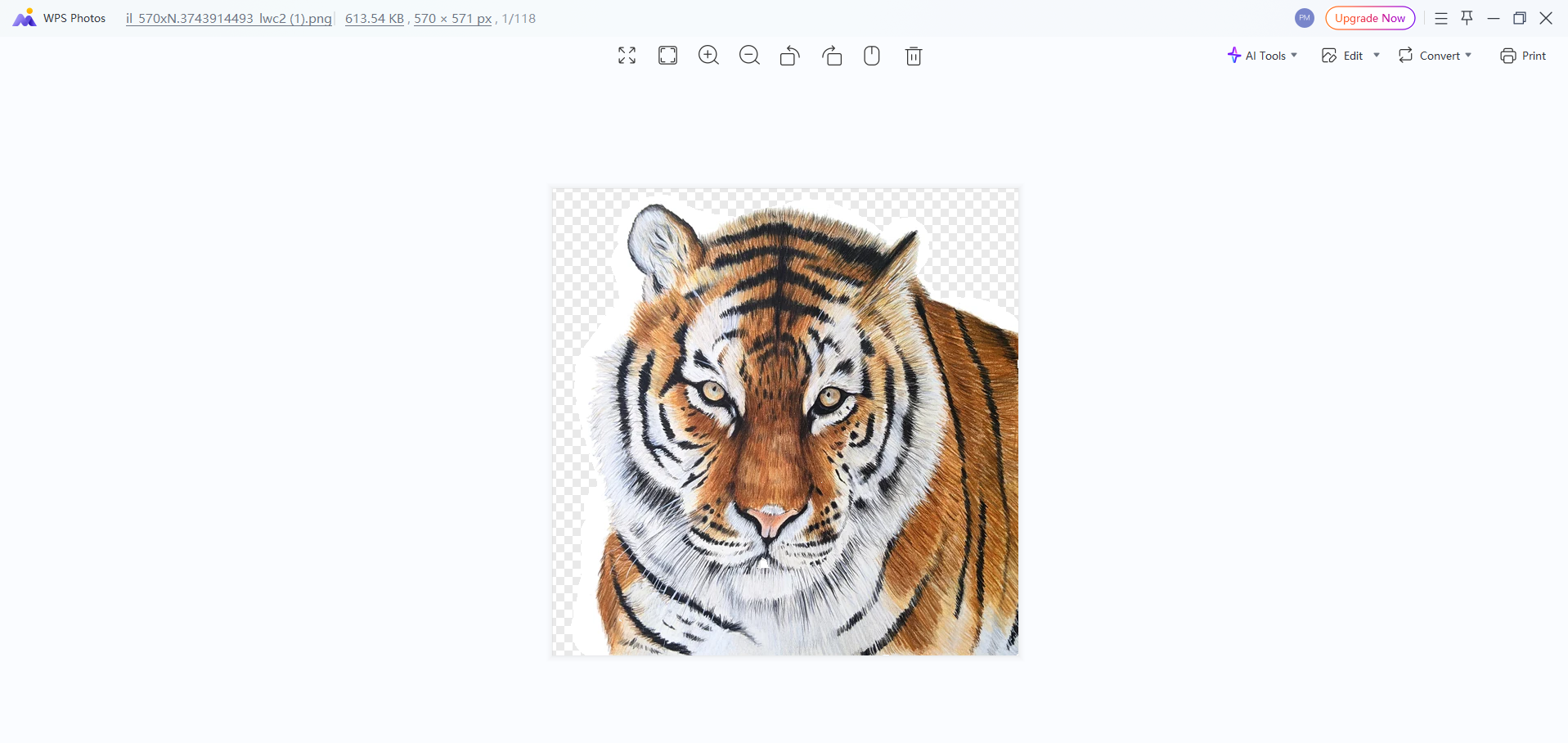
Open the photo you want to edit with WPS Photos. WPS AI supports formats like JPG, PNG, and WebP.
Step 2: Choose the AI Editing Feature
Select among the available tools:
AI Background Remover
AI Image Enhancer
AI Object Remover
AI Style Transfer
Step 3: Apply and Adjust
Use one-click AI editing or refine the result using manual sliders for sharper control.
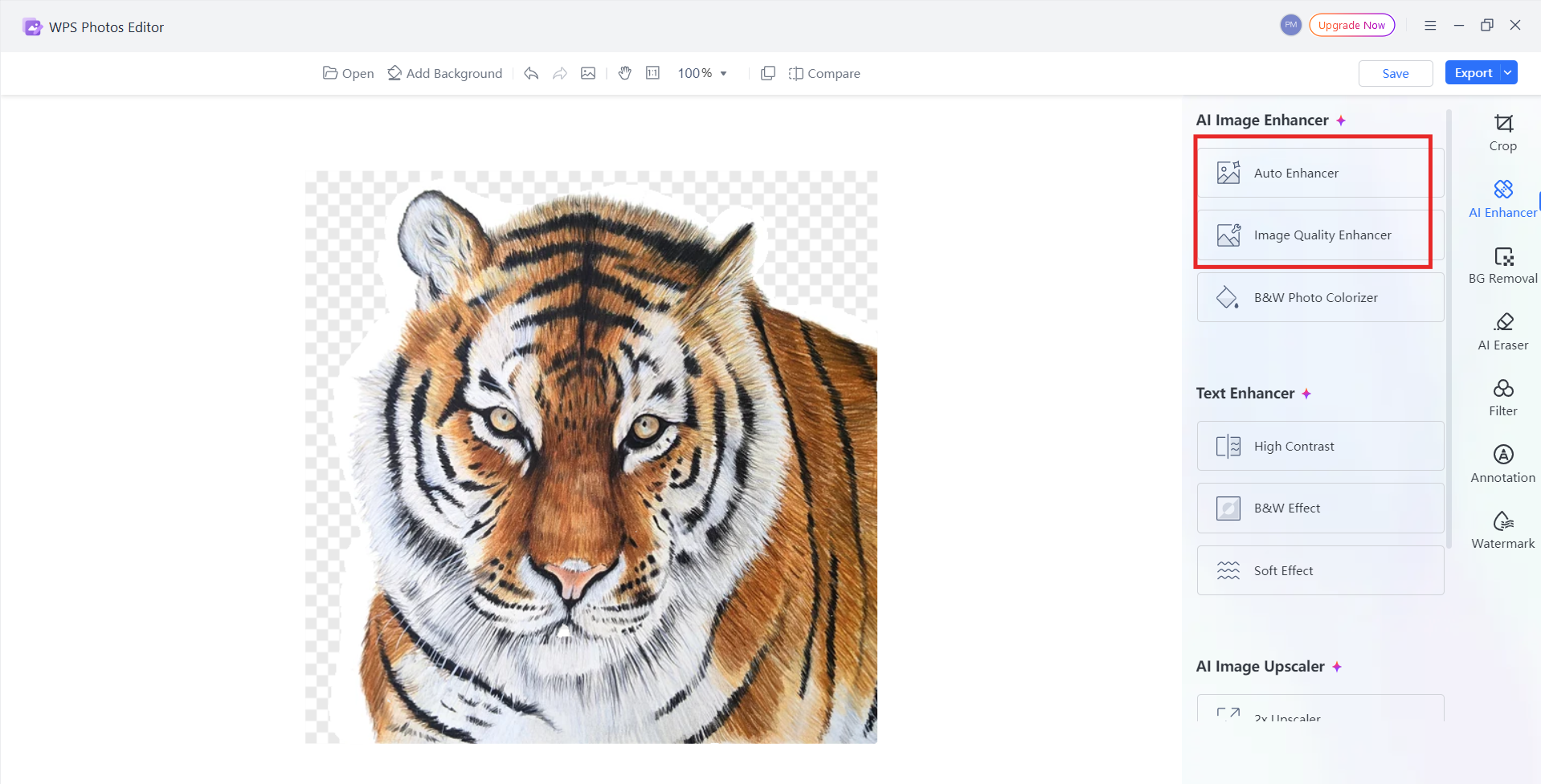
Step 4: Save and Export
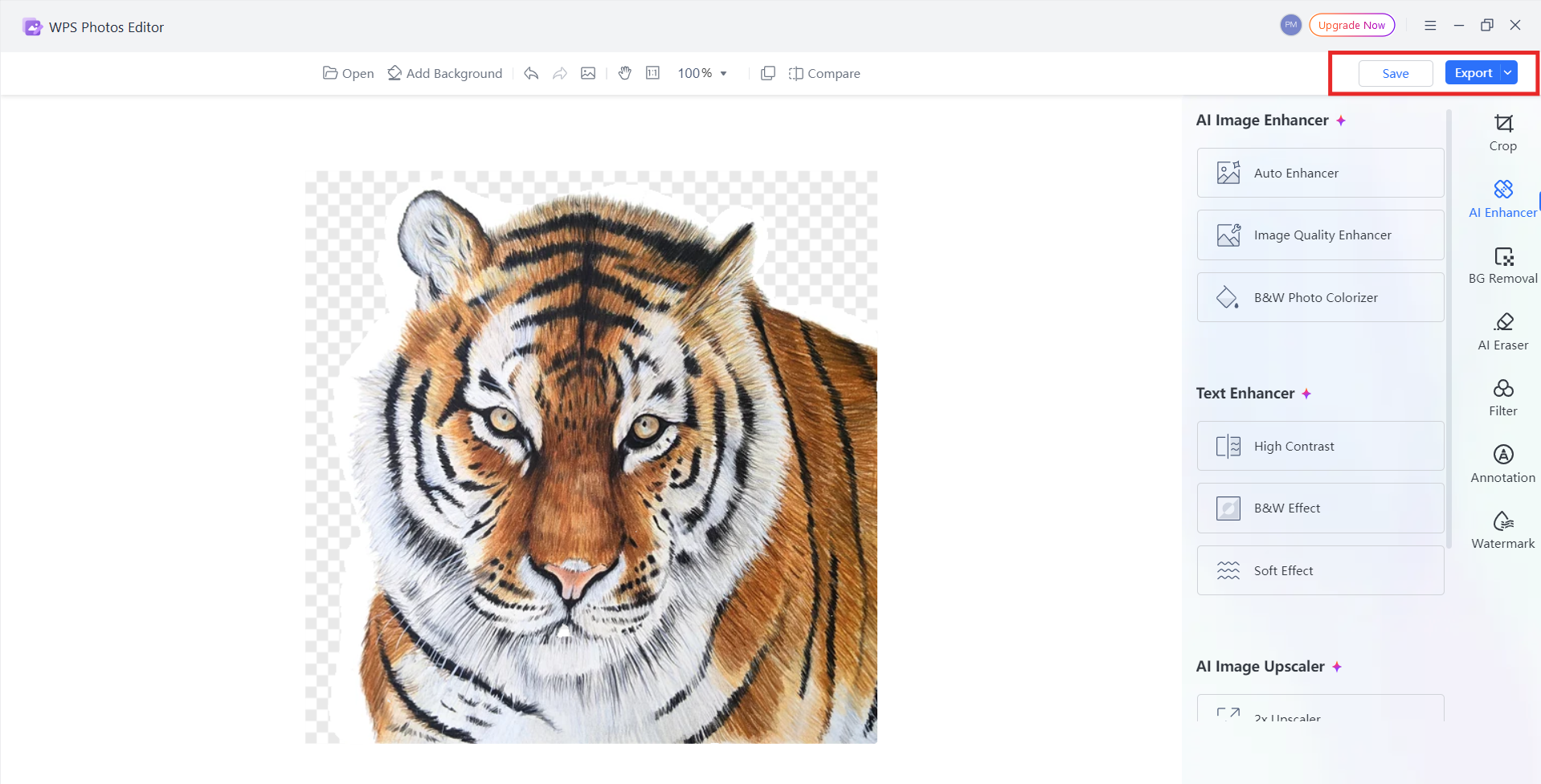
Save the edited image in your preferred format. You may insert it directly into your current document or export it for use elsewhere.
Pro Tips for Best Results
Use high-resolution images whenever possible for cleaner AI output.
Combine multiple tools (such as Enhance + Background Removal) for improved creative results.
Explore batch processing when preparing large sets of photos.
Always keep an original copy of important images before applying irreversible edits.
Pincel AI vs WPS AI: Feature Comparison
| Feature | Pincel AI | WPS AI |
|---|---|---|
| AI Background Remove | Yes | Yes |
| AI Image Enhance | Yes | Yes |
| Object Removal | Yes | Yes |
| Free Tier Limits | Limited | Generous |
| Office Integration | No | Yes |
| Offline Capability | No | Yes |
| Watermark on Free Exports | Often applied | No watermark |
| Cross-Platform Support | Web-based only | Windows, Mac, Linux, iOS, Android, Web |
| Document Workflow Integration | No | Complete built-in workflow |
| Additional AI Features | Creative tools only | Editing + writing + document intelligence |
Why WPS AI Is the Smart Choice
WPS AI delivers stronger overall value for users who want both high-quality image editing and a smooth, integrated workflow. While Pincel AI performs well for quick, online edits, it remains a single-purpose tool. In contrast, WPS AI combines advanced editing features with a full office ecosystem, making it a more practical choice for daily productivity.
Integrated Workflow Solution
WPS AI eliminates the constant switching between apps by allowing users to edit images directly inside documents, presentations, and spreadsheets. This unified experience streamlines tasks such as preparing reports, marketing slides, proposals, and product visuals.
Cost-Effective Value
The platform provides extensive free tools without watermarks or heavy restrictions. For users who edit frequently or need reliable AI assistance for work, WPS AI offers more functionality at no additional cost, compared with Pincel AI’s limited free tier and subscription-based premium features.
Privacy and Accessibility
With offline editing available in the desktop version, sensitive images never leave the device. This offers stronger privacy control compared with online-only editors, making WPS AI suitable for business, education, and professional environments.
Future-Proof Platform
WPS AI is part of a growing ecosystem that includes writing assistance, data processing, smart formatting, and document automation. As the platform continues to expand, image editing becomes just one of many interconnected AI features that improve daily productivity.
Personal Experience
In practice, I’ve found WPS AI noticeably smoother when working on document-heavy tasks. Being able to enhance an image, remove its background, and place it directly into a report without exporting or re-uploading saves considerable time. Pincel AI performs well for quick edits, but the lack of integration often interrupts the overall workflow, especially when handling multiple images across different files.
FAQs
1. Is WPS AI completely free compared to Pincel AI?
WPS AI offers a more generous free tier with high-quality AI tools and no watermark restrictions. Pincel AI operates on a freemium model, where advanced features and higher-resolution outputs require a subscription.
2. Can I use WPS AI without installing software?
Yes. WPS AI provides fully web-based tools accessible through any browser. Users who prefer a desktop setup can install WPS Office to gain additional offline AI photo editing capabilities.
3. How does WPS AI background removal compare to specialized tools like Pincel AI?
WPS AI delivers comparable background removal quality while offering a more efficient workflow. Edited images can be used directly inside documents, eliminating the need to switch between editors or re-upload files.
4. Does WPS AI support editing multiple images at once?
Yes. WPS AI allows batch processing for certain tools, which is particularly useful for users preparing large sets of product photos or presentation visuals.
5. Which tool is better for professional report creation?
For document-centric tasks, WPS AI is more practical. Its integrated editing tools allow users to enhance visuals, clean screenshots, and insert edited images without leaving the workspace. Pincel AI lacks office integration, making it less efficient for professional report workflows.

'%3e%3cpath%20d='M19.9911%204.11386V6.471H18.5894C18.0775%206.471%2017.7322%206.57814%2017.5536%206.79243C17.3751%207.00671%2017.2858%207.32814%2017.2858%207.75671V9.44421H19.9019L19.5536%2012.0871H17.2858V18.8639H14.5536V12.0871H12.2769V9.44421H14.5536V7.49779C14.5536%206.39064%2014.8632%205.53201%2015.4822%204.92189C16.1013%204.31177%2016.9257%204.00671%2017.9554%204.00671C18.8304%204.00671%2019.509%204.04243%2019.9911%204.11386Z'%20fill='%23333333'/%3e%3c/g%3e%3cdefs%3e%3cclipPath%20id='clip0_2938_8199'%3e%3crect%20width='16'%20height='16'%20fill='white'%20transform='translate(8%204.00671)'/%3e%3c/clipPath%3e%3c/defs%3e%3c/svg%3e)
'%3e%3cpath%20d='M17.5237%2010.7813L23.4811%204H22.0699L16.8949%209.88693L12.7648%204H8L14.2469%2012.9029L8%2020.0133H9.4112L14.8725%2013.7952L19.2352%2020.0133H24M9.92053%205.04213H12.0885L22.0688%2019.0224H19.9003'%20fill='%23333333'/%3e%3c/g%3e%3cdefs%3e%3cclipPath%20id='clip0_2938_8200'%3e%3crect%20width='16'%20height='16.0134'%20fill='white'%20transform='translate(8%204)'/%3e%3c/clipPath%3e%3c/defs%3e%3c/svg%3e)


