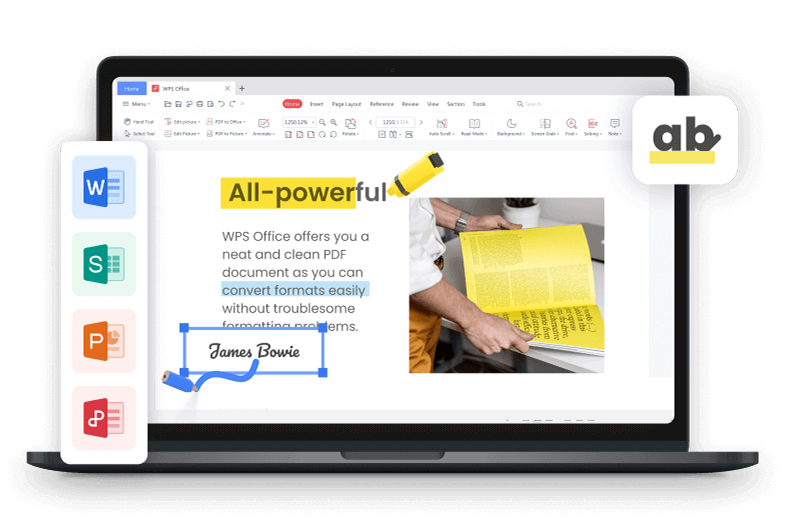


Adding word processing to a web app splits into two problems that look identical in a product demo and behave nothing alike in production. A rich-text editor gives you a formatting surface that stores HTML; a document engine gives you a real .docx that opens, paginates and prints the way Word does. Only the second one survives a file that arrives from a customer with tracked changes and a corporate template.
This guide separates the two families, names the packages you actually install, and puts the licence numbers next to each option so the build-versus-buy decision is made on cost rather than on the demo.
Bottom line: For notes, comments and CMS fields, add a rich-text editor: TipTap, CKEditor 5, TinyMCE, Lexical or Quill, all MIT or BSD at the core. For real Word documents — tracked changes, page layout, headers and footers — embed a document engine instead: WPS WebOffice, ONLYOFFICE Docs, Syncfusion Document Editor or Aspose.Words. Neither family replaces the other, and most production apps end up with one of each.
The Two Families of Word Processing Component
The distinction is not marketing: it decides what your users can open, what your server has to run, and what breaks first under load.
| Family | What it edits | Typical packages | Works with real .docx |
|---|---|---|---|
| Rich-text editor | HTML or a JSON document model | TipTap, CKEditor 5, TinyMCE, Lexical, Quill | Partial import only |
| Document engine | The file itself, rendered page by page | WPS WebOffice, ONLYOFFICE Docs, Syncfusion, Aspose.Words | Yes, round-trip |
| Renderer | Read-only view of an existing file | docx-preview, mammoth.js | Display or convert only |
If the requirement mentions tracked changes, page numbers, section breaks, footnotes or "it must look like the Word file", you need the second row. If the requirement mentions a comment box, a description field or bold and italic, the first row is cheaper to run and easier to style.
Rich-Text Editors You Install as JavaScript Packages
These are ordinary npm dependencies with a toolbar and a document model. They are the right answer for structured text, and the wrong answer for a legal contract.
| Package | Install | Output | Licence | Pick it when |
|---|---|---|---|---|
| TipTap | @tiptap/core plus framework bindings | HTML or JSON | MIT core, paid Pro extensions | You want a headless editor and your own toolbar |
| CKEditor 5 | ckeditor5 | HTML | GPL-2.0+ or commercial | You need a complete toolbar and track changes in one product |
| TinyMCE | tinymce | HTML | MIT core, paid premium plugins | You want the classic Word-like toolbar, self-hosted |
| Lexical | lexical | JSON or HTML | MIT | You are building a Notion-style block editor |
| Quill | quill | HTML or Delta | BSD-3-Clause | You need a small, stable editor with a flat API |
Two licence traps sit in that table. CKEditor 5 is GPL-2.0-or-later unless you buy a commercial licence, which matters the moment your product is closed source. TipTap's core is MIT, but the features enterprise buyers ask for — tracked changes, comments, version history — are paid annual add-ons, and the tracked-changes add-on is priced in the thousands per year rather than per seat.
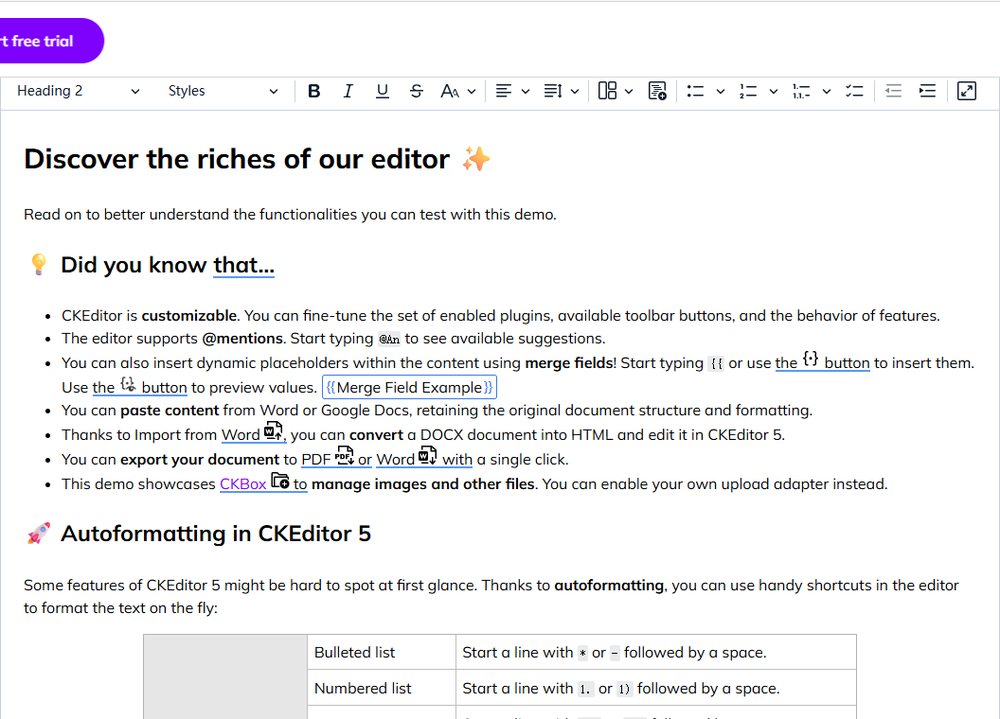
Document Engines That Open Real DOCX Files
An engine runs a word processor inside the page, usually in an iframe or a remote-rendered canvas, so the file paginates as it would in Word. That is why these products cost more and why they need a server or a vendor account.
| Engine | Integration | Formats | Licence model |
|---|---|---|---|
| WPS WebOffice | JS SDK mounted on a container element | DOCX, XLSX, PPTX, PDF | Commercial, quoted per deployment |
| ONLYOFFICE Docs | Self-hosted Document Server plus a JS API | DOCX, XLSX, PPTX | AGPL community build or paid Developer / Enterprise |
| Syncfusion Document Editor | JavaScript component plus a .NET or Java service | DOCX, RTF, TXT | Per developer, per year |
| Aspose.Words | Server-side library with browser delivery | DOCX, DOC, RTF, PDF | Per developer licence |
The practical difference is where the document lives while it is being edited. WPS WebOffice and ONLYOFFICE keep the file on your infrastructure and stream the rendered page, so the original bytes never leave your storage. Syncfusion's editor needs its own backend service to save Word-format changes. Aspose.Words does not edit in the browser at all — it generates and converts documents on the server, which is the right tool for invoice and contract assembly.
Storage is the other half of the decision. An editor stores whatever its document model produces, so a TipTap or Lexical document is small, versionable JSON and easy to search. A document engine stores the original binary, which keeps fidelity but complicates diffing, search and merge — two people editing the same contract in different sessions produce two files, not two diffs.
How to Add Word Processing to a Plain HTML Page
The integration is smaller than most teams expect. The pattern below is the same in every engine: create an empty container with a fixed height, request a signed URL from your backend, hand that URL to the SDK, then wait for the ready promise before touching the document object.
// token.previewUrl is issued by your server, never by the browser
const instance = WebOfficeSDK.config({
  url: token.previewUrl,
  mount: '#editor'
});

await instance.ready();

const app = instance.Application;
app.ActiveDocument.ActiveWindow.View.Zoom.Percentage = 100;
Three things decide whether this stays working. The signed URL has to be short-lived and scoped to one file, or anyone can replay it. The container needs an explicit height, because an iframe inside a zero-height div renders nothing. And the ready promise has to be awaited before any document call, since the editor loads asynchronously even on a fast connection.
If the target is an office suite rather than a bespoke editor, the same document models are available through the online document editor and the Word online editor, which is what most teams point users at when they only need to open a file twice a month.
What These Components Cost at Team Scale
Open-source editors are free to install and expensive to complete; commercial engines are expensive to start and predictable afterwards. The numbers below are vendor list prices for one developer or one server, which is the only unit that compares cleanly.
| Option | Entry price | Unit | What that buys |
|---|---|---|---|
| TipTap | Free core; paid plans billed annually | Per environment plus developer seats | Cloud collaboration, comments, version history, add-ons |
| CKEditor 5 | Free under GPL; commercial quote otherwise | Per licence | Closed-source use, premium features, support |
| TinyMCE | Free core; premium plans billed annually | Per editor or per seat | Premium plugins, cloud hosting, support |
| WPS WebOffice | Quoted per deployment | Per deployment | JS SDK, DOCX/XLSX/PPTX editing, conversion |
| ONLYOFFICE Docs | $1,950 one-time (Developer, one server); $1,500 (Enterprise, 50 connections) | Per server | Self-hosted editing with 20 connections per server |
| Syncfusion Document Editor | $1,199 | Per developer per year | DOCX editor component with business support |
| Aspose.Words | From $1,199 | Per developer | Server-side document generation and conversion |
Read the units, not the headline. A $1,199 developer licence gets expensive at eight developers; a $1,950 server licence stays flat until you add a second server. The open-source editors invert the curve in the other direction: zero licence cost at the start, then engineering time for the toolbar, the paste handler, the DOCX export and the accessibility work that the paid version already includes.
Count the hidden line items before choosing open source. A MIT editor needs a paste handler that strips Word markup, an export path to DOCX, a collaborative backend if two users may type at once, and accessibility work on every custom node. Those are weeks of engineering, and they recur with each major upgrade — which is why teams with a fixed launch date often trade them for a per-seat licence and revisit the decision a year later.
How to Choose by Fidelity, Framework and Budget
Three questions settle it, in this order.
Does the file have to stay a .docx? If yes, a document engine is the only option — no rich-text editor round-trips tracked changes, footnotes and page layout without loss.
Where must the file live during editing? Engines that render on your own infrastructure keep the bytes in your storage; SaaS editors and cloud plans move them to a vendor.
How many developers and how many servers? Per-developer pricing punishes big teams, per-server pricing punishes horizontal scaling, and open source moves the cost into maintenance.
A framework detail worth checking before you commit: the wrapper packages for React, Vue and Angular differ in maturity, and some engines ship only a vanilla JS SDK that you mount yourself. The comparison of Vue word processor components covers that layer in detail, including which packages have first-party bindings and which are community wrappers.
One more check before signing: ask what happens at the second document. Engines that render on a server usually meter concurrent connections, so a licence that looks cheap for one editor can cap the number of users who open a report at the same time — the cost appears in the invoice for capacity, not in the price list for the component.
FAQs
Can a rich-text editor open a .docx file?
Only partially. Importers such as mammoth.js convert text, headings and basic tables, but headers, footers, page breaks, tracked changes and styles are dropped. If the .docx must survive the round trip, use a document engine.
Do I need a server to embed Word processing in a browser?
Not always. WPS WebOffice and ONLYOFFICE render through a document server you host or subscribe to, Syncfusion needs its backend service, and purely client-side libraries like docx-preview only render. A rich-text editor needs no server at all.
Which option is cheapest for a small team?
A MIT-licensed editor such as TipTap or Lexical is free to start. For real DOCX editing, the ONLYOFFICE Developer licence at $1,950 per server is the lowest one-time entry among the engines listed here.
Can these components handle tracked changes and comments?
Yes for engines, and only on paid tiers for editors. CKEditor 5 track changes requires a commercial licence, and TipTap's tracked-changes add-on is a separate annual subscription.
How do I keep documents private when the editor is in the browser?
Choose a deployment where the file stays on your storage and the browser only receives a signed, short-lived URL. Hosted SaaS editing moves the document to the vendor, so check data residency before signing.
Summary
If the end goal is simply to let users open and edit Word files without building an editor, the free DOCX editor and online document editor cover the hosted path, and download WPS Office gives the desktop client for the files that need full fidelity.
Start with the WPS WebOffice SDK if your product has to embed real Word editing, or with a MIT-licensed editor if the requirement is a formatting toolbar and nothing more.