

Cropping a PDF looks like a one-click job until the margins are uneven, the scan has a black edge, or a 40-page report needs the same trim on every page. At that point the difference between a free browser cropper and a paid desktop editor stops being cosmetic: one hides the trimmed content inside the page box, the other re-renders the page and can wipe the text layer.
The eight apps below were compared on the three things that decide the purchase — how the crop is applied, how far the free tier goes, and what the paid plan actually costs. Prices are the ones listed by each vendor in November 2026 and are quoted per user; regional storefronts and annual prepay change the number, so confirm on the vendor page before you buy.
In short: For occasional trims, a free browser tool is enough: PDF24 crops without limits, and iLovePDF Premium is the cheapest paid upgrade at $4 per month. When you crop the same document type every week, a desktop editor — Adobe Acrobat, Foxit PDF Editor or UPDF — pays for itself because it edits the page box directly and lets you re-crop without re-exporting.
The Best Crop PDF Apps at a Glance
Four apps are free to use with no account, and four charge for the crop tool because it sits inside a full editor. The split matters more than the brand: a cropper only fixes the page box, while an editor also fixes the scan, the sideways page and the text you want to remove instead of hide.
| App | Type | Free tier | Best for |
|---|---|---|---|
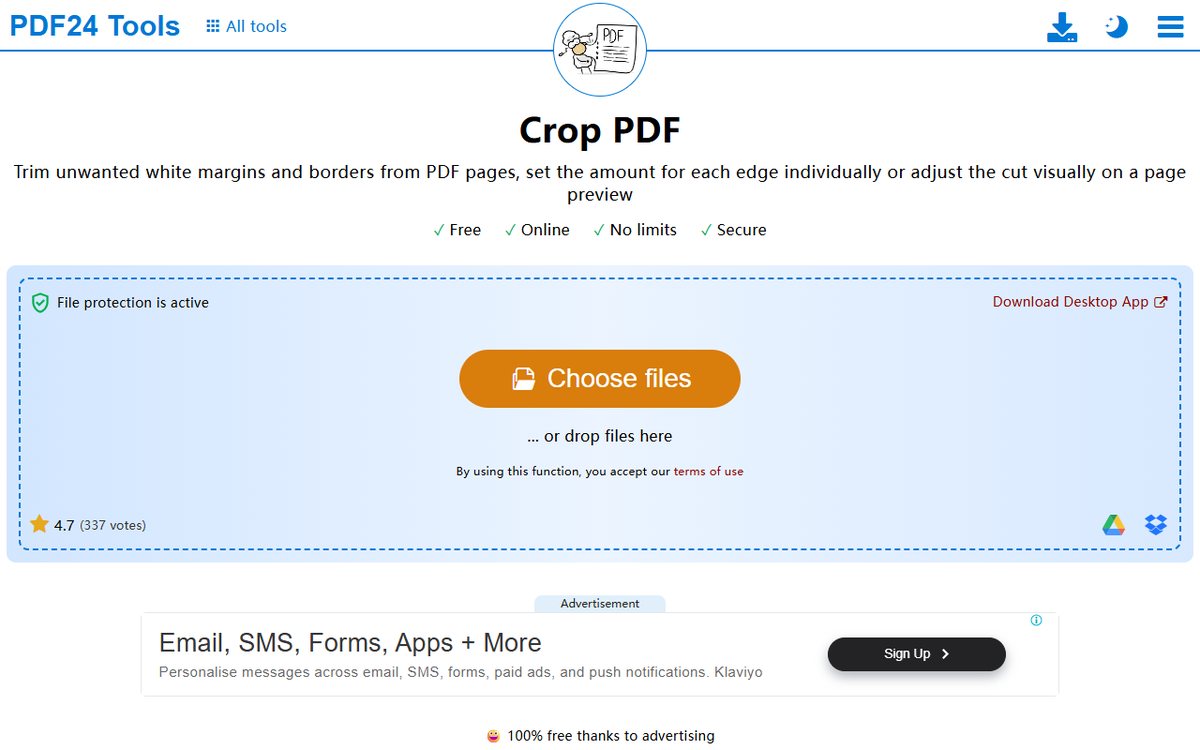
| PDF24 | Web + Windows | Unlimited, no account | Quick one-off crops on a single page |
| iLovePDF | Web + desktop + mobile | Limited tasks and file size | Cheapest paid plan for mixed PDF chores |
| Smallpdf | Web + desktop + mobile | A few tasks per day | Polished browser workflow with batch |
| Sejda | Web + desktop | 3 tasks per hour, 50 MB files | A short burst of work without a subscription |
| Adobe Acrobat | Desktop + web + mobile | Reader only | Pixel-precise margins and e-signature in one place |
| Foxit PDF Editor | Desktop + web + mobile | Reader and online tools | Acrobat-style editing at a lower list price |
| UPDF | Desktop + mobile | Files up to 10 MB | One low annual fee across four devices |
| WPS PDF | Desktop + web + mobile | Viewer and basic tools | Cropping inside an office suite you already use |
If the job is one page, one time, stop at the free row and skip the rest of this article. The paid tools earn their price when the crop has to be repeated, measured in centimetres, or applied to a page range instead of a single sheet.
What Separates a Good Crop Tool From a Bad One
Every app draws a frame around the page. What happens after you release the mouse is where they diverge.
Page box or new image? A correct crop changes the CropBox and MediaBox values, so text stays selectable, links keep working and the file size barely moves. Weaker tools rasterise the page into a picture — the trim looks right, but the text layer is gone.
Auto-detect or manual only? Scans with black edges need edge detection; print-ready pages need numeric margins. The desktop editors offer both, most free web croppers offer only the drag box.
One page or a page range? Cropping a 60-page scan by hand is not a workflow. Acrobat, Foxit, UPDF, WPS PDF, Smallpdf and PDF24 all apply one crop to a selected range.
Reversible or baked in? Because a crop only hides content, the original page can be restored by resetting the page size — unless the app flattened the file on export.
That second point is why a free cropper can look perfect in a screenshot and still fail downstream: an OCR tool, a screen reader or a print shop reading embedded text will find nothing on a rasterised page.
What Each Crop PDF App Costs
List prices below are per user, in US dollars where the vendor publishes them. Annual prepay is cheaper almost everywhere, and the free tier is the part worth reading twice — most limits are on tasks per day or file size, not on the crop itself.
| App | Free tier limit | Cheapest paid plan | What the paid plan adds |
|---|---|---|---|
| PDF24 | None | No paid plan | Ad-supported; nothing to buy |
| iLovePDF | Task and size caps | $4/month, $48/year | Unlimited tasks, larger files, desktop app |
| Smallpdf | A few tasks per day | From about $9/month, billed annually | Unlimited tasks and downloads, batch, editing |
| Sejda | 3 tasks/hour, 50 MB, 200 pages | 7-day pass, monthly, annual | Higher limits; desktop app included on annual |
| Adobe Acrobat | Reader only | Standard about $12.99/month, Pro about $19.99/month | Full page-box editing, OCR, e-signature |
| Foxit PDF Editor | Reader and online tools | $10.99/user/month; $159.99/year; $209.99 perpetual | Editing, OCR, redaction, batch processing |
| UPDF | 10 MB per file | About $49.99/year; about $79.99 lifetime | Editing, OCR, conversions, four devices |
| WPS PDF | Viewer and basic tools | WPS Premium subscription | Crop page, PDF editing, conversion quota |
Two pricing models hide behind those numbers. Sejda sells time, so a single deadline costs one week pass instead of a year. Adobe, Foxit and UPDF sell a seat, which only makes sense if the same person opens PDFs most days. PDF24 sells nothing and pays for the servers with ads — the trade is that you are uploading every file to a free service that has no contract with you.
Free vs Paid: Where the Free Tier Actually Stops
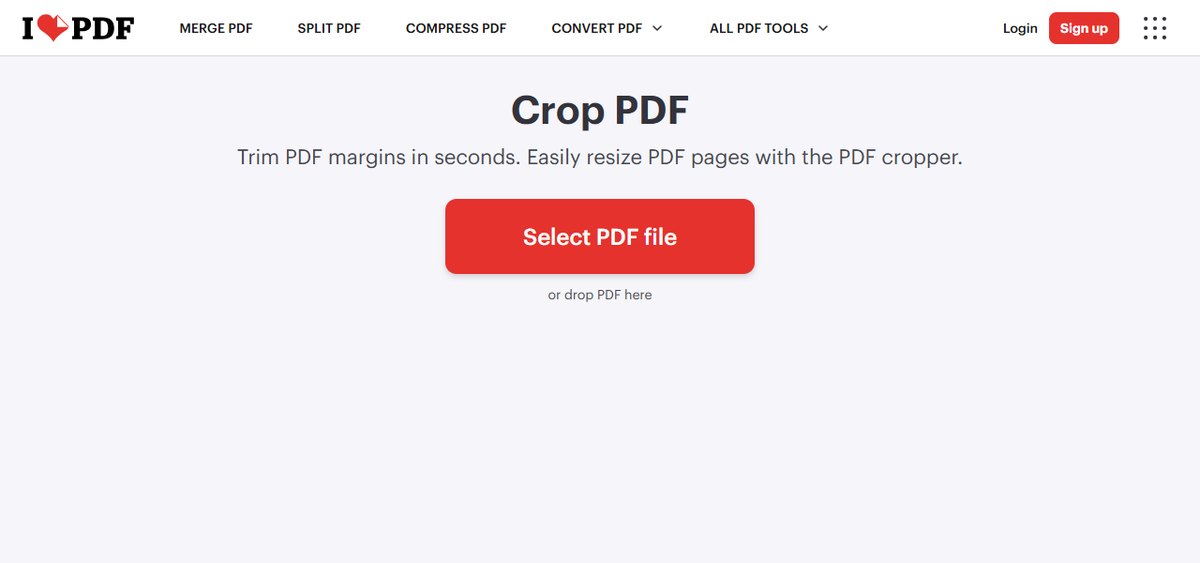
The free tiers fail on volume, not on features. Cropping one page of a lease agreement is free almost everywhere; cropping 80 scanned invoices is not, because the daily task counter runs out first.
Per-day task caps — Smallpdf and iLovePDF throttle the number of free operations, which is exactly the wrong limit for batch work.
Per-file size caps — UPDF's free tier stops at 10 MB, and Sejda's free tier caps a file at 50 MB and 200 pages, so a scanned report is refused before the crop starts.
Watermarks and ads — free online tools rarely watermark a crop, but they do add download friction and, on PDF24, advertising around the tool.
No page-range control — several free croppers apply the frame to the page you are looking at, which turns a 60-page job into 60 separate uploads.
A practical rule: if the total time you spend fighting a free tier is more than one month of the cheapest paid plan, buy the month. For everything else, keep a free tool bookmarked and put the money into the app you already own — the crop tool in WPS PDF is one example of a paid office suite that also handles PDFs.
Which Apps Run on Windows, macOS, Web and Mobile
Crop precision drops as the screen gets smaller, so treat the mobile column as a viewer with a trim button rather than a production tool.
| App | Windows | Browser | macOS | iOS / Android |
|---|---|---|---|---|
| PDF24 | Yes | Yes | Browser only | Browser only |
| iLovePDF | Yes | Yes | Yes | Yes |
| Smallpdf | Yes | Yes | Yes | Yes |
| Sejda | Yes | Yes | Yes | Browser only |
| Adobe Acrobat | Yes | Yes | Yes | Yes |
| Foxit PDF Editor | Yes | Yes | Yes | Yes |
| UPDF | Yes | No | Yes | Yes |
| WPS PDF | Yes | Yes | Yes | Yes |
Only UPDF skips the browser entirely, which is a feature if you never want a file leaving the machine, and a limitation if you work on a locked-down laptop. WPS PDF covers the full set including Linux, which matters in education and public-sector fleets where macOS and Windows are not the only endpoints.
How to Crop a PDF in WPS PDF
WPS PDF ships inside the same desktop app as Writer, Spreadsheet and Presentation, so a crop does not need another subscription if you already pay for the suite. The steps below match the desktop build; page cropping is part of the Premium tier.
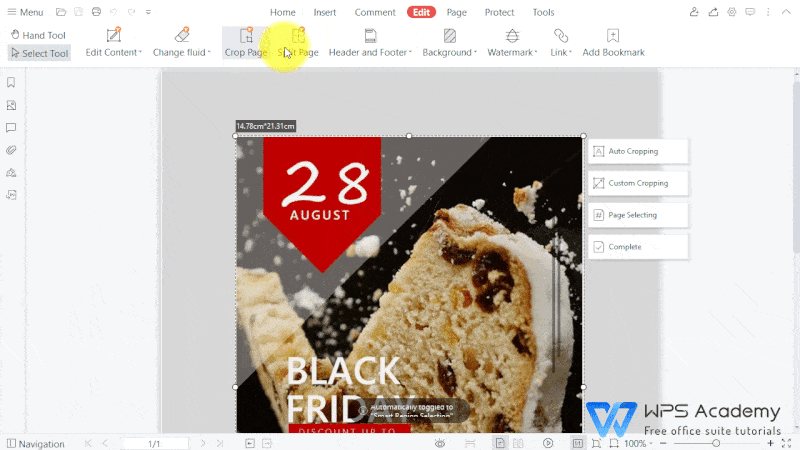
Open the PDF in WPS Office. The file opens in the PDF toolset rather than the word processor, so the Edit tab shows page tools instead of text tools.
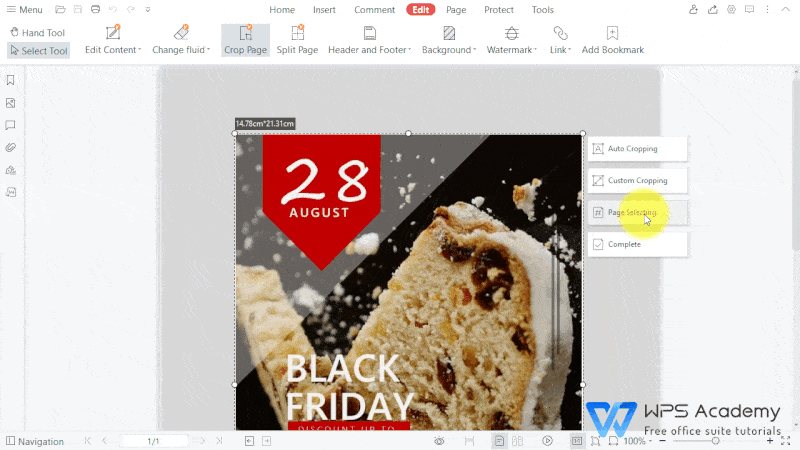
Go to the Edit tab and click Crop Page. The current page gets a dotted frame that you can drag on any edge.
Pick a mode: Auto Cropping detects the content area and trims white margins, Custom Cropping lets you draw the box yourself, and Page Selecting sets which pages receive the crop.
Adjust with the margin fields if the crop has to match a print size — the unit can be switched to centimetres so the numbers line up with a print specification.
Click Complete, then use Save As to write a new copy and keep the original page box available for a later re-crop.
If you would rather not install a desktop editor, this walkthrough of how to crop a PDF without Acrobat covers browser-only routes with the same crop-result checks. The same sequence as above is documented step by step in the tutorial on how to crop a PDF page in WPS Office. If the trimmed file is still too heavy to email, compress a PDF afterwards — a crop hides content but does not remove it, so file size stays roughly the same.
FAQs
Does cropping a PDF reduce its file size?
No. Cropping changes the visible page area, and the hidden content stays inside the file, so the size barely moves. Compress or downsample the images if size is the real problem.
Can I crop every page of a PDF at once?
Yes in most desktop editors. WPS PDF, Adobe Acrobat, Foxit, UPDF, Smallpdf and PDF24 let you apply one crop to a page range; many free browser croppers work one page at a time.
Which crop PDF app is cheapest for occasional use?
PDF24 is free with no task limit. If you want no ads and bigger files, iLovePDF Premium costs $4 per month, and Sejda's 7-day pass is cheaper than a month when you have one deadline.
Is it safe to crop a confidential PDF in an online tool?
An online cropper uploads the file, so the answer depends on the vendor's retention policy. For contracts and ID documents, use a desktop app or a tool that processes the file locally in the browser.
Can a crop be undone after saving?
Yes, as long as the page was cropped rather than flattened: resetting the page size reveals the hidden area again. Once an app has rasterised and overwritten the file, the removed content is gone, so keep the original.
Summary
For a like-for-like look at how subscription prices stack up in an adjacent PDF job, the image converter pricing comparison follows the same method, and the batch conversion tools roundup shows what batch processing costs once a single file is no longer the unit of work.
If you only need the crop and already have an office suite installed, download WPS Office and use the PDF tool that comes with it rather than paying for a second subscription.