

'%3e%3cpath%20d='M8%200C12.4183%200%2016%203.58172%2016%208C16%2012.4183%2012.4183%2016%208%2016C3.58172%2016%200%2012.4183%200%208C0%203.58172%203.58172%200%208%200ZM11.6162%204.38379C11.2257%203.99337%2010.5927%203.99338%2010.2021%204.38379L8%206.58594L5.79785%204.38379C5.40732%203.99334%204.77429%203.99329%204.38379%204.38379C3.99331%204.77429%203.99335%205.40733%204.38379%205.79785L6.58594%208L4.38379%2010.2021C3.99348%2010.5927%203.99341%2011.2257%204.38379%2011.6162C4.77426%2012.0066%205.40734%2012.0065%205.79785%2011.6162L8%209.41406L10.2021%2011.6162C10.5927%2012.0066%2011.2257%2012.0067%2011.6162%2011.6162C12.0067%2011.2257%2012.0066%2010.5927%2011.6162%2010.2021L9.41406%208L11.6162%205.79785C12.0066%205.40735%2012.0066%204.77429%2011.6162%204.38379Z'%20fill='%23080E17'%20fill-opacity='0.46'/%3e%3c/g%3e%3cdefs%3e%3cclipPath%20id='clip0_3761_713'%3e%3crect%20width='16'%20height='16'%20fill='white'/%3e%3c/clipPath%3e%3c/defs%3e%3c/svg%3e)



'%3e%3cpath%20fill-rule='evenodd'%20clip-rule='evenodd'%20d='M21.4999%2010.9993C21.4999%205.20009%2016.7986%200.498901%2010.9993%200.498901C5.19994%200.498901%200.498657%205.20009%200.498657%2010.9993C0.498657%2016.2404%204.33858%2020.5844%209.35855%2021.3722V14.0346H6.69238V10.9993H9.35855V8.68594C9.35855%206.05427%2010.9262%204.60062%2013.3248%204.60062C14.4736%204.60062%2015.6753%204.80571%2015.6753%204.80571V7.38979H14.3512C13.0468%207.38979%2012.64%208.19921%2012.64%209.0296V10.9993H15.5523L15.0867%2014.0346H12.64V21.3722C17.66%2020.5844%2021.4999%2016.2404%2021.4999%2010.9993Z'%20fill='%231568EA'/%3e%3c/g%3e%3c/svg%3e)


'%3e%3cpath%20d='M2.42045%2022.1876H6.31818V12.7217L0.75%208.54553V20.5171C0.75%2021.4414%201.49892%2022.1876%202.42045%2022.1876Z'%20fill='%234285F4'/%3e%3cpath%20d='M19.682%2022.1876H23.5797C24.5041%2022.1876%2025.2502%2021.4387%2025.2502%2020.5171V8.54553L19.682%2012.7217'%20fill='%2334A853'/%3e%3cpath%20d='M19.682%205.48293V12.7216L25.2502%208.54543V6.31816C25.2502%204.25236%2022.8921%203.07469%2021.2411%204.31361'%20fill='%23FBBC04'/%3e%3cpath%20d='M6.31824%2012.7217V5.48303L13.0001%2010.4944L19.6819%205.48303V12.7217L13.0001%2017.733'%20fill='%23EA4335'/%3e%3cpath%20d='M0.75%206.31816V8.54543L6.31818%2012.7216V5.48293L4.75909%204.31361C3.10534%203.07469%200.75%204.25236%200.75%206.31816Z'%20fill='%23C5221F'/%3e%3c/g%3e%3cdefs%3e%3cclipPath%20id='clip0_2954_7305'%3e%3crect%20width='24.5'%20height='18.375'%20fill='white'%20transform='translate(0.75%203.8125)'/%3e%3c/clipPath%3e%3c/defs%3e%3c/svg%3e)


If you work with spreadsheets regularly, you already know how much time formulas can eat up. Whether you're a business professional or a student, writing formulas from scratch is slow. But there is a quick fix for that available now in the form of AI formula tools. Just describe what you need in plain English and instantly generate accurate, ready-to-use formulas. In this guide, we compare the 5 best AI formula tools on the market that boost your productivity to the maximum.

What Is AI Formula and What Are Its Benefits
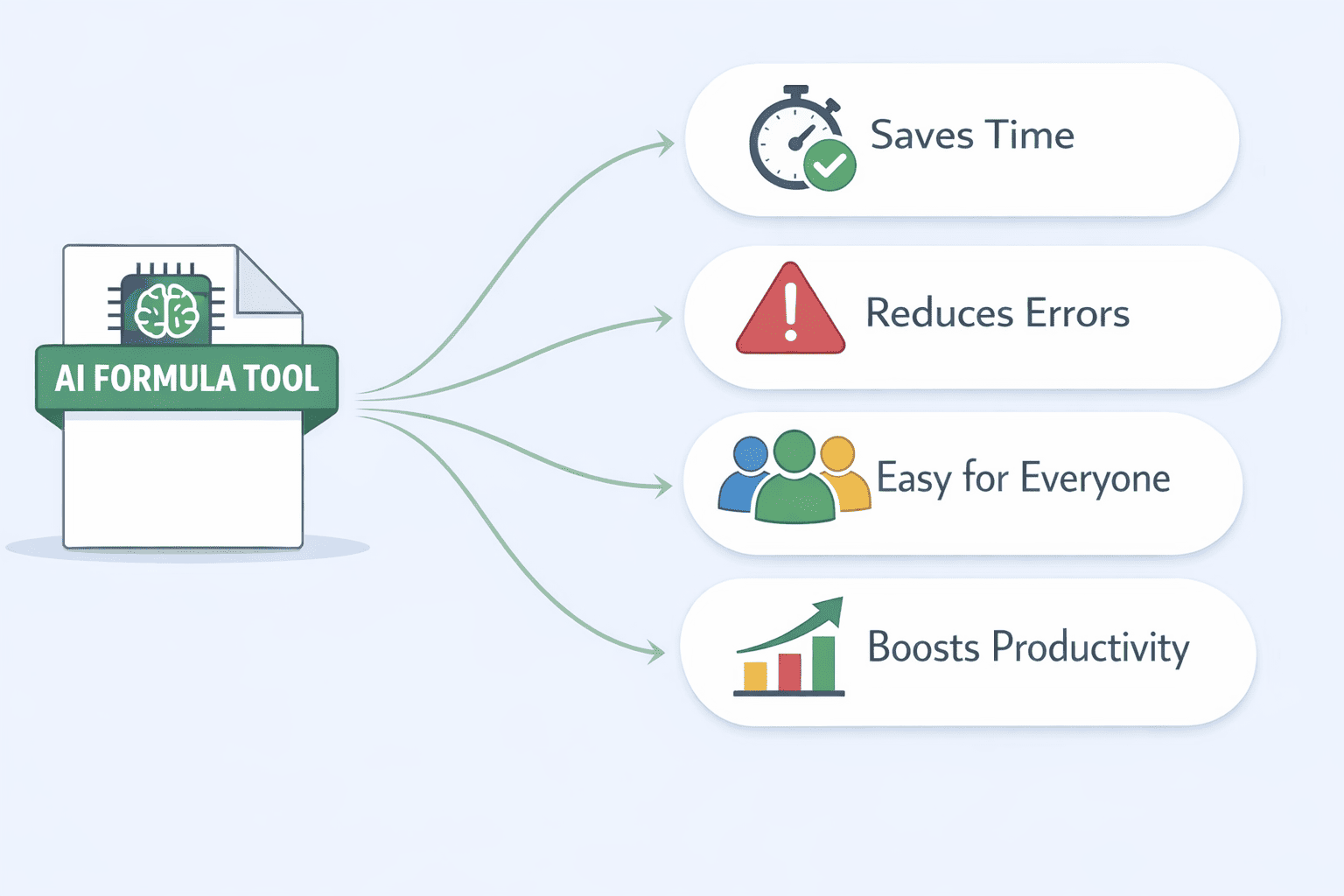
Spreadsheet formulas have always been useful. But writing them correctly takes time, and one small mistake can throw off your entire workflow. That's where AI formula tools come in. An AI formula tool takes plain English and turns it into a working spreadsheet formula. In other words, it acts as your own artificial intelligence formula generator, removing the need to memorize syntax entirely. These AI formula applications go beyond basic help by understanding context, handling nested logic, and even explaining formulas you didn't write.
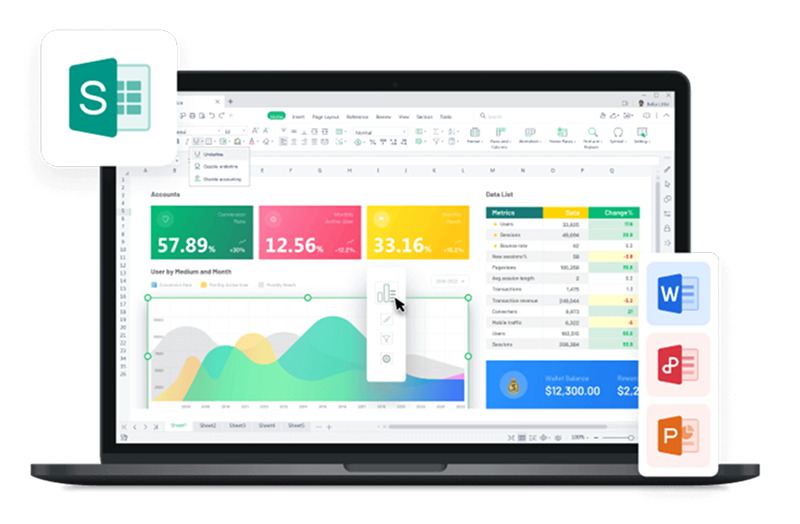
These tools work for WPS Spreadsheet, Excel, and other platforms. They can handle everything from basic SUM functions to complex nested logic. Some can also explain formulas you didn't write, which makes them just as useful for reviewing work as for creating it.
Key Benefits
● Saves Time
Writing formulas manually takes effort, especially when the logic gets complicated. AI formula tools cut that process down to seconds. You type what you need, and the formula is ready. This saves precious time when you're working through large datasets or building reports on a deadline.
● Reduces Errors
Manual formula entry is one of the most common sources of spreadsheet mistakes. A missing bracket, a wrong cell reference, or a misplaced operator can easily break your data. AI formula automation removes most of that risk by generating clean, accurate formulas from the start.
● Easy for Everyone
You don't need to be a spreadsheet expert to use these tools. If you can describe what you want in plain language, the AI can build it. This makes AI formula generators genuinely useful for beginners and experienced users alike.
● Boosts Productivity
Less time fixing formulas means more time doing actual work. Whether you're handling data analysis, building dashboards, or putting together a report, AI-driven Excel formulas keep your workflow moving without the usual interruptions.
Top 5 Recommended AI Formula Tools
There is a wide variety of Al Formula tools on the market right now, but you don’t need to try them all. To save you time, I’ve narrowed it down to the five best AI-driven formula tools, starting with the one I rely on the most.
1. WPS AI Sheet
The WPS AI Sheet is the AI-powered spreadsheet feature built directly into WPS Office, which brings AI directly into your spreadsheet. Instead of switching between tabs or copying formulas from a third-party site, everything happens inside the app. You describe what you need in plain English, and WPS AI handles the rest, from writing formulas to analyzing data to building entire tables from scratch.

Plus, it’s all in one place: your Docs, Slides, Sheets, and PDFs, making WPS AI one of the most complete AI formula solutions available right now.
Features
AI Formula Writing: You can describe a calculation in plain language and get a working formula instantly
Formula Semantic Translation: You can paste any formula and get a plain-English explanation of what it does
AI Data Analysis: You can select a data range, ask a question, and get written insights plus auto-generated charts
WPSAI Function: You can call AI directly inside cells for batch classification, content generation, and data extraction
AI Sheet Assistant: You can control spreadsheet operations with natural language commands (merge rows, fill colors, extract data, and more)
Lingxi Sidebar Assistant: You can use an all-in-one panel for complex operations using a single sentence
Pros
Low learning curve
One of the most feature-complete AI spreadsheet tools available
Cheaper than Microsoft 365, AI plan is over 50% less expensive
Free version covers basic AI needs with 1GB cloud storage and 47 format types supported
Formula explanation feature helps users actually learn while they work
Cons
All AI features require an internet connection, no offline access
Some advanced features, like AI Sheet Assistant, are currently limited to the Windows desktop version
Support for highly niche or specialist functions is limited
Pricing
Monthly Plan: $14.16/month includes 6 months of Pro benefits; international version can unlock permanent PRO access
2. Excel Formula Bot
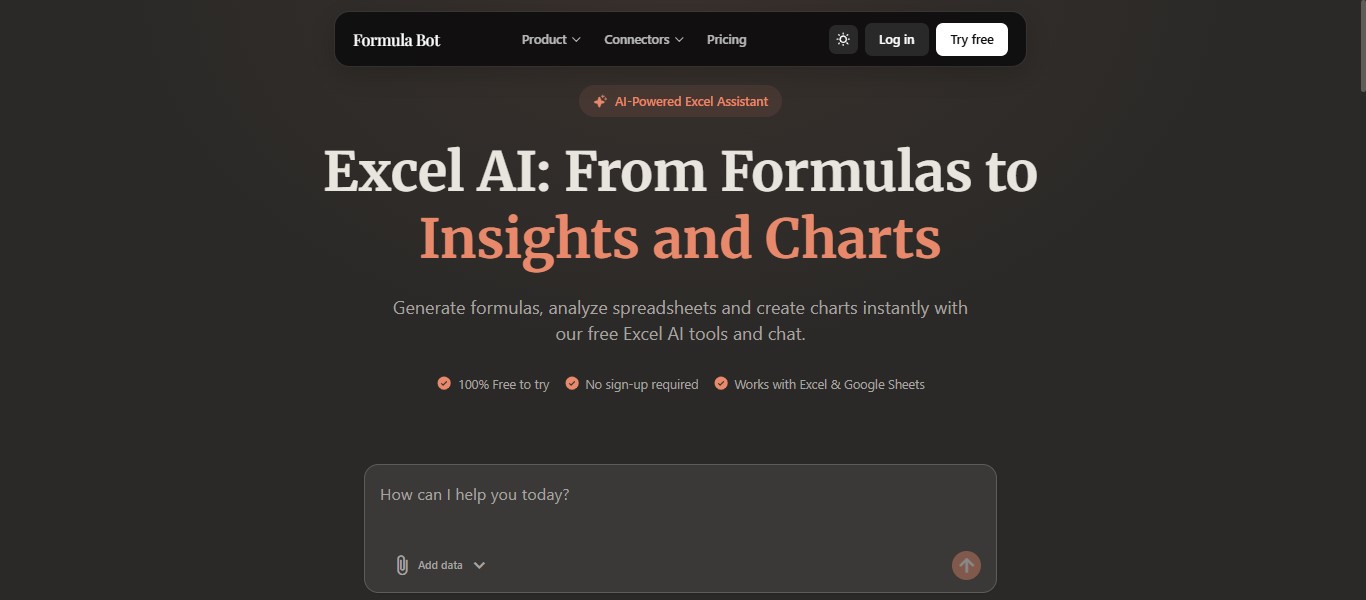
Excel Formula Bot does one thing and does it well, it takes what you type in plain English and turns it into a working Excel or Google Sheets formula instantly. No syntax knowledge needed. Just describe what you want, and the formula is ready to copy and paste.
Features
Natural Language to Formula Conversion: You can convert plain language descriptions into working formulas instantly
Formula Explainer: You can paste any formula and get a plain-English breakdown of what it does
Data Analyzer: You can upload your spreadsheet and get quick insights without writing a formula
SQL Query Generator: You can generate SQL queries from plain language
PDF to Excel Converter: You can convert PDF files directly into editable Excel spreadsheets
Web App and Direct Integration: You can use it as a web app or integrate it directly with Excel and Google Sheets for a smoother workflow
Pros
Easy to use, no learning curve
Free plan available with no sign-up required
Handles a wide range of formula types, including complex ones
Formula explanation feature is useful for learning and auditing
Cons
● Requires an internet connection, no offline use
● May struggle with highly customized or niche formula logic
Pricing
● Monthly packages: Starting from $18/month, $29/month, and $99/month
3. Mysheetai
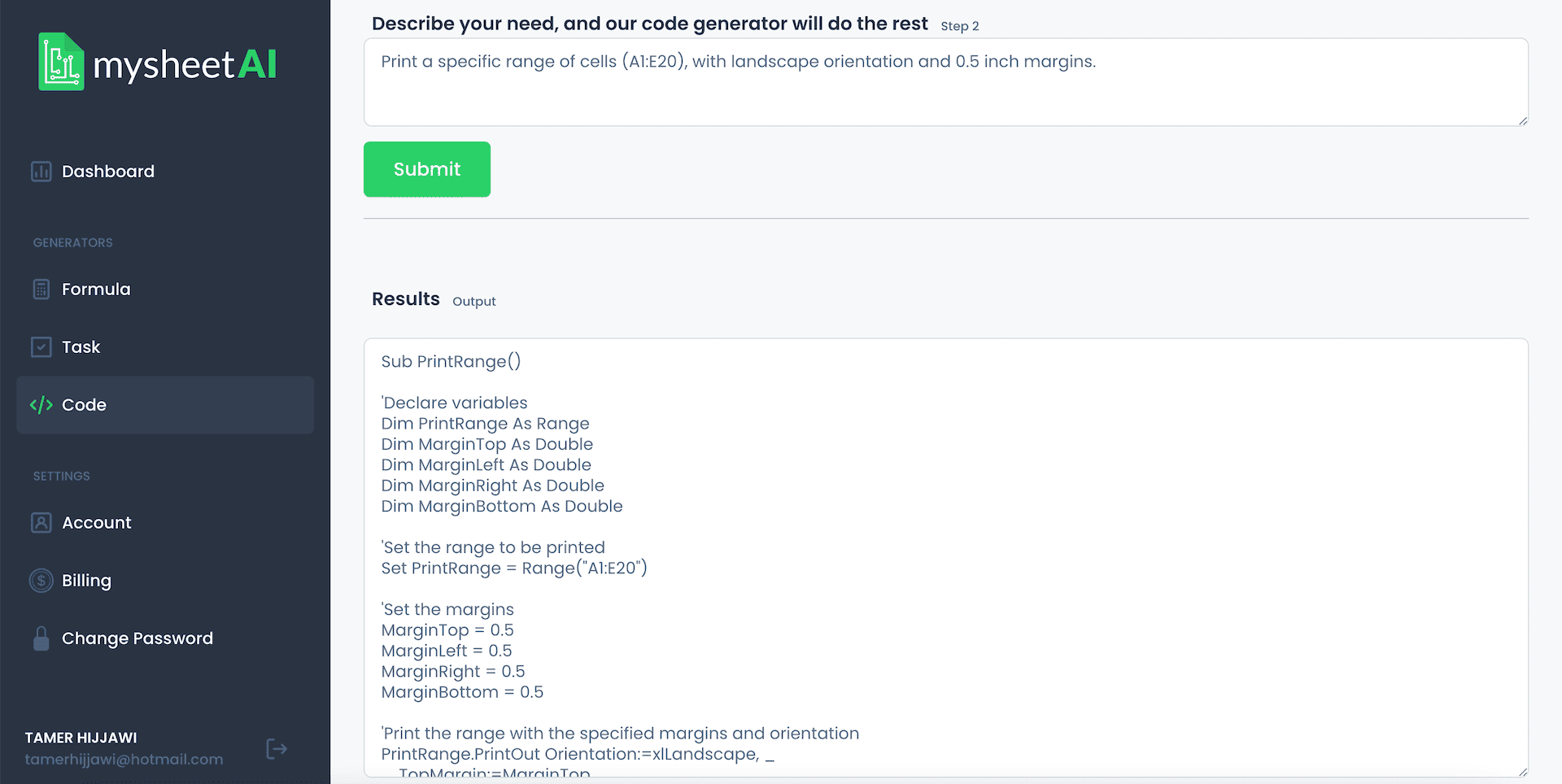
Mysheetai is a focused, web-based AI formula tool built for everyday spreadsheet users. It gives you instant access to a large library of Excel and Google Sheets formulas, along with AI-generated explanations for each one. If you're not sure how a formula works or you need one built from scratch, Mysheetai walks you through it clearly, without assuming you have a technical background.
Features
AI Formula Generator: You can generate formulas for both Excel and Google Sheets using plain language input
Step-by-Step Instructions: You can follow clear, guided instructions for common spreadsheet tasks without needing prior experience
VBA and Google Apps Script Generator: You can automate repetitive tasks by generating VBA or Google Apps Script code from plain language descriptions
Formula Explanation Tool: You can paste any formula and get a plain-English explanation of what it does
Adaptive Learning: You can expect personalized suggestions over time as the AI tailors its recommendations to your usage patterns
Web-Based Interface: You can get started immediately with no installation required, just open your browser and go
Pros
Beginner-friendly, clear explanations alongside every formula
Covers both formula generation and automation scripting in one place
Free plan available with no credit card required
Clean interface with minimal learning curve
Trusted by users at major organizations, including Amazon and Harvard
Cons
Smaller user base compared to more established tools
Adaptive learning features are still developing
Limited advanced analytics beyond formula generation
Pricing
Free Plan: Available with no credit card required
Paid Plans: Starting from $2.99/month
4. Wolfram Alpha
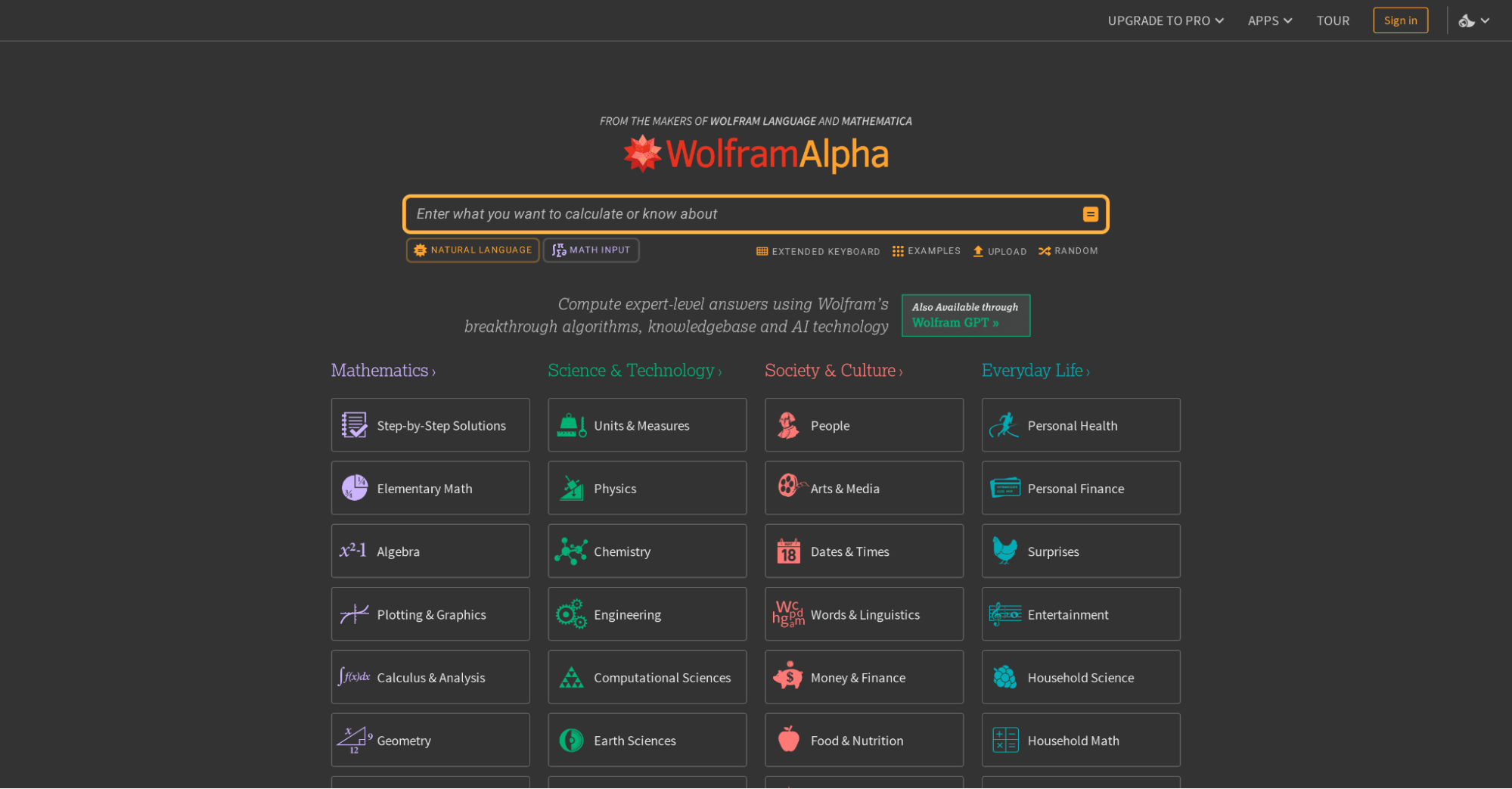
Wolfram Alpha is a computational knowledge engine that goes well beyond a standard formula generator. It uses AI, natural language understanding, and a massive curated knowledge base to compute answers to complex mathematical, scientific, and data-related queries. For users who need precise formula logic for data analysis, statistics, or engineering calculations rather than basic spreadsheet functions, Wolfram Alpha operates at a different level entirely.
Features
Natural Language Query Input: You can enter mathematical and scientific questions in plain English and get accurate computed results
Step-by-Step Solutions: You can work through equations, calculus, statistics, and more with detailed step-by-step breakdowns
Curated Knowledge Base: You can access a verified knowledge base spanning maths, science, finance, engineering, and beyond
Data Visualization and Charting: You can turn computed results into clear visual charts and graphs without any extra tools
Web Apps for Specialized Calculations: You can use purpose-built Web Apps for specific calculation needs, from unit conversions to financial modeling
API Access: You can integrate Wolfram Alpha's computational power directly into your own formula-based applications as a developer
Extended Computation Time: You can run more complex, resource-intensive calculations without hitting limits on Pro plans
Pros
Exceptionally powerful for complex mathematical and scientific formulas
Highly accurate, built on decades of curated, verified knowledge
Free tier available with no sign-up required
Rated 4.6/5 across major review platforms
Useful for students, researchers, and data professionals alike
Cons
Not designed specifically for Excel or Google Sheets, requires manual transfer of results
Step-by-step solutions locked behind paid plans
Can feel overwhelming for users who just need simple spreadsheet formulas
Mobile app has reported stability issues
Pricing
Free Plan: Basic computation access, no sign-up needed
Pro: $9.99/monthstep-by-step solutions, extended computation, Web Apps
Pro Premium: $12/month, all Pro features plus priority support and full feature access
Student and Educator discounts available
5. DataRobot
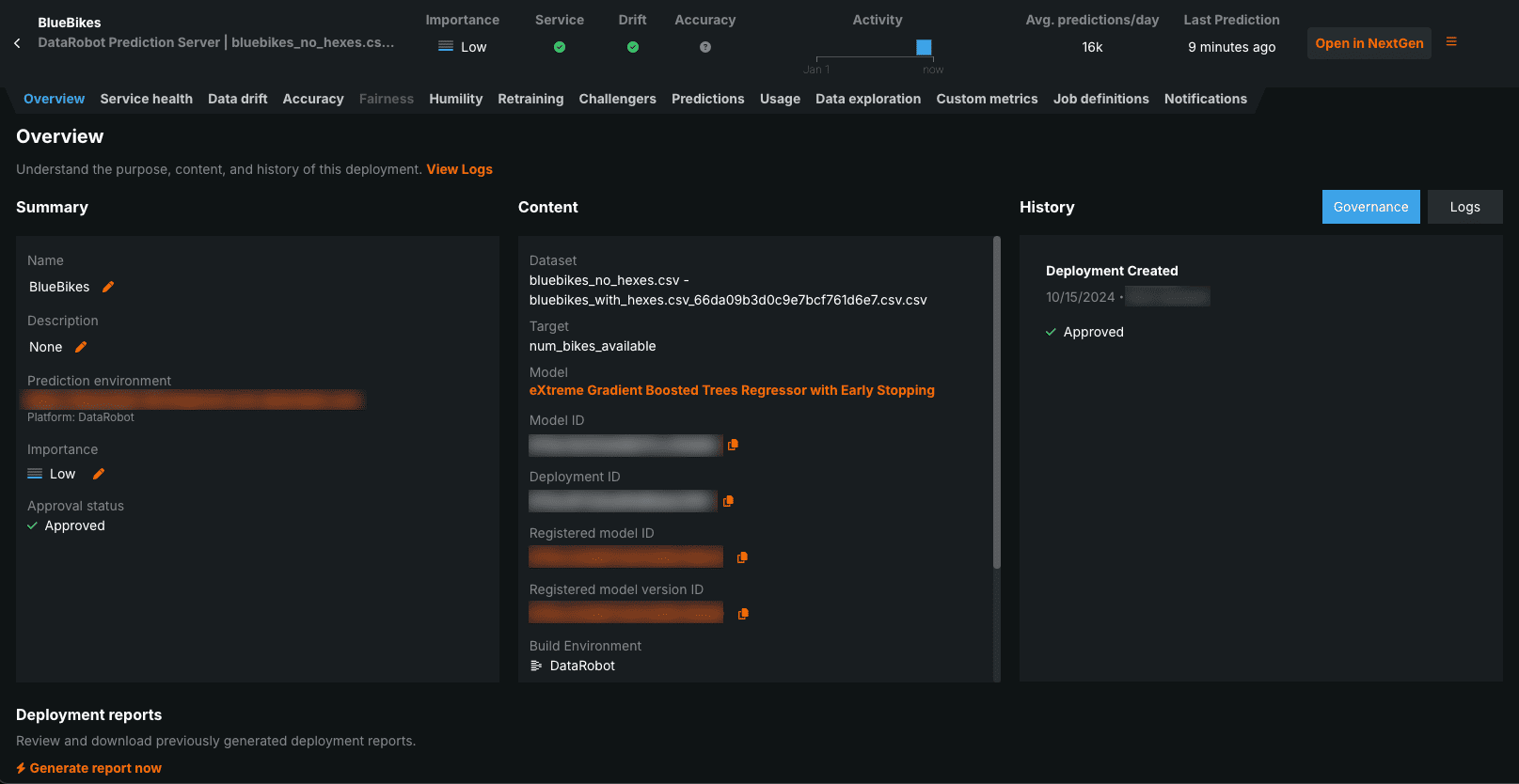
DataRobot is an enterprise-grade AI platform built for organizations that need to automate machine learning at scale. It goes far beyond generating individual formulas. It can automate the entire data science pipeline, including data preparation, model training, deployment, and performance monitoring. For data scientists, analysts, and business teams handling large, complex datasets, DataRobot is one of the most powerful AI-driven tools available.
Features
Automated Machine Learning (AutoML): You can automatically build, train, and select the best-performing model without manual intervention
Automated Data Preparation: You can let the platform handle feature engineering, data cleaning, and model evaluation so you can focus on results
Predictive Analytics and Time Series Forecasting: You can generate accurate predictions and forecast trends across time-based datasets
Generative AI Tools: You can build AI-powered applications and vector databases using the built-in AI App Builder and Vector Database Builder
API-First Integrations: You can connect DataRobot seamlessly with AWS, Google Cloud, Microsoft Azure, and Snowflake through native API integrations
MLOps: You can deploy, monitor, and manage your models throughout their full lifecycle from a single platform
Explainable AI: You can translate complex model outputs into plain business language that non-technical stakeholders can actually understand
Centralized AI Asset Management: You can manage all your AI models, datasets, and workflows from one centralized location
Pros
Extremely powerful for large-scale data automation and predictive modeling
Reduces model development timelines significantly from months to weeks
Strong integrations with major cloud and enterprise platforms
Rated 8.6/10 on PeerSpot; trusted by Kroger, Lenovo, PNC, and US Bank
Suitable for users without deep coding knowledge
Cons
Expensive, not practical for individuals or small teams
Steeper learning curve than spreadsheet-focused formula tools
AutoML features limited in the free/trial version
Not built specifically for Excel or Google Sheets formula generation
Customization options can feel limited for advanced users
Pricing
Custom pricing based on business size and requirements, contact DataRobot for a quote
Academic, government, and nonprofit discounts available
Comparison Between Tools Above
Whether you rely on AI formula in Excel or Google Sheets, the right tool is one that seamlessly fits into your existing workflow. After spending real time with each of these tools, here's a table to showcase how the five tools stack up across the dimensions that matter most for practical spreadsheet work:
Which Tool Is Right for You?
Every tool here solves a real problem. The question is just which problem matches yours. If you only need a formula a few times a week and don't mind jumping to another tab to get it, Excel Formula Bot or Mysheetai are perfectly fine. If your work involves serious mathematical or scientific computation, statistical modeling, complex equations, or anything that goes beyond what a standard spreadsheet function handles, go for Wolfram Alpha. That said, you'll be copying results over manually every time, and the step-by-step explanations cost extra.
DataRobot is an enterprise software. It is powerful, yes, but if you're an individual or a small team just trying to build better spreadsheets, it's not the right fit. The price, the setup, and the learning curve are all built for organizations running machine learning at scale, not for someone trying to pull together a quarterly report before a 9 am meeting.
Which brings me to WPS AI Sheet and why I keep coming back to it. Every other tool on this list follows the same basic workflow: leave your spreadsheet, go somewhere else, get your formula, come back, paste it in. That's fine. But once you use a tool like WPS AI, where the AI is already sitting inside the cell you're working in, the old way starts to feel unnecessarily clunky. And it doesn't stop at formulas; it can analyze your data, build charts, generate entire worksheets from a one-liner, and handle batch tasks through the Lingxi sidebar. All without leaving the app.
FAQs
Q1: Are these AI tools free to use?
Most of the tools on this list offer a free tier, but all have limitations at that level, usually in the number of monthly formula generations or the range of features available. WPS AI Sheet, Excel Formula Bot, MySheetAI, and Wolfram Alpha all offer meaningful free access, while DataRobot does not have a consumer free tier.
Q2: Can AI formulas work with all types of spreadsheets?
Most AI formula tools support both Excel and Google Sheets, which covers the vast majority of spreadsheet use cases. WPS AI Sheet is also compatible with WPS Spreadsheets and Excel file formats. Wolfram Alpha and DataRobot are less flexible and operate primarily at the computational or data-pipeline level.
Q3: How accurate are AI-generated formulas?
Accuracy depends on the task's complexity and how clearly you describe what you need. For standard formulas, lookups, conditionals, and aggregations, most tools perform very well. For highly complex nested logic or domain-specific functions, results can vary. My recommendation: always review an AI-generated formula before relying on it in a critical spreadsheet, especially for financial or reporting data.
Q4: Why use WPS AI Sheet instead of other AI formula tools?
The biggest reason is integration. WPS AI Sheet works directly inside your spreadsheet, which eliminates the copy-paste workflow that all the web-based tools require. Beyond that, it handles both formula generation and formula explanation in a single interface, supports a wide range of formula types, and is accessible with a free WPS Office account. For users who want a smoother experience with AI formula automation, WPS AI Sheet is the natural choice.
So, Which Tool Should You Actually Use?
We started this guide with a simple problem: formulas take too long, they're easy to get wrong, and most people just want their spreadsheet to work without a headache. Every tool on this list helps with that. But if I'm being honest? Most of them still make you do the annoying part yourself. WPS AI Sheet is the only tool here that actually removes that step, and as a more cost-effective alternative to Microsoft 365, it’s not even a difficult decision from a cost standpoint.



'%3e%3cpath%20d='M19.9911%204.11386V6.471H18.5894C18.0775%206.471%2017.7322%206.57814%2017.5536%206.79243C17.3751%207.00671%2017.2858%207.32814%2017.2858%207.75671V9.44421H19.9019L19.5536%2012.0871H17.2858V18.8639H14.5536V12.0871H12.2769V9.44421H14.5536V7.49779C14.5536%206.39064%2014.8632%205.53201%2015.4822%204.92189C16.1013%204.31177%2016.9257%204.00671%2017.9554%204.00671C18.8304%204.00671%2019.509%204.04243%2019.9911%204.11386Z'%20fill='%23333333'/%3e%3c/g%3e%3cdefs%3e%3cclipPath%20id='clip0_2938_8199'%3e%3crect%20width='16'%20height='16'%20fill='white'%20transform='translate(8%204.00671)'/%3e%3c/clipPath%3e%3c/defs%3e%3c/svg%3e)
'%3e%3cpath%20d='M17.5237%2010.7813L23.4811%204H22.0699L16.8949%209.88693L12.7648%204H8L14.2469%2012.9029L8%2020.0133H9.4112L14.8725%2013.7952L19.2352%2020.0133H24M9.92053%205.04213H12.0885L22.0688%2019.0224H19.9003'%20fill='%23333333'/%3e%3c/g%3e%3cdefs%3e%3cclipPath%20id='clip0_2938_8200'%3e%3crect%20width='16'%20height='16.0134'%20fill='white'%20transform='translate(8%204)'/%3e%3c/clipPath%3e%3c/defs%3e%3c/svg%3e)


