

A PDF page has to become a PNG when the image goes somewhere a PDF cannot: a slide, a website, a chat message, a design file. That single job is done by a dozen online converters, and their prices are not comparable at first glance — some charge per task, some per day, some per credit, and one is free because of advertising.
I converted the same 6-page PDF (two text pages, two scanned pages, a chart and a photo) to PNG in five converters, and recorded what each one cost, what it produced, and where the file went. Below is that comparison, then the pricing detail per tool.
Quick answer: For a quick free conversion, Smallpdf or PDF24: both produce PNG from a PDF in the browser with no account. For batch and API work, CloudConvert or Convertio: both sell credits or monthly plans instead of a daily cap. For a PDF you also need to edit, Adobe Acrobat online is the only one of the five that hands the file into an editor.
- Free today, no sign-up: Smallpdf, PDF24
- Best value for repeated batches: CloudConvert (credits) or Convertio Lite ($6.99/mo billed yearly)
- Cheapest for a one-off high-DPI job: PDF24 (free, no limit)
- Most expensive per page: pay-per-task services once you convert more than a few pages a week
PDF to PNG converters: prices at a glance
Prices below are the ones printed on each vendor's own pricing page at the time of writing. Two of the five meter usage rather than charging a flat fee, which is why a like-for-like comparison needs both a free-tier column and a per-month column.
| Converter | Free tier | Paid from | File size cap | Account needed | Best for |
|---|---|---|---|---|---|
| Smallpdf | Limited downloads | Pro, monthly or yearly (regional price) | Set by plan | Only for Pro | One-off conversion in a browser |
| PDF24 | No limit, ad-supported | Not needed (free desktop app) | Large files accepted | No | High-DPI or large batches, free |
| Convertio | Limited free conversions | $6.99/mo Lite, billed yearly | 1 GB on Lite | For paid plans | Predictable volume |
| CloudConvert | 10 credits/day | Credit packages or monthly plan | 1 GB on free | For paid plans | API and automation |
| Adobe Acrobat online | Free single conversions | Acrobat Pro subscription | Moderate | For Pro features | Convert then edit the PDF |
One number explains most of the price gap: a 6-page PDF at 300 DPI produces six PNGs of roughly 8–15 MB each. Tools that cap free downloads make you feel that the moment you need the sixth file; tools that sell credits charge by the conversion minute, not by the megabyte.
How each converter handles the actual conversion
Smallpdf: the cleanest one-off
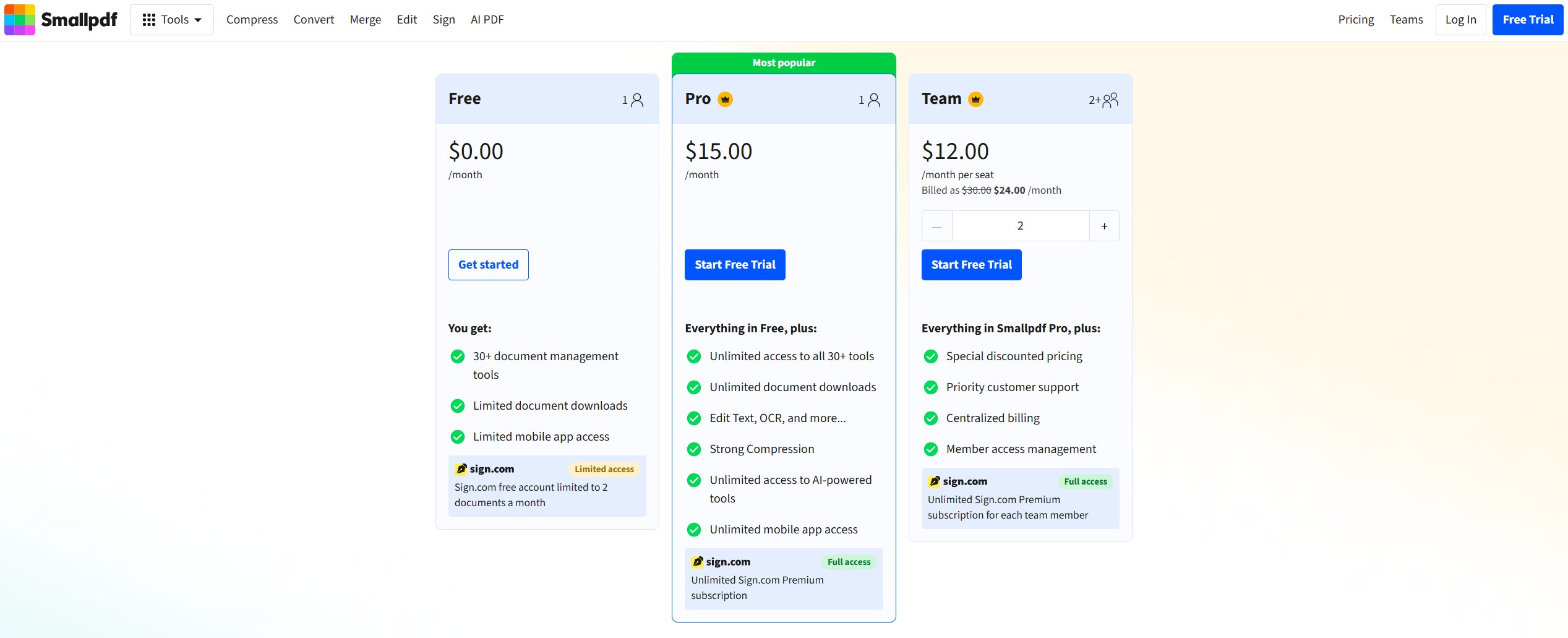
Smallpdf's PDF to PNG page converts page by page and offers the output as individual images or a ZIP. The free plan allows limited downloads, which is fine for one page and awkward for six; Pro removes the cap and is billed monthly or yearly, with the rate set by region rather than a single global price.
PDF24: free with no cap, paid for by advertising
PDF24 converts a whole document at once, exposes DPI and image format before the job runs, and does not meter conversions. The page states that the service is free because of advertising, and there is a free Windows desktop tool for offline work. It is the least pretty of the five and the one that never asks for a card.
Convertio: credits that turn into a monthly price
Convertio's paid plans are sold per month with an annual discount: Lite at $6.99 per month billed yearly with a 1 GB maximum file and 1,000 conversion credits a month, Basic at $13.99 with 3 GB and 3,000 credits, Pro at $25.99 with 10 GB. The free tier is usable for occasional single files but throttles volume.
CloudConvert: the one with a real free allowance
CloudConvert gives 10 conversion credits per day on the free plan with a 1 GB maximum file, then sells packages of credits that never expire or a monthly subscription at lower per-credit rates. For anyone converting a handful of pages a day, the free allowance is often enough; for a 400-page archive, credits are the only sane way to pay.
Adobe Acrobat online: conversion plus a route into editing
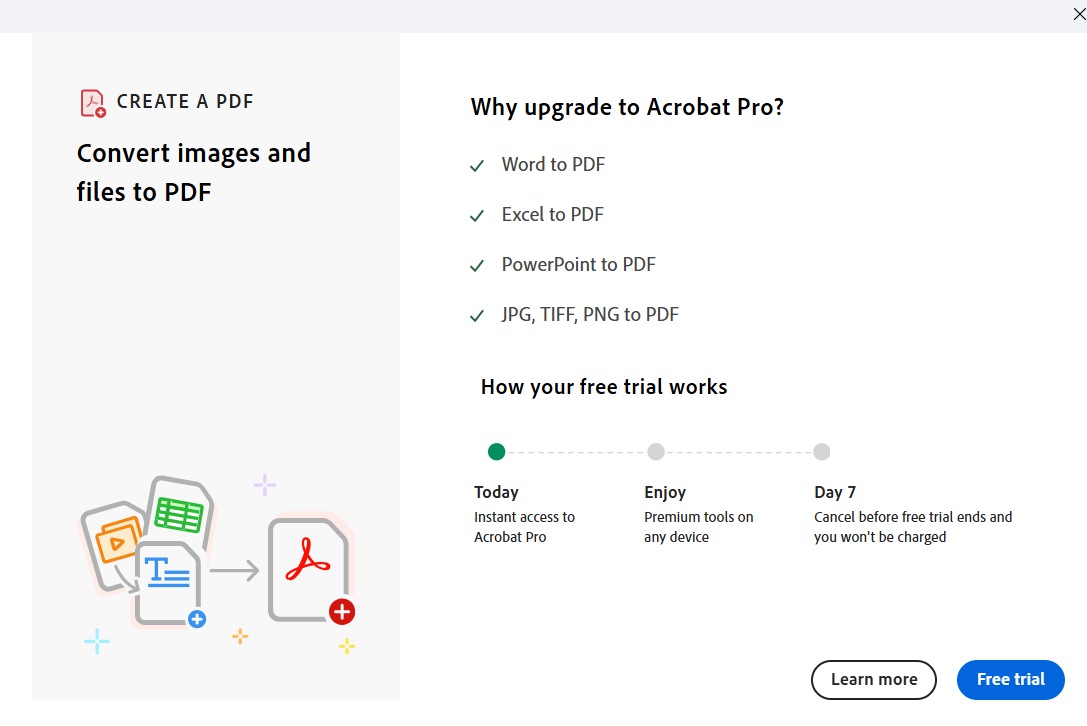
Adobe's online PDF to PNG tool is free for single conversions and pushes the file toward Acrobat Pro when you need batch conversion or higher limits. That is the honest pitch: you are not paying for the conversion, you are paying for the editor the conversion feeds into.
One page, a range, or the whole document
Most converters default to every page, which is the wrong default when you only need a chart from page 12. Smallpdf and Convertio both let you pick a page range before the job runs; PDF24 converts the whole file but splits outputs into a ZIP you can unzip selectively; CloudConvert takes a page range in the advanced options. Adobe's free tool converts one page at a time, which is slow for a document and convenient for a single figure.
One page for a slide → any tool, page range, 150 DPI.
Every page as separate images → PDF24 or Convertio in one job, sorted ZIP.
A 200-page archive → CloudConvert credits or PDF24, never a per-task free tier.
Scanned PDFs: why the PNG looks like a photo
A scanned PDF already contains one image per page. Converting it to PNG does not add detail, it re-encodes what the scanner captured, so a 200 DPI scan stays a 200 DPI scan no matter what the converter claims. If the text has to be selectable in the resulting workflow, the fix is OCR on the PDF before conversion, not a higher DPI setting afterwards.
That is also why a scanned PDF converted at 300 DPI can produce 20 MB per page. Check the source resolution first: if the scan is 150 DPI, exporting at 300 DPI doubles the file size and adds nothing.
Where the PNG actually goes
| Destination | Export setting | Watch out for |
|---|---|---|
| Slide deck | 150 DPI, page as PNG, crop margins | White page background showing as a visible box |
| Website or CMS | 150 DPI, compress with a tool afterwards | A 12 MB PNG kills page load; convert to WebP or JPG if no transparency is needed |
| Design handoff | 300 DPI, full page, no crop | Cropping loses the alignment guides the designer needs |
| Chat or email | 150 DPI, single page, JPG is fine | PNG transparency shows as a black background in some clients |
| 300 DPI, page size preserved | Converting a text page to PNG makes it unprintable as text — keep the PDF for print |
On a phone, the same job is usually faster through the vendor's app than the mobile browser: Smallpdf and PDF24 both ship apps that keep the export settings, and the file does not have to round-trip through a download folder.
PNG or JPG: when PNG is the right output
PNG is lossless and supports transparency; JPG is smaller and lossy. That decides the format for you in most cases:
Charts, diagrams and text pages → PNG, because edges stay sharp and text does not develop halos.
Scanned photos and full-page photography → JPG if the file has to be small, PNG if it will be re-edited.
Anything that needs a transparent background (a logo, a signature) → PNG; JPG cannot store transparency.
Slides and screenshots → PNG at 2x the display size, so the image stays crisp on a retina screen.
Resolution matters more than format. Export at 150 DPI for screen use and 300 DPI only when the PNG will be printed or zoomed. A 300 DPI export of a 6-page document is roughly 6–8x the file size of the same document at 150 DPI, and most tools count that against the free tier.
Privacy: where the PDF actually goes
Every converter on this list uploads the file. What differs is what happens next.
| Converter | Stated handling | Offline option |
|---|---|---|
| Smallpdf | Files deleted one hour after conversion, per its own page | Desktop app on paid plans |
| PDF24 | "File protection is active" on the upload box; free desktop creator keeps files local | Yes, free (Windows) |
| Convertio | Files removed after conversion; retention stated in policy | No |
| CloudConvert | Files deleted after the job unless you keep them; DPA available | No |
| Adobe Acrobat online | Processed on Adobe servers; deletion on a short schedule | Acrobat desktop |
For a bank statement, a contract or an ID scan, the answer is not a better online converter — it is a desktop tool. PDF24's free Windows creator converts locally, and any office suite can print to PDF and export images without an upload.
Free vs paid: where each free tier actually stops
Free tiers fail in three different ways, and knowing which one you will hit saves a wasted afternoon:
Download limits — the conversion runs, the download is blocked or watermarked. Smallpdf's free plan works this way.
Volume limits — a fixed number of credits or conversions per day. CloudConvert's 10 credits a day is generous for a page, thin for a document.
Size limits — a maximum file size that a 300 DPI export will exceed. Convertio's 1 GB cap on Lite is generous; free tiers elsewhere are tighter.
PDF24 is the outlier: no download limit, no daily cap, no account, funded by ads. That is why it is the tool I use when a client sends a 200-page scan and expects PNGs the same afternoon.
Batch conversion and high-DPI output
Batch is where a per-task price becomes visible. Converting 40 pages one at a time in a tool with a daily cap takes four days; converting them in one job takes a couple of minutes and costs one credit per minute on CloudConvert, one file credit on Convertio, or nothing at all on PDF24.
If the output is going into an archival or print workflow, check two things before you start: whether the tool lets you pick DPI, and whether it preserves the page order in the ZIP. PDF24, CloudConvert and Convertio all expose DPI; Smallpdf applies its own setting; Adobe's free tool exports a single page at a time.
Which converter fits which job
| Your job | Best choice | Why |
|---|---|---|
| One page, right now | Smallpdf or PDF24 | No install, no account, done in under a minute |
| A 200-page scan, free | PDF24 | No cap and DPI control |
| A few dozen pages a month | CloudConvert free tier | 10 credits a day covers small batches |
| Consistent monthly volume | Convertio Lite | $6.99/mo billed yearly beats per-task pricing |
| Convert, then edit the PDF | Adobe Acrobat online | The same session hands off to Acrobat Pro |
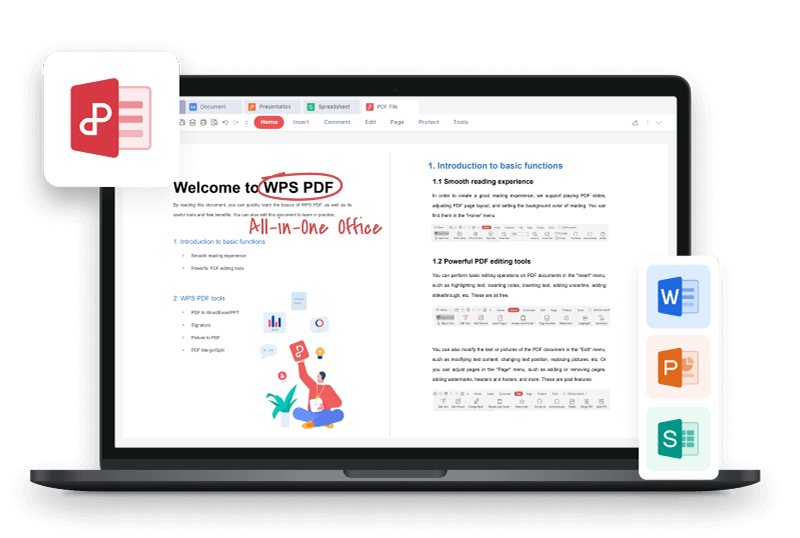
If the conversion is a step inside a bigger document job — pulling images out of a report so they can go into a deck — the cheaper path is often to open the PDF in an office suite that exports images directly: WPS PDF exports pages as images on desktop and mobile without an upload, and the same app merges the results back into a PDF when the deck is finished.
FAQ
Is there a free PDF to PNG converter with no limits?
PDF24 advertises no conversion limit and no account requirement; it is funded by advertising. Its free Windows creator does the same conversion offline. Most other free tiers cap downloads or conversions per day.
How much does a paid PDF to PNG converter cost?
Convertio Lite is $6.99 per month billed yearly with a 1 GB file cap; CloudConvert sells credit packages or a monthly plan; Smallpdf Pro and Adobe Acrobat Pro are regional or subscription priced. For occasional use, the free tiers of PDF24 and CloudConvert usually cover the job.
What DPI should I export at?
150 DPI for screens, slides and web pages; 300 DPI only when the PNG will be printed or zoomed. A 300 DPI export is roughly 6–8x larger than the same document at 150 DPI and is the most common reason a free tier runs out of space.
Does converting a PDF to PNG lose quality?
PNG is lossless, so the image quality is set at the moment of rasterisation — the DPI you choose — not by later compression. Convert at 2x the size you will display and the image stays sharp.
Can I convert a PDF to PNG offline?
Yes. PDF24's free Windows creator converts locally, and desktop suites export pages as images without uploading. Browser converters such as Smallpdf, Convertio and CloudConvert all need a connection.
Summary
None of the five is the cheapest in every case, and that is the point: match the pricing model to your volume. A one-off page wants free and no account; a monthly batch wants a flat fee; an archive wants credits.
Smallpdf: simplest one-off conversion, free tier limited by downloads, Pro priced by region.
PDF24: no cap, ad-funded, DPI control, free offline Windows tool — the best free batch route.
Convertio: $6.99/mo Lite billed yearly, 1 GB files, credits per month.
CloudConvert: 10 free credits a day, 1 GB files, credit packages for volume.
Adobe Acrobat online: free single conversions, subscription for batch — worth it only if you also edit PDFs.