

Quick Answer: 123PayStubs is the best free pay stub generator with a PDF download: your first stub is complete, unwatermarked and tax-calculated. StubCreator is the better pick if you refuse to create an account. For a PDF that stays free every time, fill a free pay stub template in WPS Office and export it yourself.
Most tools that rank for a free pay stub generator build the stub, show a preview, then charge $4 to $39 at the download button. The six below get closest to a real free PDF, and the last section covers the route that costs nothing at all.
Free PDF or Free Preview? What These Tools Really Give You
Free covers four different products here, and the difference matters more than any feature list. A preview means the stub is built but the download is locked. A first stub free means one complete file, then a per-stub price. A trial means a paid subscription with a short window. A template means you own the file and nothing is metered.
| What "free" means | What you actually get | Where it shows up |
|---|---|---|
| Locked preview | You can look at the finished stub, not download it | ThePayStubs, RealCheckStubs |
| First stub free | One complete PDF, then $3.99–$8.99 per stub | 123PayStubs, StubCreator, BestPaystubGen |
| Time-limited trial | A few days of access before a monthly charge | FormPros |
| Free template | An editable file you fill and export yourself, no limit | WPS Office, Excel, Google Sheets |
When a page promises a free pay stub generator PDF, read the button at the end of the form. Preview or Continue to payment means the PDF is the paid item; Download PDF that arrives in your folder is the one you want.
The 6 Best Free Pay Stub Generators for a PDF
These six were picked on one test: can someone producing a stub for real, authorized earnings finish the job without hitting an unexpected paywall. Prices were checked in November 2026, so confirm on the checkout page before you enter card details.
| Tool | Free allowance | PDF price after that | Auto tax | Account |
|---|---|---|---|---|
| 123PayStubs | First stub free | $3.99 per stub | Yes, all 50 states | Email only |
| StubCreator | One free stub per year | $4.99 per stub | Estimates | None |
| BestPaystubGen | Full preview free | $7.99 per stub | Yes, 2026 estimates | |
| PayStubCreator | Preview free | Charged per stub | Yes, federal and state | |
| ThePayStubs | Watermarked preview | Per pay period | Automatic | |
| RealCheckStubs | Watermarked preview | From $8.99 per stub | Automatic |
123PayStubs: Best Free Pay Stub Generator for a First PDF
Your first stub is genuinely free, complete and unwatermarked, and it is the only tool here that calculates federal income tax, state tax, Social Security at 6.2% and Medicare at 1.45% across all 50 states. Year-to-date figures carry automatically, which is where hand-built stubs usually break. The catch: one stub only, then $3.99 each.
StubCreator: Best Free Stub Without an Account
One stub per calendar year, no sign-up and no card, which makes it the cleanest option if you object to handing over an email for a document you will print once. Extra stubs run $4.99, and add-ons such as a logo cost more. The catch: the free stub does not spell out its tax assumptions.
BestPaystubGen: Best Free Preview Before You Pay
The whole editable draft and its calculated figures are free to inspect, so you can confirm gross pay, deductions, net pay and YTD before committing. The PDF is $7.99. The catch: the comparison on its own site is first-party, so treat its rankings as marketing, not testing.
PayStubCreator: Best for Automatic Tax Estimates
One form returns a finished stub in about two minutes with federal, state, local, Social Security and Medicare lines already calculated, and no email confirmation step. The catch: the preview is free, the download is not, and the price only appears at checkout.
ThePayStubs: Best for a Single Fast Stub
A short form, automatic calculations and a print-ready layout that looks like a real payroll document, which suits an employer replacing one lost stub. The catch: the free view is watermarked, the PDF is charged per pay period, and the price is hidden until checkout.
RealCheckStubs: Best When You Need It Today
Fast, mobile-friendly and built around a single urgent stub rather than ongoing payroll. The catch: watermark-only preview and a starting price of $8.99 per stub, the highest per-file cost among the tools that give you a file at all.
Which Pay Stub Generator Fits Your Situation?
Match the job to the tool instead of reading every review. These four cases cover almost everyone who searches for a free pay stub generator PDF.
| Your situation | Best choice | Why |
|---|---|---|
| One stub, real payroll, free today | 123PayStubs | First file is free and tax-calculated |
| No account, no email, one document | StubCreator | No sign-up at all |
| Verify the numbers before paying | BestPaystubGen | Full draft is free to inspect |
| Contractor or monthly stubs | Free template in WPS Office | No per-stub price, ever |
For monthly stubs a per-file price adds up: twelve stubs at $3.99 is $47.88 a year for documents you could keep building for nothing. On a phone, all six run in the browser, and 123PayStubs and PayStubCreator have the easiest form fields on a small screen. The WPS mobile app opens the same template and exports to PDF, so a template route does not need a desktop either.
The Best Free Alternative: WPS Office
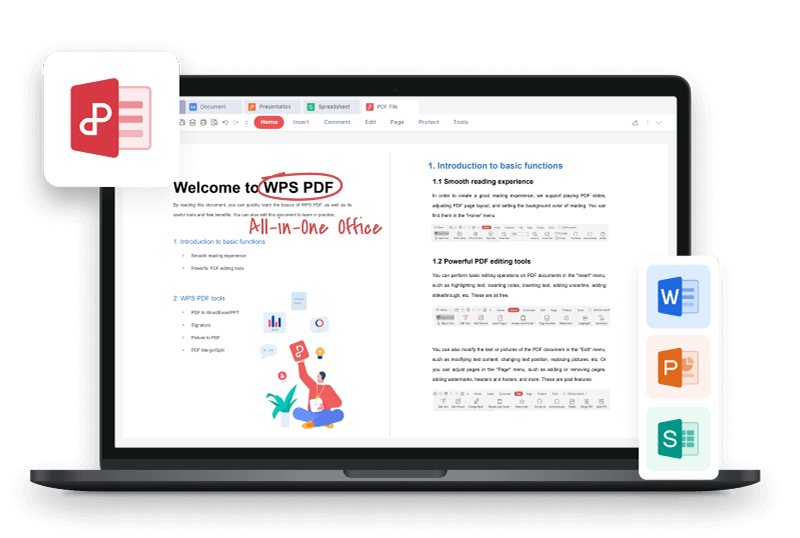
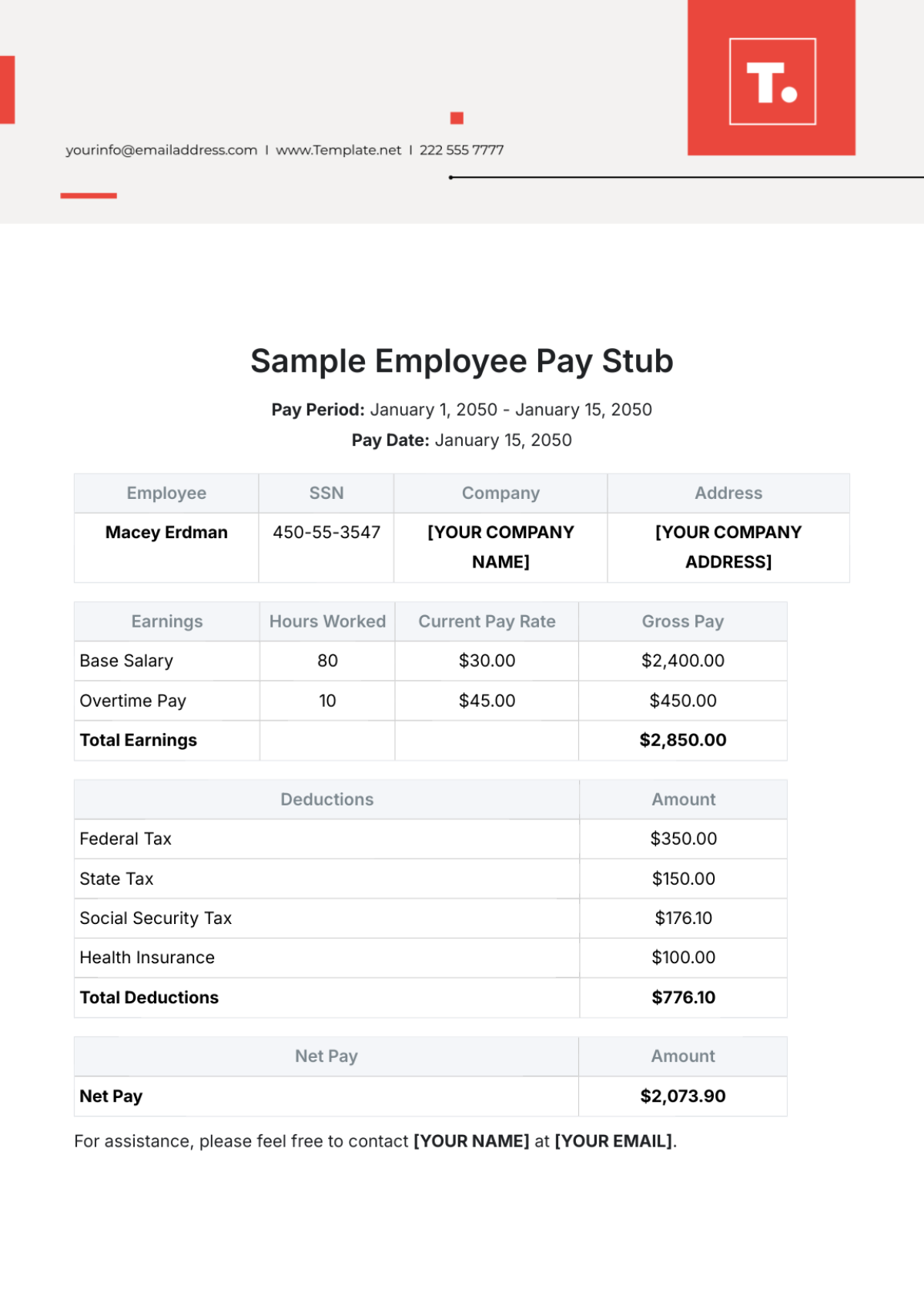
Every tool above meters the PDF. A template does not. WPS ships free pay stub layouts for Excel-style sheets and Word documents, and the free pay stub template library covers single-employee stubs, contractor stubs and year-to-date layouts. Fill the fields once, then export a clean PDF from WPS PDF as many times as you need.
The spreadsheet route is worth learning: a stub built in WPS Spreadsheet carries formulas for gross pay, a percentage row for FICA and Medicare, and a running YTD total, so next month is a copy and two edits rather than a new form. If you prefer documents to grids, WPS Writer handles the same layout as a table, and WPS AI drafts the column headings and a short pay-period note.
The trade-off is real: a template will not tell you whether your withholding is right for a given state, and it will not flag a drifting YTD figure. If accuracy under audit matters more than $4, buy a generator or a payroll service. For a payment you already made, a template is faster and free. Install it from download WPS Office and the same file opens on Windows, Mac, Android and iOS.
How Do You Make a Pay Stub PDF for Free, Step by Step?
This is the no-cost route, start to finish, with the numbers you supply yourself.
Gather the source numbers. Pay period, pay date, gross pay, each deduction with a label, and the YTD totals from the previous stub.
Open a pay stub template. Pick the single-employee or contractor layout and save a copy under the employee name and pay date, so next period does not overwrite this one.
Fill employer and employee blocks. Legal names, addresses, and the employer identification number exactly as they appear on payroll records.
Check the math. Gross minus deductions must equal net, and YTD must equal the previous YTD plus this period.
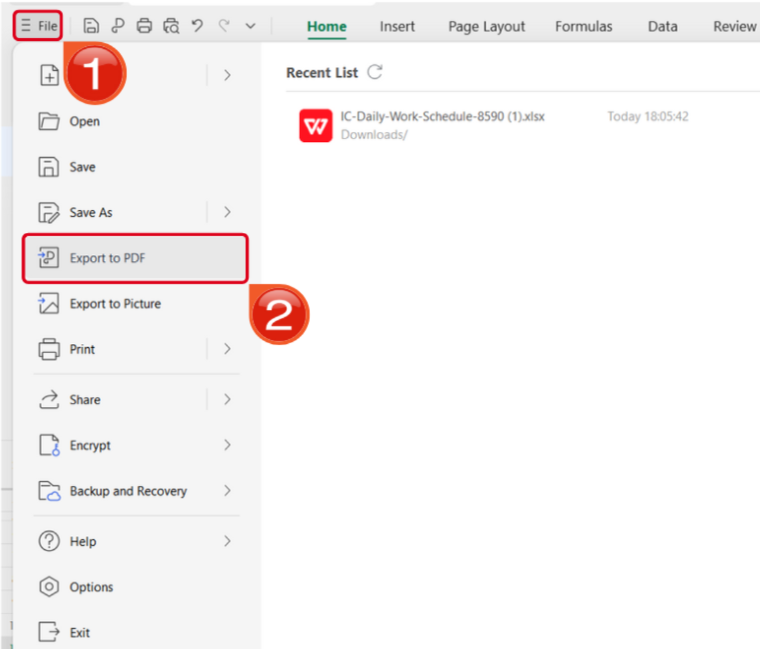
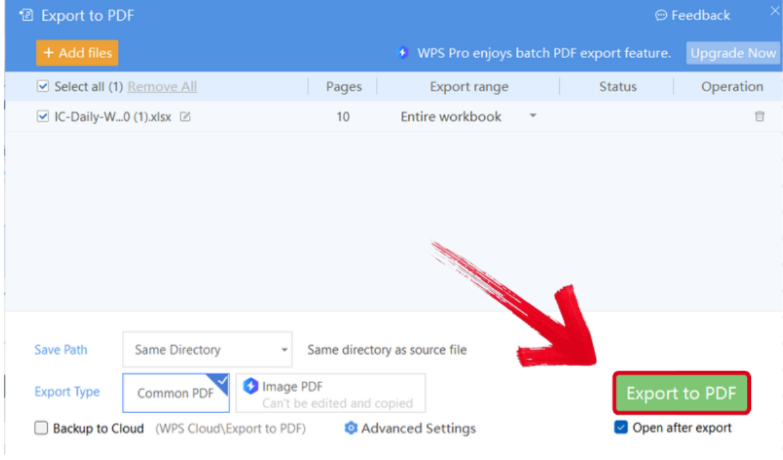
Export to PDF. Use Export to PDF rather than Print, so margins and page count stay fixed when someone else opens it.
Keep the editable copy. The next stub then takes two edits, not twenty.
The YTD line and the deduction labels are where free templates fail people. A stub that says Deductions with no breakdown is the first thing a loan officer questions.
What Should You Check Before Downloading a Pay Stub PDF?
A pay stub is a financial document, and the free tools in this category trade on that. Five checks take two minutes.
Does the free tier export, or only preview? Read the final button text, not the headline. Preview means the PDF is the paid product.
Is the tax method disclosed? A tool that shows a net figure without the withholding assumptions is estimating, not calculating.
Where does the data go? Typing an employee's name, address and SSN into an unknown site is the real cost of free. Never upload a scan of a real W-2.
Are you authorized to produce this document? A stub for your own real earnings is normal; one for income that was never paid is fraud in most jurisdictions.
Does it match state rules? Some states require specific fields on a pay statement, so a generic template can be incomplete even when the math is right.
FAQs
Is there a pay stub generator that is completely free with PDF download?
Two come close. 123PayStubs gives you one complete, unwatermarked PDF free, and StubCreator gives one free stub per year with no account. For unlimited free PDFs, use a free pay stub template in WPS Office instead of a generator.
Do free pay stub generators calculate taxes correctly?
They calculate from published withholding tables, so the arithmetic is usually right, but the assumptions are estimates rather than a filed payroll return. Check gross, deduction and YTD figures against your own records first.
Is it legal to make my own pay stub?
Yes, if it documents earnings you were actually paid and you are the employer or an authorized representative. A stub for income that never existed is fraud, which is why lenders ask for bank statements alongside it.
Can I create a pay stub in Excel or Word and save it as a PDF?
Yes, and it costs nothing. A template with formulas for gross pay, FICA, Medicare and YTD produces a printable stub in WPS Spreadsheet or WPS Writer, and Export to PDF keeps the layout fixed. You supply the tax rates.
What must a pay stub include to be accepted?
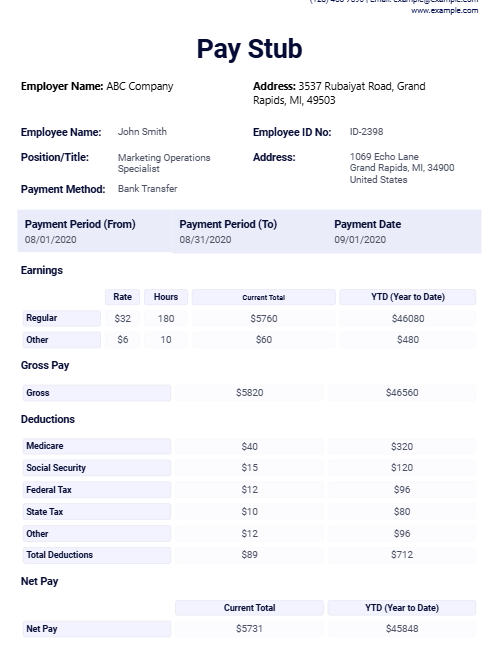
Employer and employee names and addresses, the pay period and pay date, gross pay, each deduction with a label, net pay, and year-to-date totals. Missing YTD or unlabeled deductions are the two most common reasons a stub gets rejected.
Summary
Pick the tool that matches how many stubs you need, not the one with the biggest free badge on its homepage.