



'%3e%3cpath%20fill-rule='evenodd'%20clip-rule='evenodd'%20d='M21.4999%2010.9993C21.4999%205.20009%2016.7986%200.498901%2010.9993%200.498901C5.19994%200.498901%200.498657%205.20009%200.498657%2010.9993C0.498657%2016.2404%204.33858%2020.5844%209.35855%2021.3722V14.0346H6.69238V10.9993H9.35855V8.68594C9.35855%206.05427%2010.9262%204.60062%2013.3248%204.60062C14.4736%204.60062%2015.6753%204.80571%2015.6753%204.80571V7.38979H14.3512C13.0468%207.38979%2012.64%208.19921%2012.64%209.0296V10.9993H15.5523L15.0867%2014.0346H12.64V21.3722C17.66%2020.5844%2021.4999%2016.2404%2021.4999%2010.9993Z'%20fill='%231568EA'/%3e%3c/g%3e%3c/svg%3e)


'%3e%3cpath%20d='M2.42045%2022.1876H6.31818V12.7217L0.75%208.54553V20.5171C0.75%2021.4414%201.49892%2022.1876%202.42045%2022.1876Z'%20fill='%234285F4'/%3e%3cpath%20d='M19.682%2022.1876H23.5797C24.5041%2022.1876%2025.2502%2021.4387%2025.2502%2020.5171V8.54553L19.682%2012.7217'%20fill='%2334A853'/%3e%3cpath%20d='M19.682%205.48293V12.7216L25.2502%208.54543V6.31816C25.2502%204.25236%2022.8921%203.07469%2021.2411%204.31361'%20fill='%23FBBC04'/%3e%3cpath%20d='M6.31824%2012.7217V5.48303L13.0001%2010.4944L19.6819%205.48303V12.7217L13.0001%2017.733'%20fill='%23EA4335'/%3e%3cpath%20d='M0.75%206.31816V8.54543L6.31818%2012.7216V5.48293L4.75909%204.31361C3.10534%203.07469%200.75%204.25236%200.75%206.31816Z'%20fill='%23C5221F'/%3e%3c/g%3e%3cdefs%3e%3cclipPath%20id='clip0_2954_7305'%3e%3crect%20width='24.5'%20height='18.375'%20fill='white'%20transform='translate(0.75%203.8125)'/%3e%3c/clipPath%3e%3c/defs%3e%3c/svg%3e)


Searching for an excel portable free download usually means one thing: you want a spreadsheet editor you can run quickly—on a shared PC, a USB stick, or without a heavy Microsoft Office install. That need is real. The risky part is where many people look next.
Microsoft does not publish an official portable Excel package for USB “crack” style use. Most results labeled “Microsoft Excel Portable” come from unofficial sites, torrents, or repacks that ask you to disable antivirus. Below, you’ll learn what portable Excel really means, what can go wrong, and how WPS Office gives you a safer, free path to portable spreadsheet work.
What an Excel Portable Free Download Really Means
In plain language, people who type excel portable free download want spreadsheet software that:
Opens and edits .xlsx / .xls files
Needs little or no permanent install
Runs on school, library, or borrowed PCs
Avoids a full Microsoft 365 subscription
True “portable” software usually means a legitimate app designed to run from a folder or USB drive without a classic installer. That is different from a cracked “Excel Portable” RAR/torrent that mirrors Microsoft branding. Microsoft’s supported lightweight options are Excel for the web and licensed desktop apps—not anonymous portable builds.
Legitimate portable-style alternatives do exist (for example, open-source LibreOffice Portable from trusted publishers). Still, if your goal is a familiar Excel-like UI with cloud sync and a small official client, WPS is often the cleaner fit.
Hidden Risks Behind Third-Party Excel Portable Free Download Sites
Many SERP pages for an excel portable free download share the same red flags. Treat them as warnings, not download tips:
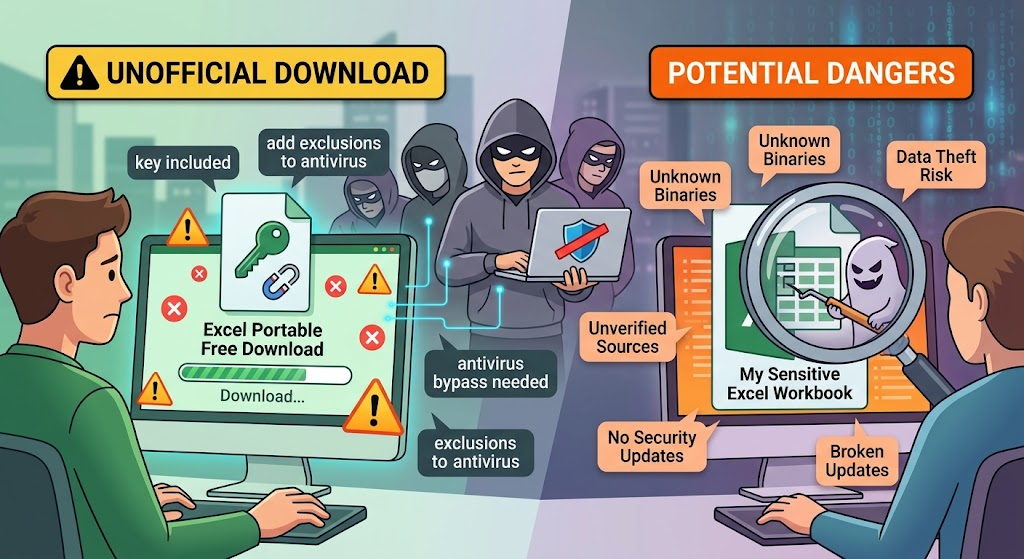
Unofficial packaging: “Excel 2025 Portable,” “key included,” or magnet/torrent links are not Microsoft channels.
Antivirus bypass prompts: Guides that tell you to add exclusions to Windows Defender before launch are a classic malware delivery pattern.
Unknown binaries: You cannot verify who built the EXE, what it phones home to, or whether it steals workbook data.
License and legal risk: Redistributing Microsoft Office as a free portable package violates Microsoft’s licensing. Work files opened in such tools can also expose sensitive data.
Broken updates: Cracked builds rarely get security patches, so one old vulnerability can linger for years.
If a site needs you to disable security tools to “make Excel work,” stop. That is not portable productivity—it is a security incident waiting to happen.


Safer Path Than Excel Portable Free Download: WPS Office Web and Cloud
WPS offers two safe paths: the web version for zero-install use, and the lightweight client for fast offline startup.The closest experience to a zero-install excel portable free download is not a USB crack—it is a browser editor. With WPS Spreadsheets online / WPS Office Web, you get portable work without installing Microsoft Excel.
Why this is the real portable option:
No install: Open a browser, sign in, and edit .xlsx / .xls files on the spot.
Cross-device sync: Files live in the cloud, so you can continue on another PC, phone, or tablet after login.
Strong Excel compatibility: Everyday formulas, charts, and pivot-style analysis work in a familiar spreadsheet layout—ideal when you must exchange files with Excel users.
This approach matches the intent behind an excel portable free download search—mobility and low friction—without downloading unknown EXE files.
Lightweight WPS Client as a Safer Excel Portable Free Download Alternative
Prefer offline speed? Skip shady portable packs and install the official lightweight WPS Office client instead. Compared with multi-gigabyte Microsoft Office installers, WPS is designed to stay small and start quickly on modest PCs.
What you gain over third-party portable Excel packs:
Smaller footprint, faster launch: Friendly to low-spec laptops and shared machines.
All-in-one suite: Spreadsheet plus Writer and Presentation covers docs and slides, not only sheets.
Official updates: You get a supported product path instead of an abandoned cracked folder.
If you already compare free spreadsheet apps, you can also browse related WPS guides such as Top 7 Free Spreadsheet Software.
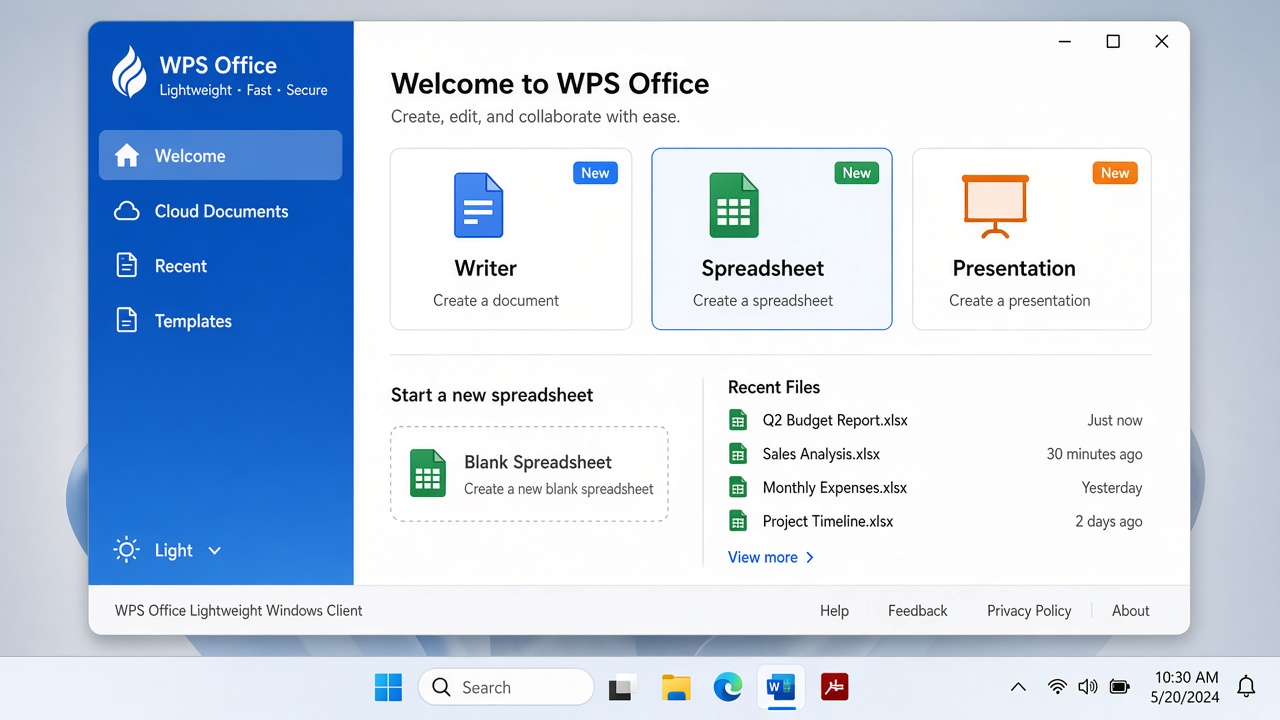
WPS Office lightweight client welcome
Excel Portable Free Download vs WPS Options: Comparison Table
Here is a practical view of a third-party excel portable free download versus safer WPS paths:
| Factor | Third-party “Portable Excel” | WPS Office Web / Cloud | WPS Lightweight Client |
|---|---|---|---|
| Source trust | Unofficial sites / torrents | Official WPS web apps | Official WPS download |
| Install needed | Unpack unknown archive | None (browser) | Small official installer |
| Security | High malware / phishing risk | Signed web product + account controls | Signed desktop client + updates |
| File formats | Claimed Excel support (unverified) | .xlsx / .xls / .csv everyday editing | .xlsx / .xls / .csv and suite formats |
| Sync anywhere | Usually local only | Cloud sync across devices | Local + optional WPS Cloud |
| Legal / license | Often violates Microsoft licensing | Free WPS web use per product terms | Free client with optional premium |
| Best for | Avoid | True zero-install portable work | Offline speed on low-spec PCs |
How to Start Free Portable Work Without Risky Excel Portable Free Download Files
Use this three-step path whenever you are tempted by an excel portable free download link:
Step 1 — Open WPS on the web or download the official lightweight client
Web: go to WPS Spreadsheets online / WPS Office Web and sign in.
Desktop: download only from wps.com/download.
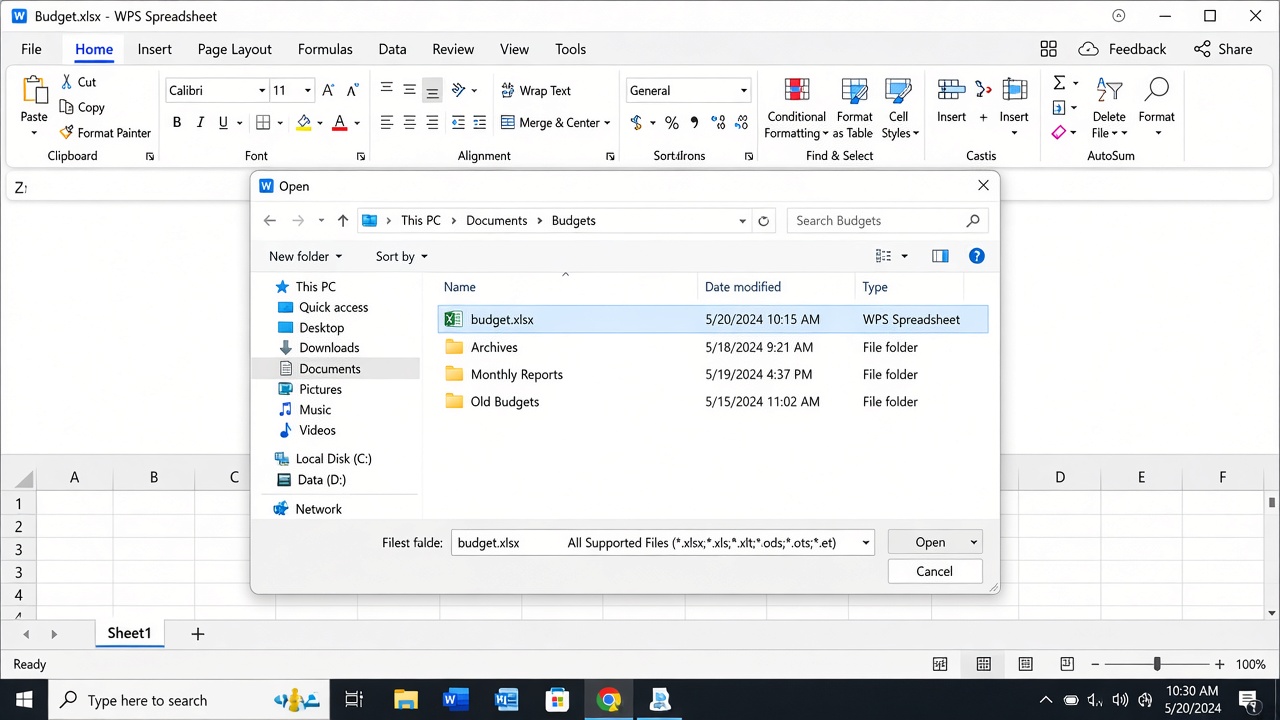
Open local xlsx in WPS
Step 2 — Upload or open your local .xlsx file
In the browser, upload or drag the workbook into WPS.
In the desktop client, choose File → Open and select your
.xlsx/.xlsfile.
Step 3 — Edit and keep work synced to the cloud
Edit formulas, charts, and tables as usual.
Save to WPS Cloud so the next device can pick up where you left off.
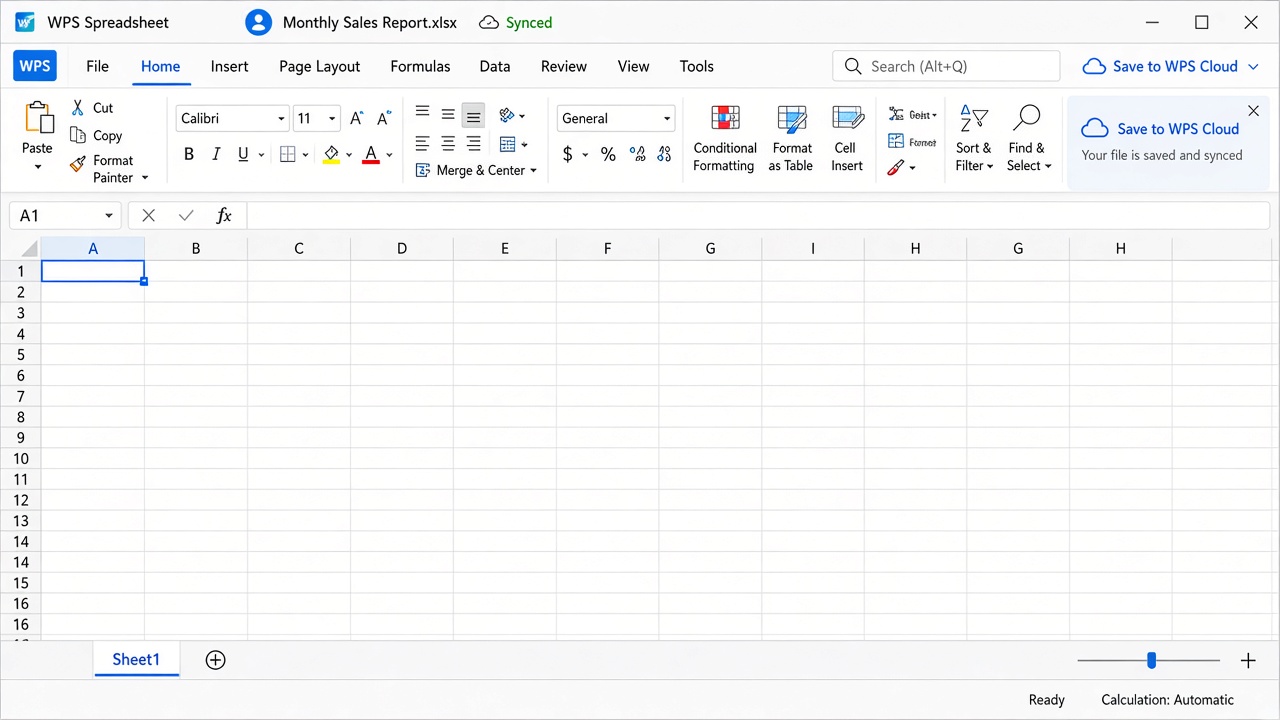
WPS Spreadsheet synced to cloud
FAQs
1. Is there an official Microsoft Excel portable free download?
No. Microsoft does not offer a free USB “portable Excel” package. Supported options are Excel for the web and licensed desktop/mobile apps.
2. Why do some excel portable free download pages ask me to turn off antivirus?
Because the files are unsigned or flagged. Legitimate office software should not require you to weaken Windows Defender to start.
3. Can WPS open my existing Excel workbooks?
Yes. WPS Spreadsheet is built to open and save common Excel formats such as .xlsx, .xls, and .csv for everyday editing and sharing.
4. Is WPS free for portable spreadsheet work?
You can use WPS web tools and the free desktop suite for core spreadsheet editing. Optional premium features may appear for advanced needs.
5. What if my file opens as read-only?
Check file permissions or protected view settings. For WPS-specific steps, see How to Remove Read-Only in WPS Spreadsheet.

'%3e%3cpath%20d='M19.9911%204.11386V6.471H18.5894C18.0775%206.471%2017.7322%206.57814%2017.5536%206.79243C17.3751%207.00671%2017.2858%207.32814%2017.2858%207.75671V9.44421H19.9019L19.5536%2012.0871H17.2858V18.8639H14.5536V12.0871H12.2769V9.44421H14.5536V7.49779C14.5536%206.39064%2014.8632%205.53201%2015.4822%204.92189C16.1013%204.31177%2016.9257%204.00671%2017.9554%204.00671C18.8304%204.00671%2019.509%204.04243%2019.9911%204.11386Z'%20fill='%23333333'/%3e%3c/g%3e%3cdefs%3e%3cclipPath%20id='clip0_2938_8199'%3e%3crect%20width='16'%20height='16'%20fill='white'%20transform='translate(8%204.00671)'/%3e%3c/clipPath%3e%3c/defs%3e%3c/svg%3e)
'%3e%3cpath%20d='M17.5237%2010.7813L23.4811%204H22.0699L16.8949%209.88693L12.7648%204H8L14.2469%2012.9029L8%2020.0133H9.4112L14.8725%2013.7952L19.2352%2020.0133H24M9.92053%205.04213H12.0885L22.0688%2019.0224H19.9003'%20fill='%23333333'/%3e%3c/g%3e%3cdefs%3e%3cclipPath%20id='clip0_2938_8200'%3e%3crect%20width='16'%20height='16.0134'%20fill='white'%20transform='translate(8%204)'/%3e%3c/clipPath%3e%3c/defs%3e%3c/svg%3e)


