



'%3e%3cpath%20fill-rule='evenodd'%20clip-rule='evenodd'%20d='M21.4999%2010.9993C21.4999%205.20009%2016.7986%200.498901%2010.9993%200.498901C5.19994%200.498901%200.498657%205.20009%200.498657%2010.9993C0.498657%2016.2404%204.33858%2020.5844%209.35855%2021.3722V14.0346H6.69238V10.9993H9.35855V8.68594C9.35855%206.05427%2010.9262%204.60062%2013.3248%204.60062C14.4736%204.60062%2015.6753%204.80571%2015.6753%204.80571V7.38979H14.3512C13.0468%207.38979%2012.64%208.19921%2012.64%209.0296V10.9993H15.5523L15.0867%2014.0346H12.64V21.3722C17.66%2020.5844%2021.4999%2016.2404%2021.4999%2010.9993Z'%20fill='%231568EA'/%3e%3c/g%3e%3c/svg%3e)


'%3e%3cpath%20d='M2.42045%2022.1876H6.31818V12.7217L0.75%208.54553V20.5171C0.75%2021.4414%201.49892%2022.1876%202.42045%2022.1876Z'%20fill='%234285F4'/%3e%3cpath%20d='M19.682%2022.1876H23.5797C24.5041%2022.1876%2025.2502%2021.4387%2025.2502%2020.5171V8.54553L19.682%2012.7217'%20fill='%2334A853'/%3e%3cpath%20d='M19.682%205.48293V12.7216L25.2502%208.54543V6.31816C25.2502%204.25236%2022.8921%203.07469%2021.2411%204.31361'%20fill='%23FBBC04'/%3e%3cpath%20d='M6.31824%2012.7217V5.48303L13.0001%2010.4944L19.6819%205.48303V12.7217L13.0001%2017.733'%20fill='%23EA4335'/%3e%3cpath%20d='M0.75%206.31816V8.54543L6.31818%2012.7216V5.48293L4.75909%204.31361C3.10534%203.07469%200.75%204.25236%200.75%206.31816Z'%20fill='%23C5221F'/%3e%3c/g%3e%3cdefs%3e%3cclipPath%20id='clip0_2954_7305'%3e%3crect%20width='24.5'%20height='18.375'%20fill='white'%20transform='translate(0.75%203.8125)'/%3e%3c/clipPath%3e%3c/defs%3e%3c/svg%3e)


Every digital account statement from the State Bank of India (SBI) is protected by a password, so your transaction details stay private. That lock is good for security, but it can be confusing when you only want to view or save your statement. This guide explains what the SBI statement PDF password is, how to access your SBI bank statement PDF, and how to open an SBI bank statement PDF password with WPS Office in a few simple steps.
How to Open SBI Bank Statement PDF Password with WPS Office
What Is a PDF Password for an SBI Statement?
An SBI bank statement is an official document that lists your deposits, withdrawals, and balances for a chosen period. When you download it from net banking, the YONO app, or receive it by email, SBI locks the PDF with a password based on details it already knows about you, such as your account number, mobile number, or date of birth.
You need that password every time you open the file, which keeps your financial data safe from anyone who gets hold of the document.
Common SBI Statement Password Formats
The SBI statement password format depends on how and where you got the file. Below are the combinations SBI most often uses.
Statement downloaded from net banking or mobile banking: your 11-digit account number, or the last five digits of your registered mobile number followed by your date of birth in DDMMYY format.
Statement received by email: the last five digits of your registered mobile number followed by your date of birth in DDMMYY format.
YONO app statement: your date of birth in DDMMYYYY format, sometimes followed by the last four digits of your registered mobile number.
SBI credit card statement: the first four letters of your name in lowercase followed by your date of birth in DDMM format, or your birth date in DDMMYYYY followed by the last four digits of your card.
Because formats can vary, check the hint shown on the login or download screen, or the email that delivered the statement, and try the combination that matches your download source.
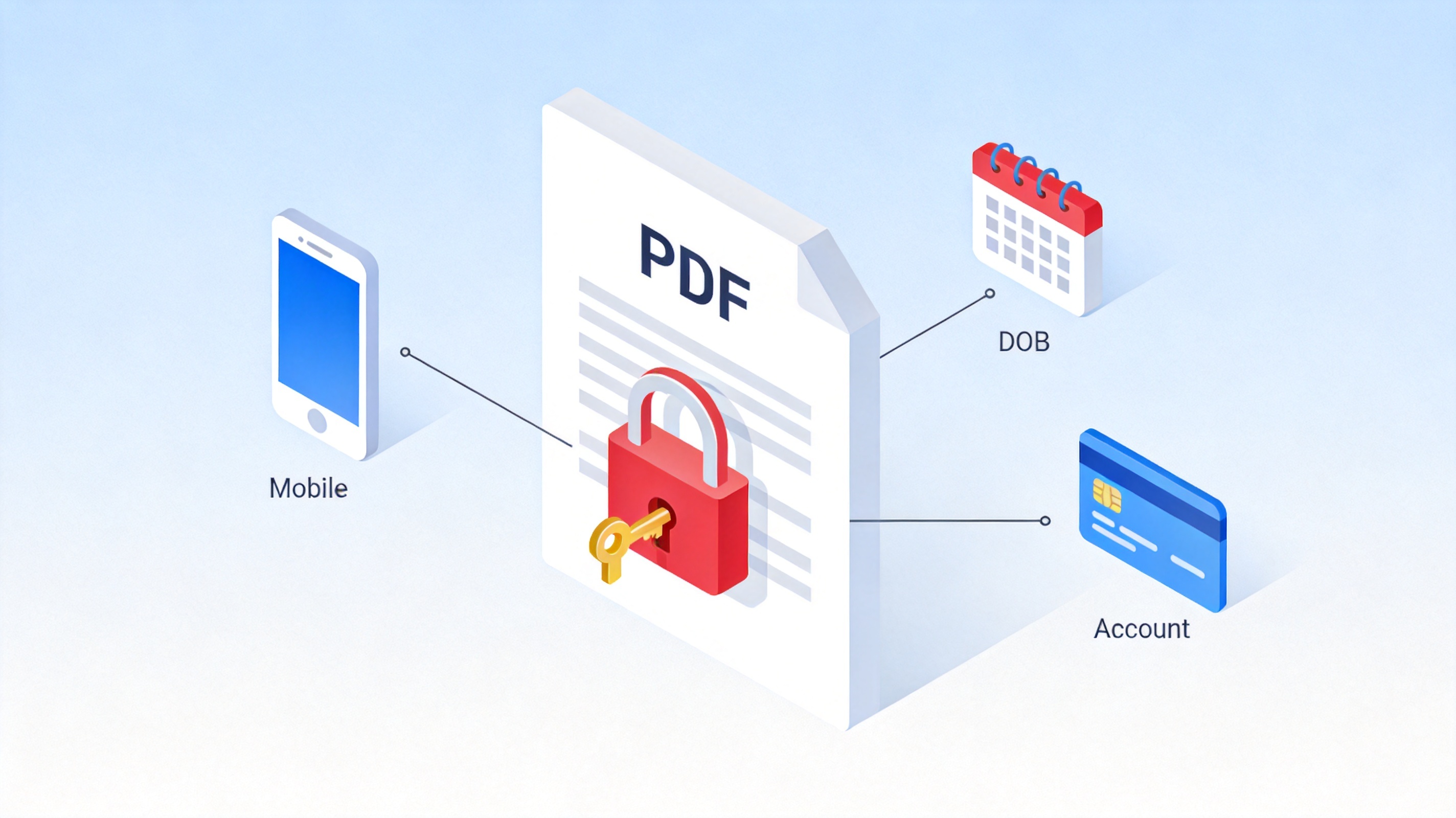
SBI statement password format sources


Why Is Password Protection Necessary for SBI Statements?
Bank statements contain sensitive information, including every transaction over a defined period, your account number, and your balance. If such a file falls into the wrong hands, it can be misused for fraud or identity theft.
Password protection adds a practical barrier: only you, who know the account, mobile, or date-of-birth details, can open the document.
How to Access Your SBI Bank Statement PDF
Open the SBI login page. Go to onlinesbi.sbi or open the SBI YONO app on your phone, and click Login.
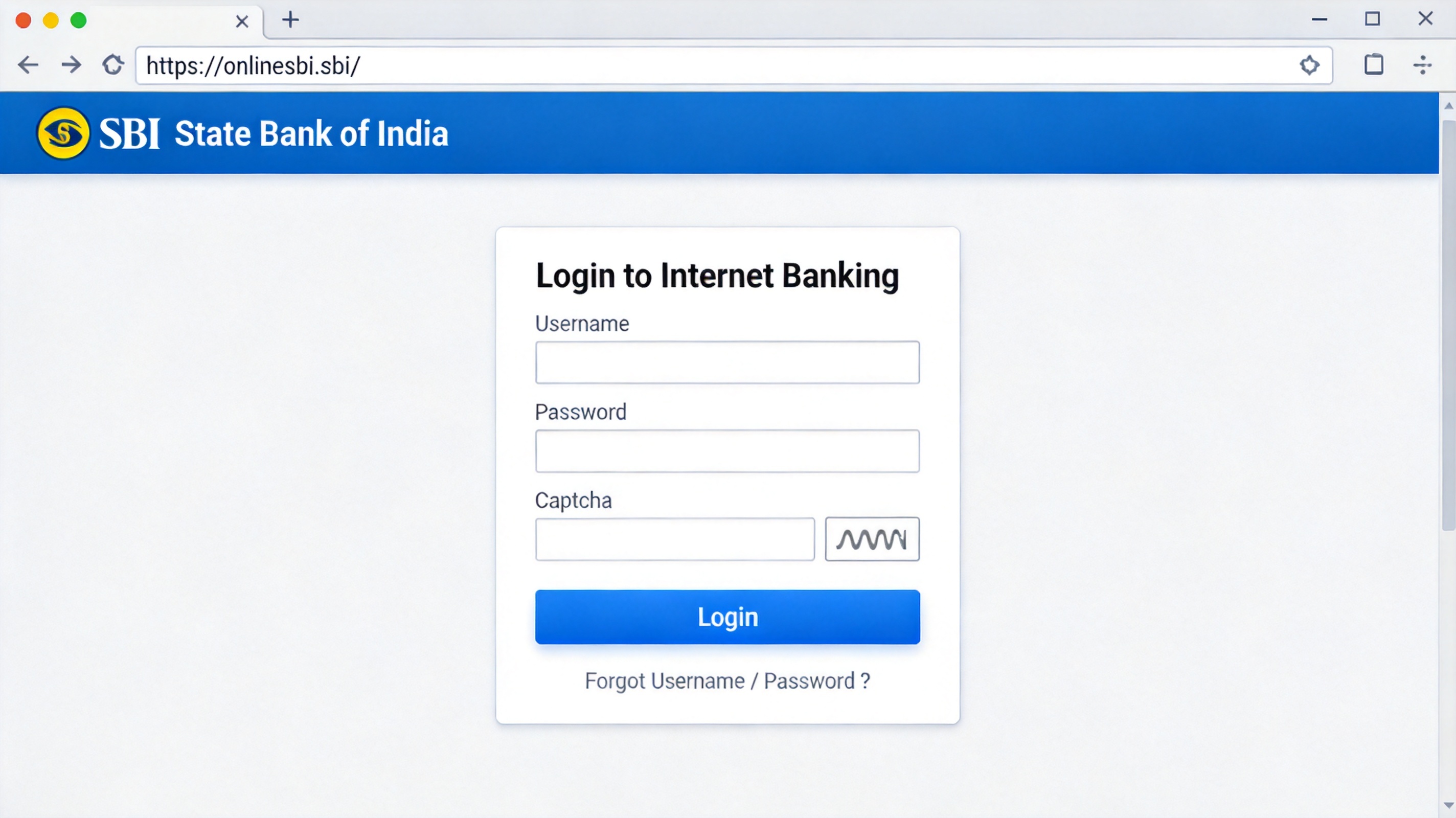
SBI online banking login page
Log in with your credentials. Enter your username and password, complete the captcha, then confirm the one-time password (OTP) sent to your registered mobile number.
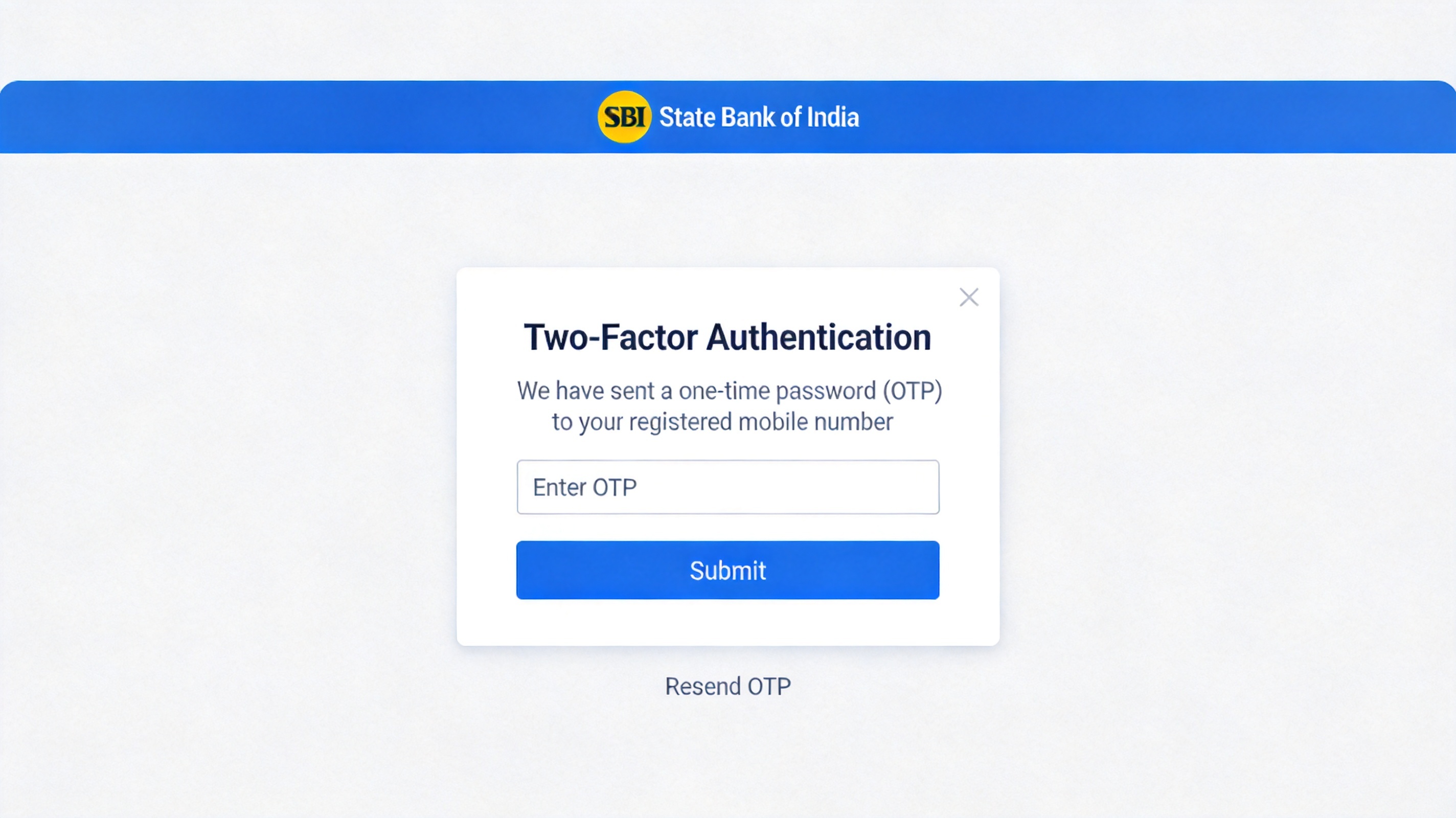
SBI net banking two factor authentication
Download your account statement. Open the Account Statement or e-Statement section, choose the account and the date range you need, and click Download PDF.
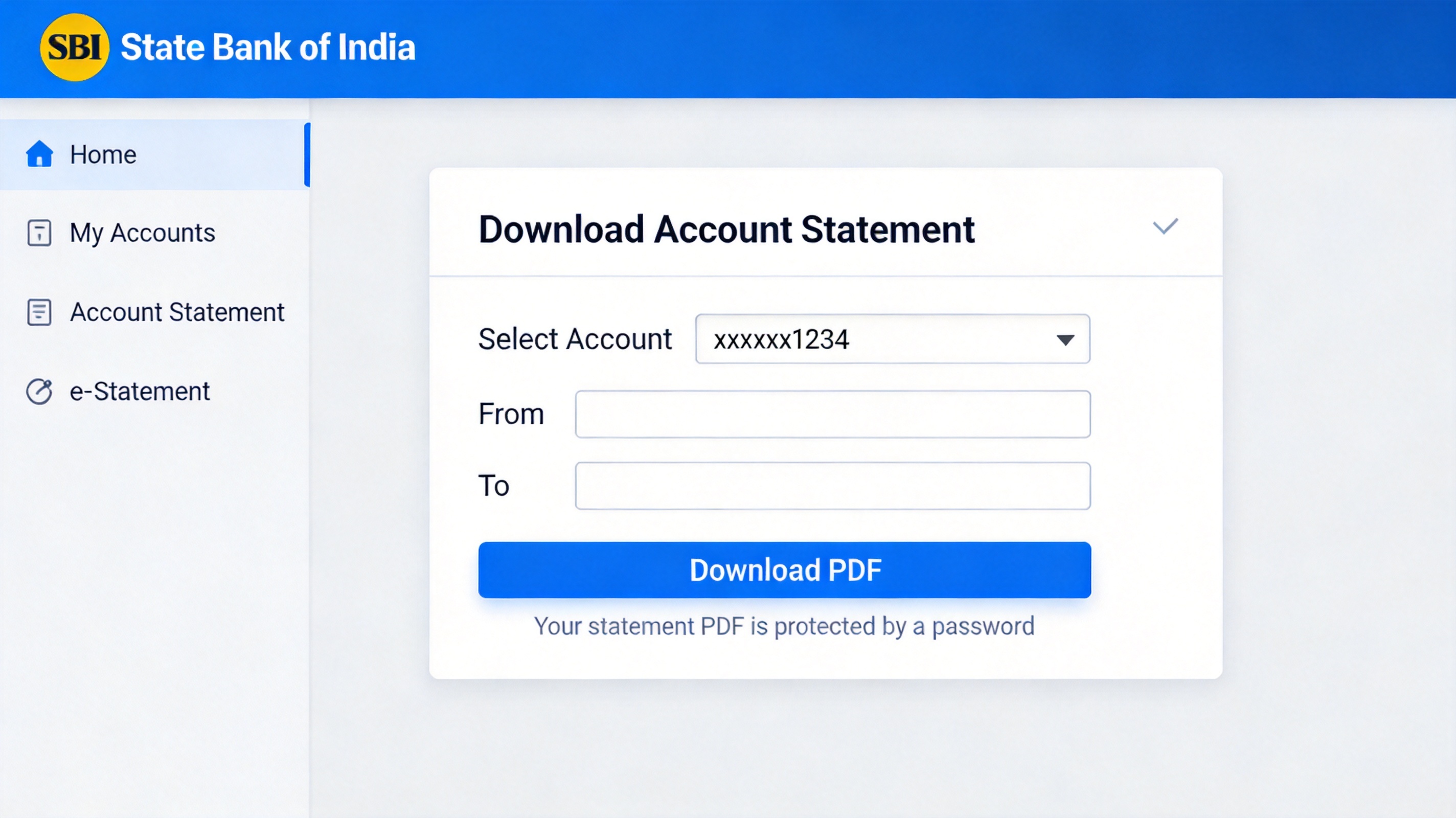
SBI account statement download page
How to Open SBI Bank Statement PDF Password with WPS Office
Once the statement is saved, open it with WPS Office to enter the password and view, save, or unlock the file. Follow these steps to open an SBI bank statement PDF password with WPS Office.
Open the PDF in WPS Office. Launch WPS PDF, click Open, and choose the downloaded SBI statement file from your computer.
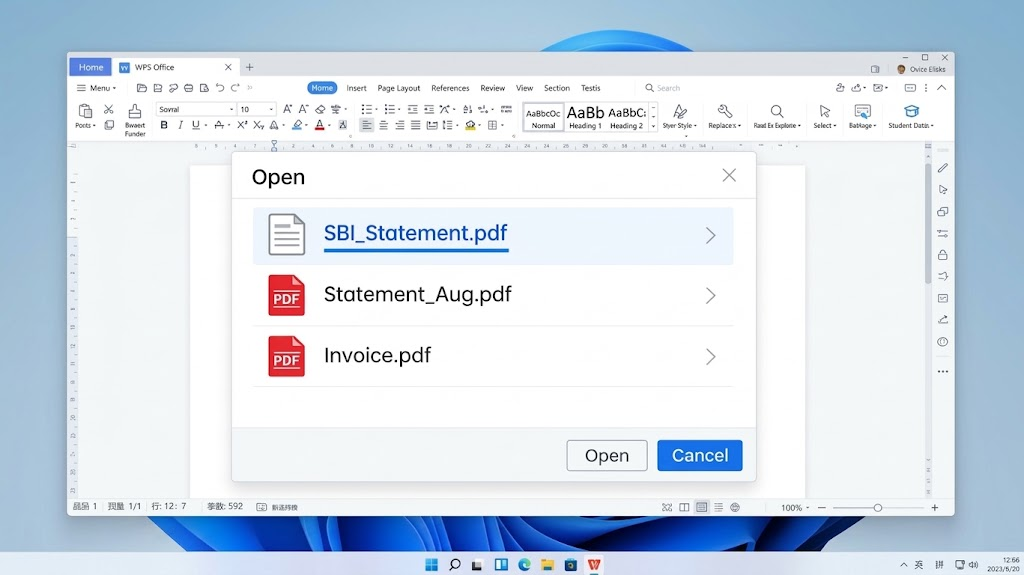
Open SBI statement PDF in WPS Office
Enter the SBI statement password. In the password prompt that appears, type the correct password for your statement and click OK.
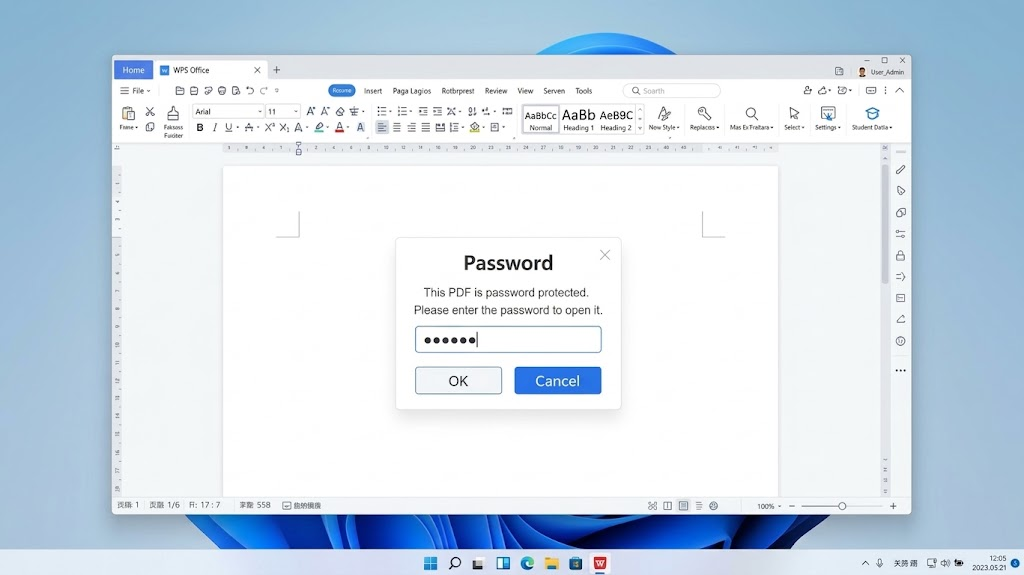
Enter SBI statement PDF password in WPS
View, save, or unlock your statement. Once the file opens, you can read every transaction, save a copy, or remove the password protection if you prefer.
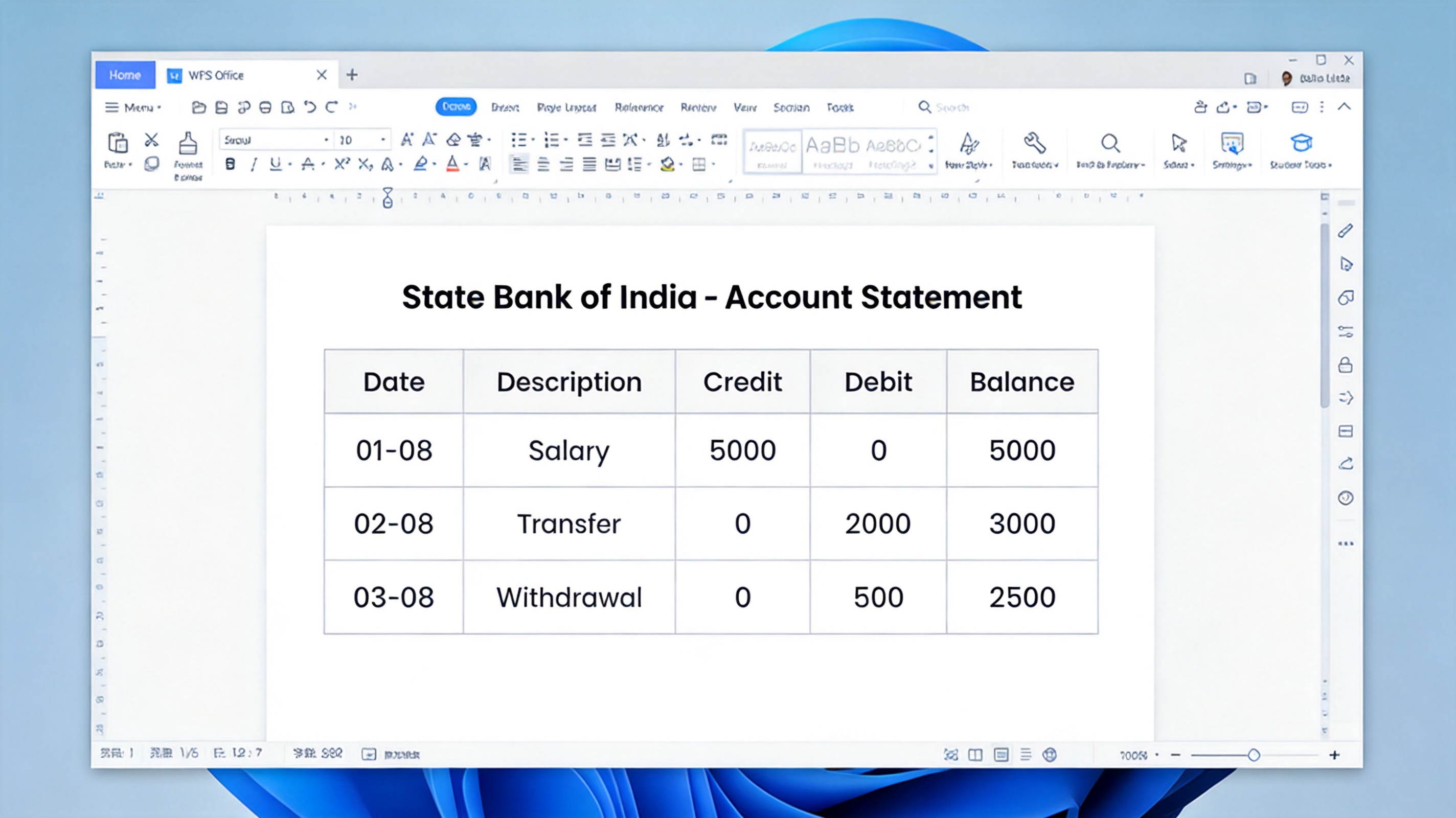
View SBI bank statement in WPS PDF
If you want to strip the lock after reading, see how to remove a PDF password in 3 steps with WPS Office.
Open an SBI Bank e-Statement PDF Password in Email
SBI can email your e-statement automatically as a password-protected PDF. The password for these documents is usually the last five digits of your registered mobile number combined with your date of birth in DDMMYY format.
To read it, download the attachment, open it in WPS Office, and type the password when prompted. Keep the email safe too, because it also contains personal account details.
FAQs
Q: What is the SBI bank statement PDF password?
A: It is the password that unlocks your encrypted SBI statement, usually built from your account number, mobile number, or date of birth depending on where you downloaded it.
Q: How do I open an SBI statement PDF in WPS Office?
A: Open WPS Office, click Open and pick the statement, then enter the password in the prompt that appears.
Q: Can I open an SBI statement password PDF for free?
A: Yes. WPS Office offers a free PDF reader that opens protected documents when you enter the correct password.
Q: What if I enter the wrong SBI statement password?
A: WPS Office shows a message and asks again. Double-check the format that matches your download source, such as account number or mobile plus date of birth.
Q: How do I remove the password from an SBI statement PDF?
A: After opening the file in WPS Office, use the PDF tools to remove the open password and save an unprotected copy for your records.


'%3e%3cpath%20d='M19.9911%204.11386V6.471H18.5894C18.0775%206.471%2017.7322%206.57814%2017.5536%206.79243C17.3751%207.00671%2017.2858%207.32814%2017.2858%207.75671V9.44421H19.9019L19.5536%2012.0871H17.2858V18.8639H14.5536V12.0871H12.2769V9.44421H14.5536V7.49779C14.5536%206.39064%2014.8632%205.53201%2015.4822%204.92189C16.1013%204.31177%2016.9257%204.00671%2017.9554%204.00671C18.8304%204.00671%2019.509%204.04243%2019.9911%204.11386Z'%20fill='%23333333'/%3e%3c/g%3e%3cdefs%3e%3cclipPath%20id='clip0_2938_8199'%3e%3crect%20width='16'%20height='16'%20fill='white'%20transform='translate(8%204.00671)'/%3e%3c/clipPath%3e%3c/defs%3e%3c/svg%3e)
'%3e%3cpath%20d='M17.5237%2010.7813L23.4811%204H22.0699L16.8949%209.88693L12.7648%204H8L14.2469%2012.9029L8%2020.0133H9.4112L14.8725%2013.7952L19.2352%2020.0133H24M9.92053%205.04213H12.0885L22.0688%2019.0224H19.9003'%20fill='%23333333'/%3e%3c/g%3e%3cdefs%3e%3cclipPath%20id='clip0_2938_8200'%3e%3crect%20width='16'%20height='16.0134'%20fill='white'%20transform='translate(8%204)'/%3e%3c/clipPath%3e%3c/defs%3e%3c/svg%3e)


