

'%3e%3cpath%20d='M8%200C12.4183%200%2016%203.58172%2016%208C16%2012.4183%2012.4183%2016%208%2016C3.58172%2016%200%2012.4183%200%208C0%203.58172%203.58172%200%208%200ZM11.6162%204.38379C11.2257%203.99337%2010.5927%203.99338%2010.2021%204.38379L8%206.58594L5.79785%204.38379C5.40732%203.99334%204.77429%203.99329%204.38379%204.38379C3.99331%204.77429%203.99335%205.40733%204.38379%205.79785L6.58594%208L4.38379%2010.2021C3.99348%2010.5927%203.99341%2011.2257%204.38379%2011.6162C4.77426%2012.0066%205.40734%2012.0065%205.79785%2011.6162L8%209.41406L10.2021%2011.6162C10.5927%2012.0066%2011.2257%2012.0067%2011.6162%2011.6162C12.0067%2011.2257%2012.0066%2010.5927%2011.6162%2010.2021L9.41406%208L11.6162%205.79785C12.0066%205.40735%2012.0066%204.77429%2011.6162%204.38379Z'%20fill='%23080E17'%20fill-opacity='0.46'/%3e%3c/g%3e%3cdefs%3e%3cclipPath%20id='clip0_3761_713'%3e%3crect%20width='16'%20height='16'%20fill='white'/%3e%3c/clipPath%3e%3c/defs%3e%3c/svg%3e)



'%3e%3cpath%20fill-rule='evenodd'%20clip-rule='evenodd'%20d='M21.4999%2010.9993C21.4999%205.20009%2016.7986%200.498901%2010.9993%200.498901C5.19994%200.498901%200.498657%205.20009%200.498657%2010.9993C0.498657%2016.2404%204.33858%2020.5844%209.35855%2021.3722V14.0346H6.69238V10.9993H9.35855V8.68594C9.35855%206.05427%2010.9262%204.60062%2013.3248%204.60062C14.4736%204.60062%2015.6753%204.80571%2015.6753%204.80571V7.38979H14.3512C13.0468%207.38979%2012.64%208.19921%2012.64%209.0296V10.9993H15.5523L15.0867%2014.0346H12.64V21.3722C17.66%2020.5844%2021.4999%2016.2404%2021.4999%2010.9993Z'%20fill='%231568EA'/%3e%3c/g%3e%3c/svg%3e)


'%3e%3cpath%20d='M2.42045%2022.1876H6.31818V12.7217L0.75%208.54553V20.5171C0.75%2021.4414%201.49892%2022.1876%202.42045%2022.1876Z'%20fill='%234285F4'/%3e%3cpath%20d='M19.682%2022.1876H23.5797C24.5041%2022.1876%2025.2502%2021.4387%2025.2502%2020.5171V8.54553L19.682%2012.7217'%20fill='%2334A853'/%3e%3cpath%20d='M19.682%205.48293V12.7216L25.2502%208.54543V6.31816C25.2502%204.25236%2022.8921%203.07469%2021.2411%204.31361'%20fill='%23FBBC04'/%3e%3cpath%20d='M6.31824%2012.7217V5.48303L13.0001%2010.4944L19.6819%205.48303V12.7217L13.0001%2017.733'%20fill='%23EA4335'/%3e%3cpath%20d='M0.75%206.31816V8.54543L6.31818%2012.7216V5.48293L4.75909%204.31361C3.10534%203.07469%200.75%204.25236%200.75%206.31816Z'%20fill='%23C5221F'/%3e%3c/g%3e%3cdefs%3e%3cclipPath%20id='clip0_2954_7305'%3e%3crect%20width='24.5'%20height='18.375'%20fill='white'%20transform='translate(0.75%203.8125)'/%3e%3c/clipPath%3e%3c/defs%3e%3c/svg%3e)


Minecraft banners are decorative symbols that you can use to express yourself; a great way to represent your identity, guilds, or other creative ideas. However, many beginners don’t know how to make their banners, especially when working with multiple layers and symbols. So, what are the best free Minecraft banner makers you can use? In this guide, I’ll be highlighting 7 of the most reliable MC banner makers to simplify the process.
What Is a Banner?
Banners are visual elementsused in design and games to display someone’s identity, any additional information, or just as decorative pieces. Minecraft banners are tall, decorative blocks that I use to display layereddesigns to add to my bases, shields, and even flags, serving as a great customization tool to personalize my world. In this section, I’ll be highlighting some of the most common types of banners, along with their importance in Minecraft worlds.
Types of Banners
Advertising Banner: Used in web or app interfaces for marketing.
Minecraft Banner: Used in-game to symbolize teams, guilds, or creativity.
Server Banner: Promotional design representing Minecraft servers.
Why Players Use Banners
Express personal creativity or identity.
Represent teams or factions in multiplayer servers.
Decorate bases, villages, and shields for aesthetic appeal.
Top 7 MC Banner Makers
If you’re new to Minecraft and don’t know how to customize your banners reliably, it can seem quite frustrating. You can simplify this process by using a Minecraft banner generator online for all your customizationneeds. There are many options to choose from, but I’ve narrowed them down to seven of the most effective ones for those trying to figure out how to make custom Minecraft banners. You can choose whichever one seems to fit your needs the best based on its unique strengths and key features.
1. Planet Minecraft
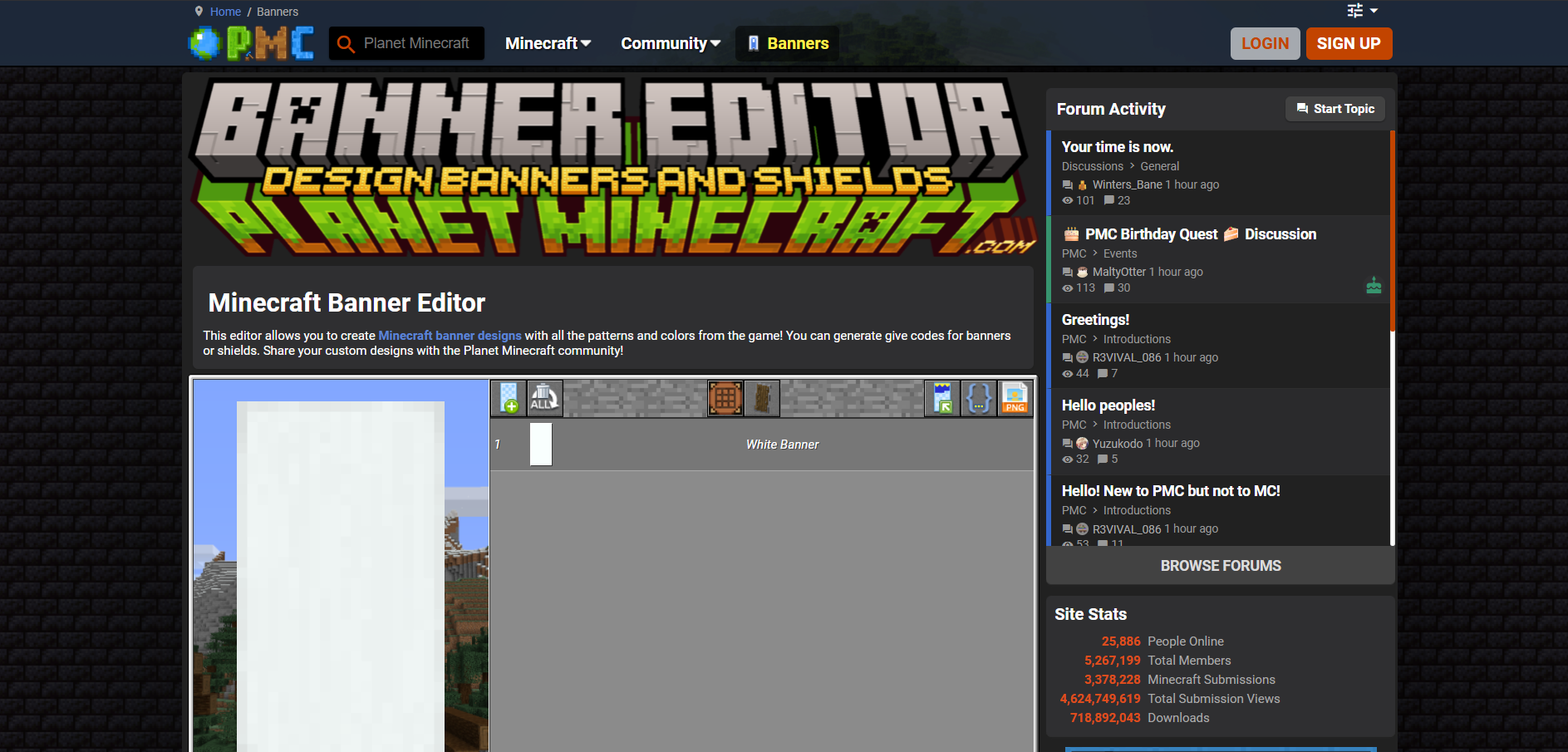
Planet Minecraft is one of the most well-known community platforms that offers its own built-in banner generator and sharing hub for beginners who need AI Minecraft banner designs for their worlds. I’ve found it to be a great option for inspiration and sharing, as there are thousands of user-created banners to choose from and customize.
Features
Pattern Layers
Shield Previews
Easy Sharing
Pros
Community-Driven Designs
Downloadable Banner Codes
Cons
Outdated and Cluttered Interface
2. Minecraft Tools
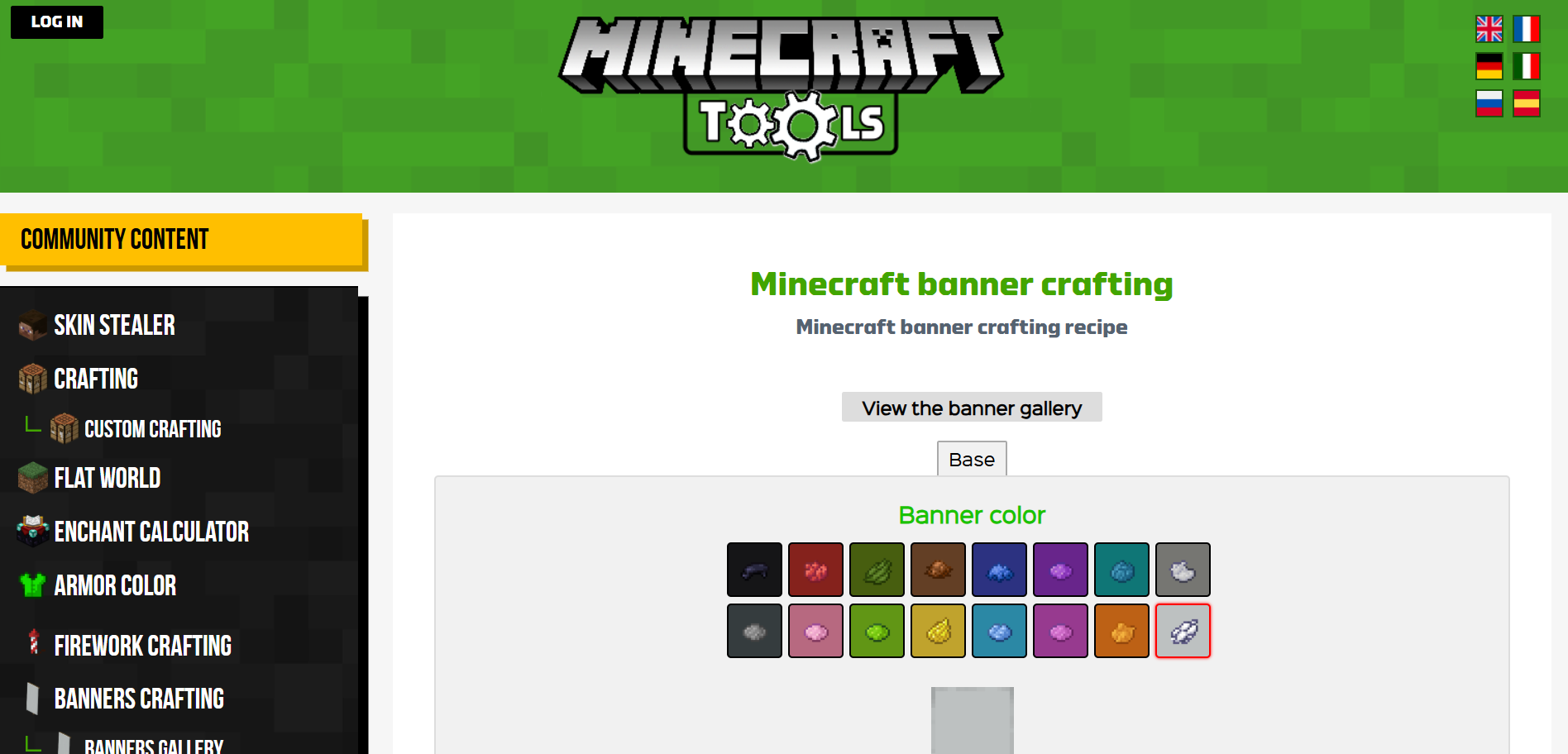
Minecraft Tools is a simple and reliable online banner generator that has support for a variety of different customization features, including color layers and patterns. In my experience, it’s one of the best options out there for functional banner creation that is tied directly to in-game usage, making it ideal for anyone trying to simplify their Minecraft banners.
Features
Layer Stacking
Hex Color Input
Command Code Exporting
Pros
Compatibility with In-Game Commands
Downloadable Banner Codes
Cons
Plain Interface
Lack of Visual Guides
3. Needcoolshoes.com
Needcoolshoes.comis a creative and unique banner editor that allows me to create detailed pixel-style banners, offering a wide range of customization options to help me in the process. I’ve found it to be a nostalgic favourite for older players who are looking for simple and classic designing tools for their Minecraft banners.
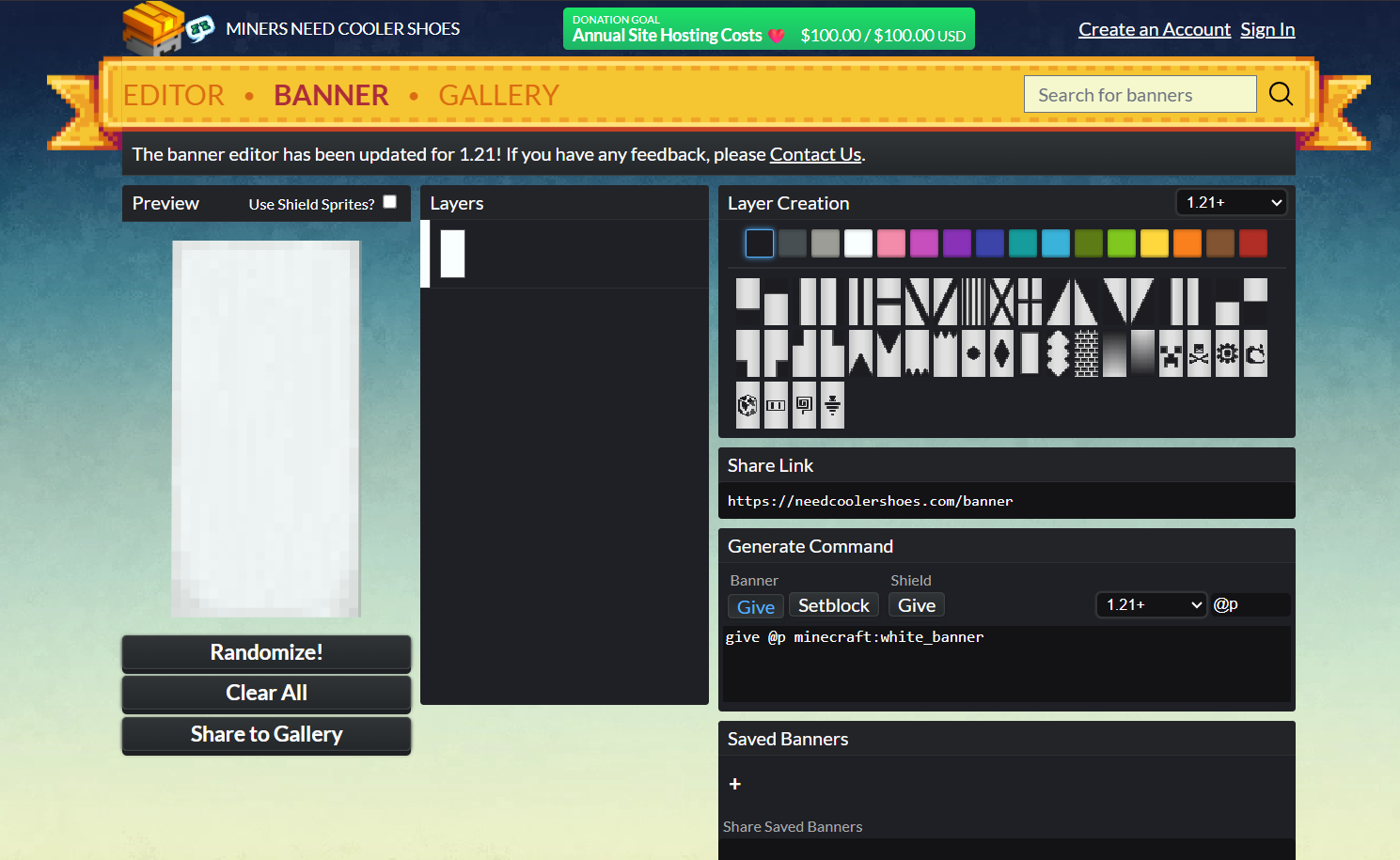
Features
Easy Color Picker
Patter Previews
Code Generator
Pros
User-Friendly and Intuitive Interface
Fast Processing Speeds
Cons
Occasional Slowdowns
Lack of Pattern Variety
4. Adobe Spark (Now Adobe Express)
Adobe Spark, also known as Adobe Express, is a professional design platform with many built-in design tools, including a custom Minecraft banner maker with a variety of templates to choose from. In my experience, I’ve found it to be the best option out there for creators like me who are looking for professional-grade results or thumbnails for their gameplay streams.
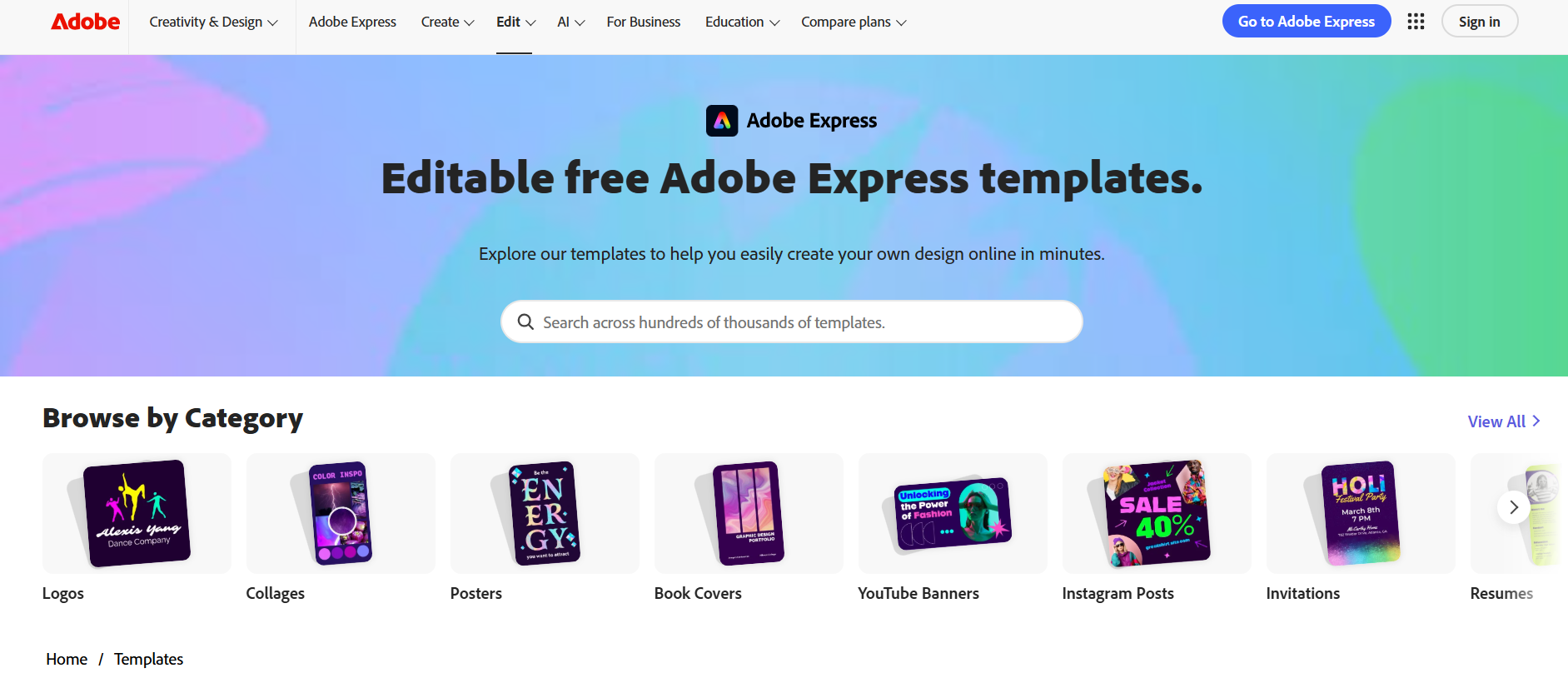
Features
AI-Assisted Layout
Font and Texture Customization
HD Exports
Pros
High-Quality Outputs
Perfect for Branding or Server Advertising
Cons
Adobe Account Requirement
Paid Templates
5. Zerobot
Zerobotis a small and lightweight Minecraft banner simulator, designed by indie developers to help Minecraft players find the right MC banners for their worlds. I’ve used it myself and found it to be a reliable option for whenever I need quick designs but don’t want to rely on larger platforms with too many irrelevant features that only slow me down.
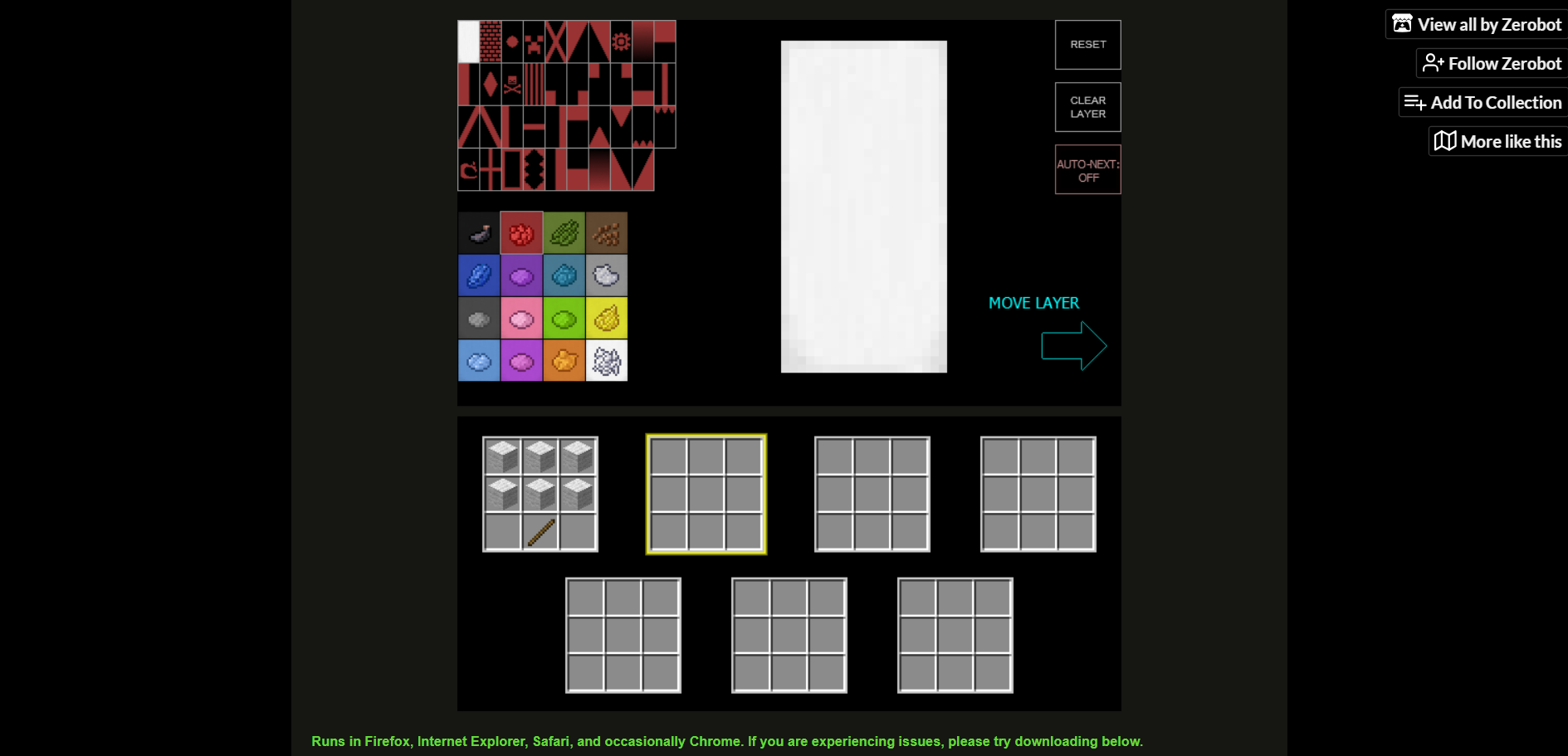
Features
Interactive Pattern Selection
Automatic Design Rendering
In-Game Code Output
Pros
Fast Processing Speeds
Clean and Ad-Free Experience
Simple and Easy-To-Use Interface
Cons
Lack of Color Editing Precision
6. DigMinecraft
DigMinecraftis a comprehensive Minecraft banner generator that includes detailed and comprehensive guides for in-game crafting recipes and patterns. I’ve used it myself and found it to be a reliable and efficient option if you’re a beginner looking for both banner creation and tutorial guidance all in one place.
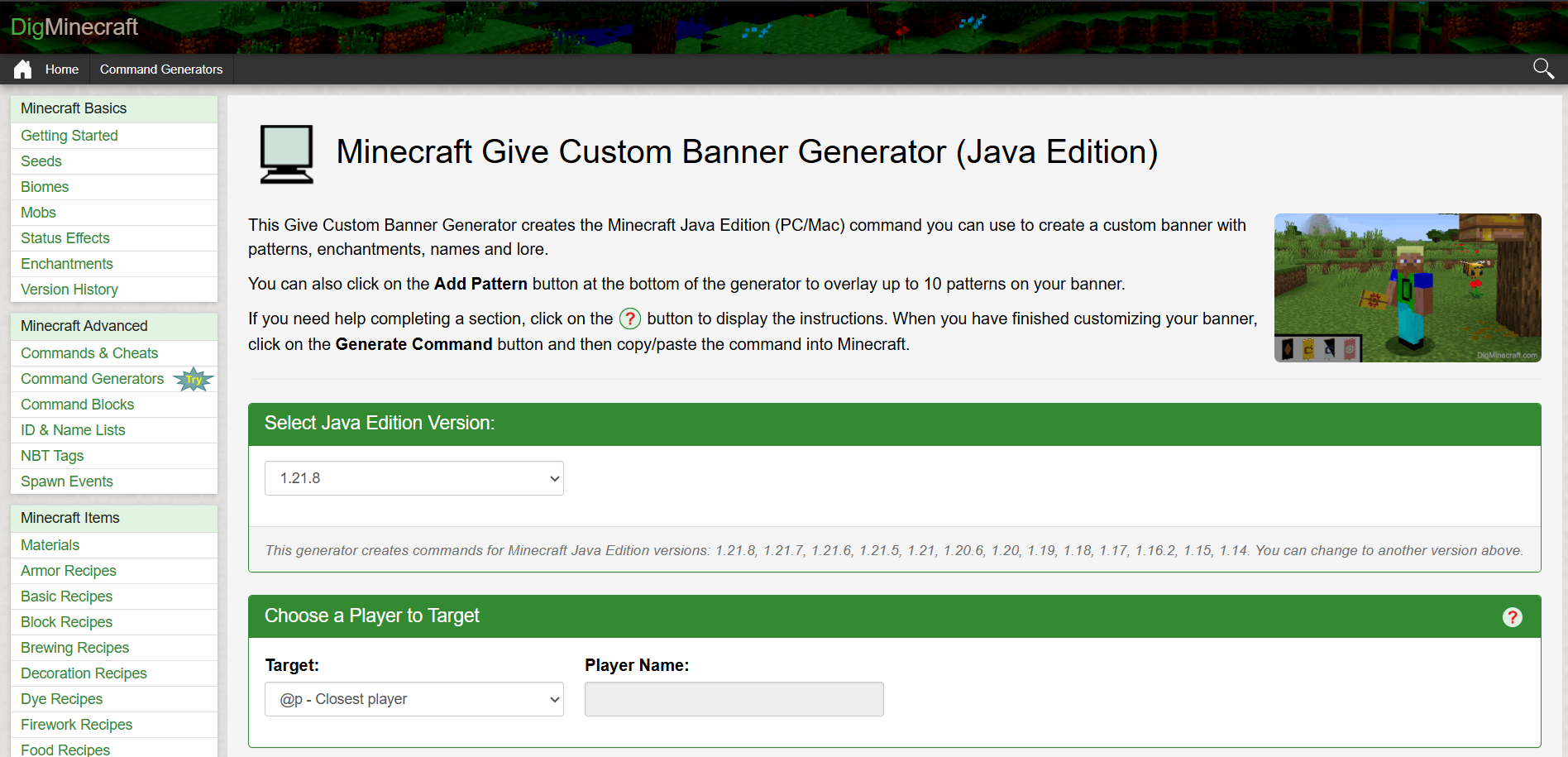
Features
Step-by-Step Crafting Instructions
In-Game Command Generation
Pros
Educational Platform
Perfect for Beginners
Cons
Lack of Visual Elements
Text-Based Guides
7. TopG
TopG is one of the most popular Minecraft websites that offers a built-in banner design feature for those looking to advertise their servers in a creative and visually appealing manner. It proved to be an incredibly useful tool for my design needs, an ideal option for server owners like me who want consistently professional banners for their listings.
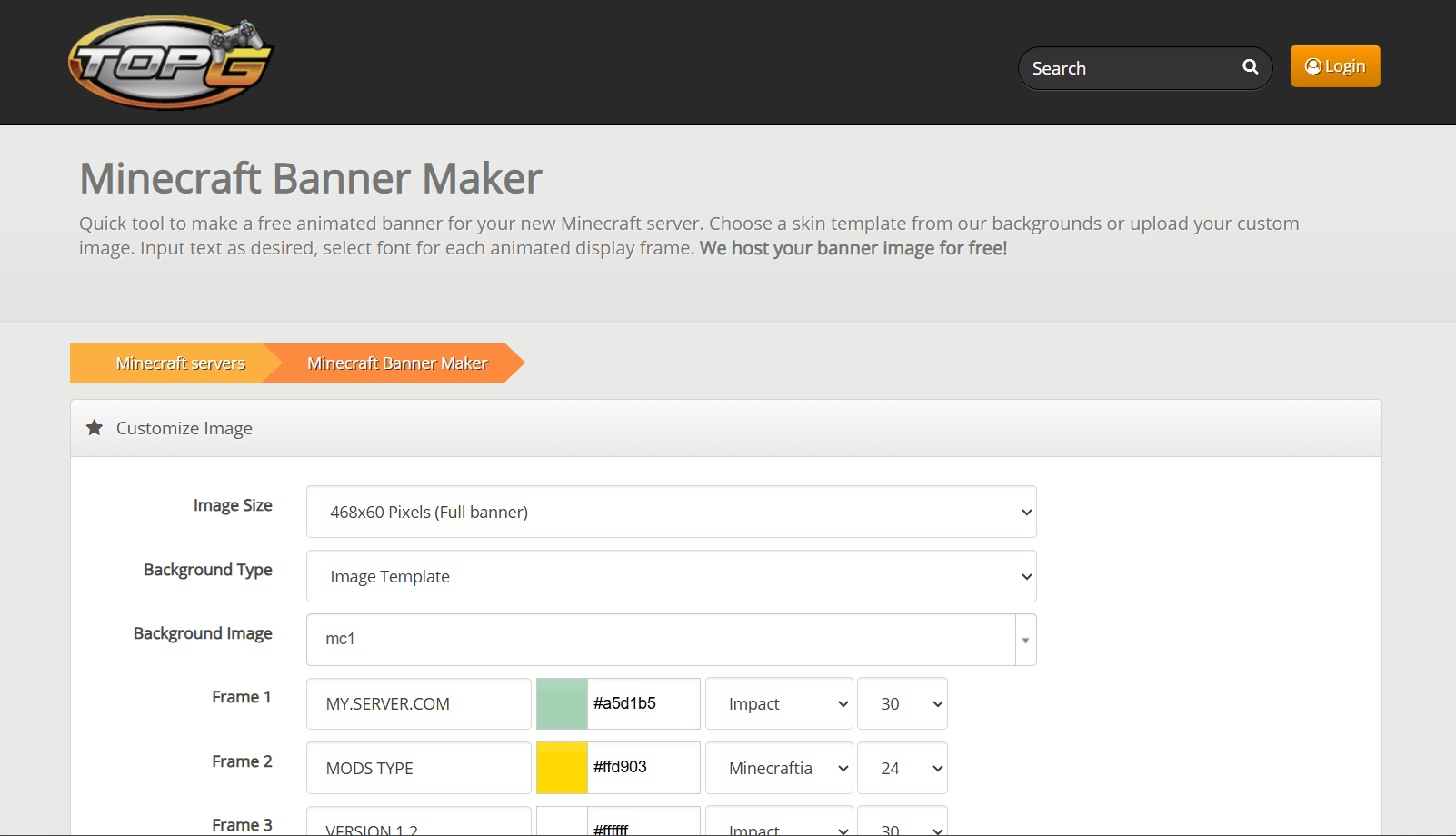
Features: Templates for server listing, clan emblems, and promotional images.
Pros: Quick branding; free banner upload for server profiles.
Cons: Limited creative control; mainly promotional use.
Features
Server Listing Templates
Clan Emblems
Promotional Images
Pros
Quick Branding
Free Banner Uploads
Cons
Limited Creative Control
Mainly for Promotional Usage
Quick Comparison Table of Banner Makers
Each one of these toolshas been a reliable asset in my toolset that has helped me create accurate and polished Minecraft banners without making me go through any hassle. But I’ve found that tools like Minecraft Toolsand Planet Minecraft provide the most practical results for beginners with no experience, while professional options likeAdobe Spark deliver superior designquality for professional or server usage. In this guide, I’ll be comparing each tool side by side to help you choose the right one for yourself according to your requirements.
| Tool | Best For | In-Game Code Support | Customization | Ease of Use | Free Export |
|---|---|---|---|---|---|
| Planet Minecraft | Community designs, sharing | Yes | 4/5 | 4/5 | Yes |
| Minecraft Tools | Functional, quick banners | Yes | 4/5 | 4/5 | Yes |
| Needcoolshoes | Classic design editing | Yes | 3/5 | 4/5 | Yes |
| Adobe Spark | Professional server banners | Limited | 5/5 | 4/5 | Partly Free |
| Zerobot | Lightweight design use | Yes | 3/5 | 5/5 | Yes |
| DigMinecraft | Educational crafting guidance | Yes | 2/5 | 3/5 | Yes |
| TOPG | Server promotions and ads | No | 3/5 | 4/5 | Yes |
Enhance Your Banner by WPS Photo
Once I’m done finishing up my banners in a Minecraft banner maker tool, my next step is always to enhance them further using online tools. There’s a wide range of different options to choose from, but I’ve found most of them to be really unreliable and expensive. This is why I rely on WPS Photo as my go-to companion for image enhancement needs. It’s completely free and incredibly reliable, making sure I have all the AI-powered tools I need to improve my images with the utmost precision.
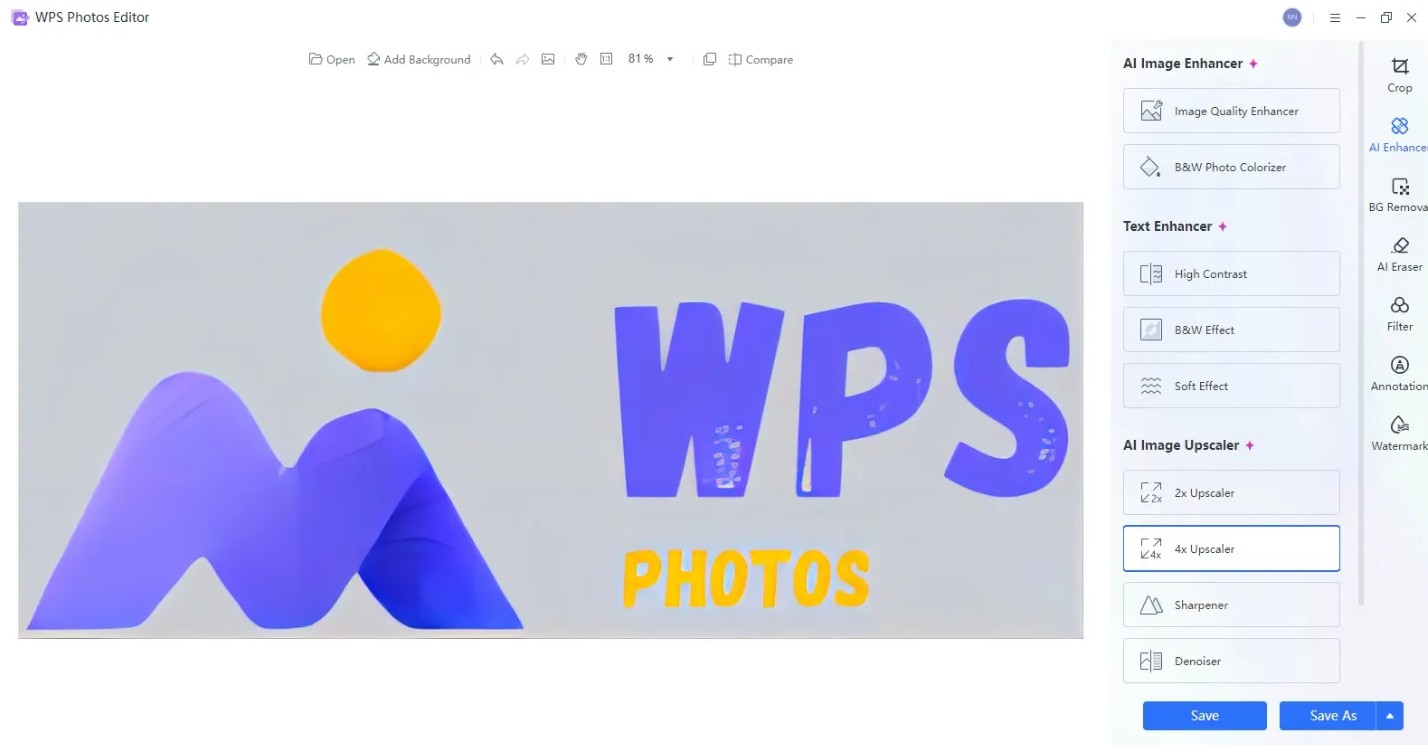
Features
Basic Edit Tools: Crop, rotate, adjust colors, add filters, annotations, and watermarks.
Instant Background Removal: Remove your background and replace it with your own, making it perfect for social media posts and e-commerce.
Full Privacy & Local Processing: All edits happen directly on your device, keeping your images safe and secure.
Batch Productivity: Save time by editing multiple photos at the same time using the batch editor.
If you feel like WPS Photo is the right tool for your image needs, then getting started is incredibly simple. I’ll walk you through each step in detail myself to clear out any confusion you might have.
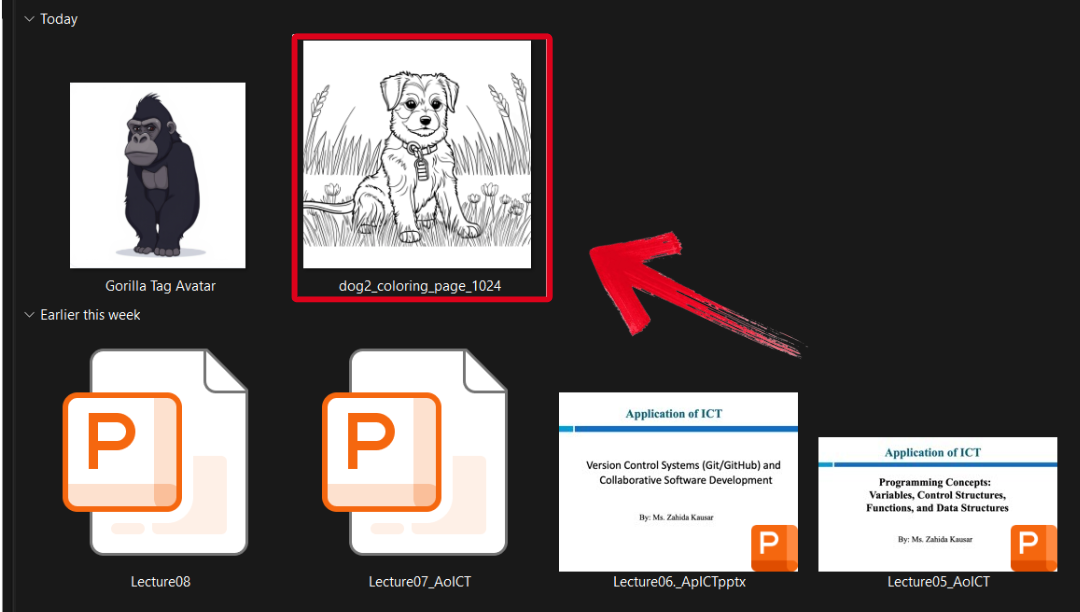
Step 1: Open the image you want to edit through WPS Photos to get started.
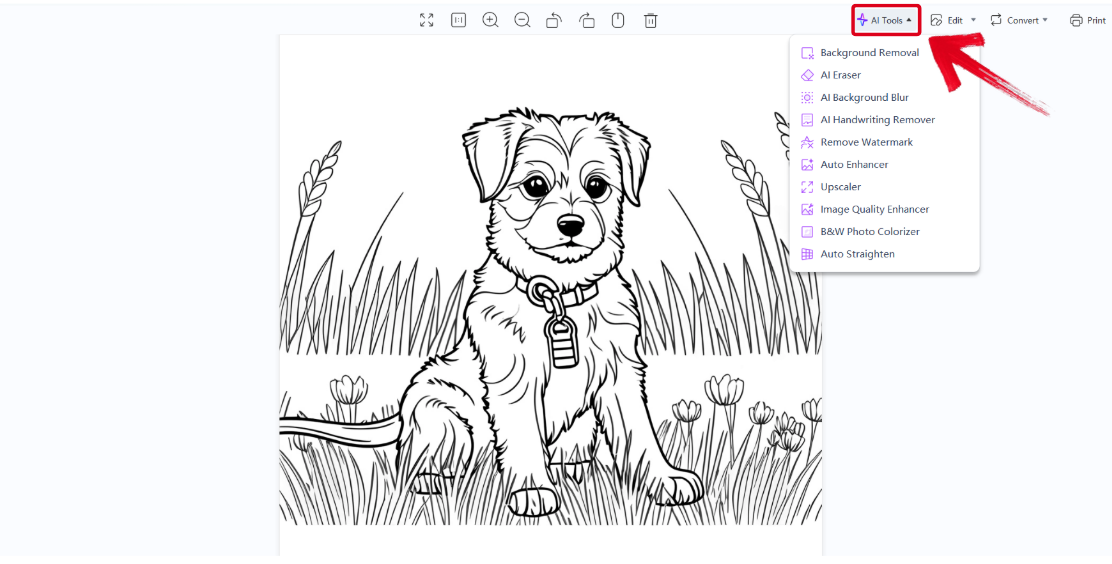
Step 2: In the WPS Photo window, you’ll see a bunch of editing tools given to you, including smart AI Toolsto help you enhance your photos.
AI Image Enhancer: Improve the quality of your image using AI enhancement.
AI Upscaler: Bring life back into old photos by restoring them through the AI upscaler.
AI Watermark Removal: If there are any watermarks on your template, you can elevate the visual appeal with thewatermarkremoval tool.
AI Background Blur: Bring focus to the main objects of your photo by blurring the background.
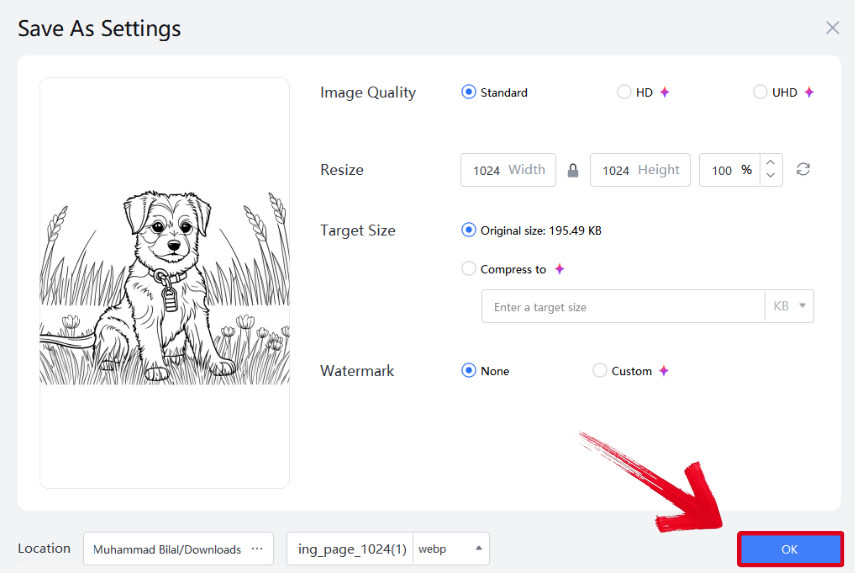
Step 3: Press Ctrl + S to open theSave As window. Adjust the image quality, size, and format, and then press OK to finish.
FAQs
Q1. Which MC banner maker is best for beginners?
If you’re new to banner design, I recommend Minecraft Tools or Planet Minecraft. Both are intuitive and focus on simplicity; you can select base colors, add patterns, and instantly preview your design on shields or banners. I found Minecraft Tools especially helpful since it provides in-game command codes for easy crafting.
Q2. Can I make a Minecraft banner without logging in or downloading anything?
Yes, absolutely! Tools like Zerobot andNeedcoolshoes work entirely in your browser, no downloads, no accounts. I often use them when I just want a fast mock-up of a banner idea. You can instantly export your creation or copy the banner code for in-game use.
Q3. How can I make my Minecraft banner look more polished and professional?
Even with a great design, banners can appear pixelated or dull once exported. I usually import my banner into WPS Photo, where the AI Enhance feature automatically adjusts lighting, contrast, and sharpness. This small step makes a huge difference when you want your banner to look vibrant for thumbnails, social posts, or promotional art.
Q4. Which file format should I use when exporting my Minecraft banner design?
Always choose PNG. It maintains transparency and pixel clarity, which are crucial for Minecraft’s block-style graphics. After exporting, I usually open the PNG in WPS Photo to resize or apply noise reduction, ensuring the image stays clean and detailed, whether used in-game or as promotional media.
Streamlining Minecraft Banner Creation
Figuring out how to make your Minecraft banners can seem like a really stressful task, especially for beginners. You can simplify the process using online MC banner makers, saving yourself a lot of time. I’ve highlighted 7 reliable options in this guide, and you can choose the best one according to your own requirements. You can enhance your MC banners further using AI-powered tools like WPS Photo. It’s free, lightweight, and has all the features you need to professionally edit and polish all your images in one place.

'%3e%3cpath%20d='M19.9911%204.11386V6.471H18.5894C18.0775%206.471%2017.7322%206.57814%2017.5536%206.79243C17.3751%207.00671%2017.2858%207.32814%2017.2858%207.75671V9.44421H19.9019L19.5536%2012.0871H17.2858V18.8639H14.5536V12.0871H12.2769V9.44421H14.5536V7.49779C14.5536%206.39064%2014.8632%205.53201%2015.4822%204.92189C16.1013%204.31177%2016.9257%204.00671%2017.9554%204.00671C18.8304%204.00671%2019.509%204.04243%2019.9911%204.11386Z'%20fill='%23333333'/%3e%3c/g%3e%3cdefs%3e%3cclipPath%20id='clip0_2938_8199'%3e%3crect%20width='16'%20height='16'%20fill='white'%20transform='translate(8%204.00671)'/%3e%3c/clipPath%3e%3c/defs%3e%3c/svg%3e)
'%3e%3cpath%20d='M17.5237%2010.7813L23.4811%204H22.0699L16.8949%209.88693L12.7648%204H8L14.2469%2012.9029L8%2020.0133H9.4112L14.8725%2013.7952L19.2352%2020.0133H24M9.92053%205.04213H12.0885L22.0688%2019.0224H19.9003'%20fill='%23333333'/%3e%3c/g%3e%3cdefs%3e%3cclipPath%20id='clip0_2938_8200'%3e%3crect%20width='16'%20height='16.0134'%20fill='white'%20transform='translate(8%204)'/%3e%3c/clipPath%3e%3c/defs%3e%3c/svg%3e)


