

'%3e%3cpath%20d='M8%200C12.4183%200%2016%203.58172%2016%208C16%2012.4183%2012.4183%2016%208%2016C3.58172%2016%200%2012.4183%200%208C0%203.58172%203.58172%200%208%200ZM11.6162%204.38379C11.2257%203.99337%2010.5927%203.99338%2010.2021%204.38379L8%206.58594L5.79785%204.38379C5.40732%203.99334%204.77429%203.99329%204.38379%204.38379C3.99331%204.77429%203.99335%205.40733%204.38379%205.79785L6.58594%208L4.38379%2010.2021C3.99348%2010.5927%203.99341%2011.2257%204.38379%2011.6162C4.77426%2012.0066%205.40734%2012.0065%205.79785%2011.6162L8%209.41406L10.2021%2011.6162C10.5927%2012.0066%2011.2257%2012.0067%2011.6162%2011.6162C12.0067%2011.2257%2012.0066%2010.5927%2011.6162%2010.2021L9.41406%208L11.6162%205.79785C12.0066%205.40735%2012.0066%204.77429%2011.6162%204.38379Z'%20fill='%23080E17'%20fill-opacity='0.46'/%3e%3c/g%3e%3cdefs%3e%3cclipPath%20id='clip0_3761_713'%3e%3crect%20width='16'%20height='16'%20fill='white'/%3e%3c/clipPath%3e%3c/defs%3e%3c/svg%3e)




'%3e%3cpath%20fill-rule='evenodd'%20clip-rule='evenodd'%20d='M21.4999%2010.9993C21.4999%205.20009%2016.7986%200.498901%2010.9993%200.498901C5.19994%200.498901%200.498657%205.20009%200.498657%2010.9993C0.498657%2016.2404%204.33858%2020.5844%209.35855%2021.3722V14.0346H6.69238V10.9993H9.35855V8.68594C9.35855%206.05427%2010.9262%204.60062%2013.3248%204.60062C14.4736%204.60062%2015.6753%204.80571%2015.6753%204.80571V7.38979H14.3512C13.0468%207.38979%2012.64%208.19921%2012.64%209.0296V10.9993H15.5523L15.0867%2014.0346H12.64V21.3722C17.66%2020.5844%2021.4999%2016.2404%2021.4999%2010.9993Z'%20fill='%231568EA'/%3e%3c/g%3e%3c/svg%3e)


'%3e%3cpath%20d='M2.42045%2022.1876H6.31818V12.7217L0.75%208.54553V20.5171C0.75%2021.4414%201.49892%2022.1876%202.42045%2022.1876Z'%20fill='%234285F4'/%3e%3cpath%20d='M19.682%2022.1876H23.5797C24.5041%2022.1876%2025.2502%2021.4387%2025.2502%2020.5171V8.54553L19.682%2012.7217'%20fill='%2334A853'/%3e%3cpath%20d='M19.682%205.48293V12.7216L25.2502%208.54543V6.31816C25.2502%204.25236%2022.8921%203.07469%2021.2411%204.31361'%20fill='%23FBBC04'/%3e%3cpath%20d='M6.31824%2012.7217V5.48303L13.0001%2010.4944L19.6819%205.48303V12.7217L13.0001%2017.733'%20fill='%23EA4335'/%3e%3cpath%20d='M0.75%206.31816V8.54543L6.31818%2012.7216V5.48293L4.75909%204.31361C3.10534%203.07469%200.75%204.25236%200.75%206.31816Z'%20fill='%23C5221F'/%3e%3c/g%3e%3cdefs%3e%3cclipPath%20id='clip0_2954_7305'%3e%3crect%20width='24.5'%20height='18.375'%20fill='white'%20transform='translate(0.75%203.8125)'/%3e%3c/clipPath%3e%3c/defs%3e%3c/svg%3e)


Preface
Weddings are joyful, but complex, events that require precise timing and coordination. A well-planned wedding timeline template helps not only the couple but also vendors, planners, and guests stay on schedule.
However, finding a clean, editable wedding timeline planner online isn't always easy. So, where can you find professional-looking, free wedding day timeline template Excel files or printable PDFs?
That's what this article covers. I've gathered 10 beautiful and fully editable templates that work across styles, from minimalist to floral themes.


Part 1. What Is a Wedding Timeline Template?
A wedding timeline template is a visual schedule that outlines all the major activities happening on your wedding day. It includes time blocks for hair and makeup, transportation, ceremony, photos, cocktail hour, dinner, toasts, and dancing, so nothing is forgotten.
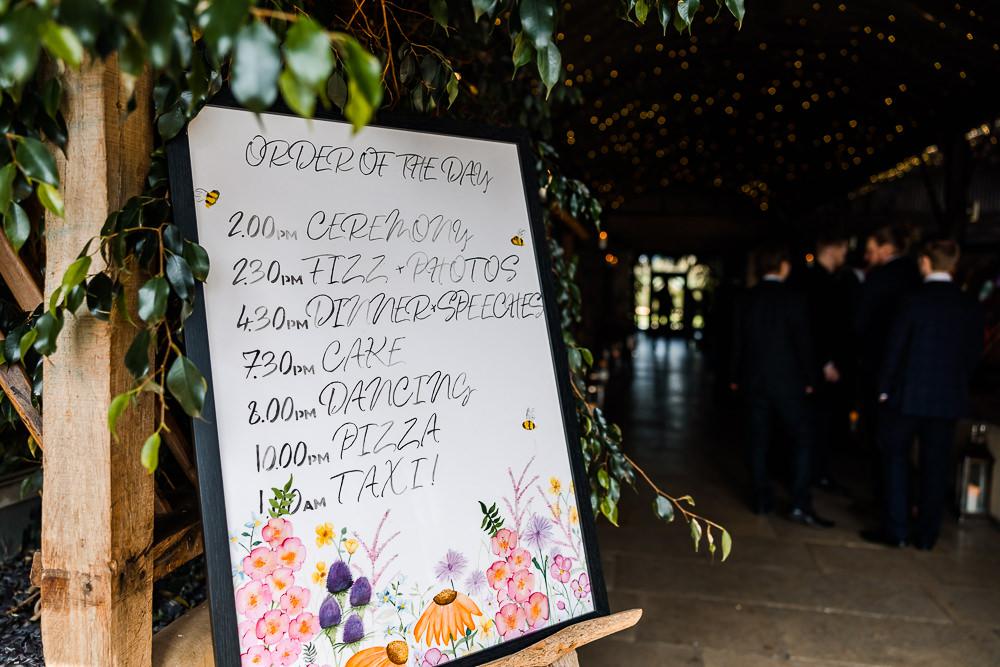
These templates serve as an essential communication tool between you and your vendors. Your photographer will know exactly when to arrive. The caterer will understand when dinner should be served. And your bridal party won't need to ask, "What time are we leaving for the venue?"
Common uses include:
Finalizing the itinerary for the wedding day
Communicating timing to vendors and guests
Helping planners and coordinators keep everything on track
Printing and posting in prep rooms, reception areas, or bridal suites
Whether you choose a minimalist layout in Google Sheets or a floral design in Word, a well-designed timeline can transform the planning process. In the next section, I'll walk you through some of the best options available for free, and which formats work best depending on how you plan to use them.
Part 2. 10 Best Free Wedding Timeline Templates
Here are 10 beautifully designed, editable wedding timeline planner templates that are perfect for organizing your big day. Whether you're planning a black-tie wedding or a simple backyard ceremony, you'll find something that fits your style.
Tip: Most of these templates are available in formats like PDF, Word, or Excel. Choose the one that's easiest for you to edit or print. If you only need a simple visual timeline, a PDF or image will do. For deeper customization, go for Word or Excel formats.
1. Wedding Timeline Planner
A classic, all-day timeline with sections for each major event from
morning prep to the grand exit.
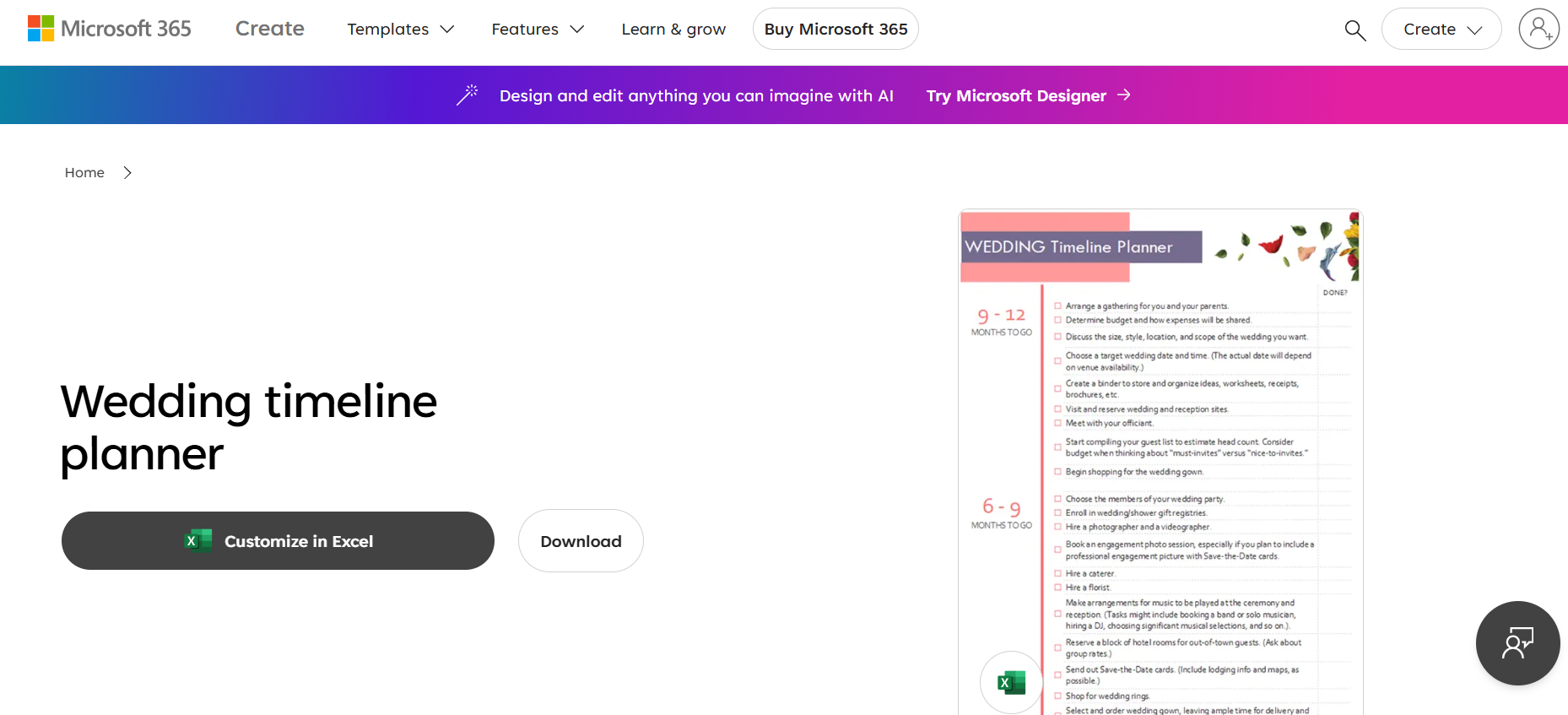
My take: This is a solid general-use wedding itinerary template free for most couples. Easy to read, easy to modify.
2. Wedding Checklist
A planning tool that combines timeline items with to-do tasks.
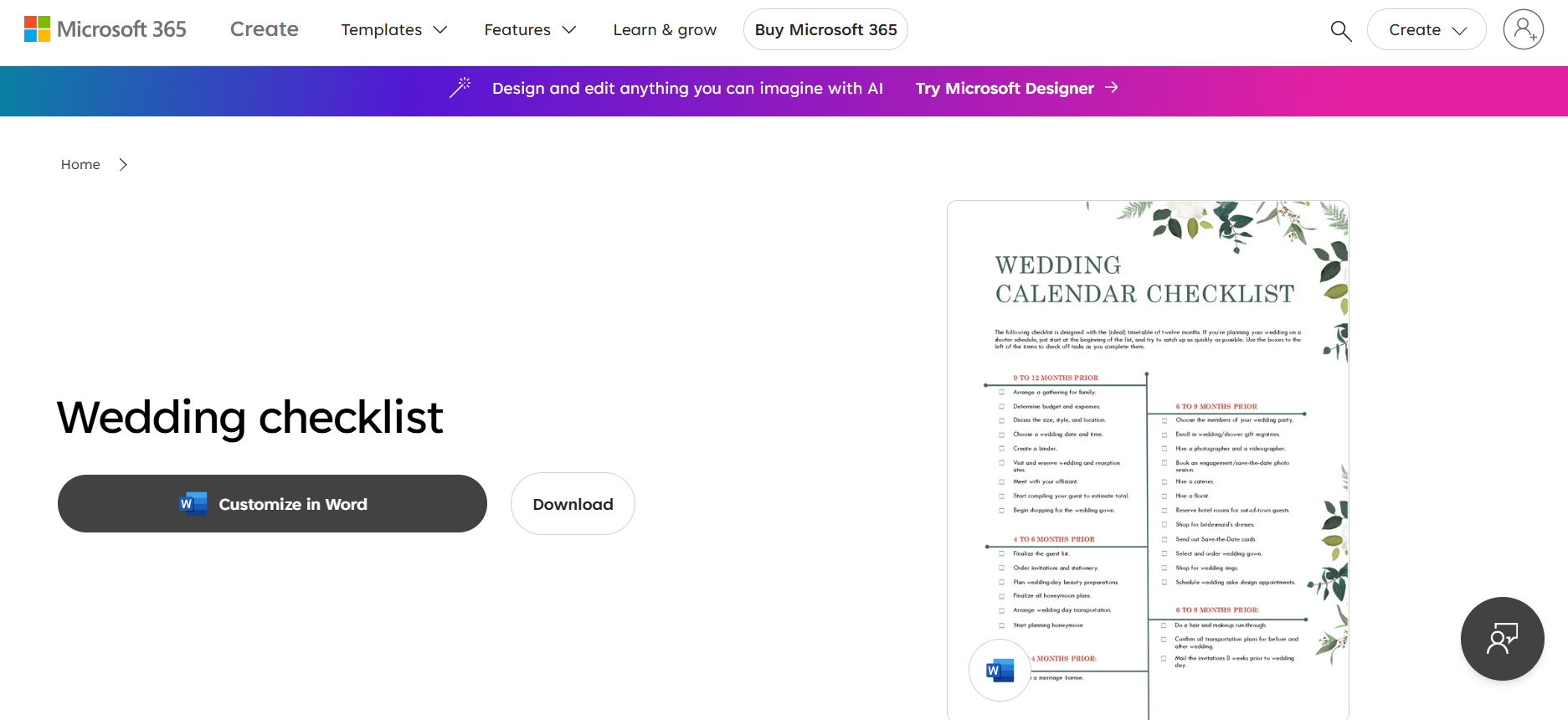
My take: Ideal for type-A planners who want a full view of progress and timing.
3. Black and White Aesthetic Wedding Timeline Planner
A minimalistic black and white template with an elegant font.
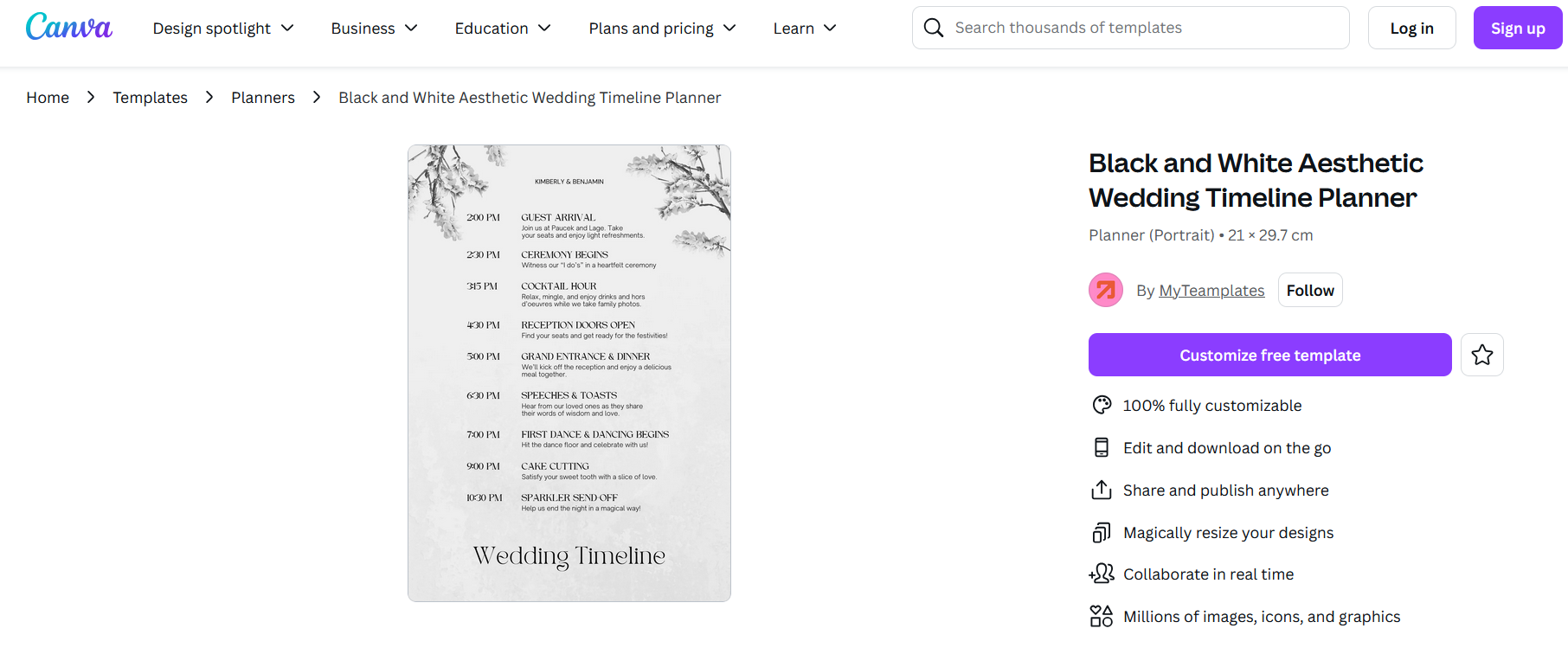
My take: Great for printing and framing on the day of the wedding. Looks clean in any setting.
4. Cream Beige Aesthetic Wedding Timeline Planner
Soft and warm tones make this design perfect for romantic or rustic themes.
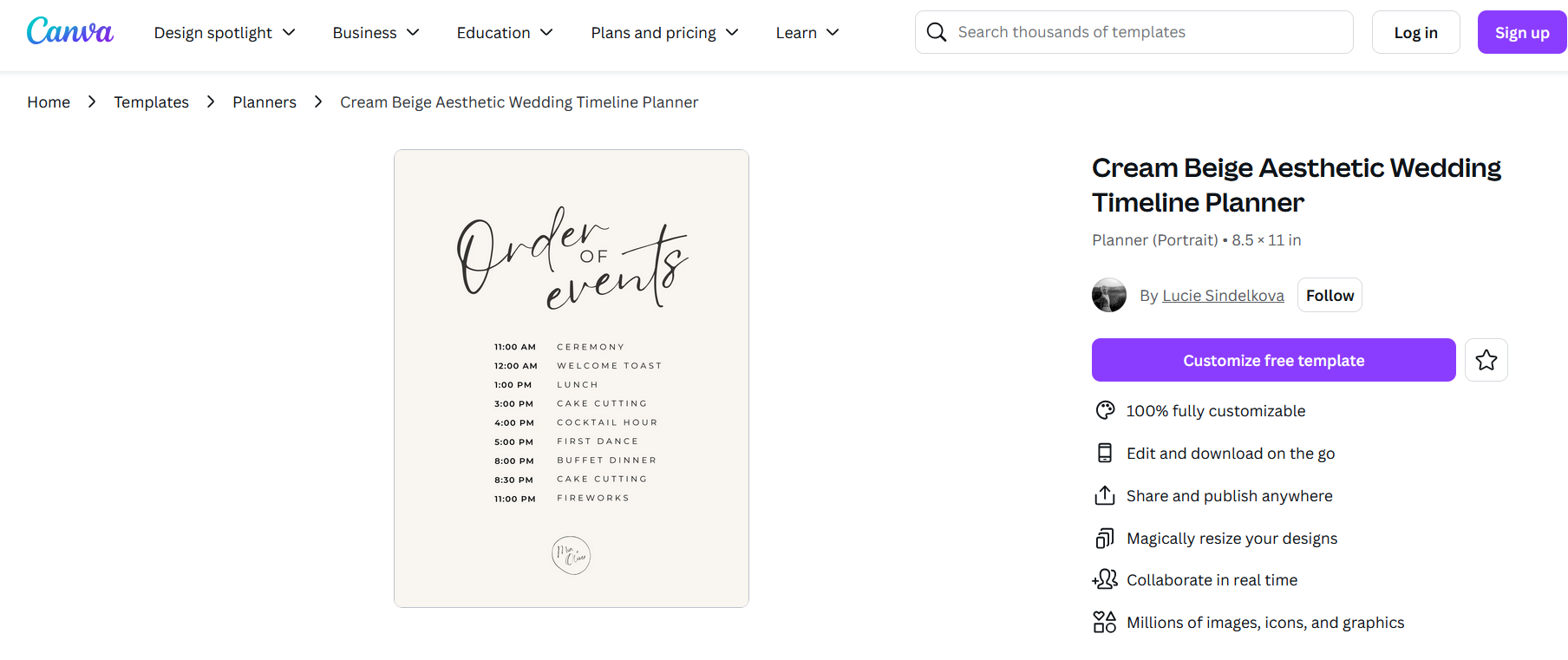
My take: Use this if your wedding theme involves blush, neutrals, or dried florals.
5. Ivory Elegant Bachelorette Itinerary Planner
Focused on pre-wedding events like bachelorette trips or rehearsal dinners.
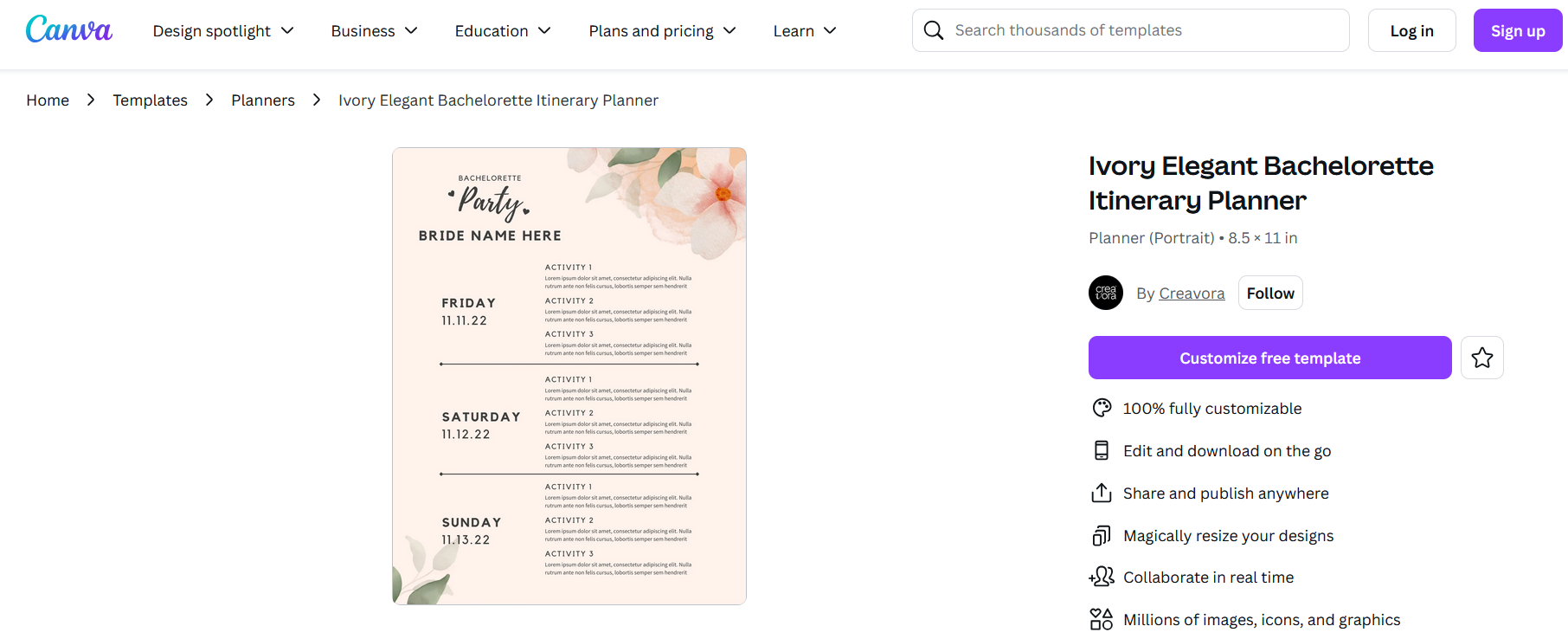
My take: A bonus for those organizing more than just the wedding day itself.
6.Black and White Simple Minimalist Wedding Timeline Planner
A no-fuss schedule layout that's easy to glance at.
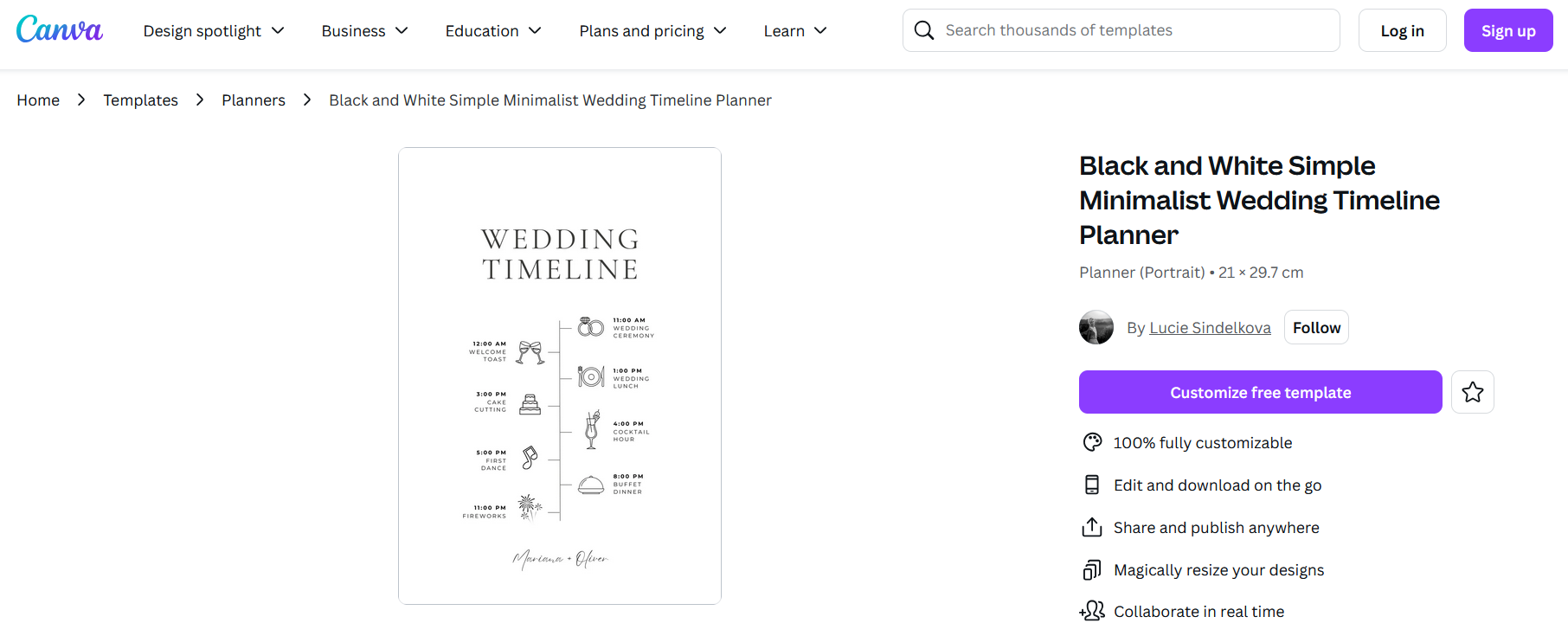
My take: Perfect for guests or vendors who need a clear schedule.
7. Black Beige Modern Dark Elegant Wedding Timeline Planner
Dark background with high contrast, ideal for digital sharing.
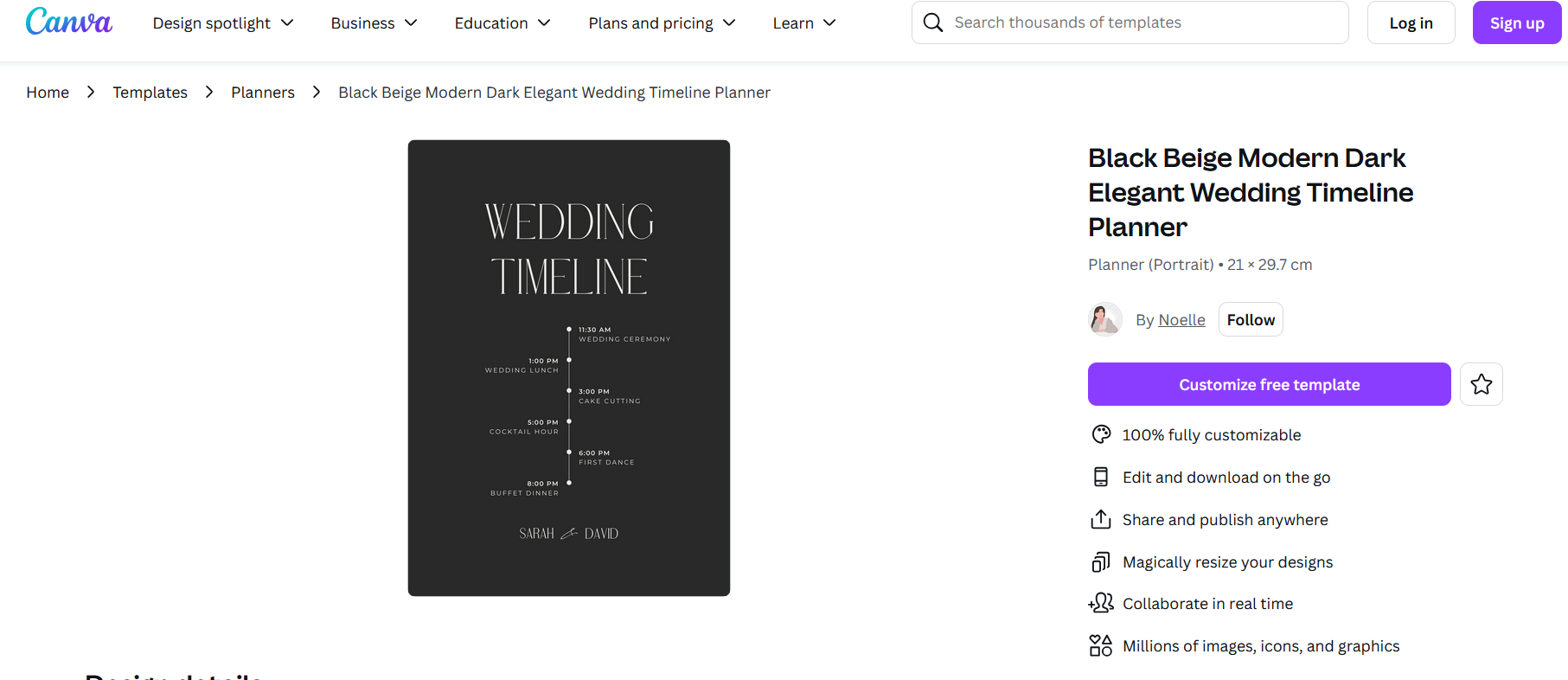
My take: Best for bold, dramatic wedding themes or evening events.
8. Cream Ribbon Wedding Itinerary Planner
Includes a decorative ribbon motif, soft, light, and cheerful.
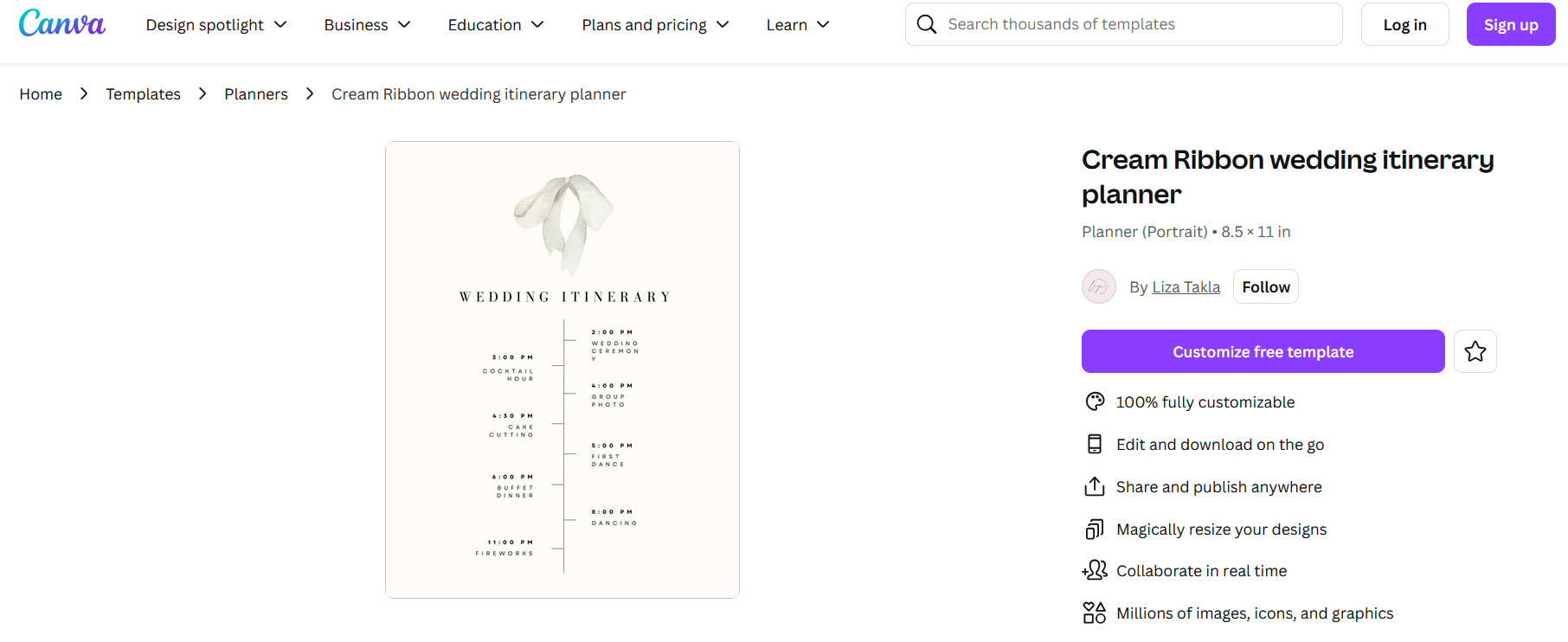
My take: Use it if you're going for a delicate or garden-inspired look.
9. Pink and Cream Simple Floral Wedding Timeline Planner
Floral border with a gentle, romantic tone.
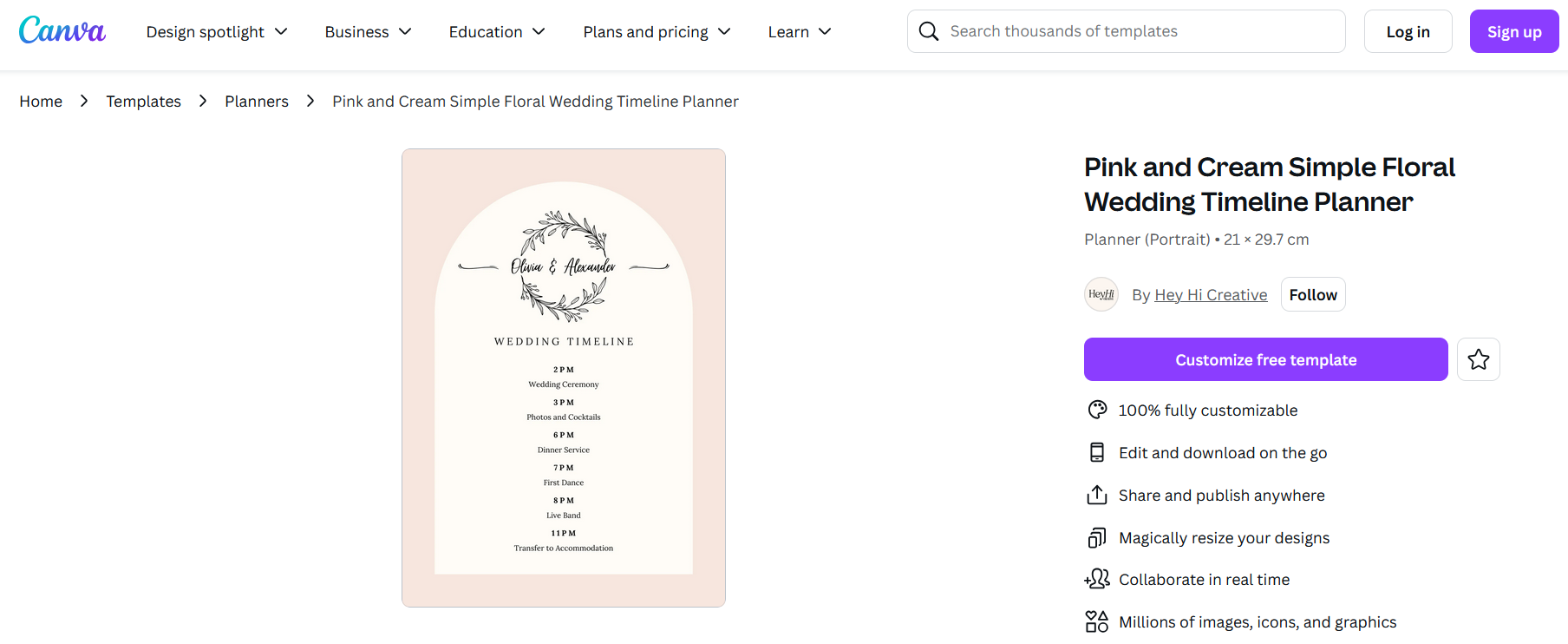
My take: Ideal for spring weddings or any event with a feminine touch.
10. Grey Floral Wedding Timeline Planner
Balanced neutral tones with subtle florals, easy to match with any theme.
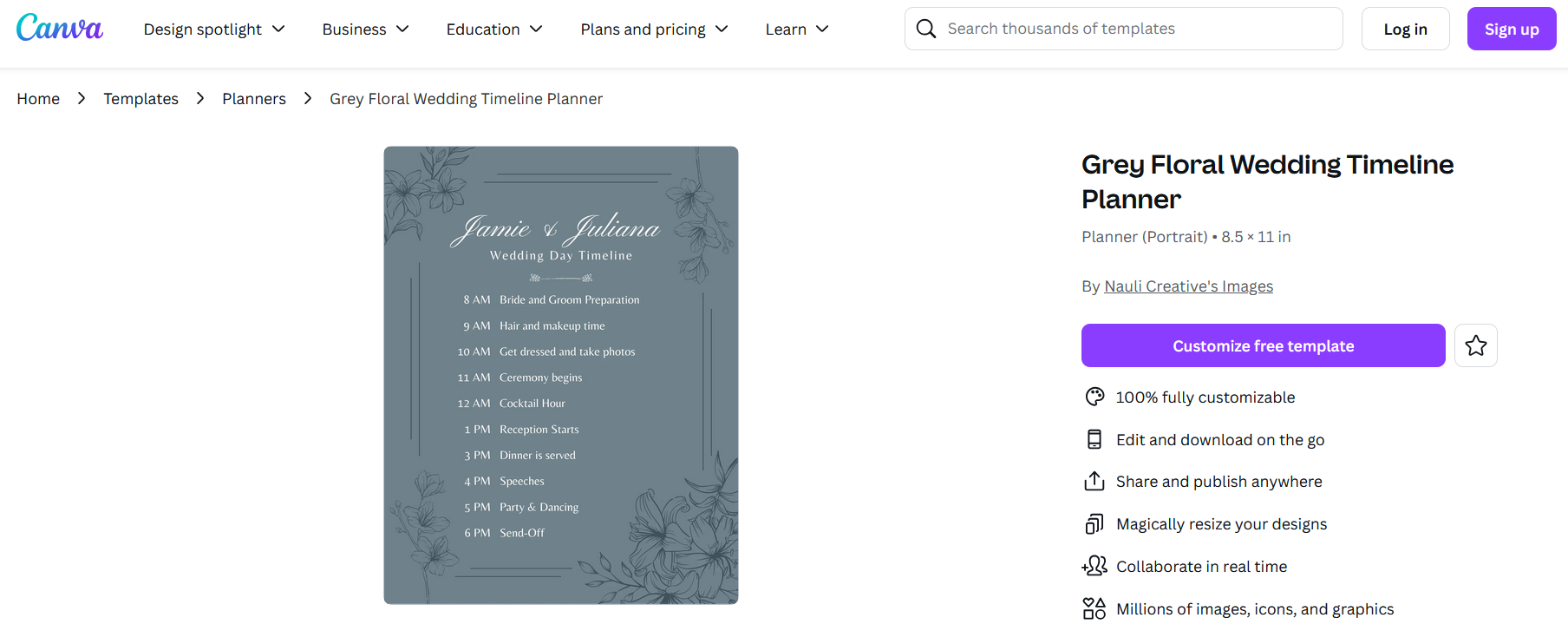
My take: A universal choice. Looks great on both digital and printed copies.
Part 3. How to Further Edit and Print an Optimized Wedding Timeline Template
After exploring those 10 beautiful and free timeline templates, you're probably ready to personalize one to fit your wedding day. Whether you downloaded a wedding timeline template in PDF, image, Word, or Excel format, editing is simple with WPS Office tools.
Some templates work best for quick printing, while others are ideal for digital sharing. If you're printing for your wedding party, make sure the text is visible, balanced, and accurate down to the minute.
Here's how to customize and print your preferred format using WPS tools:
Edit Image-Based Templates with WPS Photos
If you downloaded your template as an image (e.g., PNG or JPEG), useWPS Photos to tweak colors, add time blocks, or make visual improvements.
Step-by-step:
Step 1: Open the image in WPS AI Photo Editor
Step 2: Use Image Enhancer to improve clarity for printing
Step 3: Apply AI Upscaler to adjust resolution if needed
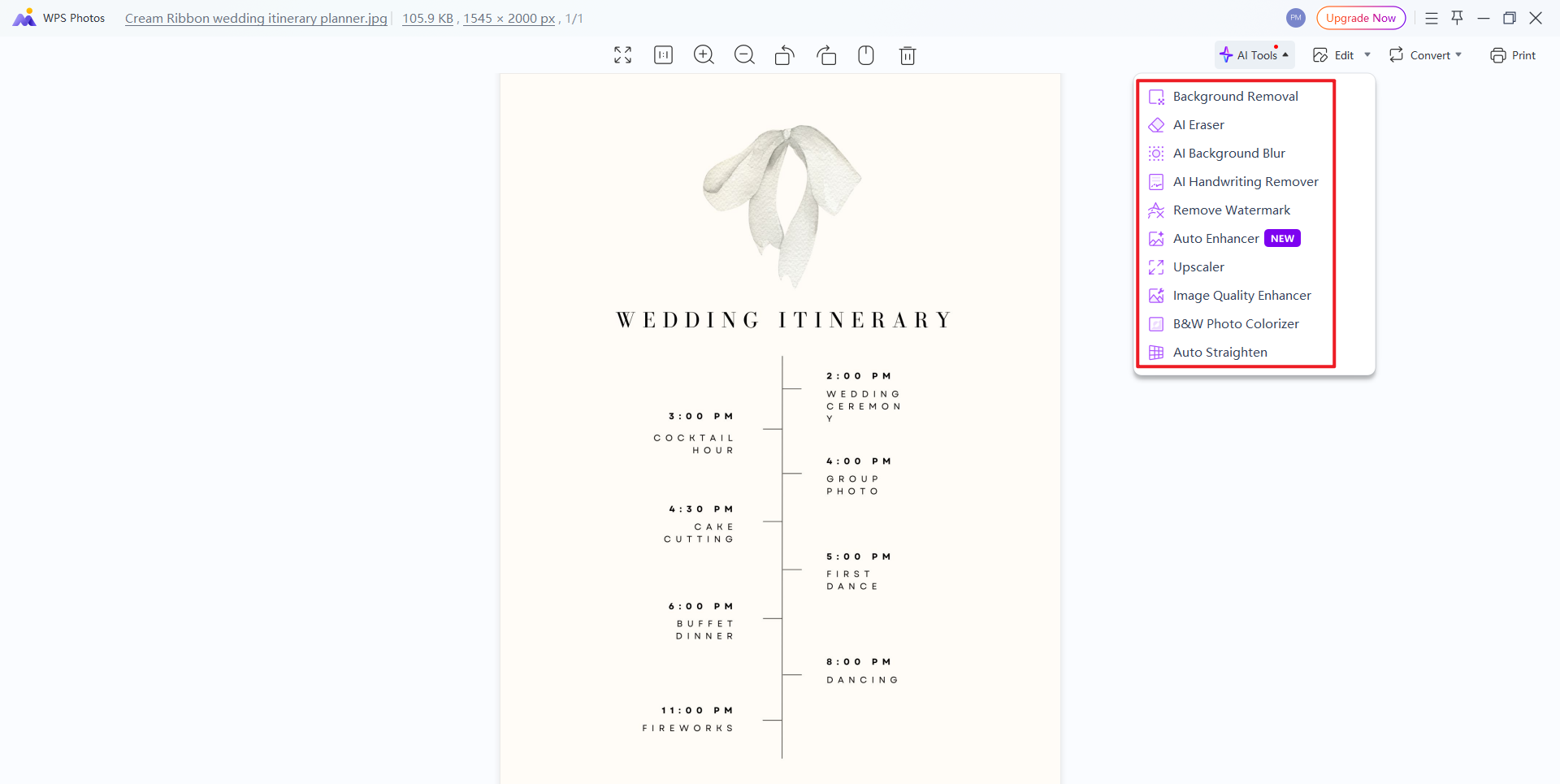
Step 4: Add overlay text with exact timings
Step 5: Save your changes and export for print
My tip: If you're framing your timeline at the venue, enhance contrast for better readability under lights.
Learn more editing tricks from WPS Academy
Edit PDF Templates with WPS PDF
Some Canva and Microsoft templates may be downloaded as PDF files. To make changes or type directly onto them, use WPS PDF Editor.
Step-by-step:
Step 1: Open your file in WPS PDF
Step 2: Click Edit Text to change times or event descriptions
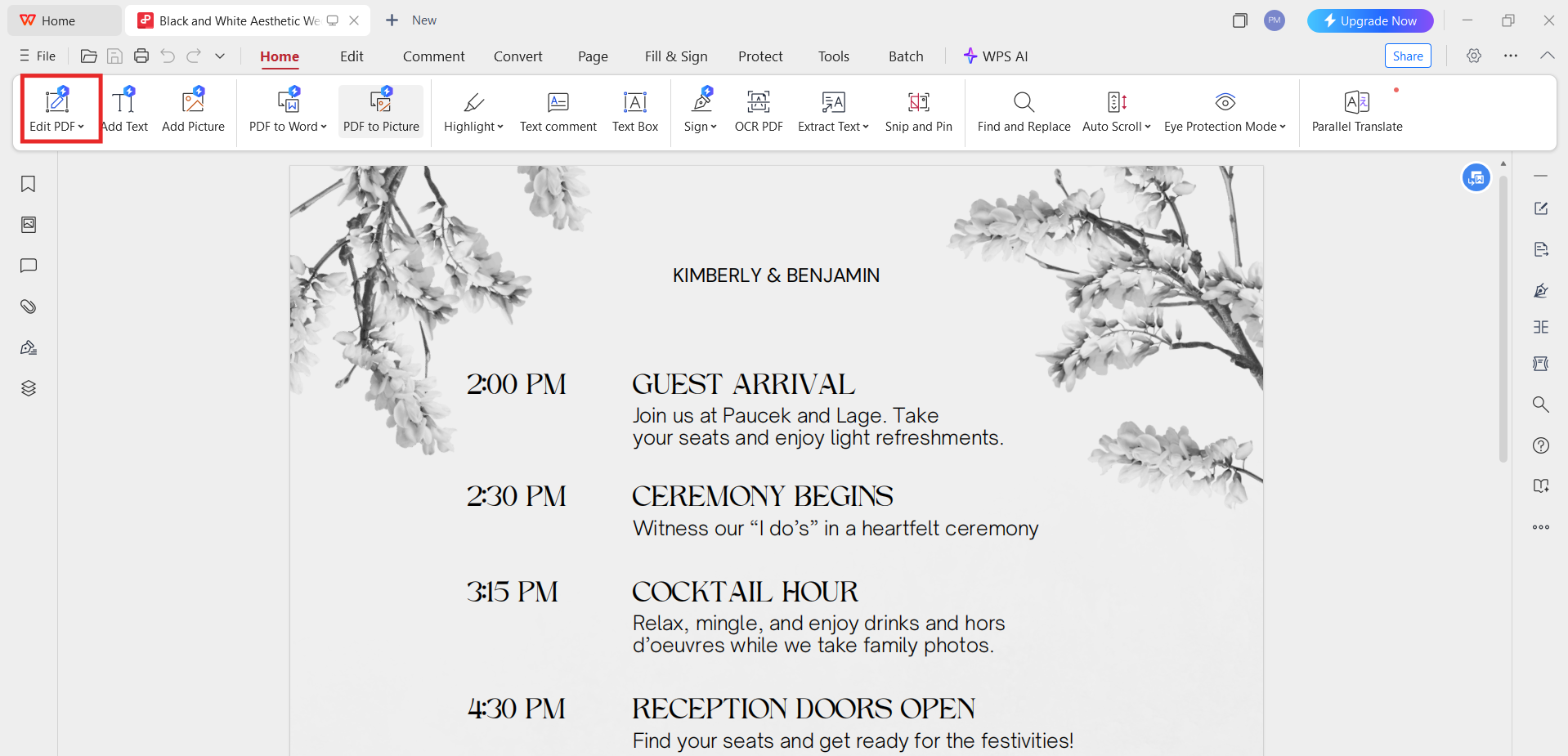
Step 3: Insert shapes or checkboxes if needed
Step 4: Save or export as a printable file
My tip: If you're editing a scanned image PDF, WPS can convert it to an editable format instantly using OCR.
Edit Word Templates with WPS Writer
For templates created in Word format, WPS Writermakes edits quick and intuitive.
Step-by-step:
Step 1: Open the wedding timeline template Word file in WPS Writer
Step 2: Update the event titles and start times
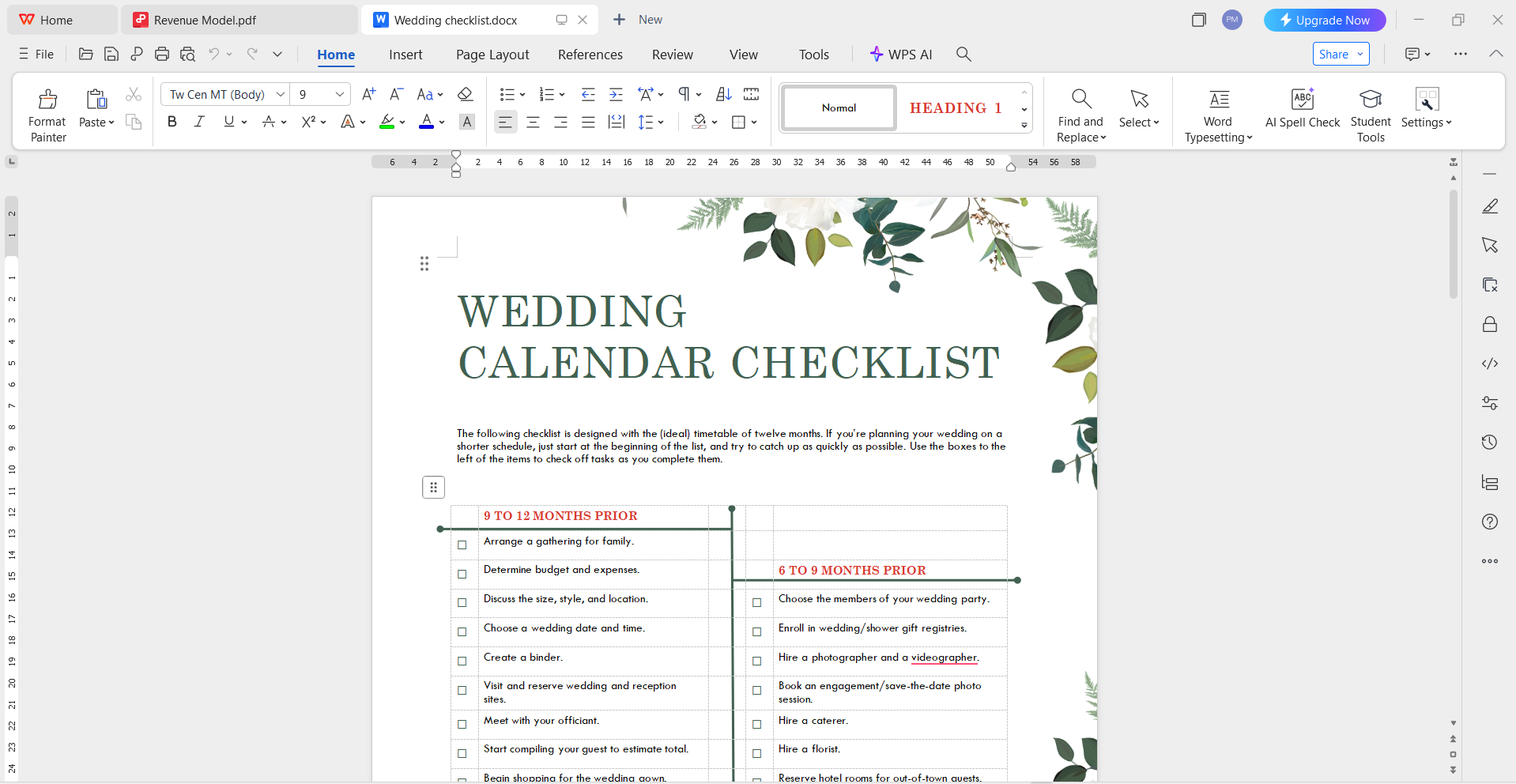
Step 3: Change fonts and add icons or emojis for flair
Step 4: Export as a PDF or print directly
My tip: I usually create separate versions for vendors, bridal party, and myself, just duplicate the file and adjust accordingly.
Edit Excel Templates with WPS Spreadsheet
Prefer a grid layout with calculated time blocks? Use WPS Spreadsheet to fine-tune templates created in Excel.
Step-by-step:
Step 1: Open your wedding timeline template Excel file in WPS Spreadsheet
Step 2: Adjust the timeline logic or durations using formulas
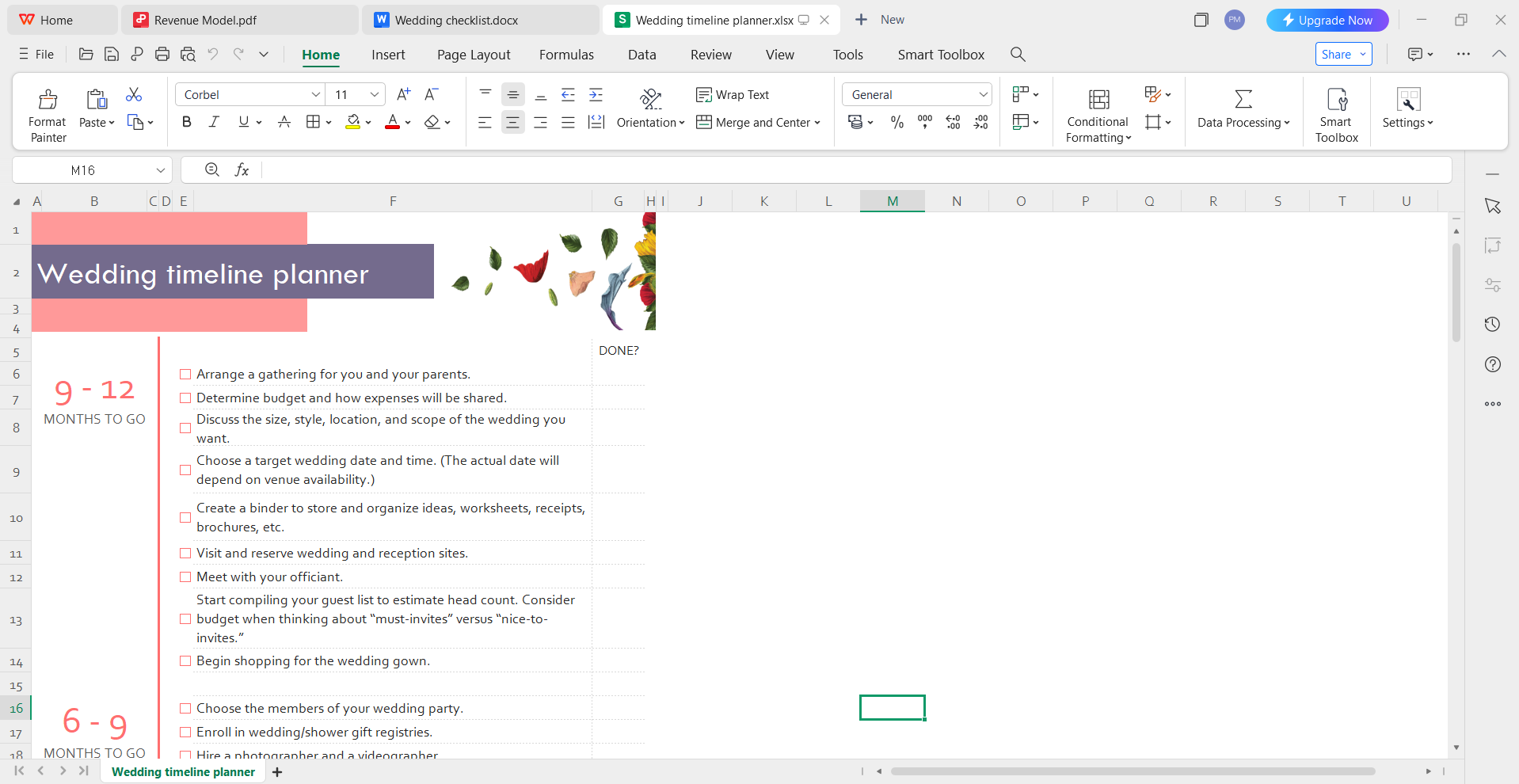
Step 3: Add conditional formatting (e.g., color code morning/evening tasks)
Step 4: Save or print from Excel directly
My tip: Excel versions are great if you want automatic time adjustments when you shift one event's start time.
No matter the format, WPS Office gives you flexible editing tools that match any template type. Next, let's explore why it's a smart choice for your full wedding planning toolkit.
Part 4. WPS Office - Your Best Edit Helper
If you're planning a wedding, you need tools that are fast, flexible, and fuss-free. That's where WPS Office truly shines. Whether you're editing a wedding timeline template in Word, fine-tuning a wedding timeline template in Excel, or printing a PDF version of your wedding schedule, WPS gives you the features you need, without the learning curve or the price tag.
WPS Office is a free, all-in-one productivity suite that works on Windows, Mac, Android, and iOS. It's trusted by millions globally and is especially popular among users who want a reliable Microsoft Office alternative.
Here's why WPS Office is ideal for wedding planning:
Built-in Template Store
WPS Office comes with a massive library of pre-designed templates, wedding checklists, budget trackers, seating charts, and more. Just search for "wedding" in the WPS template center and you'll find editable, themed designs ready to go.
Cross-Platform Editing
Switch between devices without losing progress. Start editing your wedding timeline template docs on your laptop and finish on your phone with the WPS mobile app.
AI-Powered Editing Support
WPS includes intelligent layout suggestions, grammar checks, and formatting tools that help you polish documents fast, especially useful for last-minute wedding changes.
Rich Formatting & Design Tools
Customize fonts, add icons, create color-coded schedules, or insert images easily. You don't need a designer to make your timeline visually impressive.
Cloud Sharing and Collaboration
Planning a wedding with your partner or a coordinator? WPS supports real-time sharing, comments, and editing in the cloud, no extra apps needed.
Lightweight and Secure
WPS installs quickly, doesn't slow down your computer, and keeps your wedding documents secure with cloud backups and offline support.
My take: I personally found WPS especially helpful when dealing with templates that needed to be edited across different formats. The ability to switch between Word, Excel, PDF, and image editing, all within one suite, is incredibly convenient. And for couples planning together, the cloud sharing features make coordination smooth and stress-free.
FAQs
Are all the wedding timeline templates on WPS free?
Yes, most templates in the WPS Office template store are completely free to use. Premium templates are clearly marked, so you can always choose from a wide range of free options without confusion.
Can I use WPS templates on mobile?
Absolutely. WPS Office has full-featured mobile apps for Android and iOS, which allow you to edit your wedding timeline template in Google Sheets, or Word files right from your phone or tablet.
Can I print these wedding timeline templates?
Yes. Once you're done editing, you can print directly from WPS or export the file as a PDF for clean, professional output. WPS supports high-quality printing for Word, Excel, and PDF formats.
Does WPS offer other wedding templates (like guest lists or seating charts)?
Yes, just search "wedding" in the WPS template store and you'll find a variety of related resources, including guest list templates, budget planners, RSVP trackers, and more.
Is WPS Office secure?
Yes. WPS is a globally trusted software suite with secure cloud sync, offline editing, and user privacy protection. It's used by millions of professionals, students, and planners worldwide.
Summary
Planning a wedding comes with hundreds of moving parts, and a well-designed wedding timeline template is one of the best tools to keep everything on track. From morning preparations to the final send-off, having a clear, organized schedule helps couples, vendors, and guests stay aligned. In this guide, we explored 10 beautifully designed and editable wedding timeline templates available for free, suited to various styles and formats, including Excel, Word, PDF, and Google Sheets.
We also walked through how to personalize each template using WPS Office tools, like WPS Writer, WPS Spreadsheet, WPS Photo, and WPS PDF, to make your timeline visually polished and ready to print or share. With its powerful features, built-in templates, and cross-platform support, WPS Office stands out as the ideal suite for organizing your big day with confidence and ease.

'%3e%3cpath%20d='M19.9911%204.11386V6.471H18.5894C18.0775%206.471%2017.7322%206.57814%2017.5536%206.79243C17.3751%207.00671%2017.2858%207.32814%2017.2858%207.75671V9.44421H19.9019L19.5536%2012.0871H17.2858V18.8639H14.5536V12.0871H12.2769V9.44421H14.5536V7.49779C14.5536%206.39064%2014.8632%205.53201%2015.4822%204.92189C16.1013%204.31177%2016.9257%204.00671%2017.9554%204.00671C18.8304%204.00671%2019.509%204.04243%2019.9911%204.11386Z'%20fill='%23333333'/%3e%3c/g%3e%3cdefs%3e%3cclipPath%20id='clip0_2938_8199'%3e%3crect%20width='16'%20height='16'%20fill='white'%20transform='translate(8%204.00671)'/%3e%3c/clipPath%3e%3c/defs%3e%3c/svg%3e)
'%3e%3cpath%20d='M17.5237%2010.7813L23.4811%204H22.0699L16.8949%209.88693L12.7648%204H8L14.2469%2012.9029L8%2020.0133H9.4112L14.8725%2013.7952L19.2352%2020.0133H24M9.92053%205.04213H12.0885L22.0688%2019.0224H19.9003'%20fill='%23333333'/%3e%3c/g%3e%3cdefs%3e%3cclipPath%20id='clip0_2938_8200'%3e%3crect%20width='16'%20height='16.0134'%20fill='white'%20transform='translate(8%204)'/%3e%3c/clipPath%3e%3c/defs%3e%3c/svg%3e)


