
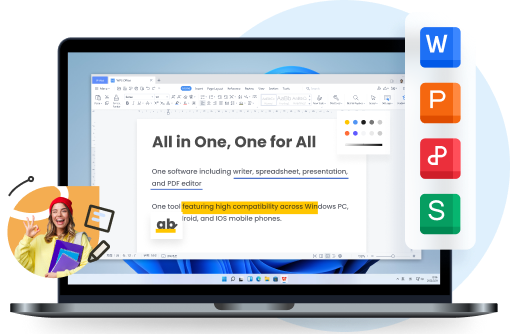


For most students, the answer is yes. WPS Office Free can handle much of the everyday coursework you'd normally do in Microsoft Word, Excel, and PowerPoint, without the cost of a personal subscription.
Microsoft Office is a familiar choice for college assignments. But with Microsoft 365 Personal costing $99.99 a year in the US, it's reasonable to wonder how much of that subscription you'll actually use.
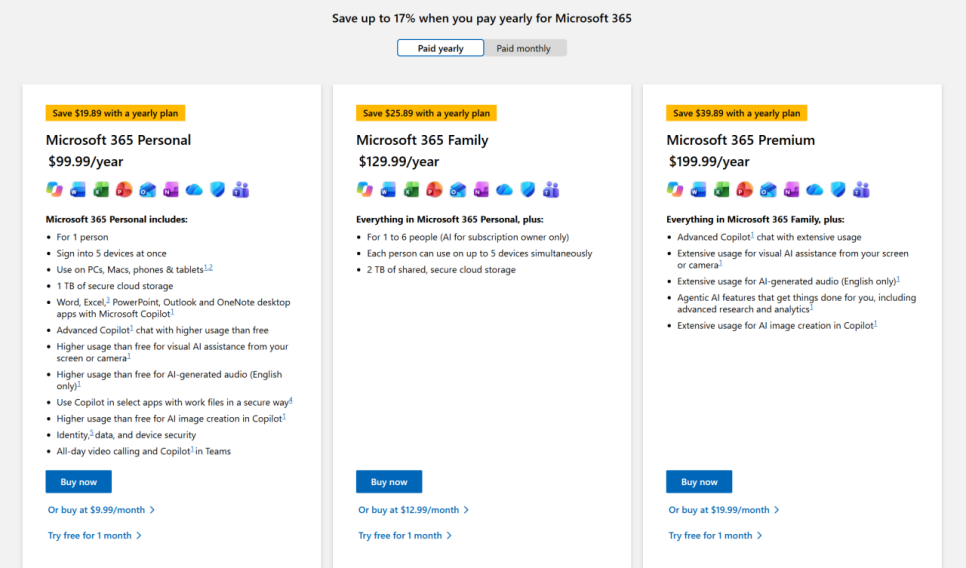
Microsoft 365 subscription pricing
The question has also come up on Quora: Is WPS Office enough for students, or is Microsoft Office still worth paying for? The answer depends largely on what your classes require and how you prefer to work.
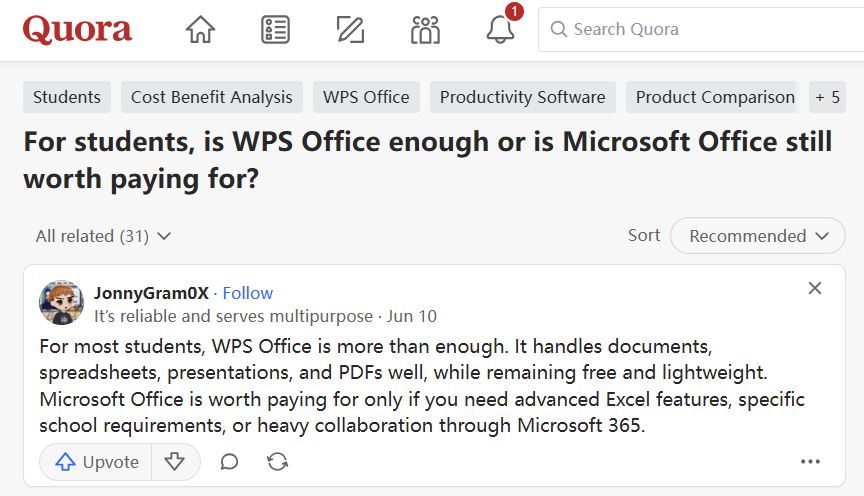
WPS Office vs. Microsoft Office on Quora


Is Microsoft Office Worth Paying for as a Student?
Most college assignments involve a familiar set of tasks: writing papers, working with spreadsheets, creating presentations, and reading PDFs. The frustration often comes from managing different files and getting everything ready for submission.
Microsoft already offers several ways to handle these tasks. Word, Excel, and PowerPoint are available as free web apps, and eligible students can access Office 365 Education through their schools. Some universities also provide desktop licenses.
A Microsoft 365 Personal subscription gives you desktop applications, cloud storage, and additional features. These can be useful when you rely heavily on Microsoft's ecosystem.
For students who prefer working locally on their laptops and mainly need basic editing tools, WPS Office Free offers another option. It includes desktop document, spreadsheet, presentation, and PDF tools without an annual subscription.
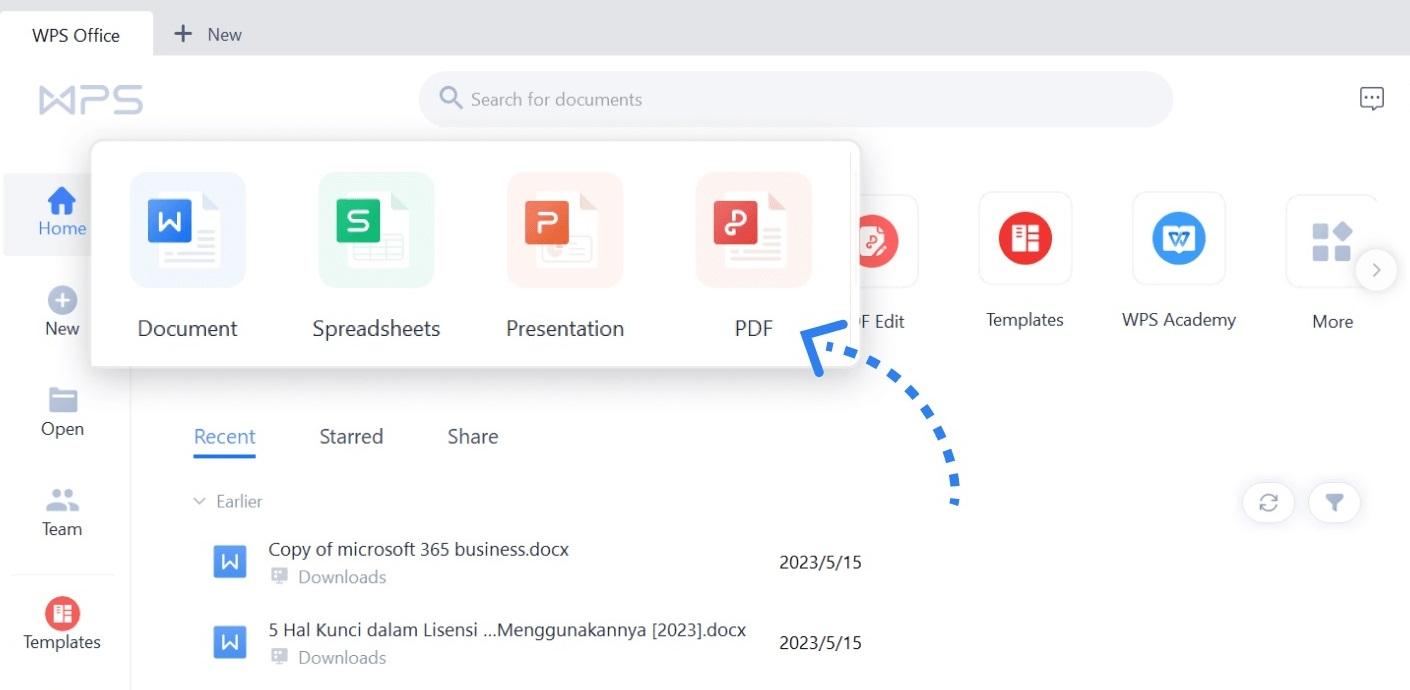
WPS Office Free desktop interface
Working With Word, Excel, and PowerPoint Files
Compatibility is usually the first concern when students consider an alternative to Microsoft Office.
A professor may share a DOCX template, classmates may collaborate in an XLSX spreadsheet, and the final group presentation may need to stay in PPTX format. If a file opens with broken formatting or inconsistent layout, it creates extra work right before a deadline.
Microsoft Office remains the default standard for these formats. At the same time, WPS Office also supports common Microsoft Office files, including DOCX, XLSX, and PPTX, so students can continue working with the formats already used in class.
This helps students exchange assignments and group project files without changing their usual workflow.
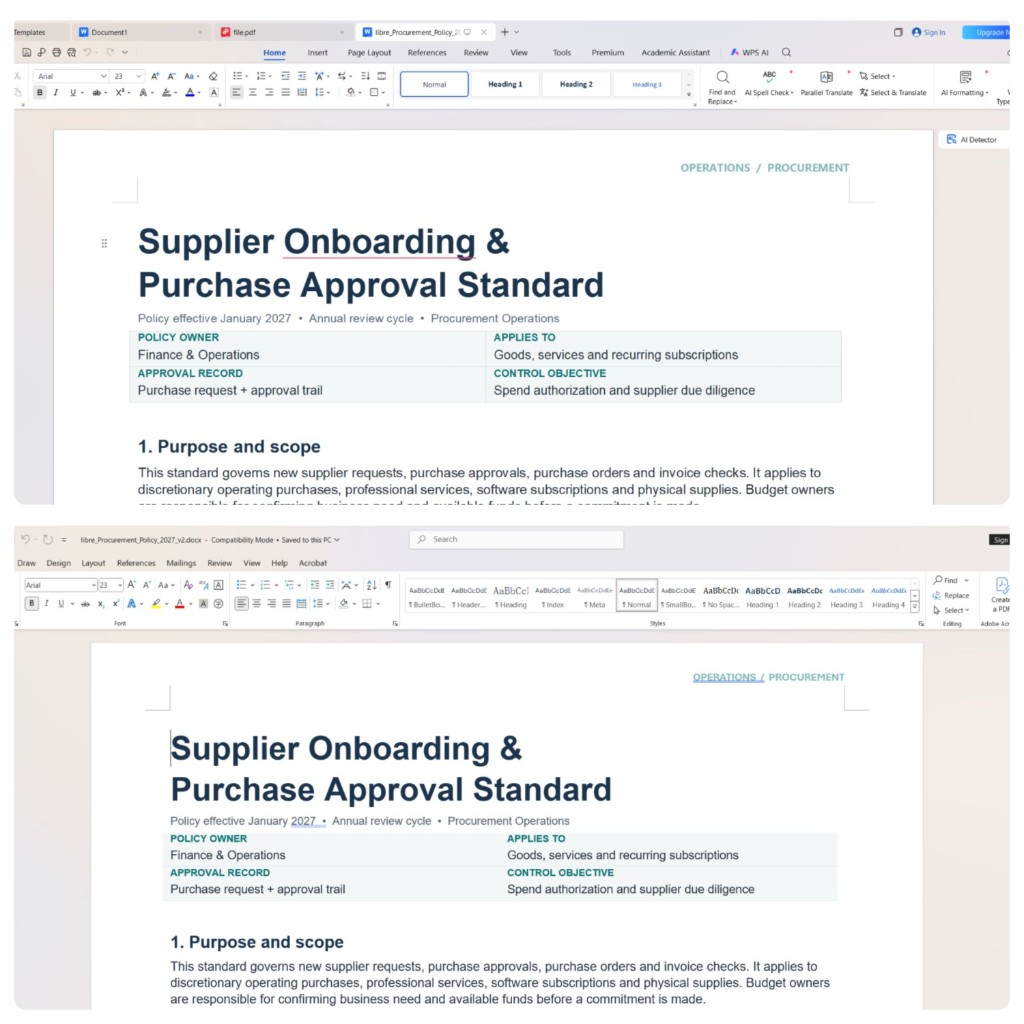
WPS Office and Word compatibility comparison
Equation input is another area that matters, especially in math, science, and engineering assignments. Many STEM students need to type formulas efficiently but still submit their work in a standard document format. In Microsoft Word, the equation editor uses UnicodeMath by default, so LaTeX input usually requires an extra step to switch formats.
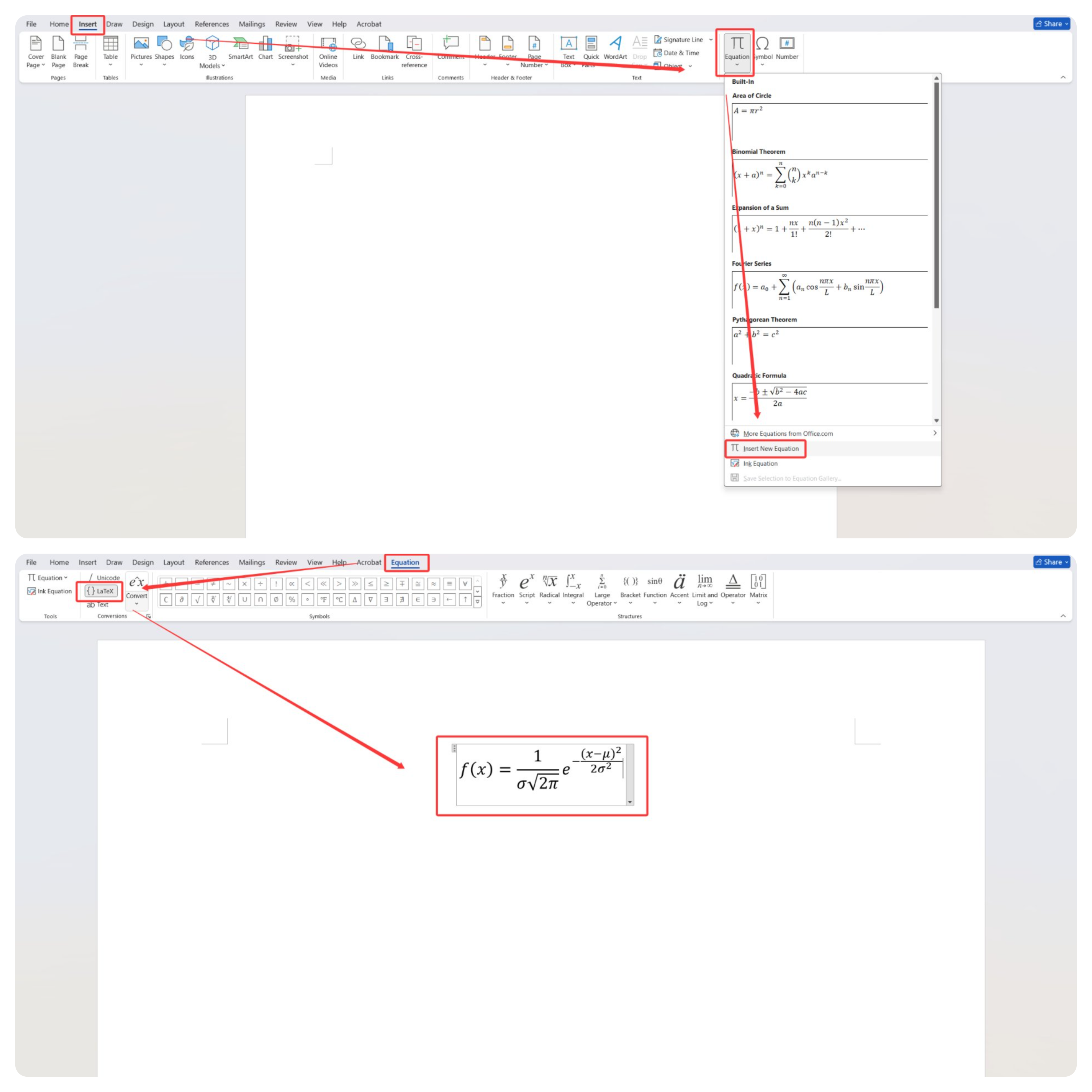
LaTeX equation editing in Microsoft Word
In WPS Writer, the Insert LaTeX option is more direct, making it easier to enter formulas from the start. The rendered result is also clear and suitable for academic writing.
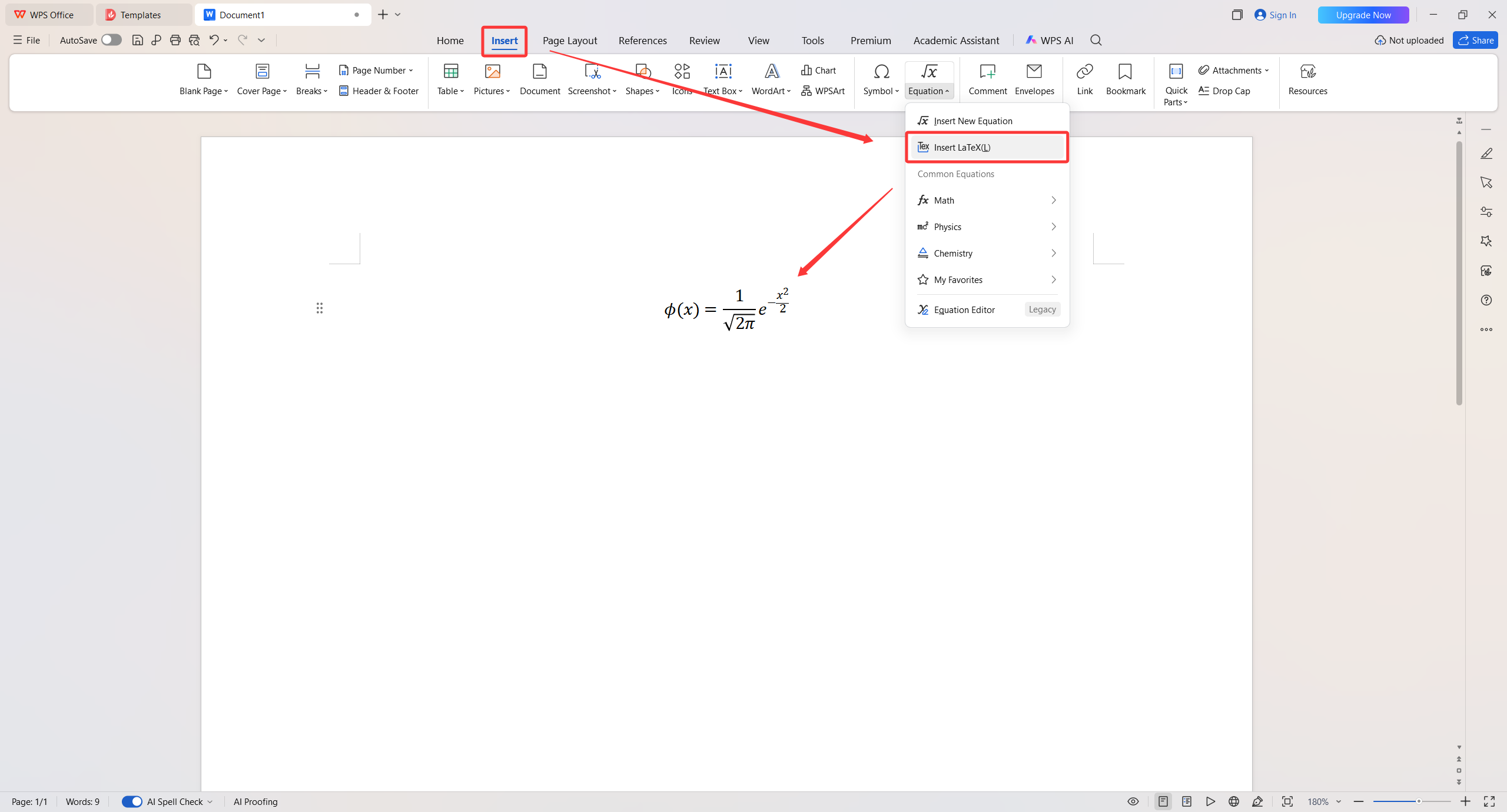
LaTeX equation insertion in WPS Writer
Keeping Research PDFs and Notes Within Reach
PDFs are everywhere in college, from lecture slides and course handbooks to research articles. The challenge is keeping useful information accessible when you need to reference it later.
Microsoft Edge provides free PDF reading and annotation tools, including highlighting and notes. However, working with PDFs alongside Word or PowerPoint on the desktop usually means switching between applications.
WPS integrates PDF reading into the same office suite. You can highlight passages, underline important details, and add comments while keeping your research materials close to the documents you're editing.
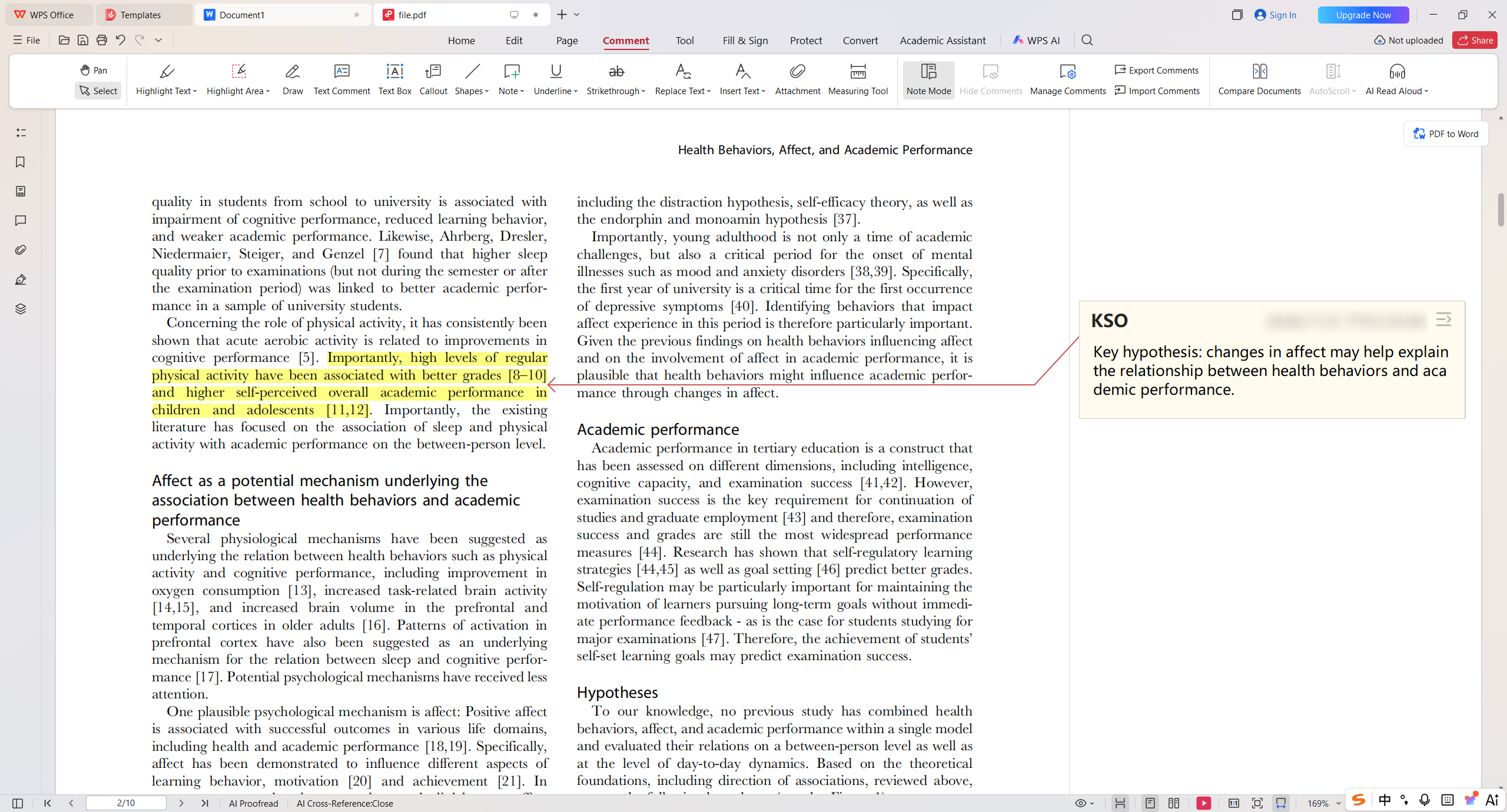
PDF highlighting and annotation in WPS Office
For students moving frequently between reading and writing, this makes managing coursework more convenient.
Too Many Open Files, Too Many Windows
Working on an assignment often means having several files open at once. You might need a PDF for references, a spreadsheet for data, and a PowerPoint presentation for your final report.
Microsoft's desktop Word, Excel, and PowerPoint generally use separate application windows. When multiple files are open, switching between them can interrupt your work.
WPS Office handles this differently with its unified tabbed workspace.
Documents, spreadsheets, presentations, and PDFs can all appear as tabs in the same window, much like pages in a web browser. You can switch between files with a click, rearrange tabs, or move a document into another window for side-by-side viewing.
It's particularly convenient when you're working on a laptop with limited screen space or frequently checking information across different files.
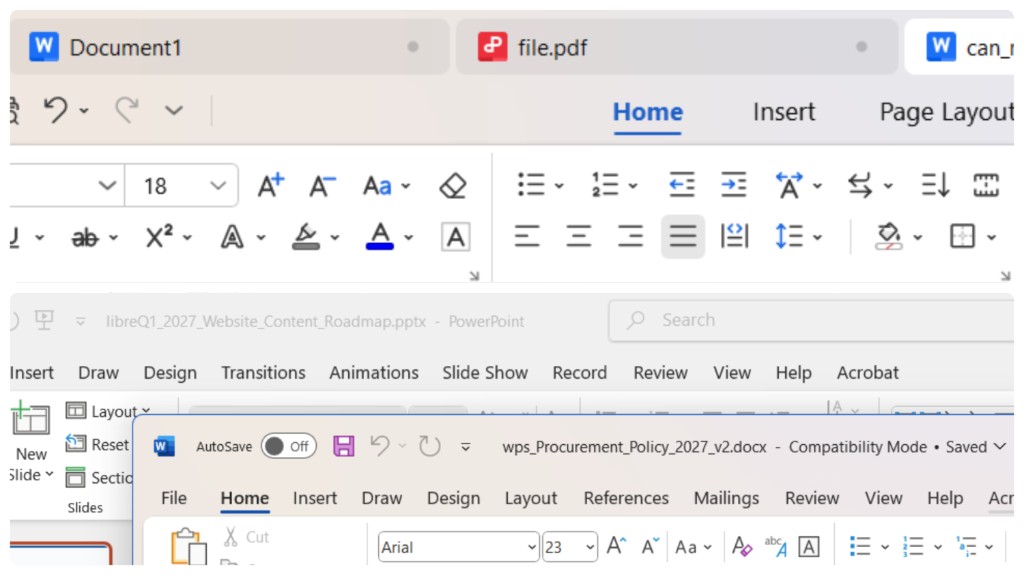
WPS Office tabbed workspace vs. Microsoft Office
When Does a Course Require Microsoft Office?
Some assignments call for tools beyond everyday document editing.
Finance, engineering, and data analytics courses may require advanced Excel features such as VBA macros, Power Query, or specialized add-ins. If an assignment depends on those tools, Microsoft Excel is the appropriate choice.
University collaboration requirements also matter. If your instructor requires work to be completed or submitted through Microsoft Teams, OneDrive, SharePoint, or a specific Microsoft 365 environment, you'll need to follow that workflow.
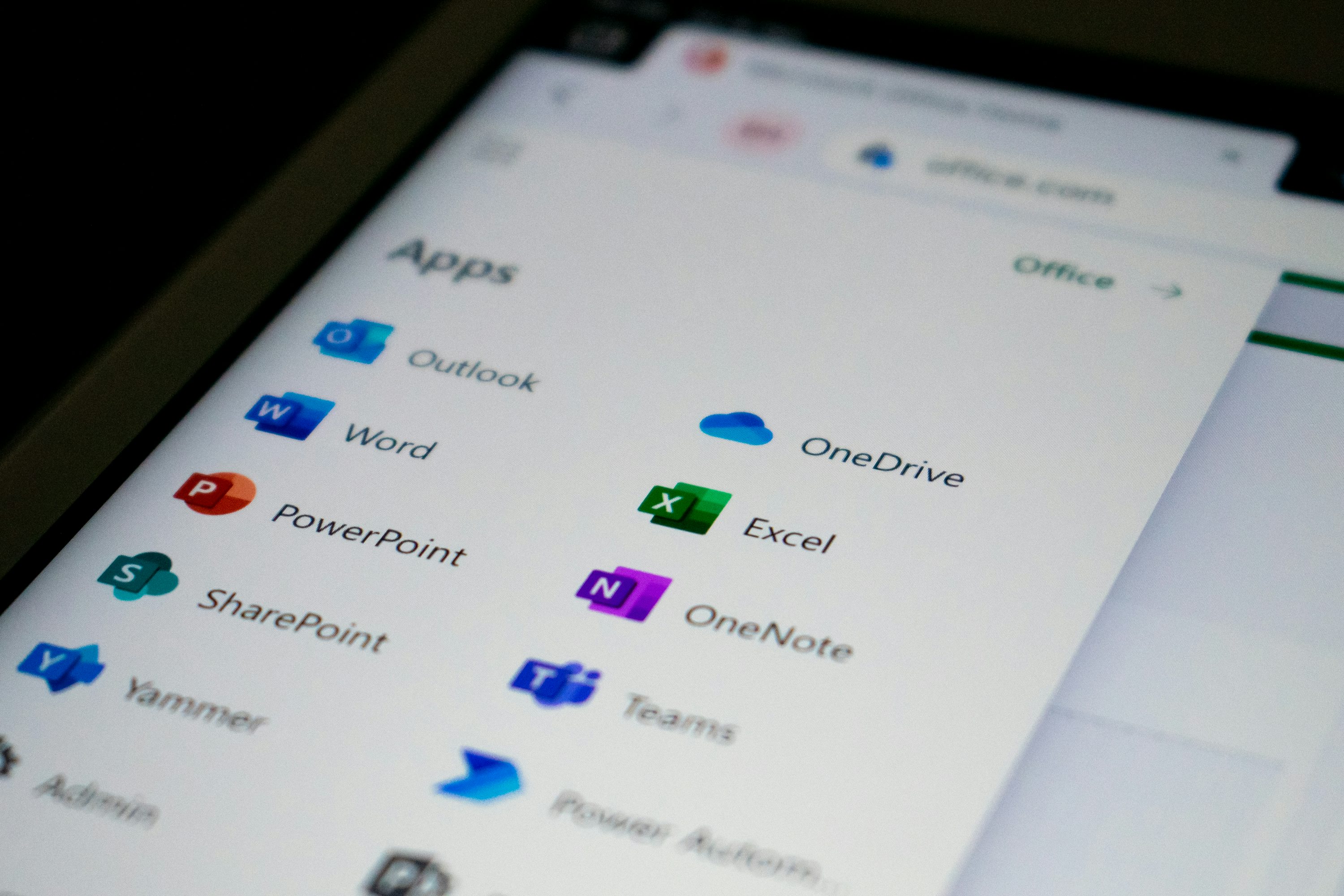
Microsoft 365 apps for school collaboration
For students whose assignments mainly involve essays, basic spreadsheets, presentations, and PDF reading, WPS Office Free already provides the essential tools.
Why WPS Office Free Makes Sense for Students
Microsoft Office remains a strong choice for specialized coursework and university-managed collaboration. Its free web apps and education plans are also worth checking before purchasing a subscription.
For everyday student assignments, WPS Office Free offers a practical alternative.
It combines Microsoft Office file compatibility with free desktop editing. Its familiar interface, built-in PDF annotation tools, and unified tabbed workspace make everyday coursework easier to manage.
These advantages address the frustrations students regularly encounter: keeping files compatible with classmates, organizing coursework across different formats, and paying for software when they only need a few essential tools.
With WPS Office Free, most students can complete their everyday coursework in one familiar workspace, avoid unnecessary subscription costs, and spend more time on their assignments.
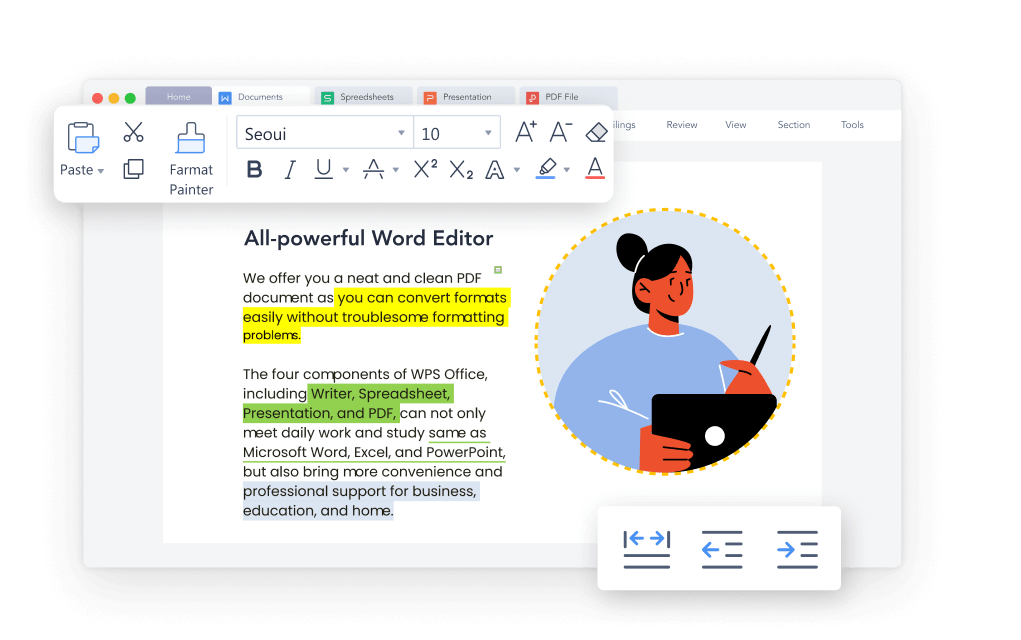
WPS Office tabs for everyday coursework




