


'%3e%3cpath%20fill-rule='evenodd'%20clip-rule='evenodd'%20d='M21.4999%2010.9993C21.4999%205.20009%2016.7986%200.498901%2010.9993%200.498901C5.19994%200.498901%200.498657%205.20009%200.498657%2010.9993C0.498657%2016.2404%204.33858%2020.5844%209.35855%2021.3722V14.0346H6.69238V10.9993H9.35855V8.68594C9.35855%206.05427%2010.9262%204.60062%2013.3248%204.60062C14.4736%204.60062%2015.6753%204.80571%2015.6753%204.80571V7.38979H14.3512C13.0468%207.38979%2012.64%208.19921%2012.64%209.0296V10.9993H15.5523L15.0867%2014.0346H12.64V21.3722C17.66%2020.5844%2021.4999%2016.2404%2021.4999%2010.9993Z'%20fill='%231568EA'/%3e%3c/g%3e%3c/svg%3e)


'%3e%3cpath%20d='M2.42045%2022.1876H6.31818V12.7217L0.75%208.54553V20.5171C0.75%2021.4414%201.49892%2022.1876%202.42045%2022.1876Z'%20fill='%234285F4'/%3e%3cpath%20d='M19.682%2022.1876H23.5797C24.5041%2022.1876%2025.2502%2021.4387%2025.2502%2020.5171V8.54553L19.682%2012.7217'%20fill='%2334A853'/%3e%3cpath%20d='M19.682%205.48293V12.7216L25.2502%208.54543V6.31816C25.2502%204.25236%2022.8921%203.07469%2021.2411%204.31361'%20fill='%23FBBC04'/%3e%3cpath%20d='M6.31824%2012.7217V5.48303L13.0001%2010.4944L19.6819%205.48303V12.7217L13.0001%2017.733'%20fill='%23EA4335'/%3e%3cpath%20d='M0.75%206.31816V8.54543L6.31818%2012.7216V5.48293L4.75909%204.31361C3.10534%203.07469%200.75%204.25236%200.75%206.31816Z'%20fill='%23C5221F'/%3e%3c/g%3e%3cdefs%3e%3cclipPath%20id='clip0_2954_7305'%3e%3crect%20width='24.5'%20height='18.375'%20fill='white'%20transform='translate(0.75%203.8125)'/%3e%3c/clipPath%3e%3c/defs%3e%3c/svg%3e)


Searching for a powerpoint portable free download usually means you need slides on a shared PC, a USB stick, or a machine where you cannot install Microsoft Office. That need is fair. The risky part is where most search results send you next.
Microsoft does not publish an official, free PowerPoint Portable installer for USB “crack” style use. Most pages promising a free portable PowerPoint pack come from unofficial sites, torrents, or repacks that ask you to disable antivirus. Below, you’ll learn what portable PowerPoint really means, why third-party packs are dangerous, and how WPS Office gives you a safer, free path to portable presentation work.
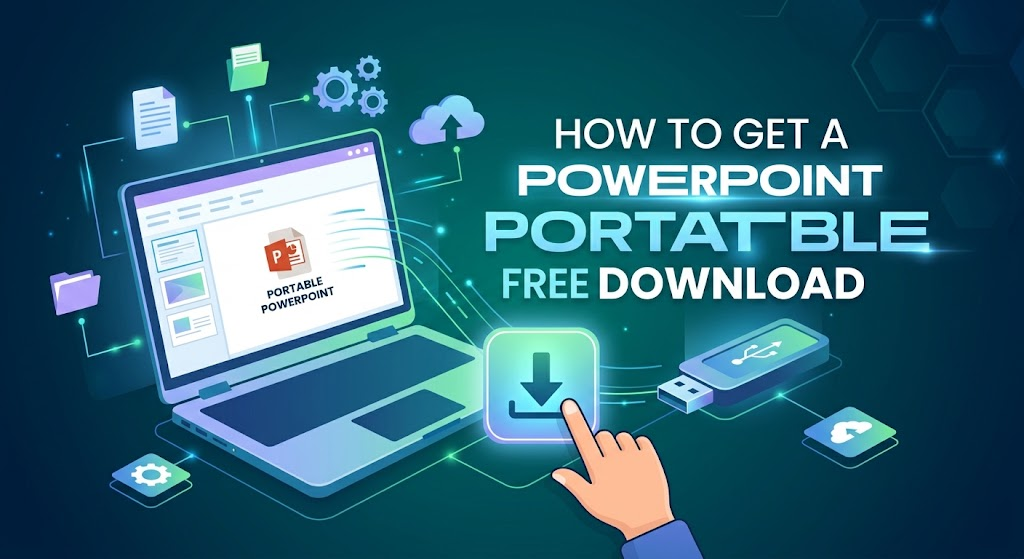
What a PowerPoint Portable Free Download Really Means (and the Risks)
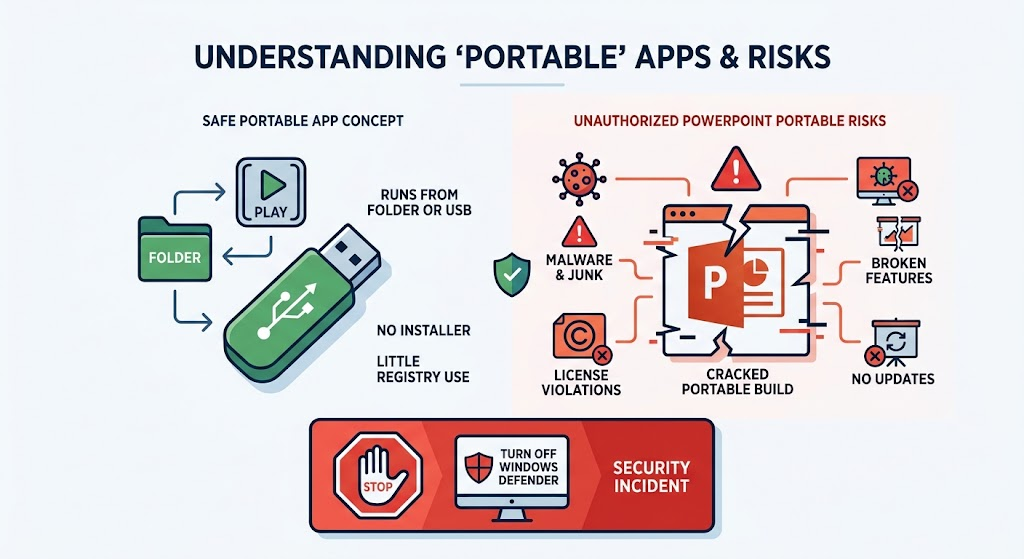
In plain language, a legitimate portable app runs from a folder or USB drive with little or no registry write and no classic installer. That idea is different from a cracked “PowerPoint 2024 Portable” RAR that copies Microsoft branding.
When SERP results push a third-party powerpoint portable free download, watch for these risks:
Malware and bundled junk: Unofficial packs are a common carrier for trojans, stealer malware, and forced “optimizer” toolbars.
Broken features: Forced portableization often drops fonts, breaks animations/transitions, or crashes mid-show.
Copyright and compliance: Redistributing Microsoft PowerPoint as a free portable build violates licensing. Using it on campus or corporate networks can create policy and legal exposure.
No security updates: Abandoned cracked builds stay vulnerable for years.
If a guide tells you to turn off Windows Defender before the EXE will run, stop. That is not productivity—it is a security incident waiting to happen. Related reading: our safer guide on Excel portable free download risks and the broader Office portable free download overview.
Risks of Downloading PowerPoint Portable Free


Safer Official Paths Than a PowerPoint Portable Free Download
Before downloading anything labeled portable PowerPoint, try Microsoft’s own lightweight channels:
Microsoft 365 / PowerPoint for the web: Sign in with a free Microsoft account at Microsoft’s site, then create and edit presentations in the browser. No desktop install—naturally “portable” across any PC with a browser and internet.
PowerPoint mobile apps: Official iOS/Android apps cover on-the-go viewing and light edits without a full Windows desktop install.
These paths keep you on signed, supported software. They still leave a gap for offline speed, rich templates, and a lightweight free desktop suite—which is where WPS shines as the practical alternative to a shady powerpoint portable free download.
Best Free Alternative to PowerPoint Portable Free Download: WPS
If your real goal is free, safe, low-friction slide work—not a cracked Microsoft binary—WPS Presentation is the strongest everyday substitute.
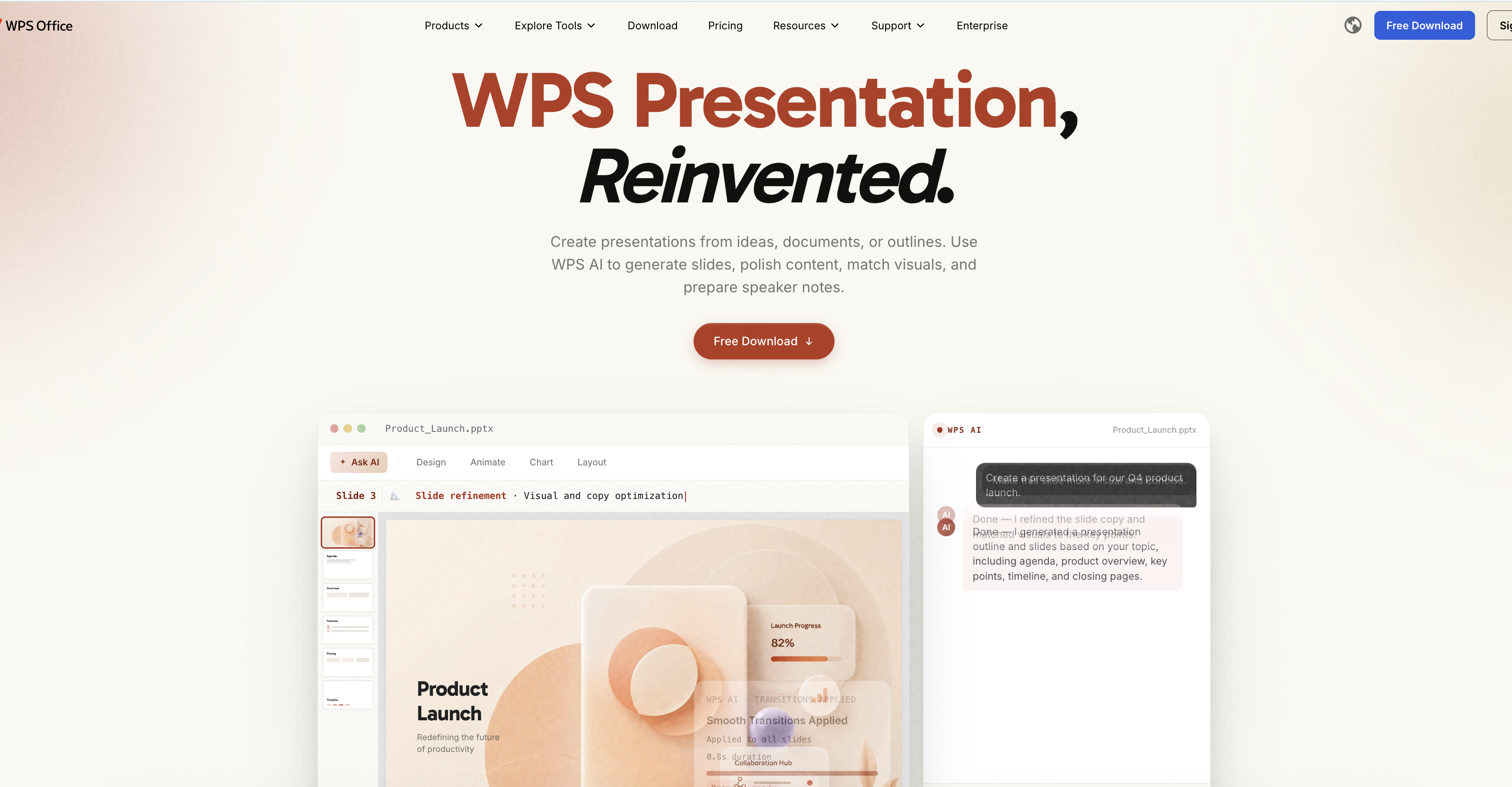
Why WPS fits the portable intent better:
Strong .ppt / .pptx compatibility: Open, edit, and save common PowerPoint formats with layout that stays familiar for classmates and coworkers.
Lightweight and easy: The official client is designed to install quickly and start fast on modest PCs—far lighter than chasing multi-gigabyte cracked archives.
Free template library: Jump-start decks with ready-made business, education, and pitch designs.
WPS AI helpers: Speed up outline, design polish, and content drafting when you need slides fast.
Cloud sync across devices: Skip the USB risk model—save to WPS Cloud and continue on another PC, phone, or tablet after login.
Official free download: Get the suite from wps.com/download instead of anonymous file hosts.
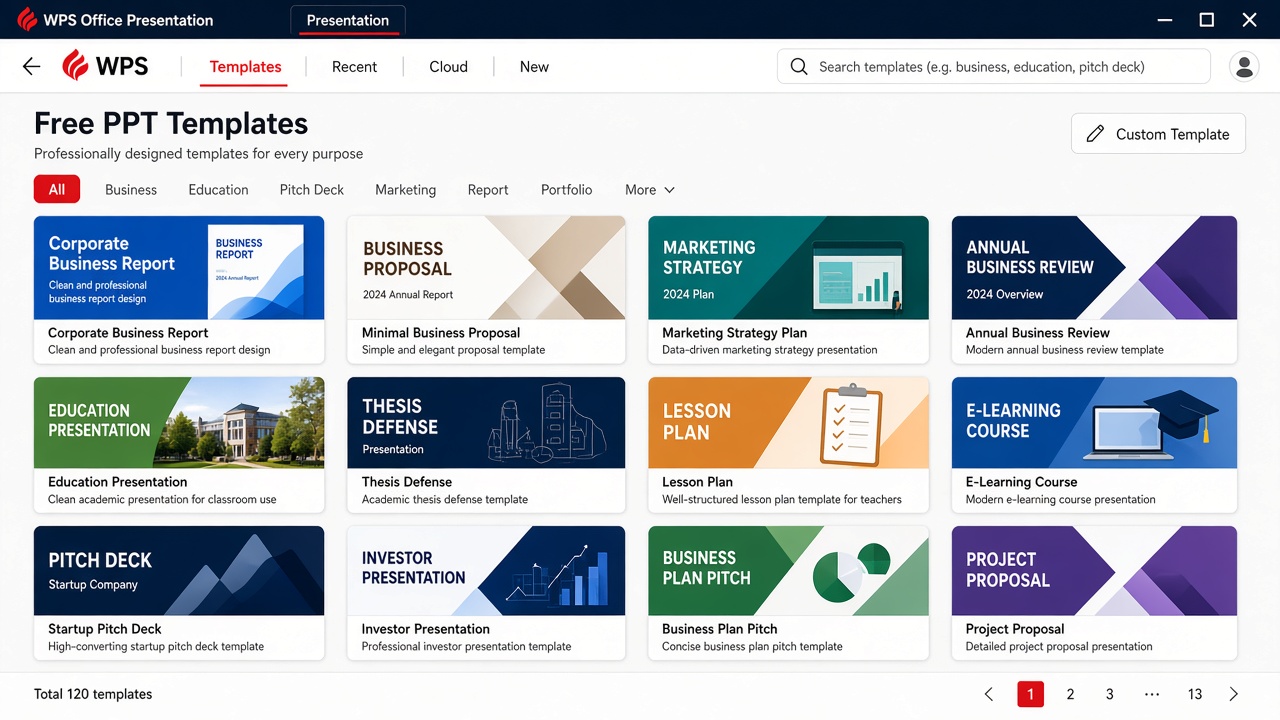
Free WPS presentation template gallery
PowerPoint Portable Free Download vs WPS Presentation: Comparison Table
Here is a practical view of a third-party powerpoint portable free download versus free WPS Presentation:
| Factor | Third-party PowerPoint Portable | WPS Presentation (Free) |
|---|---|---|
| Security | High risk (malware / unknown publishers) | Official WPS download channel + updates |
| Install friction | “No install” claims, but unpacking unknown archives | Lightweight official install / web access |
| Format compatibility | Fonts/animations often break | Strong .ppt / .pptx everyday compatibility |
| Cloud & collaboration | Usually local files only | Cloud sync and multi-device access |
| Templates & AI | Typically none | Free templates + WPS AI helpers |
| Legal / compliance | Often violates Microsoft licensing | Free WPS use under product terms |
| Best for | Avoid | Safe free presentation work anywhere |
How to Work Safely Without a Risky PowerPoint Portable Free Download
Use this short path whenever a powerpoint portable free download link tempts you:
Step 1 — Choose WPS Web or the official lightweight client
Prefer zero-install browser editing when the PC is locked down.
For offline speed, download only from wps.com/download.
Step 2 — Open your .ppt or .pptx file
In the desktop client, go to File → Open and select your presentation.
Or upload/drag the file into WPS on the web.
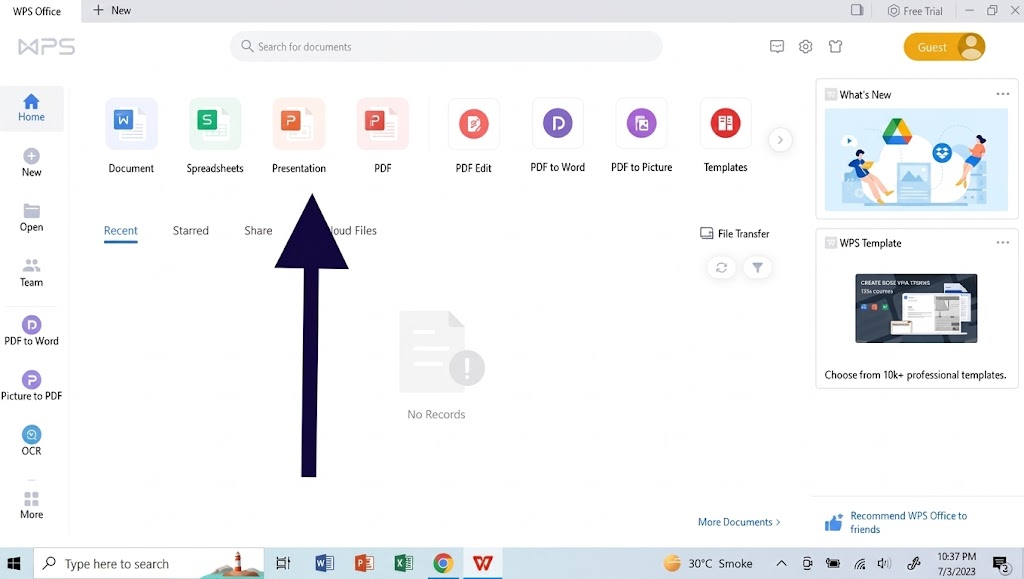
WPS Office interface
Step 3 — Edit, present, and sync
Edit slides, apply a free template, and run Slide Show as usual.
Save to WPS Cloud so the next device can pick up where you left off—no shady USB executable required.
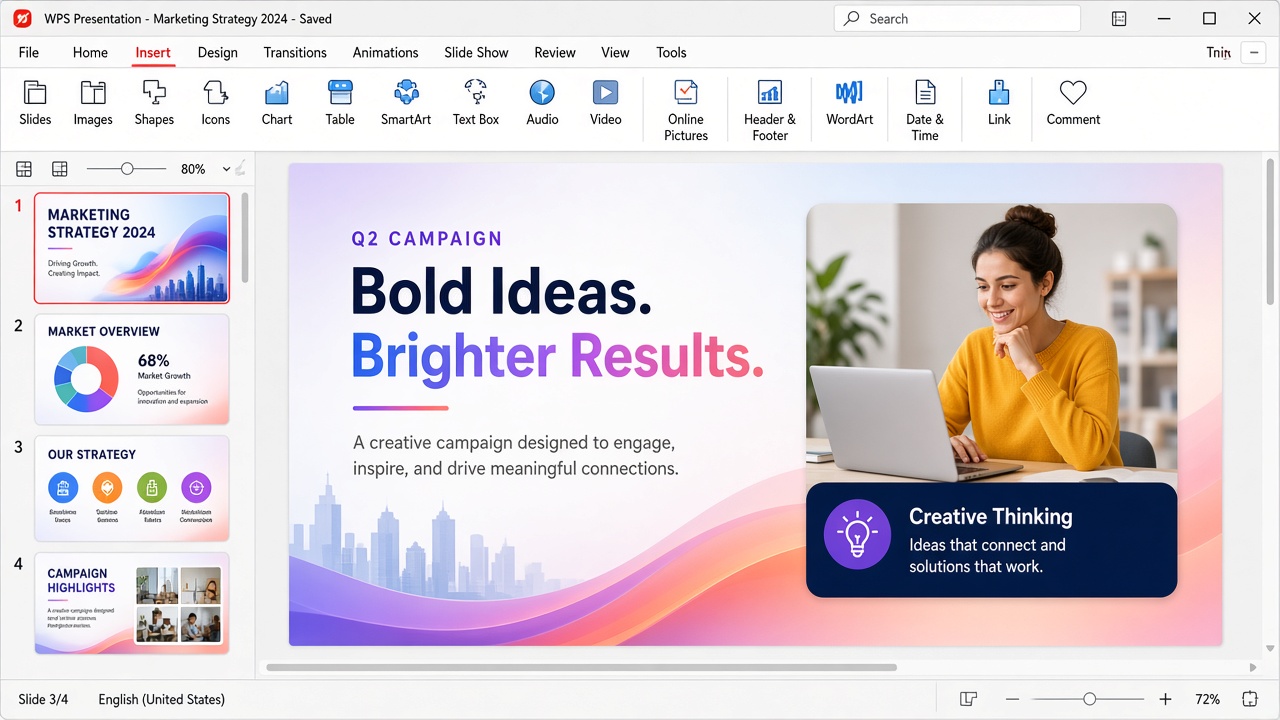
Edit slides in WPS Presentation
FAQs
1. Is there an official Microsoft powerpoint portable free download?
No. Microsoft does not offer a free USB “PowerPoint Portable” desktop package. Supported free access is mainly PowerPoint for the web, plus licensed desktop/mobile apps.
2. Why do powerpoint portable free download sites ask me to turn off antivirus?
Unsigned or flagged binaries often trigger Defender. Legitimate office software should not require you to weaken security tools just to launch.
3. Can WPS open my existing PowerPoint files?
Yes. WPS Presentation is built to open and save common .ppt and .pptx files for everyday editing and sharing.
4. Is WPS free for presentation work?
You can use the free WPS suite for core slide editing. Optional premium features may appear for advanced needs.
5. What about LibreOffice Portable?
LibreOffice Portable from trusted publishers is a legitimate open-source option. If you want a more PowerPoint-like UI with templates and cloud sync, many readers still prefer WPS. See also how to create a PowerPoint in LibreOffice Impress.

'%3e%3cpath%20d='M19.9911%204.11386V6.471H18.5894C18.0775%206.471%2017.7322%206.57814%2017.5536%206.79243C17.3751%207.00671%2017.2858%207.32814%2017.2858%207.75671V9.44421H19.9019L19.5536%2012.0871H17.2858V18.8639H14.5536V12.0871H12.2769V9.44421H14.5536V7.49779C14.5536%206.39064%2014.8632%205.53201%2015.4822%204.92189C16.1013%204.31177%2016.9257%204.00671%2017.9554%204.00671C18.8304%204.00671%2019.509%204.04243%2019.9911%204.11386Z'%20fill='%23333333'/%3e%3c/g%3e%3cdefs%3e%3cclipPath%20id='clip0_2938_8199'%3e%3crect%20width='16'%20height='16'%20fill='white'%20transform='translate(8%204.00671)'/%3e%3c/clipPath%3e%3c/defs%3e%3c/svg%3e)
'%3e%3cpath%20d='M17.5237%2010.7813L23.4811%204H22.0699L16.8949%209.88693L12.7648%204H8L14.2469%2012.9029L8%2020.0133H9.4112L14.8725%2013.7952L19.2352%2020.0133H24M9.92053%205.04213H12.0885L22.0688%2019.0224H19.9003'%20fill='%23333333'/%3e%3c/g%3e%3cdefs%3e%3cclipPath%20id='clip0_2938_8200'%3e%3crect%20width='16'%20height='16.0134'%20fill='white'%20transform='translate(8%204)'/%3e%3c/clipPath%3e%3c/defs%3e%3c/svg%3e)


