

'%3e%3cpath%20d='M8%200C12.4183%200%2016%203.58172%2016%208C16%2012.4183%2012.4183%2016%208%2016C3.58172%2016%200%2012.4183%200%208C0%203.58172%203.58172%200%208%200ZM11.6162%204.38379C11.2257%203.99337%2010.5927%203.99338%2010.2021%204.38379L8%206.58594L5.79785%204.38379C5.40732%203.99334%204.77429%203.99329%204.38379%204.38379C3.99331%204.77429%203.99335%205.40733%204.38379%205.79785L6.58594%208L4.38379%2010.2021C3.99348%2010.5927%203.99341%2011.2257%204.38379%2011.6162C4.77426%2012.0066%205.40734%2012.0065%205.79785%2011.6162L8%209.41406L10.2021%2011.6162C10.5927%2012.0066%2011.2257%2012.0067%2011.6162%2011.6162C12.0067%2011.2257%2012.0066%2010.5927%2011.6162%2010.2021L9.41406%208L11.6162%205.79785C12.0066%205.40735%2012.0066%204.77429%2011.6162%204.38379Z'%20fill='%23080E17'%20fill-opacity='0.46'/%3e%3c/g%3e%3cdefs%3e%3cclipPath%20id='clip0_3761_713'%3e%3crect%20width='16'%20height='16'%20fill='white'/%3e%3c/clipPath%3e%3c/defs%3e%3c/svg%3e)




'%3e%3cpath%20fill-rule='evenodd'%20clip-rule='evenodd'%20d='M21.4999%2010.9993C21.4999%205.20009%2016.7986%200.498901%2010.9993%200.498901C5.19994%200.498901%200.498657%205.20009%200.498657%2010.9993C0.498657%2016.2404%204.33858%2020.5844%209.35855%2021.3722V14.0346H6.69238V10.9993H9.35855V8.68594C9.35855%206.05427%2010.9262%204.60062%2013.3248%204.60062C14.4736%204.60062%2015.6753%204.80571%2015.6753%204.80571V7.38979H14.3512C13.0468%207.38979%2012.64%208.19921%2012.64%209.0296V10.9993H15.5523L15.0867%2014.0346H12.64V21.3722C17.66%2020.5844%2021.4999%2016.2404%2021.4999%2010.9993Z'%20fill='%231568EA'/%3e%3c/g%3e%3c/svg%3e)


'%3e%3cpath%20d='M2.42045%2022.1876H6.31818V12.7217L0.75%208.54553V20.5171C0.75%2021.4414%201.49892%2022.1876%202.42045%2022.1876Z'%20fill='%234285F4'/%3e%3cpath%20d='M19.682%2022.1876H23.5797C24.5041%2022.1876%2025.2502%2021.4387%2025.2502%2020.5171V8.54553L19.682%2012.7217'%20fill='%2334A853'/%3e%3cpath%20d='M19.682%205.48293V12.7216L25.2502%208.54543V6.31816C25.2502%204.25236%2022.8921%203.07469%2021.2411%204.31361'%20fill='%23FBBC04'/%3e%3cpath%20d='M6.31824%2012.7217V5.48303L13.0001%2010.4944L19.6819%205.48303V12.7217L13.0001%2017.733'%20fill='%23EA4335'/%3e%3cpath%20d='M0.75%206.31816V8.54543L6.31818%2012.7216V5.48293L4.75909%204.31361C3.10534%203.07469%200.75%204.25236%200.75%206.31816Z'%20fill='%23C5221F'/%3e%3c/g%3e%3cdefs%3e%3cclipPath%20id='clip0_2954_7305'%3e%3crect%20width='24.5'%20height='18.375'%20fill='white'%20transform='translate(0.75%203.8125)'/%3e%3c/clipPath%3e%3c/defs%3e%3c/svg%3e)


Is Sejda Safe? For everyday non-sensitive PDFs, Sejda is generally a usable tool. For contracts, HR files, or finance documents, the safer answer is: prefer Sejda Desktop (local processing) over Sejda Online (file upload). This page focuses on trust and safety only. For features, pricing, and how-to steps, see our full sejda pdf editor guide.
If you came here searching Is Sejda Safe, you usually want one clear verdict, then proof: privacy, uploads, offline use, and passwords. Below is that trust checklist—without turning this into another feature dump.
Is Sejda Safe?
Is Sejda Safe for casual edits? Usually yes, if you download from official sources and avoid unknown APK mirrors. Is Sejda Safe for confidential work? Only with conditions: use desktop/offline when possible, encrypt important files, and avoid uploading regulated data to any web PDF tool.
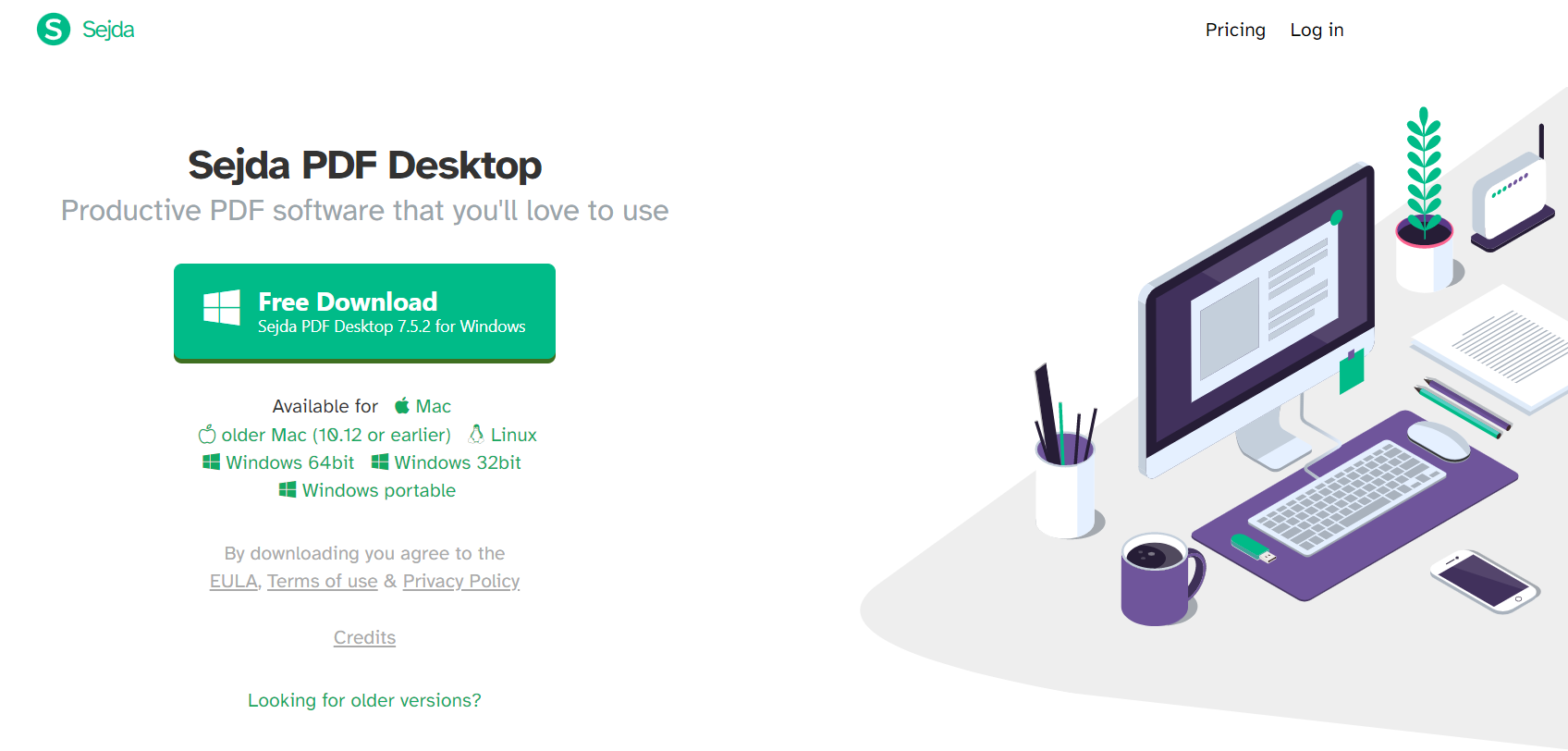
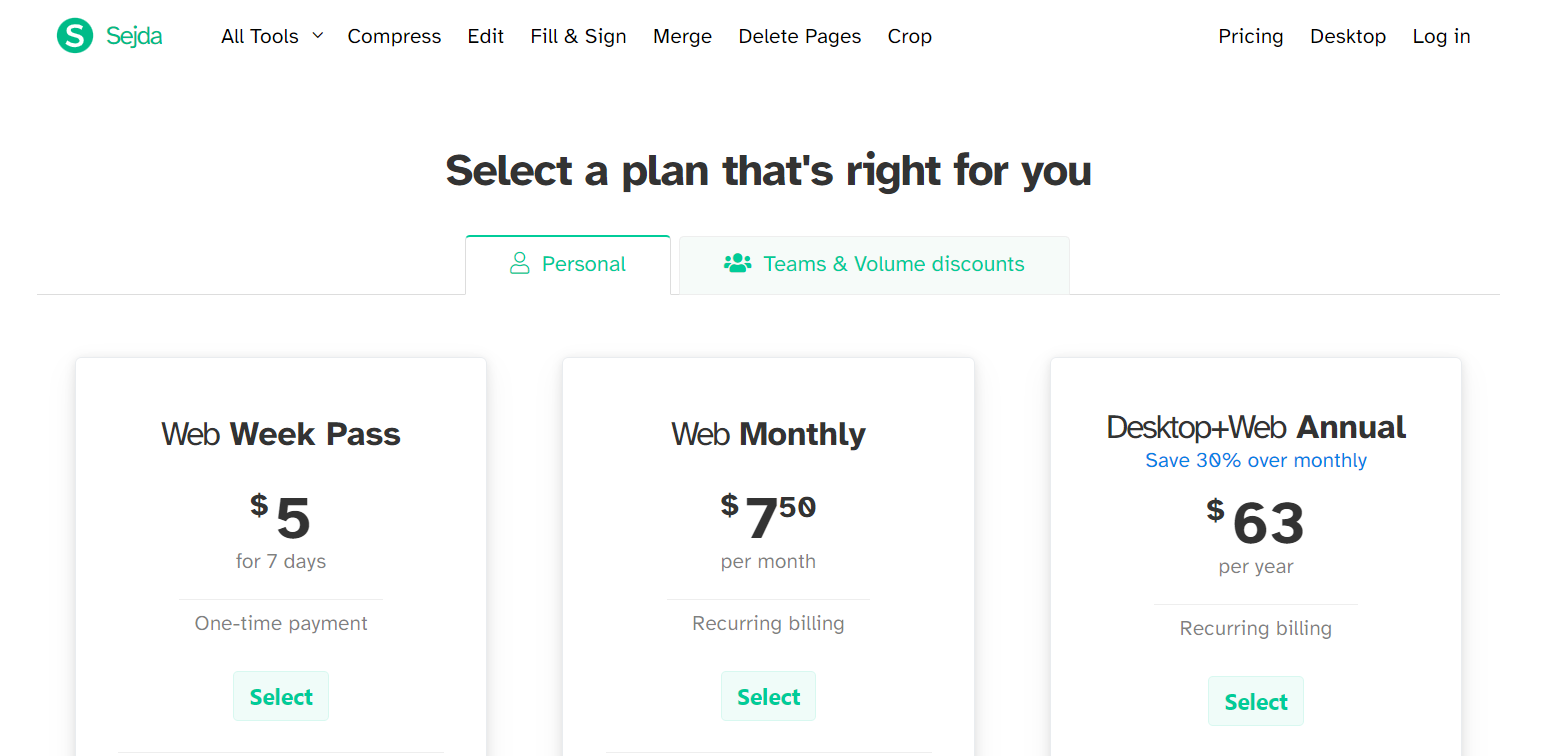
Sejda offers free and paid plans, plus online and desktop versions. Free plans still have limits (commonly around 50MB / 200 pages and a small daily job cap). Those limits are product constraints, not a safety certificate. When people ask Is Sejda Safe, they are asking about data exposure—not whether the free tier is generous.
Privacy, Uploads, Offline Use, and Passwords
1) Privacy model: online vs desktop
Desktop Sejda processes files locally, so content does not need to leave your computer for basic editing. That is the strongest reason many teams still say Is Sejda Safe enough for internal drafts. Online Sejda is convenient, but convenience means your PDF is uploaded through a remote workflow.
2) Upload risk
Any browser PDF editor that requires upload creates temporary third-party access. Sejda reports that server files are removed after a short window (often described as about two hours). Auto-delete helps, yet it does not erase the fact that upload happened. If your question is strictly Is Sejda Safe for legal or medical PDFs, treat online upload as higher risk by default.
3) Offline use
Offline desktop work reduces network exposure and helps on unstable connections. If privacy is the reason you searched Is Sejda Safe, offline desktop is the safer Sejda path. Keep software updated and install only from official channels.
4) Passwords and permissions
Sejda can password-protect PDFs and restrict actions such as printing. Use a unique strong password, store it outside the PDF, and keep an offline backup of the unlocked original. Password protection improves distribution safety, but it does not make a risky upload suddenly safe.
Related trust-adjacent tasks in the Sejda cluster (for workflow context, not as a safety substitute): sejda pdf flatten and sejda pdf to word. Those pages explain operations; this page stays on whether Is Sejda Safe for your file sensitivity level.


When Sejda Is a Reasonable Choice
Choose Sejda Online for low-sensitivity one-off jobs when speed matters more than data residency. Choose Sejda Desktop when you need local control. Skip unknown “cracked” installs or random APK sites—those are where “safe tool” claims break down. Official download hygiene is part of answering Is Sejda Safe in practice.
Also remember free-plan limits can push people toward workarounds. A safer habit is to separate trust decisions from free-tier friction: if limits block you, switch tools rather than using unofficial keys or risky downloads.
A Safer Free Alternative: WPS Office
If your real concern behind Is Sejda Safe is “I do not want sensitive PDFs sitting on a random web server,” move to a local office suite. WPS Office is a strong next step because it combines PDF tools with Word, Spreadsheet, and Presentation in one desktop workspace.
For users comparing Sejda and WPS on trust, two points matter most:
Higher confidentiality for local work: Edit, convert, compress, and organize PDFs on your device instead of uploading every file to a browser utility. That local-first path is why many teams pick WPS when privacy is non-negotiable.
Free daily use with fewer hard stops: Sejda’s free tier can interrupt routine work with file-size, page, or daily-job caps. WPS gives a practical free path for common PDF and Office tasks, so you are less tempted by unsafe “free premium” shortcuts.
In short: if Sejda Online feels convenient but not private enough, WPS is the safer productivity default—especially for business packets that must stay in-house. Download WPS, test one real confidential file locally, and compare the trust difference yourself.

FAQ
Is Sejda Safe for sensitive PDFs?
It depends. Sejda Desktop is safer because processing stays on your device. Sejda Online uploads files, so risk is higher for confidential documents.
Does Sejda Online keep my uploaded files?
Sejda states uploaded files are removed after a short period (often about two hours). Even with auto-deletion, uploading still means temporary third-party access.
Is Sejda Desktop safer than Sejda Online?
Yes for privacy. Desktop work is local and can run offline. Online tools require upload—the main trust tradeoff behind Is Sejda Safe.
Can I password-protect a PDF in Sejda?
Yes. Sejda supports passwords and permission limits such as blocking printing. Use strong passwords and keep an unencrypted backup offline.
What is a safer free alternative to Sejda?
WPS Office is a strong option when you want local PDF editing, better confidentiality for business files, and fewer free-plan interruptions than many browser PDF tools.
'%3e%3cpath%20d='M19.9911%204.11386V6.471H18.5894C18.0775%206.471%2017.7322%206.57814%2017.5536%206.79243C17.3751%207.00671%2017.2858%207.32814%2017.2858%207.75671V9.44421H19.9019L19.5536%2012.0871H17.2858V18.8639H14.5536V12.0871H12.2769V9.44421H14.5536V7.49779C14.5536%206.39064%2014.8632%205.53201%2015.4822%204.92189C16.1013%204.31177%2016.9257%204.00671%2017.9554%204.00671C18.8304%204.00671%2019.509%204.04243%2019.9911%204.11386Z'%20fill='%23333333'/%3e%3c/g%3e%3cdefs%3e%3cclipPath%20id='clip0_2938_8199'%3e%3crect%20width='16'%20height='16'%20fill='white'%20transform='translate(8%204.00671)'/%3e%3c/clipPath%3e%3c/defs%3e%3c/svg%3e)
'%3e%3cpath%20d='M17.5237%2010.7813L23.4811%204H22.0699L16.8949%209.88693L12.7648%204H8L14.2469%2012.9029L8%2020.0133H9.4112L14.8725%2013.7952L19.2352%2020.0133H24M9.92053%205.04213H12.0885L22.0688%2019.0224H19.9003'%20fill='%23333333'/%3e%3c/g%3e%3cdefs%3e%3cclipPath%20id='clip0_2938_8200'%3e%3crect%20width='16'%20height='16.0134'%20fill='white'%20transform='translate(8%204)'/%3e%3c/clipPath%3e%3c/defs%3e%3c/svg%3e)


