

'%3e%3cpath%20d='M8%200C12.4183%200%2016%203.58172%2016%208C16%2012.4183%2012.4183%2016%208%2016C3.58172%2016%200%2012.4183%200%208C0%203.58172%203.58172%200%208%200ZM11.6162%204.38379C11.2257%203.99337%2010.5927%203.99338%2010.2021%204.38379L8%206.58594L5.79785%204.38379C5.40732%203.99334%204.77429%203.99329%204.38379%204.38379C3.99331%204.77429%203.99335%205.40733%204.38379%205.79785L6.58594%208L4.38379%2010.2021C3.99348%2010.5927%203.99341%2011.2257%204.38379%2011.6162C4.77426%2012.0066%205.40734%2012.0065%205.79785%2011.6162L8%209.41406L10.2021%2011.6162C10.5927%2012.0066%2011.2257%2012.0067%2011.6162%2011.6162C12.0067%2011.2257%2012.0066%2010.5927%2011.6162%2010.2021L9.41406%208L11.6162%205.79785C12.0066%205.40735%2012.0066%204.77429%2011.6162%204.38379Z'%20fill='%23080E17'%20fill-opacity='0.46'/%3e%3c/g%3e%3cdefs%3e%3cclipPath%20id='clip0_3761_713'%3e%3crect%20width='16'%20height='16'%20fill='white'/%3e%3c/clipPath%3e%3c/defs%3e%3c/svg%3e)




'%3e%3cpath%20fill-rule='evenodd'%20clip-rule='evenodd'%20d='M21.4999%2010.9993C21.4999%205.20009%2016.7986%200.498901%2010.9993%200.498901C5.19994%200.498901%200.498657%205.20009%200.498657%2010.9993C0.498657%2016.2404%204.33858%2020.5844%209.35855%2021.3722V14.0346H6.69238V10.9993H9.35855V8.68594C9.35855%206.05427%2010.9262%204.60062%2013.3248%204.60062C14.4736%204.60062%2015.6753%204.80571%2015.6753%204.80571V7.38979H14.3512C13.0468%207.38979%2012.64%208.19921%2012.64%209.0296V10.9993H15.5523L15.0867%2014.0346H12.64V21.3722C17.66%2020.5844%2021.4999%2016.2404%2021.4999%2010.9993Z'%20fill='%231568EA'/%3e%3c/g%3e%3c/svg%3e)


'%3e%3cpath%20d='M2.42045%2022.1876H6.31818V12.7217L0.75%208.54553V20.5171C0.75%2021.4414%201.49892%2022.1876%202.42045%2022.1876Z'%20fill='%234285F4'/%3e%3cpath%20d='M19.682%2022.1876H23.5797C24.5041%2022.1876%2025.2502%2021.4387%2025.2502%2020.5171V8.54553L19.682%2012.7217'%20fill='%2334A853'/%3e%3cpath%20d='M19.682%205.48293V12.7216L25.2502%208.54543V6.31816C25.2502%204.25236%2022.8921%203.07469%2021.2411%204.31361'%20fill='%23FBBC04'/%3e%3cpath%20d='M6.31824%2012.7217V5.48303L13.0001%2010.4944L19.6819%205.48303V12.7217L13.0001%2017.733'%20fill='%23EA4335'/%3e%3cpath%20d='M0.75%206.31816V8.54543L6.31818%2012.7216V5.48293L4.75909%204.31361C3.10534%203.07469%200.75%204.25236%200.75%206.31816Z'%20fill='%23C5221F'/%3e%3c/g%3e%3cdefs%3e%3cclipPath%20id='clip0_2954_7305'%3e%3crect%20width='24.5'%20height='18.375'%20fill='white'%20transform='translate(0.75%203.8125)'/%3e%3c/clipPath%3e%3c/defs%3e%3c/svg%3e)


iLovePDF Premium comes with nearly every feature you need for converting and managing documents. Designed with simplicity in mind, the platform is intuitive—even for first-time users. What sets it apart from other tools is the wide range of functionalities, including the ability to split PDF online for better organization and to convert PDF to various formats such as PDF to PPT, Word, or Excel, making it easier to repurpose content across different platforms. In addition, you can also utilize the merge pdf online service provided by them to enhance your work efficiency. These features add flexibility that many other tools, like Adobe Acrobat, Smallpdf, or CloudConvert, may not offer in their free versions.
Available in 25 languages, iLovePDF ensures accessibility for a global user base. Its budget-friendly premium plan offers added benefits such as higher-quality output, batch processing, and secure cloud integrations with Google Drive and Dropbox. For enhanced privacy, documents are automatically deleted from the server within two hours. Whether you're organizing, protecting, or converting your files, iLovePDF continues to expand its capabilities to meet diverse user needs.
Great Features of iLovePDF
PDF to JPG Extension
Most writers search for converting PDF files to JPG format so that it becomes accessible with any type of device. iLovePDF is the best solution to convert PDF files to JPG extensions without changing the font shape and style. You can also convert HTML to PDF files at a glimpse with iLovePDF.
Repair PDF Documents
In some cases, after converting the document changes a little bit like font change, page number change, line break from one page to another, add more space between cells. Thus a user faces trouble while converting. But iLovePDF made it simple by providing a feature named “Repair PDF”. Open your PDF file with this tool and repair the changes you want and save them.
Add Page Numbers, Watermark, Signature
Before converting our documents sometimes we forget to add page numbers or images or signatures. But even after completion of your conversion to PDF, you can now easily manipulate your PDF documents with watermark, and signatures with iLovePDF.
Organize PDF
Collecting various documents from various sources we need to organize them to make our final PDF. in this type of work you need to split, add pages from PDF, delete pages, and finish the work by organizing those. For this type of work, iLovePDF is the best solution under one roof. iLovePDF enables you access to your favorite tools so that you don’t have to find any other tool for your work.
Separate, Compress Files
iLovePDF tool allows users with some advanced tools than others. To work faster without any hesitation sometimes we feel the need to edit documents with quality so that we don’t have to change after finishing. Edit your PDF frame, position it to separate PDF files, and in the end, compress it to share and tag documents easily. If you want to merge pdf, you can also use use i love pdf merge.
Related: iLovePDF Updates 2021 and 2022
Why we use iLovePDF Premium
Annotate PDF: Add notes and annotations to PDF document, leave comments, and draw or insert images to PDF. Choose your format of annotation.
Sign PDF: You can add a PDF signature directly on your smartphone or tablet.
Fill out PDF forms: Quickly fill out PDF documents and share them within a few seconds.
Merge PDF: Select multiple PDF documents and merge them into a single PDF file.
Split PDF: Split PDF pages into multiple PDF pages with high quality.
Compress PDF: Choose and control the preferable size of your files using our PDF compressor tool. minimize the size of your files while maintaining their high-quality format.
OCR scanner: Work with scanned documents to PDF. Turn any scanned text or image into an editable PDF file with high quality.

Extract images from PDF: Extract images from your PDF document with high accuracy.
Rotate PDF: Rotate specific PDF pages and adjust all documents.
Unlock PDF: Upload a secured PDF and remove the password using our unlock PDF tool.
Add page numbers to PDF: Edit your PDF files. Choose the position, Text color, and size of your page numbers.
Watermark PDF: Select an image or a text and add it to your uploaded PDF document. Privileged position, converting, or typography for the best result.
Share PDF: Connect to your Google Drive and Dropbox account to choose and share PDF files from the cloud storage.
PDF Reader: View, edit, and update PDF files stored in the cloud storage or on your device whenever you need, including forms for a tax return.
Related: Best PDF Premium Editors: Adobe Acrobat DC and iLovePDF Compared
Download iLovePDF Premium

In the following, I have explained some simple ways to get get the iLovePDF Premium for free in 2022. Just follow the steps properly-
Steps:
Presently, press this link to go to the iLovePDF official website form where you can easily download the premium license key.
Now, choose “Go Premium” to get access to the premium version.

On the side of you can try the windows version which they recently developed for all users. Normally, click this link and open the window in your browser.
Scrolling down click the “Download” option to download iLovePDF for windows. After the downloading is completed launch iLovePDF on your device. Simple isn’t it?

In the meantime, they also reached the top with their APK version. Now you can easily convert or edit or add templates to your PDF documents anywhere you want with your mobile. Click this link and press “Download APK” to enjoy the free version on your mobile.

How can we get iLovePDF Premium (5 best money-saving formulas)
We can get iLovePDF premium package in many ways. We can get it directly from its own website or using coupon codes from the different app stores and coupon sites. Here we are going to see how we get the iLovePDF premium package.
From iLovePDF website
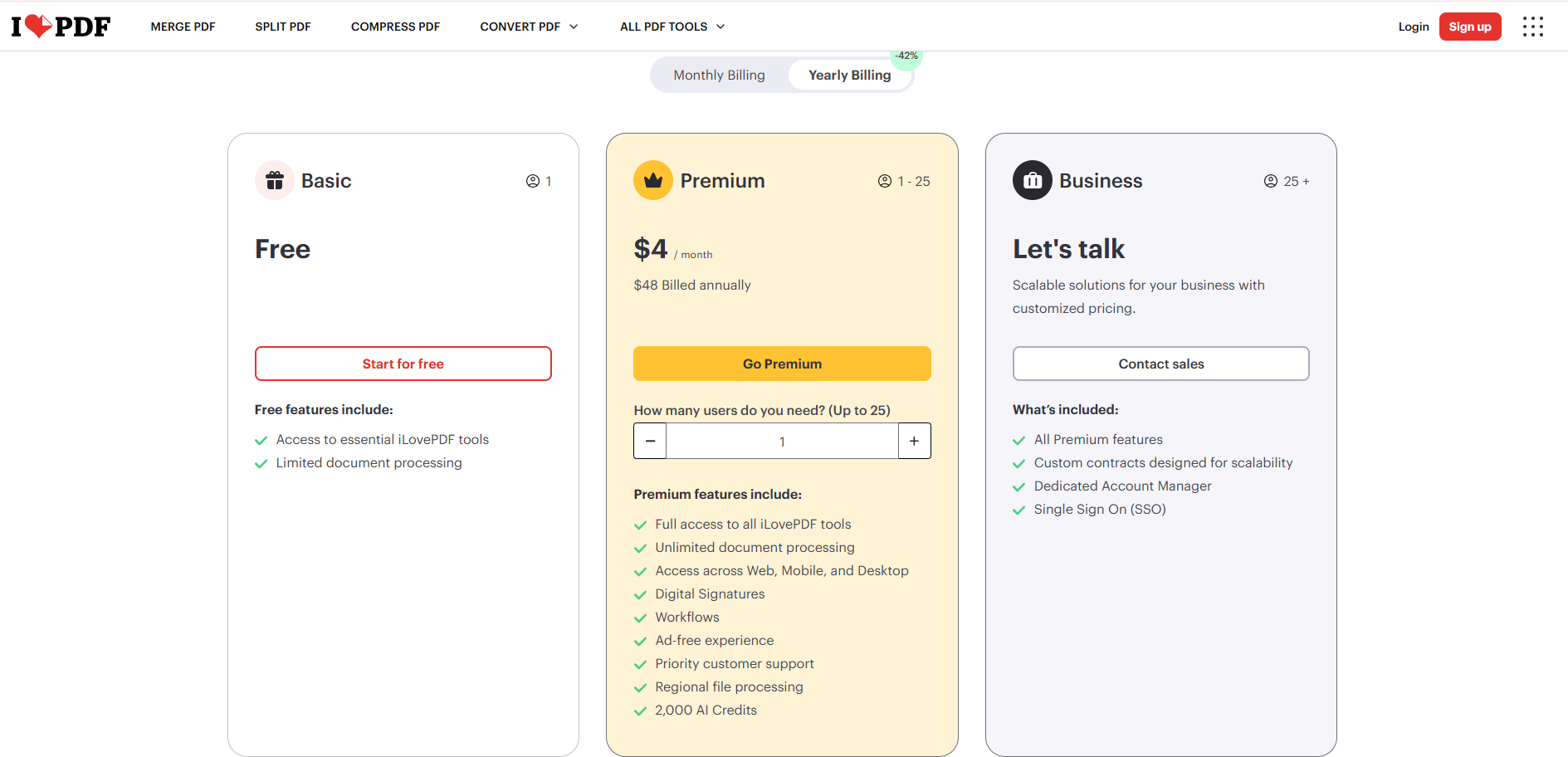
Every PDF website has its own buying tools option for its premium user. Just simply go to the iLovePDF website and scroll down to “GET PREMIUM”.
You can choose a monthly or yearly package.

For a yearly package, the cost is $48, and monthly $7.

Use Couponbirds Codes
We can get iLovePDF premium package from Couponbirds website store. We get discounts by using couponbirds codes and a spin wheel game.

You can get a promo code and enjoy up to a 50% discount by using these codes.
We can also play a spin wheel game and get our discount offer.

Use Couponasion Codes
Couponasion offers different types of coupon codes for discount iLovePDF premium package. By using the promo code we can get a 40% discount for monthly and yearly packages.

Here you see we get a yearly discount and our package price is reduced from $84 to $59.8.

Use Deal Digit codes to buy iLovePDF premium
Deal Digit saves 43% on iLovePDF annual package. Now the price is $48 from $84.

Use Coupert Extension for Google Chrome
Coupert is an extension that is added to our chrome browser and showed us every website’s discount automatically. We can get discounts from the iLovePDF website if they have any offers for their users.

Better Free Alternative to iLovePDF Premium: WPS Office Free Tools
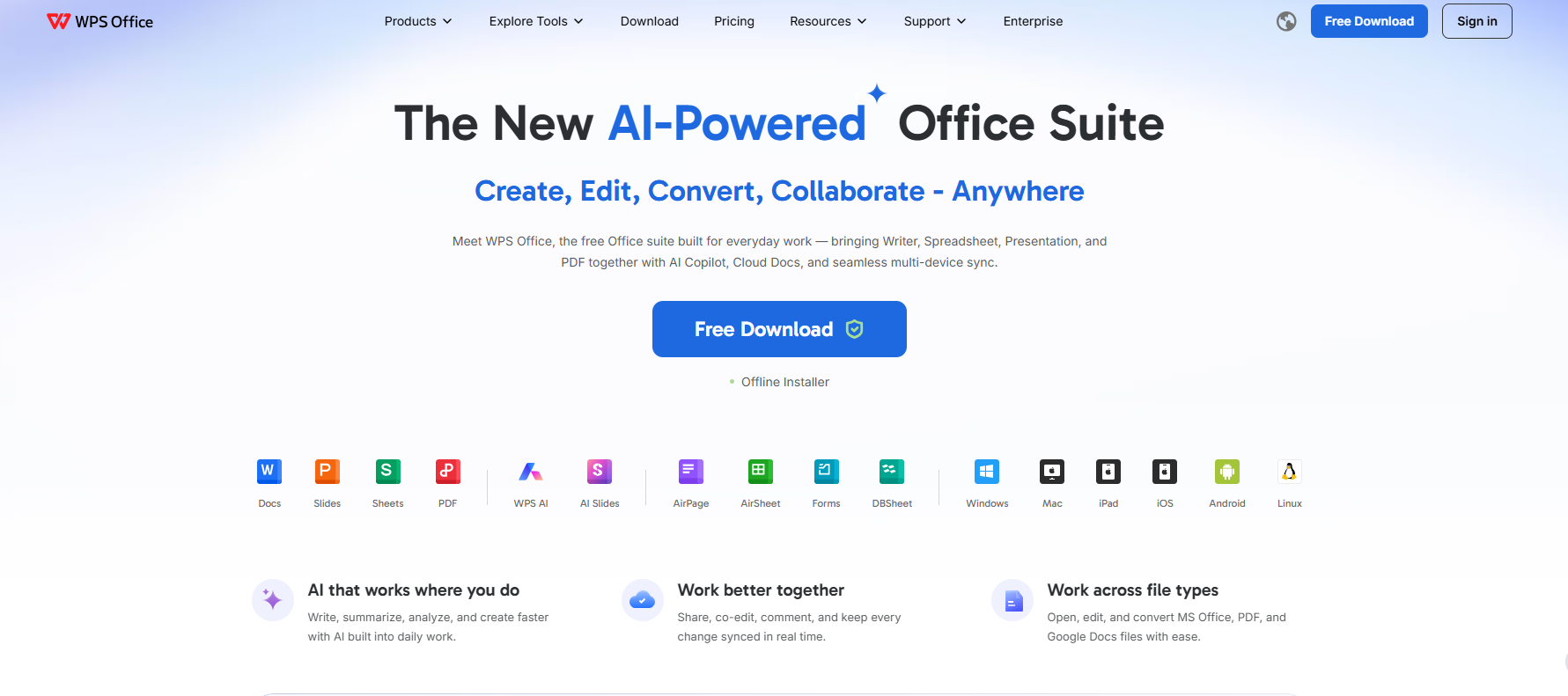
If you are searching for iLovePDF Premium for free, you usually want unlimited PDF tools without paying. Unofficial keys and cracked licenses are risky. A safer option is to use iLovePDF’s official free tools for basic jobs, or switch to WPS Office free—an all-in-one suite with built-in PDF features.
What you get with WPS for free
Writer, Spreadsheet, and Presentation for everyday documents
Built-in PDF tools for common tasks such as edit, convert, merge, split, and compress
Online and offline workflows for study and work
No unofficial patches, cracked keys, or modified installers
Web or desktop—what should you use?
Desktop free version (recommended for most people): Install WPS Office from the official site when you handle PDFs often, need offline access, or also work with Word / Excel / PowerPoint files.
Web tools (best for quick jobs): Use WPS online PDF tools in the browser when you only need a fast convert, merge, or compress—similar convenience to iLovePDF’s free web tools.
About paid plans
You do not need a paid plan to start. Use the free tools first. Only consider an official upgrade later if free limits are not enough—never use cracked keys or unofficial “free premium” downloads.
Official download: https://www.wps.com/
Why choose free WPS instead of chasing free Premium
Safer than third-party free-key sites
Free enough for daily PDF and office work
One place for documents, sheets, slides, and PDFs
Better long-term value than stacking PDF-only subscriptions
FAQ
Q1. Can I get iLovePDF Premium for free legally?
Official free trials or promotions may appear from time to time, but permanent free Premium through random “free key” sites is usually unsafe. Use the official free plan, or try free WPS Office instead.
Q2. Do I need iLovePDF Premium for everyday PDF tasks?
Not always. Many basic jobs—compress, merge, split, convert—work on the free web tools, with usage limits. Premium is mainly for higher limits and fuller access.
Q3. What is a good free alternative to iLovePDF Premium?
WPS Office free tools. Use the desktop free version for daily work, and web PDF tools for quick browser-only tasks.
Q4. Should I use WPS on the web or on desktop?
Use desktop if you work offline or also need Word / Excel / PowerPoint files. Use web if you only need a fast PDF job and do not want to install software.
Q5. Is it safe to download an iLovePDF free premium key from third-party sites?
No. Third-party keys and cracked installers can put your files and device at risk. Stick to official downloads only.
Q6. Where should I download WPS Office?
Only from the official website: https://www.wps.com/. Avoid third-party “free key” or crack downloads.



Conclusion
In this article, I have tried to share all the ins and outs of iLovePDF premium. Hope you liked it. The premium version of iLovePDF comes with some great tools for users. You can also try the WPS PDF Tools online to convert, split, edit PDF or merge PDF documents for your regular work. For offline use, they have provided a desktop version too. WPS PDF is capable of converting any type of file within seconds.You can also use a free pdf filler in WPS to complete forms without printing. Thanks!
Free download WPS Office Software for Windows with 7-day free trial right now!
'%3e%3cpath%20d='M19.9911%204.11386V6.471H18.5894C18.0775%206.471%2017.7322%206.57814%2017.5536%206.79243C17.3751%207.00671%2017.2858%207.32814%2017.2858%207.75671V9.44421H19.9019L19.5536%2012.0871H17.2858V18.8639H14.5536V12.0871H12.2769V9.44421H14.5536V7.49779C14.5536%206.39064%2014.8632%205.53201%2015.4822%204.92189C16.1013%204.31177%2016.9257%204.00671%2017.9554%204.00671C18.8304%204.00671%2019.509%204.04243%2019.9911%204.11386Z'%20fill='%23333333'/%3e%3c/g%3e%3cdefs%3e%3cclipPath%20id='clip0_2938_8199'%3e%3crect%20width='16'%20height='16'%20fill='white'%20transform='translate(8%204.00671)'/%3e%3c/clipPath%3e%3c/defs%3e%3c/svg%3e)
'%3e%3cpath%20d='M17.5237%2010.7813L23.4811%204H22.0699L16.8949%209.88693L12.7648%204H8L14.2469%2012.9029L8%2020.0133H9.4112L14.8725%2013.7952L19.2352%2020.0133H24M9.92053%205.04213H12.0885L22.0688%2019.0224H19.9003'%20fill='%23333333'/%3e%3c/g%3e%3cdefs%3e%3cclipPath%20id='clip0_2938_8200'%3e%3crect%20width='16'%20height='16.0134'%20fill='white'%20transform='translate(8%204)'/%3e%3c/clipPath%3e%3c/defs%3e%3c/svg%3e)


