

'%3e%3cpath%20d='M8%200C12.4183%200%2016%203.58172%2016%208C16%2012.4183%2012.4183%2016%208%2016C3.58172%2016%200%2012.4183%200%208C0%203.58172%203.58172%200%208%200ZM11.6162%204.38379C11.2257%203.99337%2010.5927%203.99338%2010.2021%204.38379L8%206.58594L5.79785%204.38379C5.40732%203.99334%204.77429%203.99329%204.38379%204.38379C3.99331%204.77429%203.99335%205.40733%204.38379%205.79785L6.58594%208L4.38379%2010.2021C3.99348%2010.5927%203.99341%2011.2257%204.38379%2011.6162C4.77426%2012.0066%205.40734%2012.0065%205.79785%2011.6162L8%209.41406L10.2021%2011.6162C10.5927%2012.0066%2011.2257%2012.0067%2011.6162%2011.6162C12.0067%2011.2257%2012.0066%2010.5927%2011.6162%2010.2021L9.41406%208L11.6162%205.79785C12.0066%205.40735%2012.0066%204.77429%2011.6162%204.38379Z'%20fill='%23080E17'%20fill-opacity='0.46'/%3e%3c/g%3e%3cdefs%3e%3cclipPath%20id='clip0_3761_713'%3e%3crect%20width='16'%20height='16'%20fill='white'/%3e%3c/clipPath%3e%3c/defs%3e%3c/svg%3e)



'%3e%3cpath%20fill-rule='evenodd'%20clip-rule='evenodd'%20d='M21.4999%2010.9993C21.4999%205.20009%2016.7986%200.498901%2010.9993%200.498901C5.19994%200.498901%200.498657%205.20009%200.498657%2010.9993C0.498657%2016.2404%204.33858%2020.5844%209.35855%2021.3722V14.0346H6.69238V10.9993H9.35855V8.68594C9.35855%206.05427%2010.9262%204.60062%2013.3248%204.60062C14.4736%204.60062%2015.6753%204.80571%2015.6753%204.80571V7.38979H14.3512C13.0468%207.38979%2012.64%208.19921%2012.64%209.0296V10.9993H15.5523L15.0867%2014.0346H12.64V21.3722C17.66%2020.5844%2021.4999%2016.2404%2021.4999%2010.9993Z'%20fill='%231568EA'/%3e%3c/g%3e%3c/svg%3e)


'%3e%3cpath%20d='M2.42045%2022.1876H6.31818V12.7217L0.75%208.54553V20.5171C0.75%2021.4414%201.49892%2022.1876%202.42045%2022.1876Z'%20fill='%234285F4'/%3e%3cpath%20d='M19.682%2022.1876H23.5797C24.5041%2022.1876%2025.2502%2021.4387%2025.2502%2020.5171V8.54553L19.682%2012.7217'%20fill='%2334A853'/%3e%3cpath%20d='M19.682%205.48293V12.7216L25.2502%208.54543V6.31816C25.2502%204.25236%2022.8921%203.07469%2021.2411%204.31361'%20fill='%23FBBC04'/%3e%3cpath%20d='M6.31824%2012.7217V5.48303L13.0001%2010.4944L19.6819%205.48303V12.7217L13.0001%2017.733'%20fill='%23EA4335'/%3e%3cpath%20d='M0.75%206.31816V8.54543L6.31818%2012.7216V5.48293L4.75909%204.31361C3.10534%203.07469%200.75%204.25236%200.75%206.31816Z'%20fill='%23C5221F'/%3e%3c/g%3e%3cdefs%3e%3cclipPath%20id='clip0_2954_7305'%3e%3crect%20width='24.5'%20height='18.375'%20fill='white'%20transform='translate(0.75%203.8125)'/%3e%3c/clipPath%3e%3c/defs%3e%3c/svg%3e)


You finish a slide deck, hit Send, and then the questions start: the fonts look different on the client's laptop, the animations confuse the projector, or the file bounces because of its size. Converting the deck to PDF freezes the layout so it looks identical on every device — and it is free to do. This guide walks through how to convert PPTX to PDF in WPS Office, in Microsoft PowerPoint, and in your browser, plus what to check before you share the result.
How to Convert PPTX to PDF: Free Methods with WPS Office
Why Convert PPTX to PDF?
A PPTX file is a live document: it depends on the fonts, media, and software of the machine that opens it. A PDF is a snapshot. Converting a presentation to PDF solves several recurring problems:
Layout stays fixed — fonts, colors, and spacing survive any device, including phones and conference-room PCs.
No PowerPoint needed — reviewers without an office suite can still open and read every slide.
Smaller, cleaner email attachments — embedded videos and animation data are dropped, so the file is lighter.
Printing is predictable — handouts and hard copies come out exactly as designed.
Accidental edits are prevented — useful when you send a final version for approval.
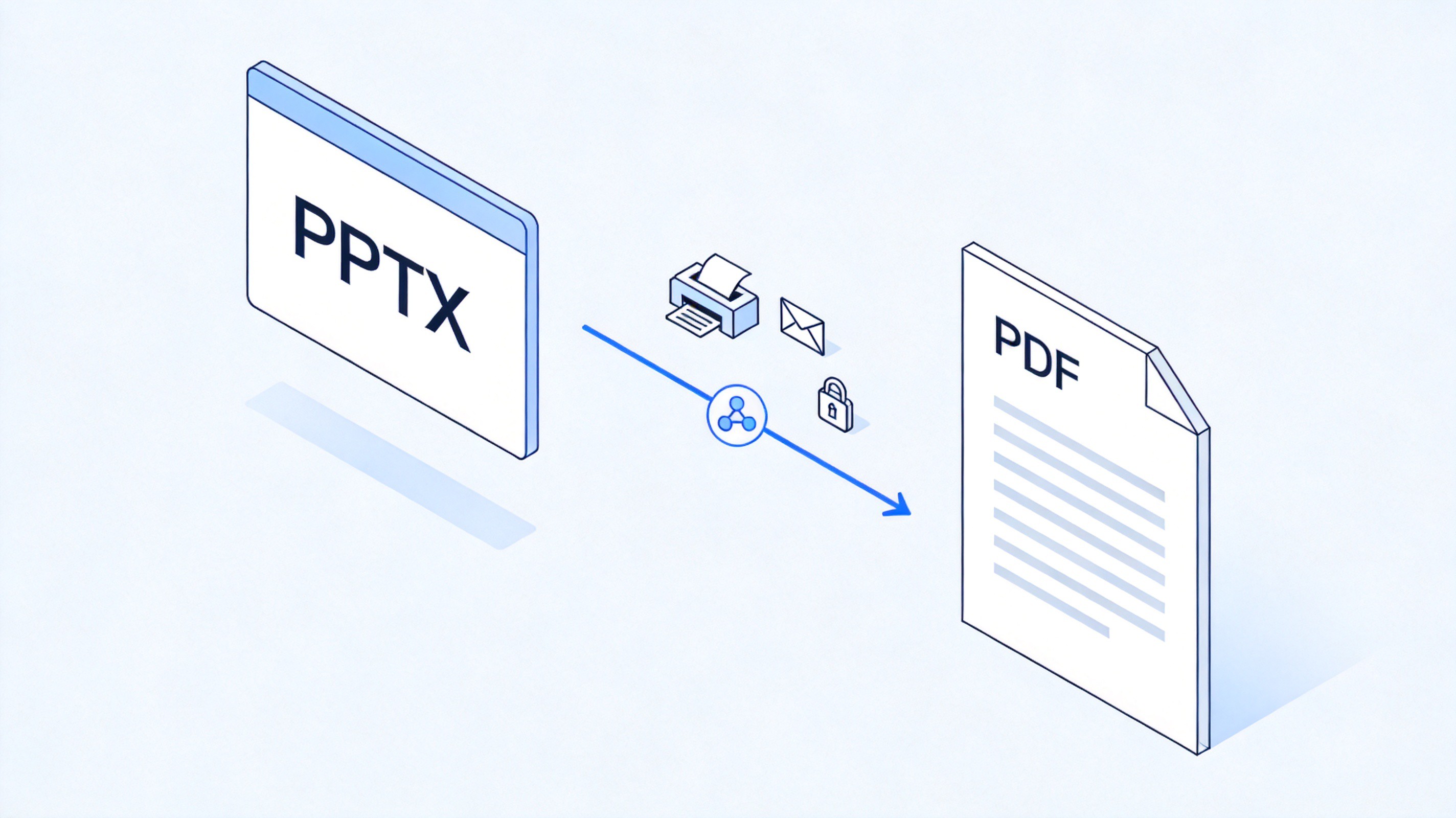
PPTX to PDF conversion for easy sharing


How to Convert PPTX to PDF in WPS Office
WPS Presentation opens PPTX files directly and exports them to PDF for free on Windows, macOS, Linux, and mobile. The steps take under a minute:
Open the PPTX file in WPS Presentation, or right-click the file and choose Open with WPS Office.
Click Menu in the top-left corner and select File > Export to PDF. You can also use File > Save As and pick PDF as the file type.
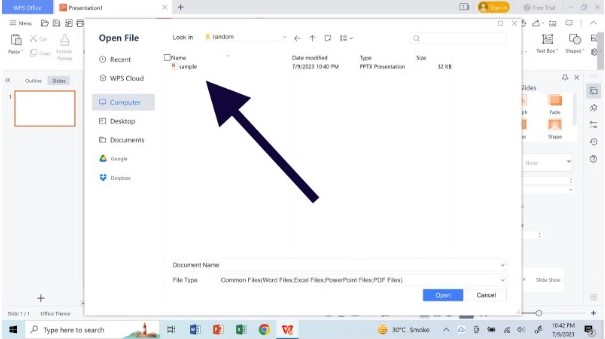
open the .pptx file Choose the export range — all slides, the current slide, or a custom page range.
Click Export, name the file, choose a location, and confirm.
Open the finished PDF and flip through the pages to confirm fonts, charts, and colors survived the conversion.
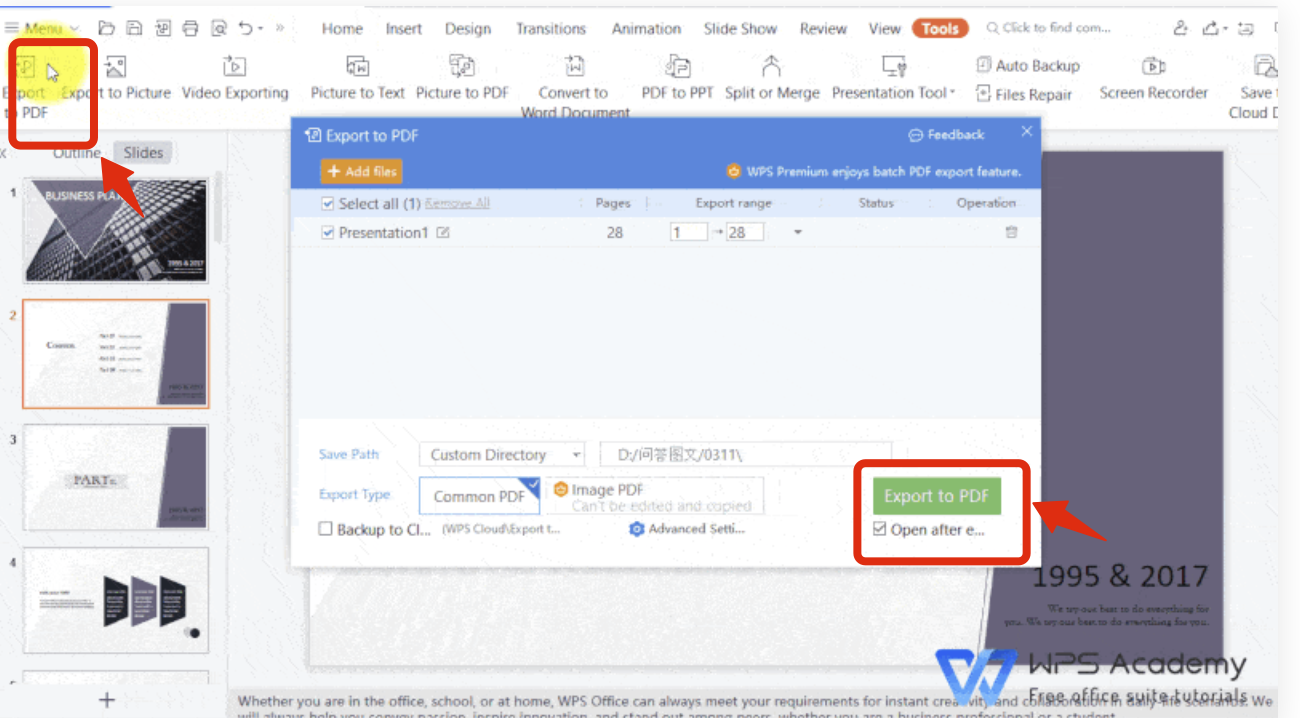
Export to PDF in WPS Presentation
Tip: if some slides use fonts you do not have installed, WPS substitutes them during export. Check those slides in the PDF first, and install the missing fonts before the final version if the spacing looks off.
How to Convert PPTX to PDF in Microsoft PowerPoint
If the deck was built in PowerPoint and you have a Microsoft 365 or standalone license, the built-in exporter works well:
Open the presentation in PowerPoint.
Go to File > Export and click Create PDF/XPS Document.
Click Create PDF/XPS to open the publish dialog.
Set the file name and location, then open Options if you need slide ranges, speaker notes pages, or handout layouts.
Click Publish and check the result.
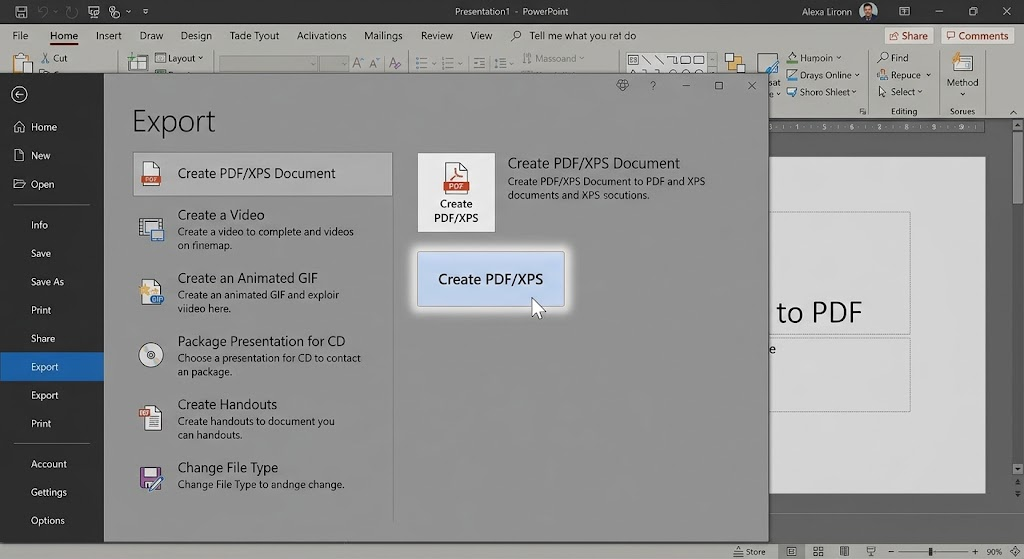
Create PDF XPS in PowerPoint
Convert PPTX to PDF Online: What to Check First
Online converters are handy on a borrowed computer, but you are uploading a document to a third-party server. For work decks with confidential content, prefer the desktop route above. If you do convert online:
Pick a reputable converter, such as the WPS online tools, and read what it says about file retention.
Upload the PPTX and wait for the conversion to finish.
Preview every page — online renderers occasionally shift complex charts or custom fonts.
Download the PDF and delete the upload if the service offers a delete option.
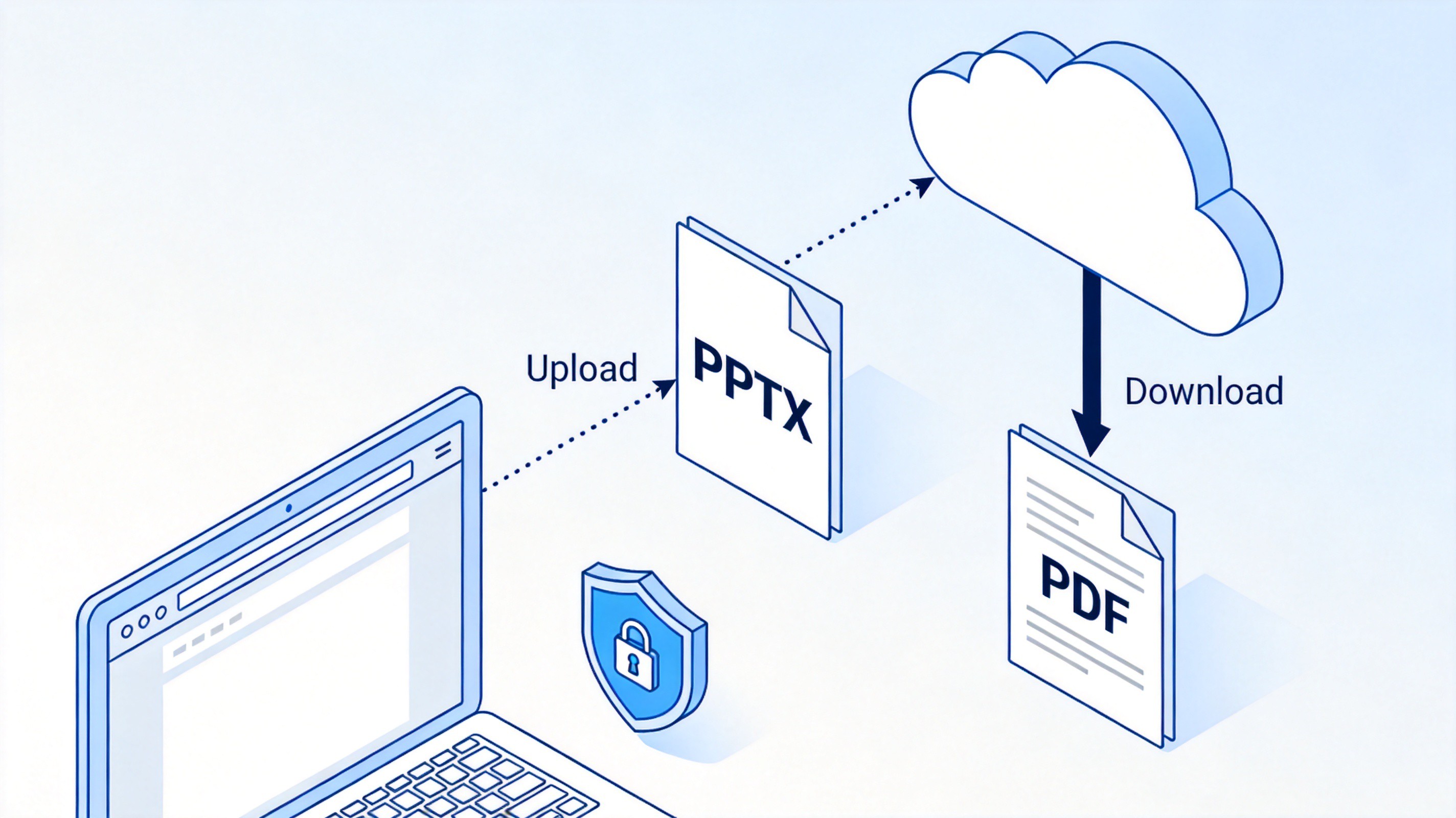
Convert PPTX to PDF online in a browser
The Best Free Alternative: WPS Office
Most tools that export PDFs cleanly ask for a subscription. WPS Office is a free office suite with more than three decades of history — its WPS 97 release was one of the first widely used office packages in China, and today it runs on Windows, macOS, Linux, Android, and iOS with over a billion installs worldwide. For converting PPTX to PDF, it covers everything the paid suites do:
Full PPTX compatibility — WPS Presentation opens and edits .pptx files natively, so you can fix a typo or reorder slides before exporting. If a file will not open at all, the best free PowerPoint viewers guide covers more options.
Built-in PDF toolkit — beyond one-click export, the same app reads and writes on PDFs, adds comments, and fills forms.
Post-conversion cleanup — if the finished PDF is heavy, compress it without losing quality inside WPS PDF; and if the client wants the deck back, you can convert a PDF to PowerPoint again.
WPS AI assistance — built-in AI helps draft slide outlines, rewrite text, and polish long-form copy, which speeds up everything from a class essay to a pitch deck before you freeze it into PDF.
Free templates and cross-device sync — thousands of presentation templates plus WPS Cloud, so the deck and its PDF stay available on every device.
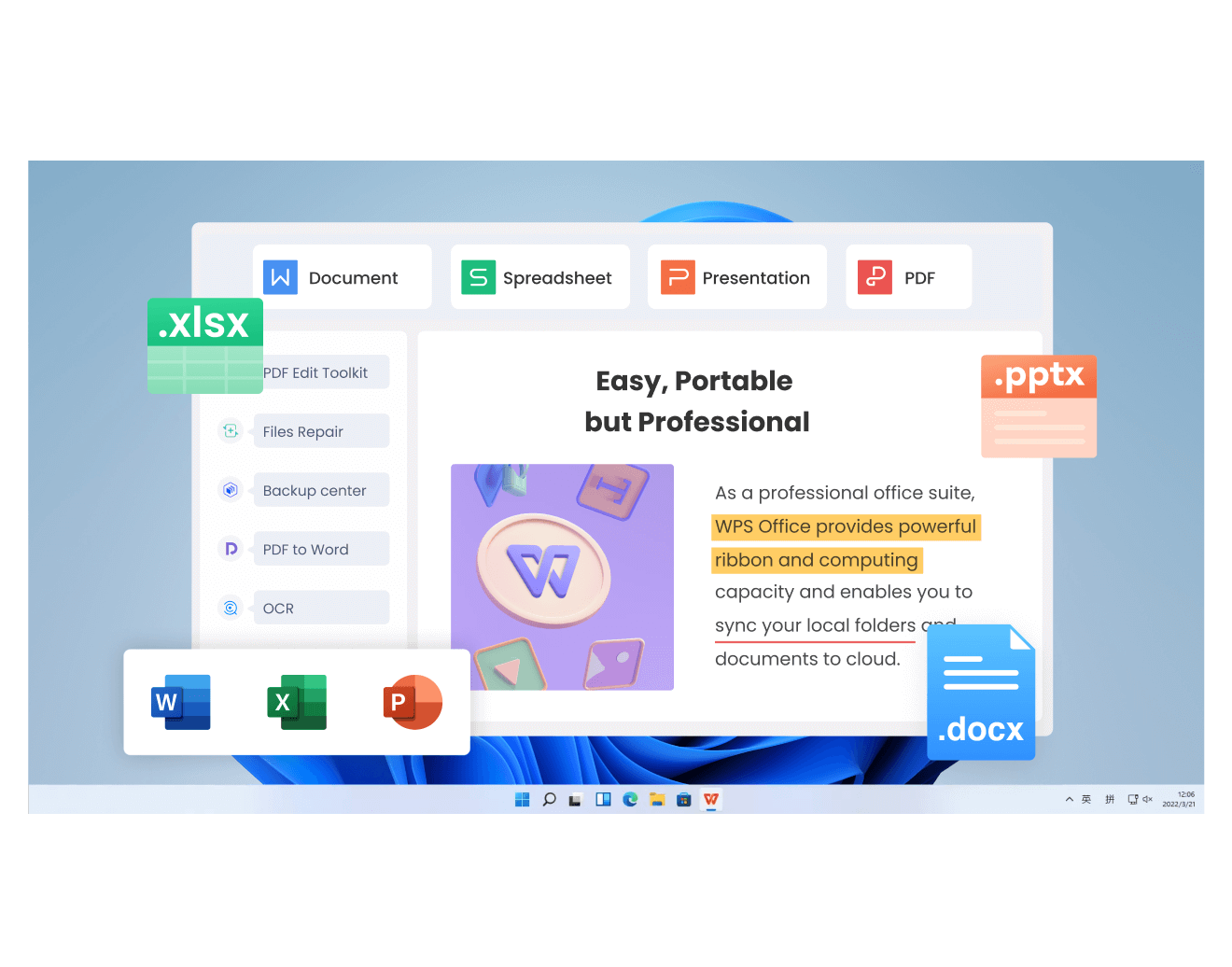
WPS Office home with PDF and slides tools
FAQs
How do I convert PPTX to PDF for free?
Open the file in WPS Presentation and use File > Export to PDF, or in PowerPoint use File > Export > Create PDF/XPS Document. Both are free; WPS Office does not require a Microsoft license.
Will converting PPTX to PDF keep the animations?
No. PDF is a static format, so transitions and animations are dropped. If you need motion, share the original PPTX or export a video of the presentation instead.
Why is my PDF different from the slides?
Usually a missing font was substituted during export. Install the fonts used in the deck, or embed them before converting, then export again and compare the affected slides.
Can I convert PPTX to PDF with speaker notes?
Yes. In PowerPoint, open Options in the publish dialog and choose Notes Pages under Publish What. In WPS Office, print the presentation to PDF with the notes layout selected.
How do I reduce the size of the converted PDF?
Choose Standard instead of High Quality when exporting, remove unused media from the deck before converting, or run the result through a PDF compressor afterward.


'%3e%3cpath%20d='M19.9911%204.11386V6.471H18.5894C18.0775%206.471%2017.7322%206.57814%2017.5536%206.79243C17.3751%207.00671%2017.2858%207.32814%2017.2858%207.75671V9.44421H19.9019L19.5536%2012.0871H17.2858V18.8639H14.5536V12.0871H12.2769V9.44421H14.5536V7.49779C14.5536%206.39064%2014.8632%205.53201%2015.4822%204.92189C16.1013%204.31177%2016.9257%204.00671%2017.9554%204.00671C18.8304%204.00671%2019.509%204.04243%2019.9911%204.11386Z'%20fill='%23333333'/%3e%3c/g%3e%3cdefs%3e%3cclipPath%20id='clip0_2938_8199'%3e%3crect%20width='16'%20height='16'%20fill='white'%20transform='translate(8%204.00671)'/%3e%3c/clipPath%3e%3c/defs%3e%3c/svg%3e)
'%3e%3cpath%20d='M17.5237%2010.7813L23.4811%204H22.0699L16.8949%209.88693L12.7648%204H8L14.2469%2012.9029L8%2020.0133H9.4112L14.8725%2013.7952L19.2352%2020.0133H24M9.92053%205.04213H12.0885L22.0688%2019.0224H19.9003'%20fill='%23333333'/%3e%3c/g%3e%3cdefs%3e%3cclipPath%20id='clip0_2938_8200'%3e%3crect%20width='16'%20height='16.0134'%20fill='white'%20transform='translate(8%204)'/%3e%3c/clipPath%3e%3c/defs%3e%3c/svg%3e)


